
Top 10 Themes for Highly Interactive Websites in WordPress in 2026
March 31, 2026Protected: 10 best personal branding website templates
April 1, 2026Modern e-commerce is a battle for mere fractions of a second of a customer’s attention. Statistics show that as many as 70% of users scan a page with their eyes instead of reading descriptions. This is where custom badges (product labels) come into play. They are not just decorations, but a powerful psychological tool that builds trust, communicates unique selling points (USP), and directly influences the purchasing decision.
In the Betheme, implementing custom labels is easier than ever, and their impact on the Click-Through Rate (CTR) in internal search results cannot be overstated.
Why Product Labels are a “Must-Have” for SEO and UX
From the perspective of Google and Helpful Content algorithms, what matters is how the user interacts with your site. Badges serve three key functions:
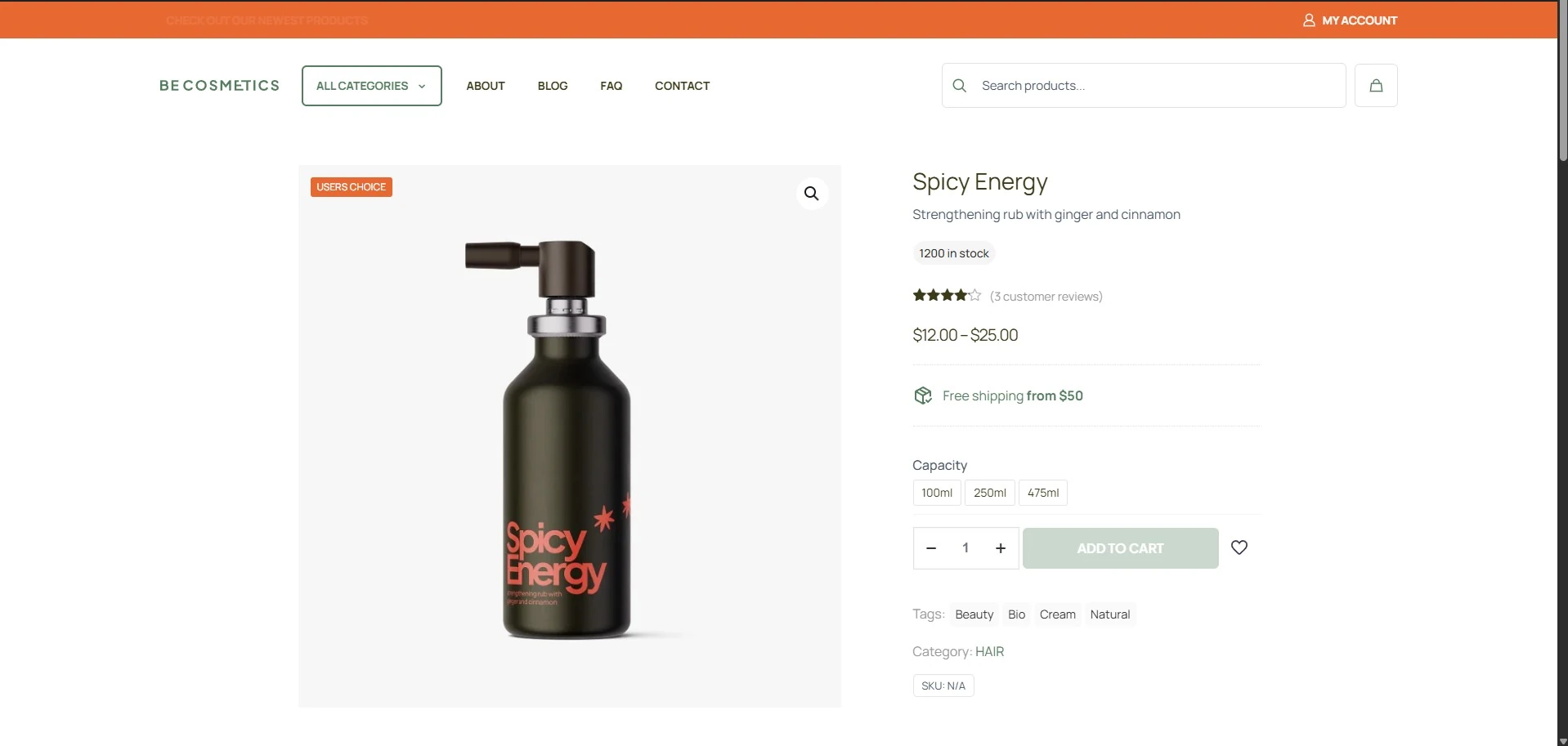
- Social Proof: A “USERS CHOICE” label acts like a recommendation, lowering the barrier of purchase anxiety.
- Shortening the Decision Path: Badges such as “Hypoallergenic” or “Award Winner” immediately answer specific user needs (Search Intent).
- Visual Distinction: In the Shop Archive grid view, a product with a colorful badge naturally catches the eye first, as confirmed by eye-tracking studies.
How to Add Custom Badges in Betheme: A Step-by-Step Guide
Forget about installing heavy plugins that slow down your store. Betheme features a native function for handling additional labels, which helps maintain high Core Web Vitals scores.
Configuration in Product Editing
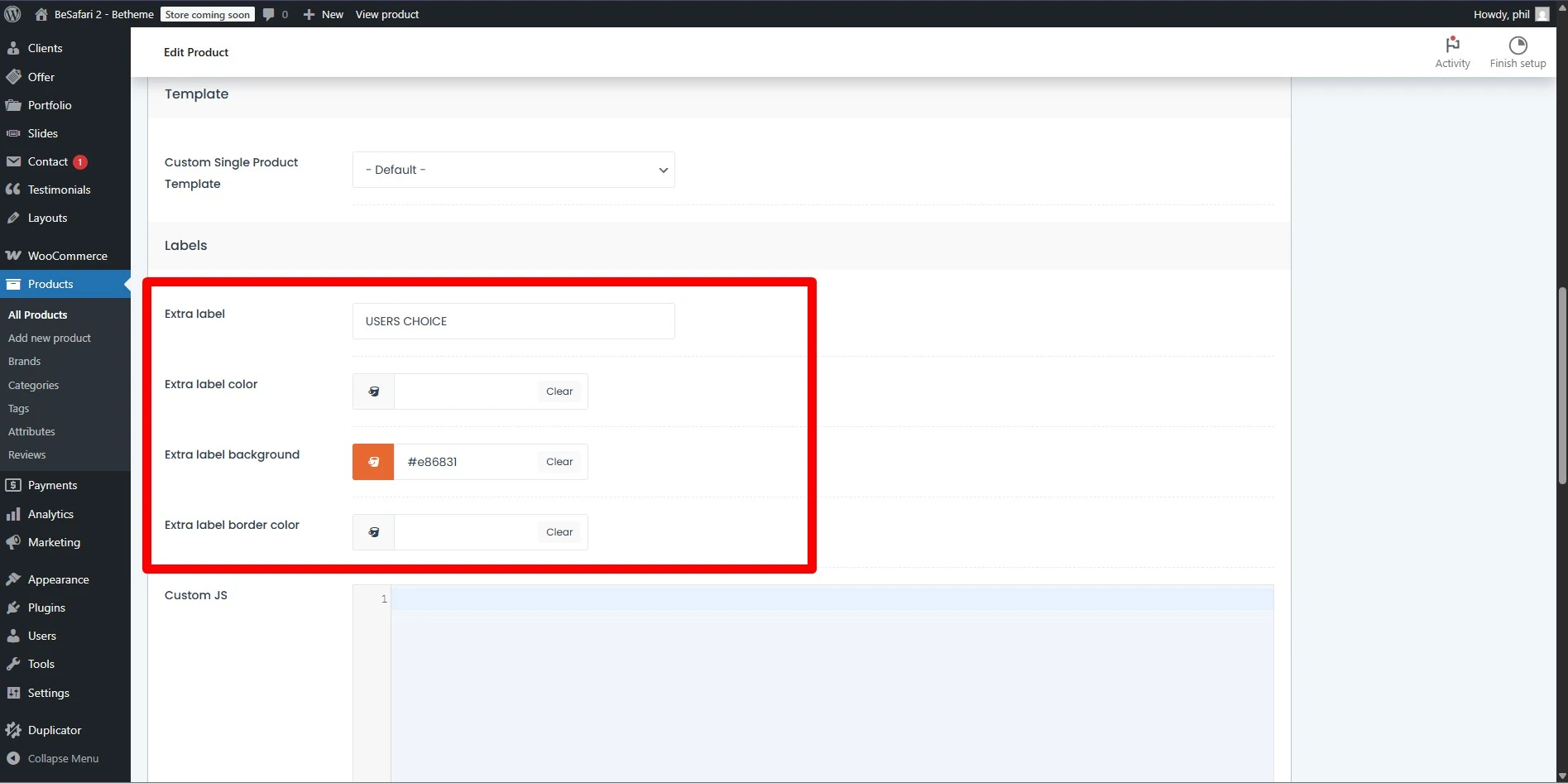
Go to the product management panel in WooCommerce. Scroll down to Page Options. There, you will find dedicated fields for labels:
- Extra label: Enter the text you want to appear (e.g., “BESTSELLER,” “ECO,” “USERS CHOICE”).
- Extra label color: Choose the text color.
- Extra label background: Set a background color that fits your needs.
- Extra label border color: Optionally, add a border to make the message stand out even more.
Visual Customization
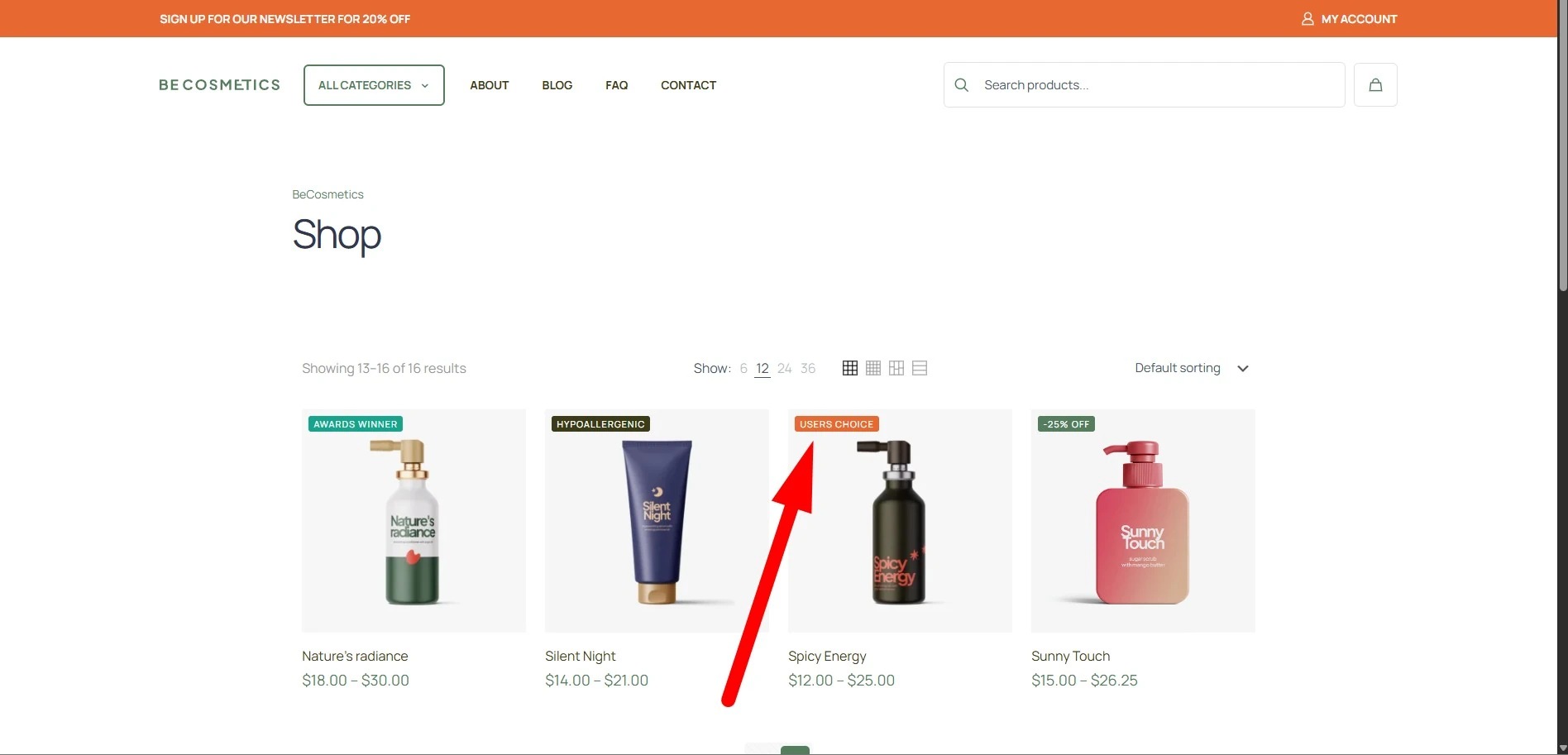
Remember to vary the colors of the badges depending on the message. For example:
- Red/Orange: For promotions and time-limited offers (triggering the scarcity principle).
- Green/Blue: For certificates, ecology, and safety (building authority – Trustworthiness).
Content Strategy: What to Write on the Label?
Don’t limit yourself to a standard “Sale.” Use semantics and the language of benefits. Here are a few suggestions that actually increase sales:
- “2024 Award” – builds E-E-A-T (Expertise, Authoritativeness, Trustworthiness).
- “Vegan Formula” – targets specific audience groups (Niche Targeting).
- “Last Items” – utilizes the FOMO (Fear of Missing Out) mechanism.
Summary
Implementing custom labels in Betheme is one of the simplest yet most effective ways to immediately improve the information architecture of a WooCommerce store. Instead of a generic look, you provide the user with specific touchpoints that build your brand’s authority.