

Top Marketing Website Templates to Boost Conversions
February 25, 2026
The Best Cosmetics Website Templates for Stunning Stores
February 27, 2026BeTheme is one of the most versatile and comprehensive multipurpose WordPress themes on the market. For ecommerce store owners (I hope you’re the one of them), its built-in popup functionality is a total game-changer, eliminating the need for owning multiple heavy, third-party plugins that often slow down site performance. By using the native BeBuilder, you can create seamless, lightweight, and high-converting overlays that integrate perfectly with your WooCommerce store’s design language. If you’re looking to level up your site with ecommerce popups, you’ve come to the right place. This article is for you.
Let’s jump in to complete guide to mastering ecommerce popups using BeTheme.
Understanding Ecommerce Popups
An ecommerce popup is a window that appears over your website content to capture attention. Many people can’t stand them because they are so pushy but the data doesn’t lie: well-timed popups convert.
In BeTheme, popups aren’t just “annoyance boxes.” Thanks to the BeBuilders popup template builder, they are fully customizable design elements. They serve as a bridge between a casual browser and a committed customer by delivering the right message at the exact moment a user is most likely to take action.
Ecommerce popups are no longer just “boxes that get in the way.” They are dynamic, design-focused elements that—when used with balance—increase conversion rates, grow email lists, and improve the overall customer experience. The key is to offer value first and respect the user’s journey.
Different Types of Ecommerce Popups
Because your customers take different buying paths, each one requires a different approach – in this case a “one-size-fits-all” rule doesn’t work.
To dive deeper into the world of ecommerce popups, we need to look beyond simple “discount boxes” and explore behavioral triggers and strategic placement. When you move beyond the basics, popups become a great tool for increasing your Average Order Value (AOV) and Customer Lifetime Value (CLV) that are so important for your ecommerce.
Here are some examples of using popups within BeTheme; your goal is to choose which one suits your store:
Discount Code Popups
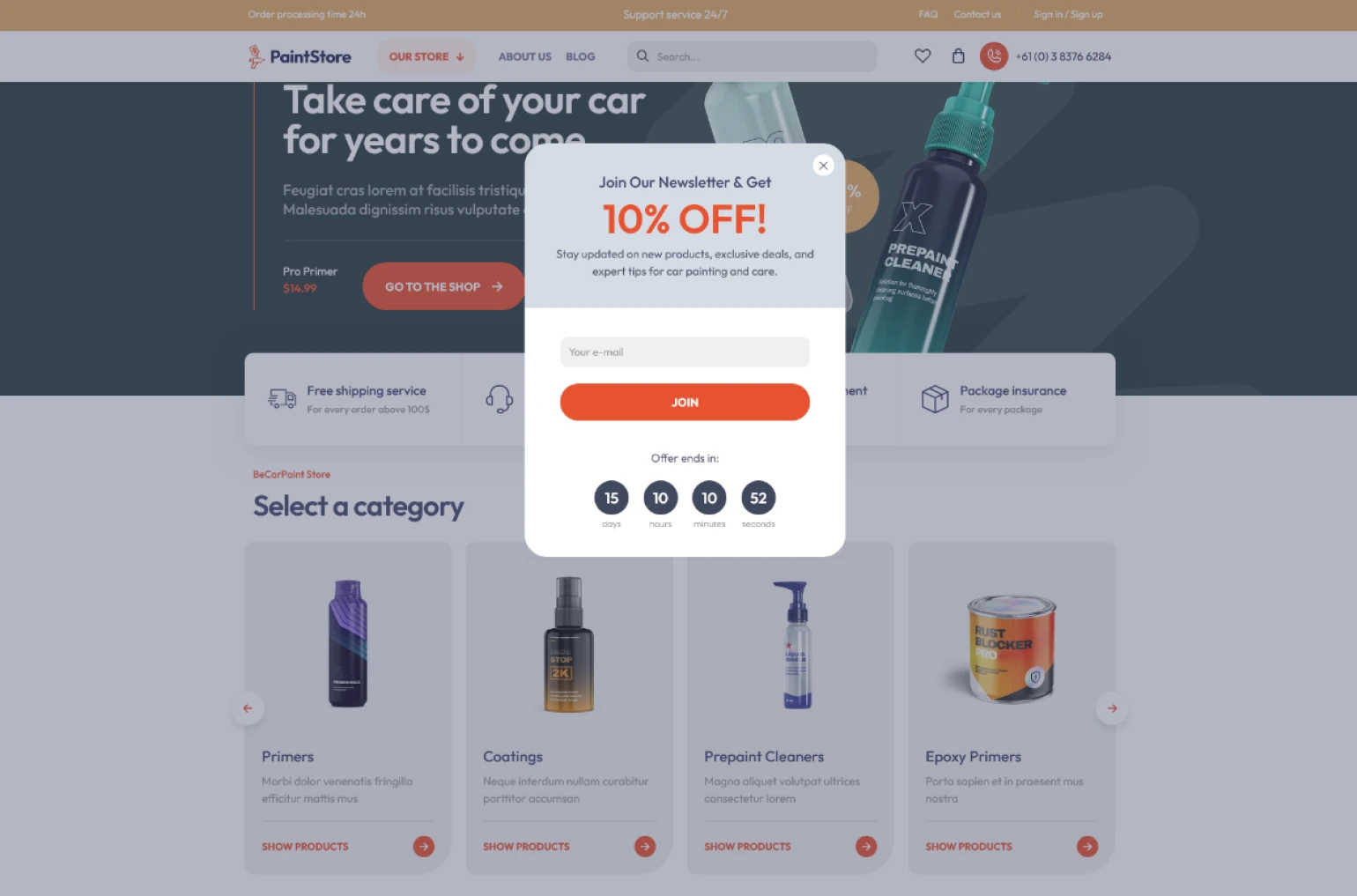
The “Welcome Discount” is the foundational element of modern ecommerce strategy. By offering a $10 credit or a 15% discount in exchange for a newsletter subscription, you lower the barrier to entry for first-time visitors. This not only encourages immediate sales but also allows you to build a valuable marketing list. BeTheme’s advanced trigger settings allow you to display these offers the moment a user lands on your homepage or, more effectively, after they have spent a specific amount of time engaging with your product catalog.
Age Gate
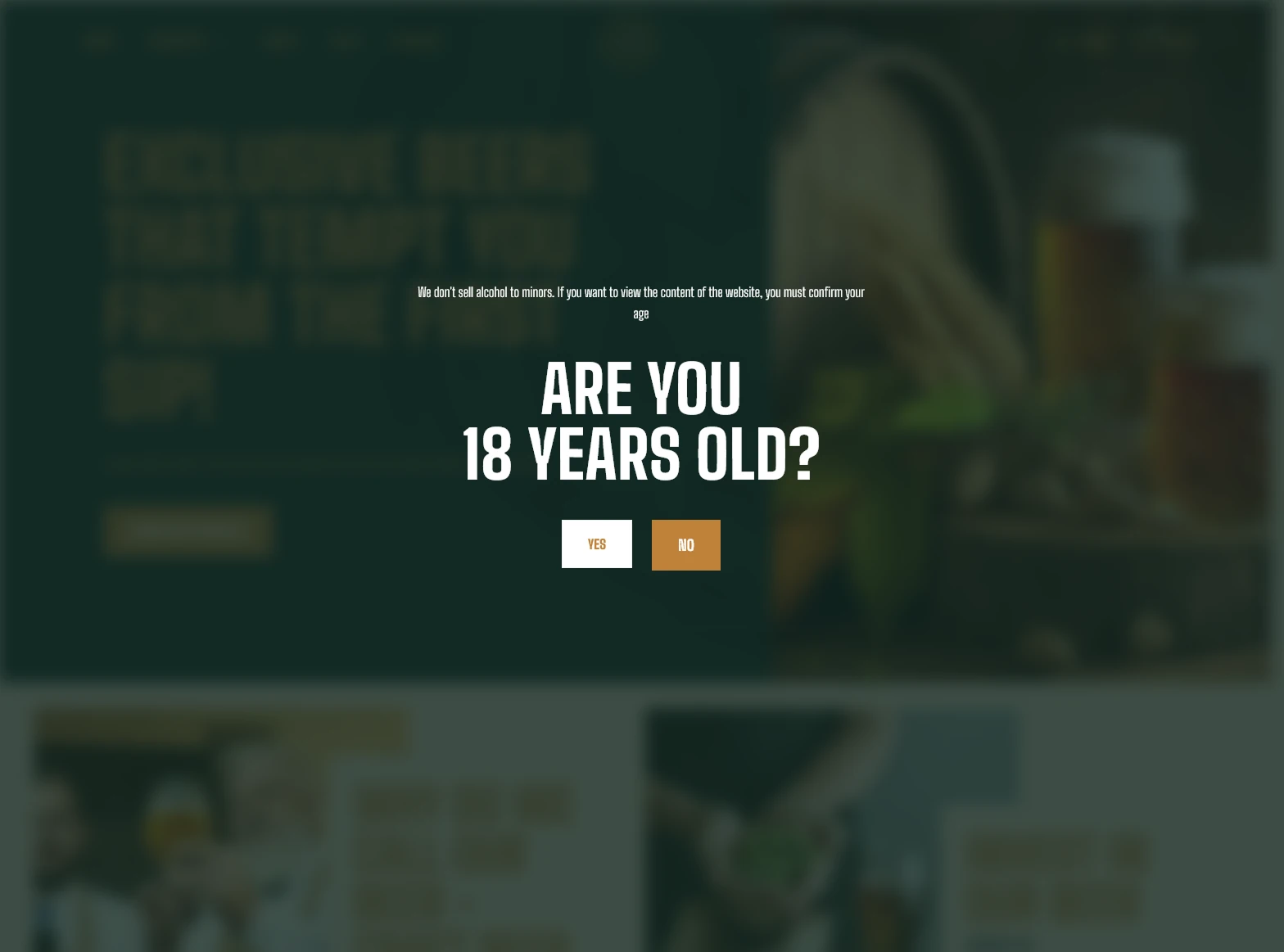
If your site carries age-restricted products like alcohol or tobacco, an age gate isn’t just a nice-to-have—it’s a legal necessity. The best part? Building a rock-solid verification popup with BeTheme is incredibly straightforward and stress-free. In the U.S. and many other countries, staying on the right side of the law (and your payment processor) is non-negotiable. A solid Age Verification Overlay ensures only the right eyes see your content. But remember! Your age gate shouldn’t look like a 90s error message. It should feel like a premium part of your site’s design.
Exit Intent Popups
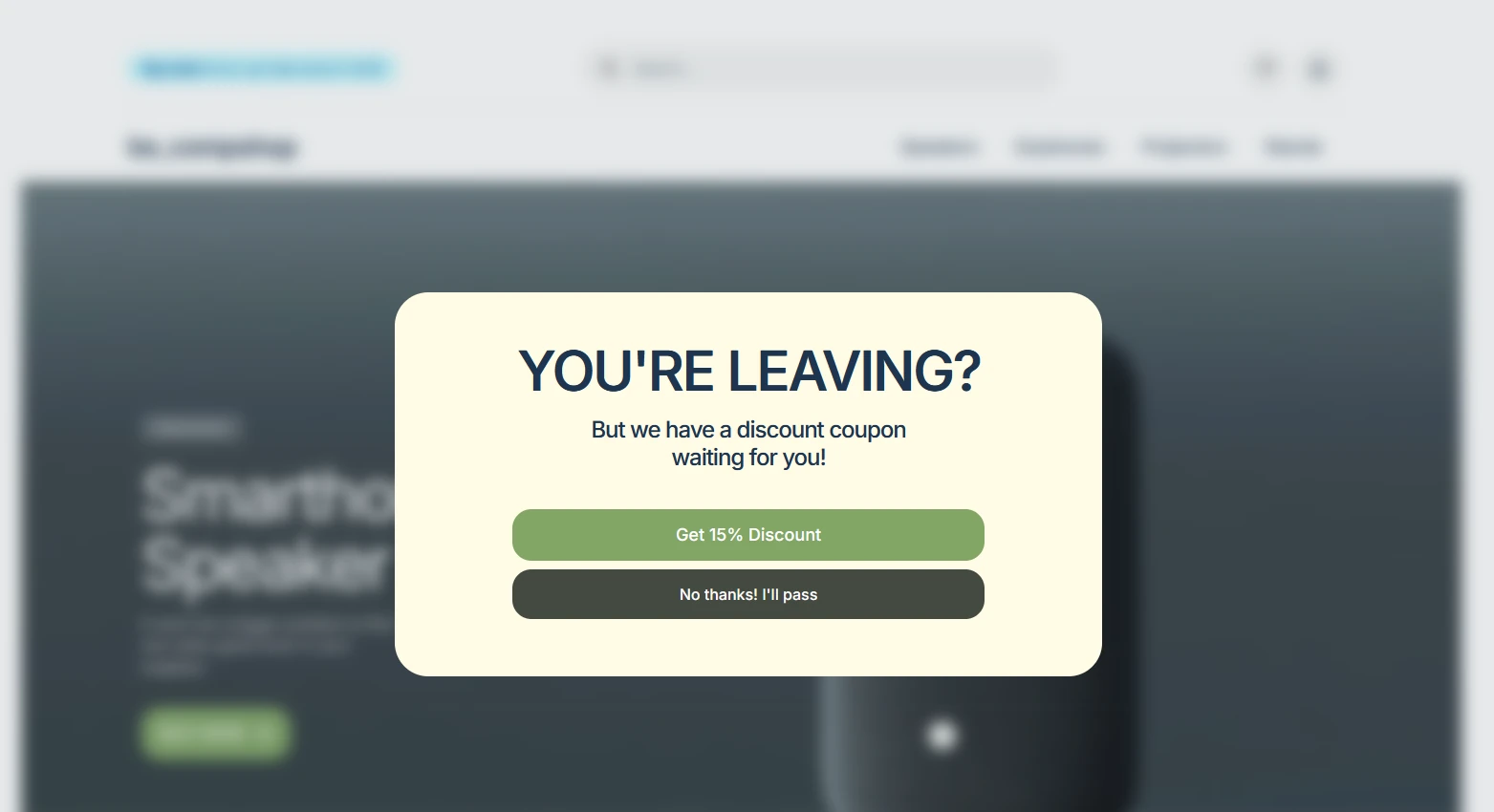
This is your “Wait! Don’t go!” moment. Using BeTheme’s trigger settings, you can detect when a user’s mouse moves toward the “close” button of their browser – exit . An exit-intent popup can offer a last-minute incentive or a reminder that their cart isn’t empty, effectively saving a lost sale.
Advice: But remember to set Display rule to only one time, because it can be irritating for users when they get into a loop from which they theoretically cannot get out.
Here is the list of trigger settings available within Betheme popup. You can trigger them:
- On start
- On start with delay
- On exit (example from the headline)
- After scroll
- After scroll to element
- On click
Collecting Visitor Emails
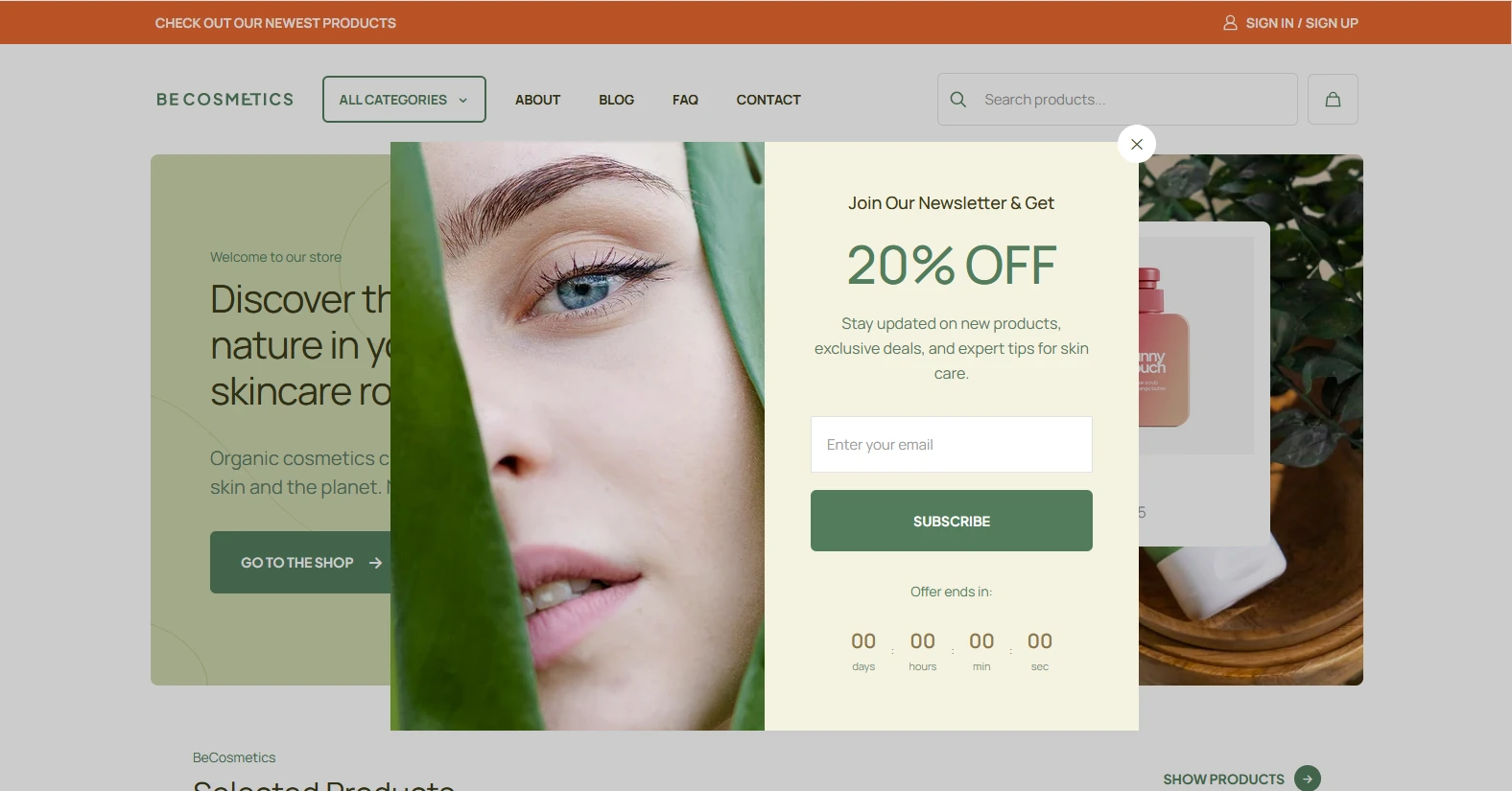
Building an email list is vital because you own that audience—unlike social media followers. BeTheme integrates seamlessly with tools like Mailchimp. Use a simple popup to offer a “Get our Newsletter” or “Join our VIP Club” invitation to keep your brand in customers mind.
Seasonal Popups for Special Promotions
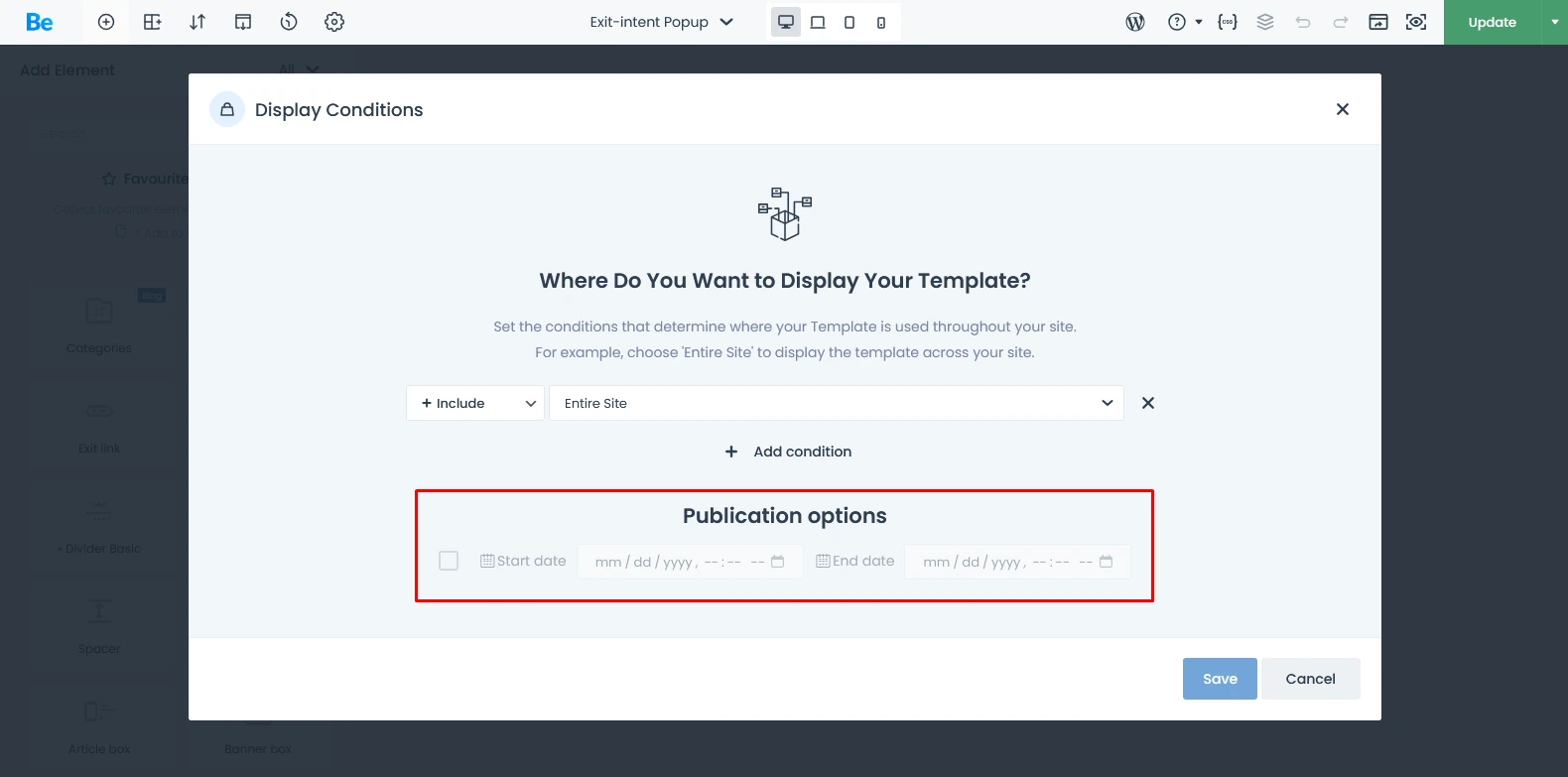
Whether it’s Black Friday, Mother’s Day, or a Summer Clearance, seasonal popups allow you to theme your site without changing the entire layout. You can create a popup with specific seasonal colors and graphics to move traffic to your sale pages. You can also schedule your popup for the future, thanks to a special option that displays it on a custom time range.
Best Practices for Designing Effective Ecommerce Popups
In the fast-paced world of online shopping, you have mere seconds to capture a visitor’s attention before they click away. This is where ecommerce popups come into play. Often misunderstood as mere “interruptions,” modern popups are actually sophisticated marketing tools designed to guide users through the buyer’s journey.
When implemented correctly—especially using versatile tools like BeTheme’s BeBuilder—popups act as a personalized assistant, offering value at the exact moment it’s needed most.
A bad popup drives people away; a good one pulls them in. Here you’ll find some advices to make a good cathing one:
The Anatomy of a Successful Ecommerce Popups
A high-converting popup typically consists of four key elements:
- The Hook: A bold headline that addresses a pain point or offers a benefit.
- The Value: What the customer gets (e.g., a discount, an ebook, or early access).
- The Visual: High-quality imagery that matches the brand’s aesthetic.
- The Frictionless CTA: A clear, easy-to-click button that tells the user exactly what to do next.
Keep It Simple and Clear
Don’t write a novel. You have about 1.5 seconds to grab attention. Use a bold headline, a one-sentence offer, and a very obvious “X” to close the window or/and let customer to close it when he click on overlay background behind popup.
Use Eye-Catching Visuals
BeTheme’s BeBuilder allows you to use high-quality imagery within your popups. Use professional product shots or lifestyle photography that resonates with your brand’s vibe. A visual representation of that what you can offer is always more powerful than text alone.
Create Urgency with Countdown Timers
Nothing moves a customer like the “Fear Of Missing Out” (FOMO). BeTheme includes elements like countdown timers that you can drop directly into your popup. If a customer sees a discount expires in 14 minutes, they are significantly more likely to use it immediately.
Leveraging Social Proof in Ecommerce Popups
In the world of ecommerce, the biggest problem to a sale is often insecurity. When a visitor lands on your site, they are silently asking: “Is this store reliable? Are these products actually good? Do other people buy from here? Am i safe with this store?”
Social proof is the psychological phenomenon where people follow the actions of others. It builds trust instantly. This kind of popups are effective way for showing that others have made similar purchases and satisfied with the products and encourage clients to make a purchase.
Popups grab attention, but social proof provides the substance. While a standard popup might feel like an interruption, a social proof popup feels like a recommendation. By showing real-time validation, you reduce “buyer’s remorse” before the purchase even happens.
Displaying Customer Reviews
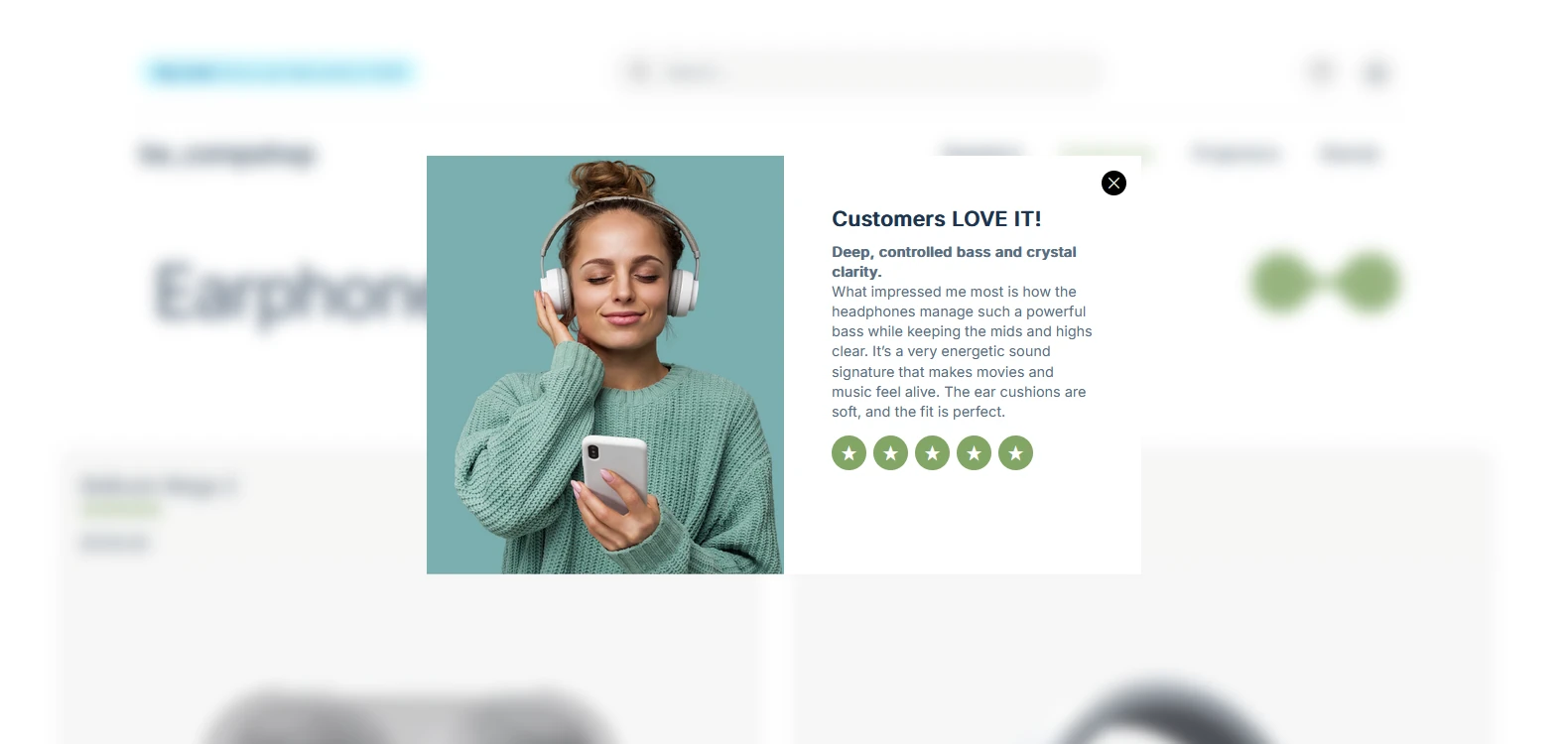
Using testimonials in popups is one of the most effective ways to drive sales. With nearly half of all consumers trusting online reviews as much as personal recommendations, social proof is a deal-breaker for closing the sale. By triggering a testimonial popup right as a user is about to leave, you give them that final nudge of confidence they need. It’s a straightforward strategy that builds credibility, enhances UX, and delivers a real boost to your conversion rates.
Example: Use a popup to highlight a glowing 5-star review. Seeing that “XXX from New York” loved his purchase gives new visitors the confidence to click “Add to Cart.”
Highlighting Popular Products
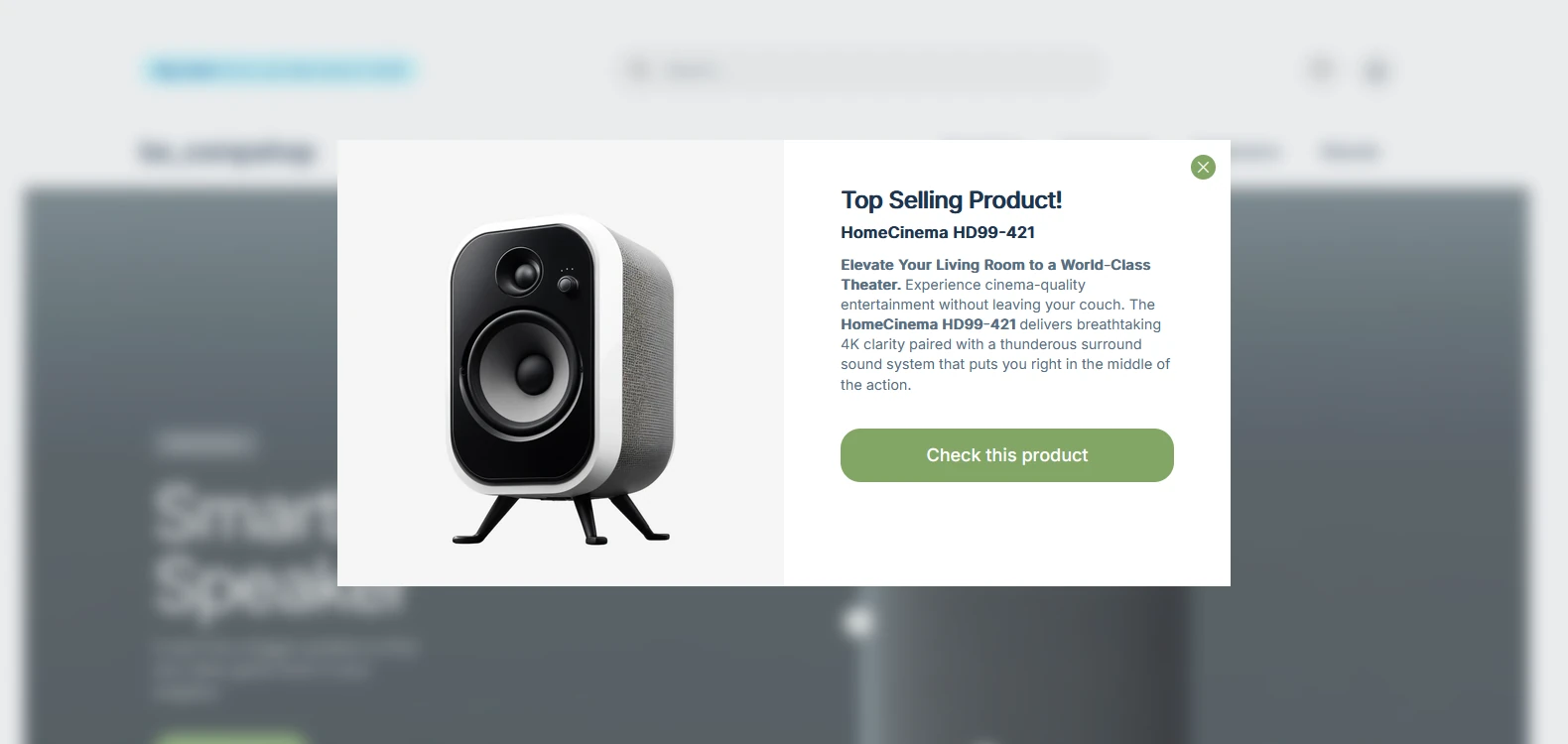
People want what others are having. It’s the “crowded restaurant” effect. To achive it you can do something like”Join 5,000 others who bought this”. It will be a powerful motivator. You can set up popups that highlight your “Best Sellers” or “Trending Now” items, guiding visitors toward products that are already proven to be hits.
Ecommerce popups Summary
Ecommerce popups in BeTheme are a sophisticated tool for increasing conversion rates, growing your email list, and reducing cart abandonment. By utilizing the built-in BeBuilder and the various trigger options (like exit-intent and scroll-depth), you can create a shopping experience that feels personalized rather than intrusive. Success lies in the balance: offer value, keep it visual, and respect the user’s experience.
Frequently Asked Questions
What is the primary purpose of ecommerce popups?
The primary goal is conversion. This can mean converting a visitor into an email subscriber, a lead into a customer, or a one-time buyer into a repeat fan.
How can exit intent popups help reduce bounce rates?
Exit intent popups act as a safety net. By offering a discount or a compelling reason to stay just as a user is leaving, you give them a reason to not going out and it could be conversed into additional buy with discount.
What are some best practices for designing effective ecommerce popups?
Focus on clarity, speed, and value. Ensure the popup loads quickly, the offer is unmistakable, the design matches your brand, and it’s easy for the user to close if they aren’t interested.
How can popups be integrated with email marketing campaigns?
Most popups in BeTheme connect via API or shortcodes to email service plugins like Mailchimp, Contact Form 7. Once a user enters their email, they are automatically added to your mailing list or you get message to interact with customers manually in the future.
What metrics should be tracked to measure the success of popup campaigns?
Keep an eye on the Conversion Rate (percentage of people who saw the popup vs. those who took action) and the Bounce Rate. If your bounce rate spikes after adding a popup, it may be appearing too soon or being too difficult to close.
If you’d like to create own popup for your own website or e-commerce store, watch our YouTube tutorial — we walk you through the entire setup step by step.