
How to Change Fonts in WordPress: Easy to Follow Guide
June 1, 2026
The Best Interactive Websites You Can Play Around With
June 4, 2026Stop Wasting Pixels: It’s time for a new generation of image formats
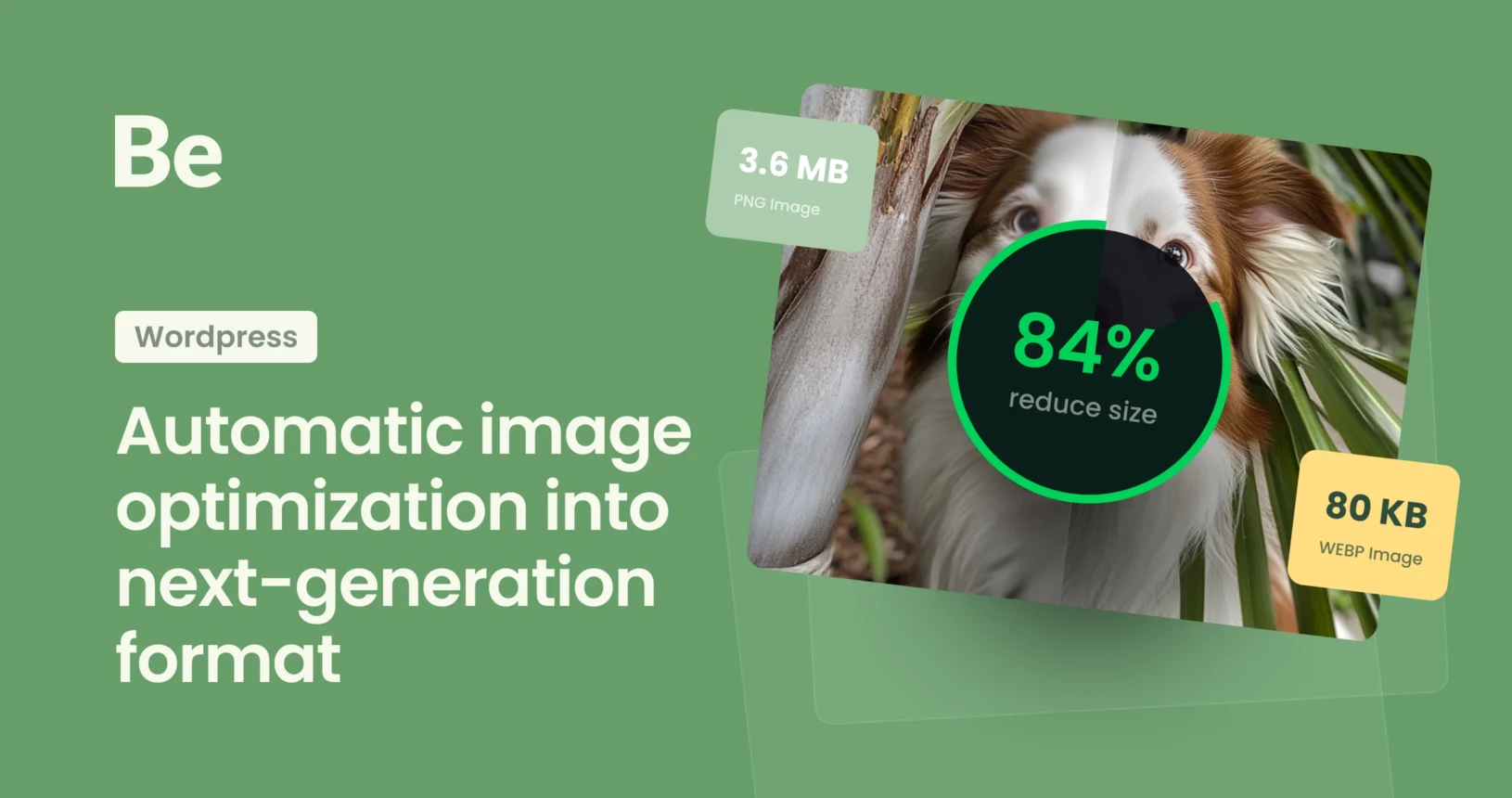
Let’s be honest. Your website is slow. It’s not your fault (well, not entirely). The culprits are almost certainly the very things that make your site look good: images. For years, we’ve relied on JPEGs and PNGs, but they’ve become bloated artifacts of a bygone internet era. Today, a slow site is a dead site and here comes the knight on it’s white horse – automatic image optimization.
It’s 2026. The technology exists to have your high-res visuals and blazing fast load times, too. It’s called Next-Generation Image Optimization, and if you’re running a WordPress site without it, you are actively driving visitors away and sabotaging your SEO.
This isn’t just about making your site a fraction of a second faster. It’s about meeting modern standards, satisfying Google’s strict user-experience metrics, and respecting your audience’s time and bandwidth. If you want to compete, you must embrace Next-Gen formats. Here is exactly why.
The New Standards: WebP and AVIF vs old JPG
Forget JPEG. While still a useful fallback, Next-Gen formats outperform it in every single category. These new standards use advanced compression algorithms to deliver beautiful images at incredibly low file sizes.
Here’s the breakdown:
- WebP (The Proven Standard): Developed by Google, WebP has been the go-to for several years. It slashes file sizes by 25-35% compared to equivalent JPEGs while maintaining superb quality. Every major browser fully supports it.
Below is a comparison between an uncompressed JPG and a WebP image. Slide to the left for the full JPG, and to the right to see the WebP version.
JPG image is without compression file size is 1.15 MB.
WebP image with 80% compression file size is 0.17 MB ~ 86% reduced file size.
While minor differences in detail are visible, they are negligible compared to the significant reduction in file size. This will drastically improve page load speeds wherever the image is used. - AVIF (The Heavyweight Champion): AVIF is the absolute winner in 2026. It regularly beats WebP, producing images that are 50% smaller than JPEG and 20% smaller than WebP at comparable quality. It handles smooth gradients and transparency exceptionally well, and browser support is now universal.
Same JPG image without compression file size is 1.15 MB.
AVIF image with 80% compression file size is 0.14 MB – 88% reduced file size.
I think AVIF looks a bit better than WebP at similar compression levels—it keeps more detail and cuts the original JPG size by another 2%.



Image Format Comparison for WordPress (2026)
| Feature | JPG (JPEG) | WebP | AVIF |
| Compression Level | Standard | High (approx. 25–34% better than JPG) | Superior (approx. 50% better than JPG) |
| Image Quality | Good; loses detail at high compression | Excellent; maintains sharpness at low sizes | Best; handles gradients and fine details perfectly |
| Global Compatibility | 100% (All browsers) | ~97% (Nearly universal) | ~94% (High and growing) |
| Chrome / Edge | Full Support | Full Support | Full Support |
| Safari (macOS/iOS) | Full Support | Supported since v14 (2020) | Supported since v16 (2023) |
| Firefox | Full Support | Full Support | Full Support |
| Legacy Browsers | Perfect | Not supported in IE11 | No support in very old versions |
We are no longer forced to choose between stunning visual quality and performance. Next-Gen formats deliver both, and with automatic image optimization, you can do it effortlessly.
The Critical Advantages of Automatic image optimization
When you switch your WordPress site to WebP or AVIF, you unlock powerful benefits that affect your entire operation. This is why you must prioritize it.
1. Instantaneously Faster Load Times
This is the big one. Not optimized 1MB image is a bottleneck. An optimized 150KB AVIF version of that same image is a sprint. Every kilobyte you shave off a page’s total weight translates directly into faster rendering for your visitor. Faster sites make happier users.
2. Satisfying Core Web Vitals (SEO Gold)
Google measures user experience with a metric called Core Web Vitals. The most critical component is Largest Contentful Paint (LCP), which effectively tracks how long it takes for your main image or video to load. A slow LCP directly damages your Google ranking.
Optimization plugin solutions drastically reduce image file size, ensuring your primary visual elements load almost instantly. This improves your LCP score and gives you a powerful ranking signal for SEO. Ignoring this is like building a Ferrari with no engine.
3. Maximized Bandwidth (For You and Your Visitors)
High-res images use vast amounts of bandwidth, both for your server (increasing your hosting costs) and, more importantly, for your mobile users on limited data plans. Next-Gen formats aggressively target bandwidth usage. You consume less data serving your site, and your mobile audience will thank you (mentally) when your site doesn’t devour their data allowance.
4. Competitive Edge
Speed is a massive competitive differentiator. Studies show again and again that visitors will abandon a slow-loading site after just a few seconds. If your competitors’ sites load instantly while yours makes visitors wait, they will click away. Next-Gen formats ensure your site is the fast one, capturing the attention and business that others lose.
How to Automate WordPress Optimization into the Next Era
Now, the good news: you don’t need to manually convert every image to AVIF. WordPress version 6.5+ supports AVIF natively, and WebP has been supported since version 5.8. However, it’s good to use automation to make this efficient.
To get maximum results with zero effort, you can use native BeTheme options. According to BeTheme changelog – Since Version 28.1.12 – November 19th, 2025, you can use Automatic image optimization into next-generation format
How to Enable Automatic Image Optimization
To improve your website’s loading speed by converting images to the modern WebP format, follow these steps:
- Access Theme Options: In the WordPress sidebar menu, navigate to Betheme > Theme Options.
- Go to Performance Settings: From the list of options, select the Performance tab.
- Locate the Images Section: Scroll down until you see the Images module or pick it up from tabber navigator.
- Enable Optimization: Next to Images optimization, click the Enable button (highlighted in the red box on the screen below).
- Save Your Changes: Click the green Save changes button in the top right corner to apply the settings.
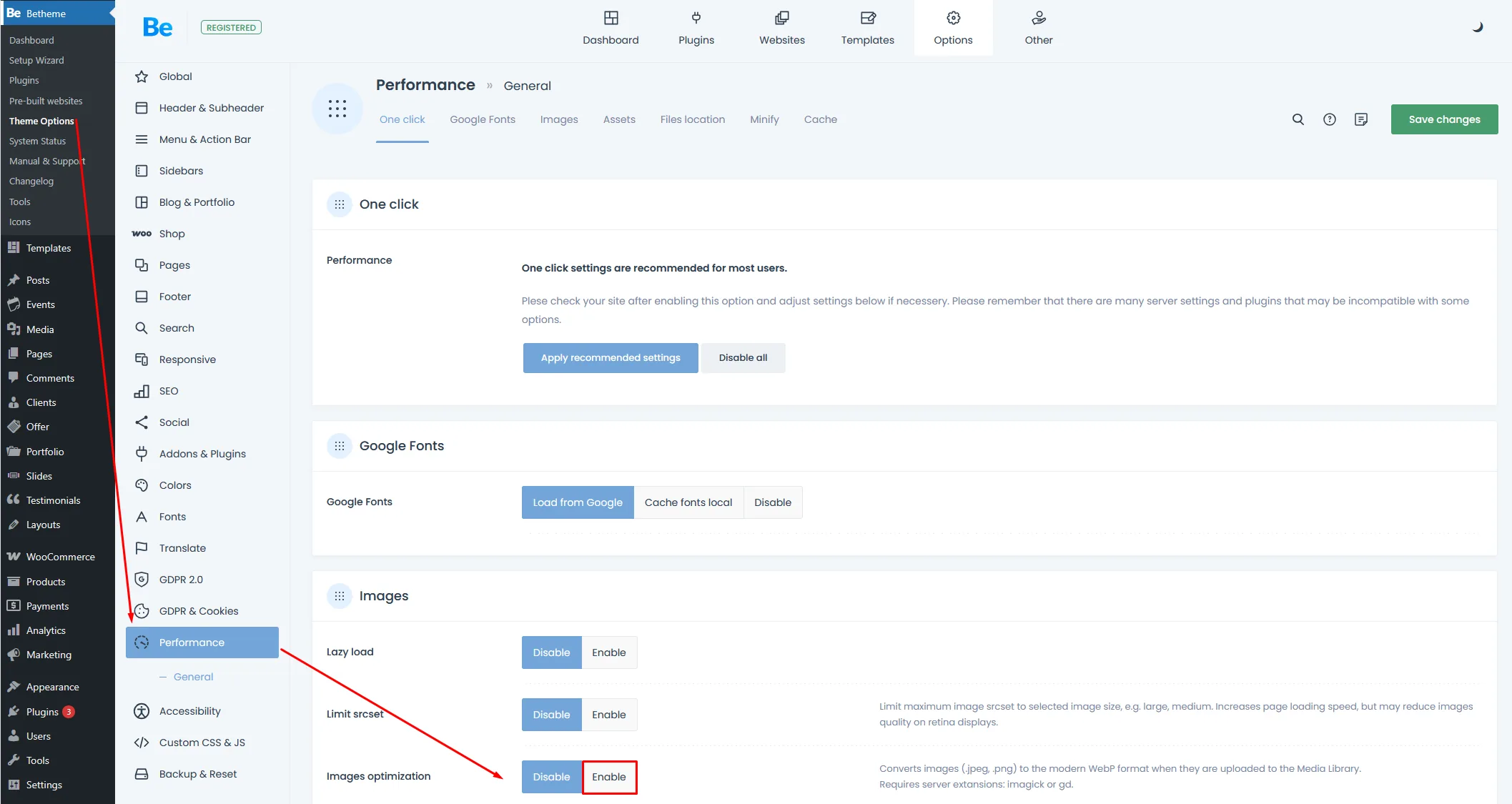
Technical Note: This feature converts .jpeg and .png files to WebP format upon upload to the Media Library. It won’t convert images that are already on your server. This could negatively impact your Google search rankings, as images and their file paths (including extensions) also influence your SEO position. Please ensure your server has the imagick or gd extensions enabled for this to work correctly.
Your Call to Action with Automatic image optimization
Stop waiting. Every day you serve not optimized JPEGs or PNGs is a day you lose visitors and search engine ranking. The web demands performance. In 2026, WebP and AVIF is the requirement, not a bonus.