

WooCommerce vs Shopify in 2026: which platform wins for your online store?
June 9, 2026
Fixing the Failed to Load Resource Error in WordPress
June 12, 2026Your architecture portfolio is only as strong as the website presenting it.
Picking the right architect WordPress theme shapes how potential clients experience your work before they ever contact you. The wrong choice means slow load times, broken project grids, and a site that looks generic next to your competition.
This guide covers the best architect WordPress themes, with BeTheme leading the list, and breaks down exactly what separates a purpose-built architecture theme from a generic portfolio template.
By the end, you will know which theme fits your firm size, budget, and workflow.
What Are Architect WordPress Themes?
Architect WordPress themes are purpose-built designs for architecture firms, solo architects, and design studios. They are not generic business themes with a different color palette. They are built around specific visual and functional needs that architecture work demands.
The global architecture market was valued at $408.2 billion in 2023 and is projected to reach $593.8 billion by 2032 (WifitTalents, 2024). That's a lot of firms needing a credible online presence.
A standard business theme fails an architect site in predictable ways. Wrong image aspect ratios for project renders. No project post type. No masonry grid or full-width layout capability. Portfolio filtering that doesn't support categories like residential, commercial, or interior. These aren't minor issues.
More than 19,000 architecture firms operate in the United States alone, and 75% of them have fewer than 10 employees (AIA Firm Survey, 2024). Most of those firms don't have a developer on staff. The right theme covers what a developer would otherwise build.
Who Uses Architect WordPress Themes
The audience is broader than just licensed architects. These themes serve:
- Architecture studios showcasing completed residential and commercial projects
- Urban planners and landscape architects with large image-heavy portfolios
- Interior designers who need project filtering by room type or style
- Construction firms that want a design-forward presence without a custom build
Interior design websites and construction website layouts share a lot of structural DNA with architecture sites. Full-width imagery, minimal chrome, clean typography, and project categorization show up across all three.
What Makes an Architect Theme Different from a Portfolio Theme 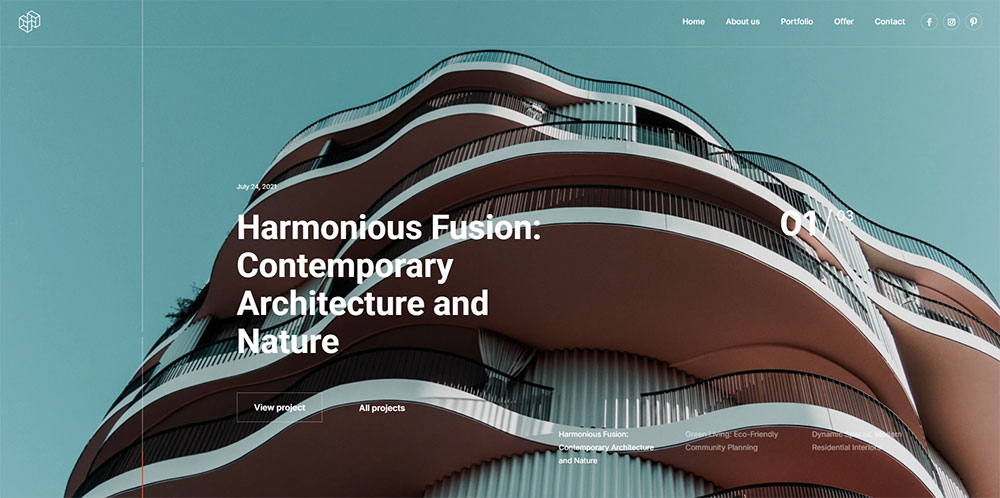
Portfolio themes prioritize image display. Architect themes add a layer of project structure on top of that.
The difference shows up in 3 specific ways:
- Custom project post types with fields for location, year, client, and type
- Ajax-powered filtering by project category (residential vs. commercial vs. hospitality)
- Single project page layouts built for architectural photography, floor plan embeds, and team credits
A generic creative portfolio theme gives you the first layer. Architect-specific themes give you all three.
What Criteria Separate a Good Architect Theme from a Poor One?
The evaluation criteria for architect WordPress themes come down to 5 dimensions. These are the same dimensions used to rank every theme in this article.
| Dimension | What It Measures | Why It Matters |
|---|---|---|
| Visual layout quality | Grid ratios, whitespace, full-width support | Architecture work lives or dies on image presentation |
| Page builder compatibility | Elementor, WPBakery, Gutenberg support | Determines how much flexibility you have post-launch |
| Performance scores | Core Web Vitals: LCP, CLS, INP | High-res renders make image-heavy sites slow by default |
| Customization depth | Typography control, color palette, header/footer builder | Architecture firms have strong brand identities |
| Demo library quality | Architect-specific demos, one-click import | Reduces time to a working site from weeks to hours |
Performance as a Hard Requirement
Architecture portfolio sites carry large image files by nature. High-resolution renders, before/after sliders, and full-screen hero images add real weight. A theme that already ships with performance overhead makes this problem worse.
Research from Google's web.dev case studies shows that improving site speed by 0.1 seconds can boost conversions by up to 8%. For an architecture firm, one extra client inquiry per month from better performance is worth real money.
In March 2024, Google replaced First Input Delay (FID) with Interaction to Next Paint (INP) as a Core Web Vital. Themes that haven't updated their JavaScript handling since 2022 will struggle with this metric.
Demo Quality Over Demo Quantity
260 architecture demos is not better than 6 architecture demos if those 6 are actually built for the industry.
What a good architecture demo includes:
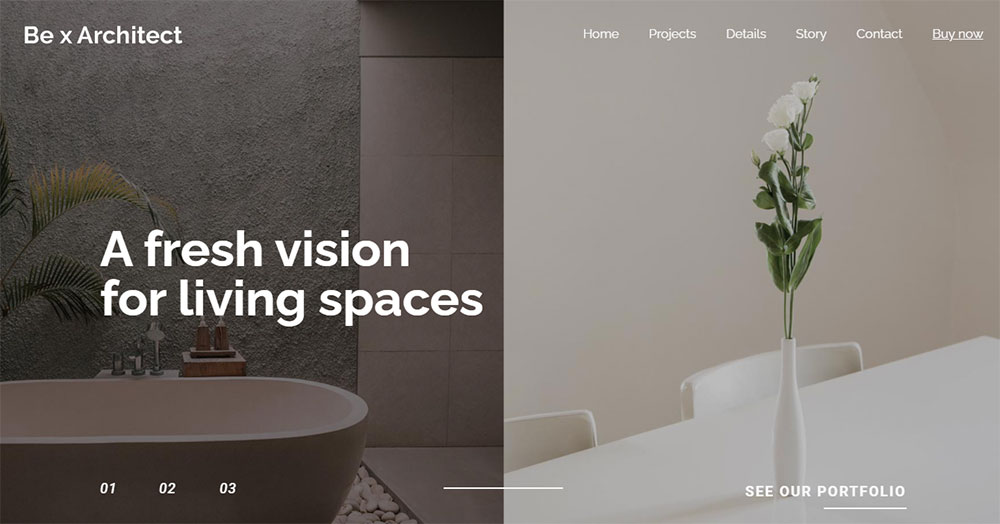
- Full-width hero image or video with minimal overlay text
- Masonry or grid portfolio section with hover states
- Single project page with gallery, specs sidebar, and next/previous project navigation
- Contact or inquiry form with project type and budget fields
Themes that list 600+ demos but only 3-4 architect-specific ones are multipurpose themes, not architect themes. That distinction matters when you're trying to get a site live quickly.
Which Architect WordPress Theme Ranks First?
BeTheme ranks first for architect WordPress themes. It carries close to 260,000 sales on ThemeForest, holds a 4.82 out of 5 rating, and sits among the top 5 best-selling themes on the platform (WPMarmite, 2025). No other theme in this category combines demo volume, architect-specific layouts, and builder flexibility at that price point.
What Architecture Demos Does BeTheme Include?
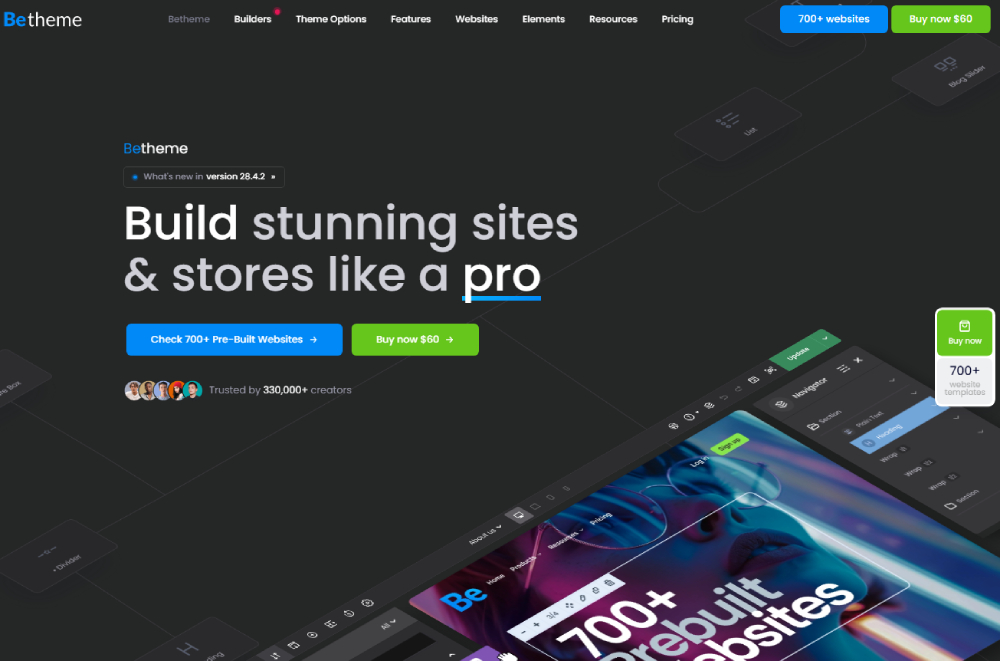
BeTheme ships with 700+ pre-built websites across dozens of niches. The architecture vertical is one of the better-developed sections of the library.
Confirmed architect and architecture-adjacent demos include:
- Architect demo: full-width project grid, minimal header, dark/light mode toggle
- Interior demo: room-type filtering, editorial image layouts
- Constructor demo: project timeline, services section, team page
- Decor demo: portfolio masonry layout, contact form with project brief upload
- Estate demo: property-style project cards with location and year metadata
Each of these installs in one click. You get a working site structure in under 10 minutes, then customize from there.
Muffin Builder handles the majority of these demos. Elementor-compatible demos are available but fewer in number. If you're committed to Elementor as your workflow, check which demos are labeled Elementor-ready before importing.
How Does BeTheme Perform on Core Web Vitals?
BeTheme's own documentation states that the theme is now 3x faster than previous versions following recent performance upgrades. Muffingroup's ThemeForest listing confirms full WordPress 7.0, full Elementor Pro, and WooCommerce 10.7 compatibility as of May 2026.
Key performance features built in:
- Lazy loading for images across all demo types
- Lightweight Muffin Builder architecture that doesn't bloat script load
- One-click disabling of unused theme modules to reduce page weight
- Built-in optimization for high-resolution project galleries
The practical advice here: after importing a demo, disable every Muffin Builder element you don't plan to use. BeTheme loads those scripts by default, and an architect site doesn't need the casino or karting modules running in the background.
BeTheme Pricing and License
BeTheme costs $69 as a one-time license on ThemeForest. That includes lifetime theme updates and 6 months of support from Muffingroup. Extended support runs an additional fee beyond the initial period.
One license covers one site. If you're building for multiple architecture clients, buy separate licenses. At $69 per site with 700+ demo options, this is genuinely one of the lower cost-per-feature ratios in the market.
What Are the Best Architect WordPress Themes After BeTheme?
Four themes consistently compete in the architect WordPress theme space: Kalium, Uncode, Bridge, and Avada. Each has a clear use case where it wins. None of them is universally better than the others.
Kalium
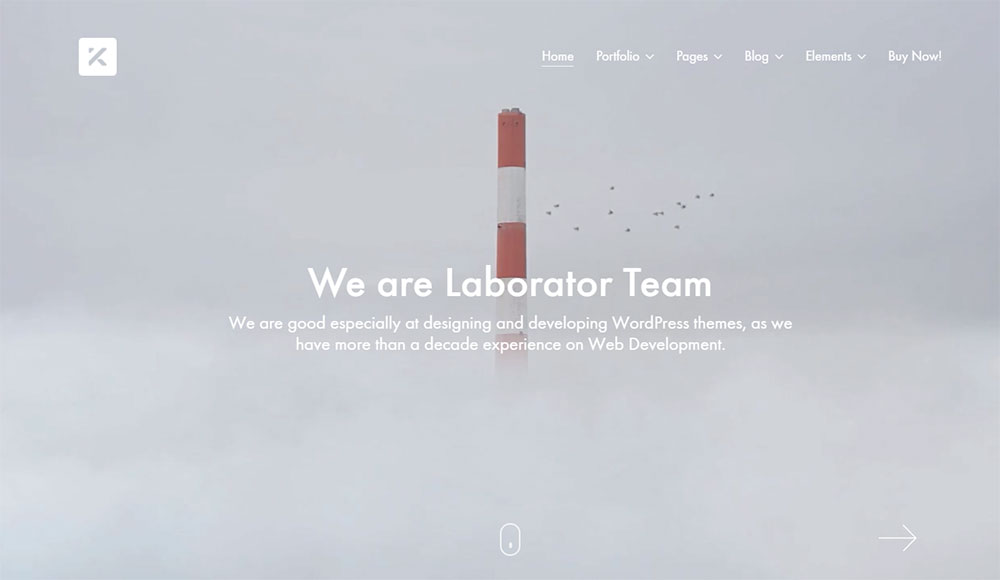
Kalium targets creative professionals and design-forward portfolios. It's available as a standalone ThemeForest purchase and through Envato Elements.
Best for: Solo architects and small firms prioritizing visual impact over feature breadth.
- Clean masonry grid layouts with smooth Ajax portfolio filtering
- WooCommerce integration for selling architectural services or downloadable resources
- Strong typographic control with 950+ Google Fonts
Kalium doesn't have the raw demo volume of BeTheme, but its architecture-adjacent portfolio demos are genuinely well-designed. Less is more here.
Uncode
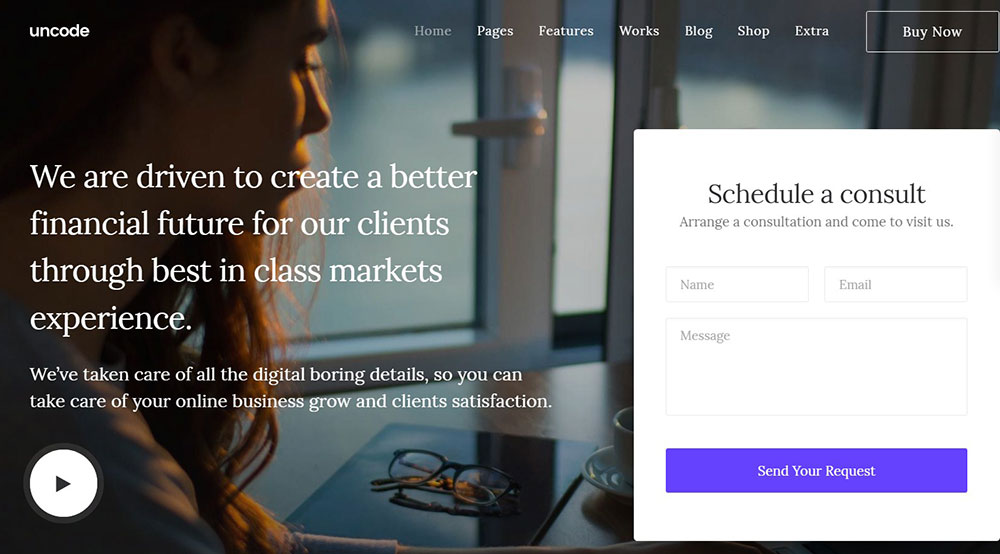
Uncode is a pixel-level grid builder. Architecture and photography studios in Europe use it heavily because of how precisely it handles image composition on screen.
The theme's native Adaptive Images system resizes and crops photos to fit the grid exactly, which matters a lot for architectural photography where framing is everything.
Key differentiator: Uncode's grid editor lets you control gutter sizes, image ratios, and hover behavior at a level most multipurpose themes don't offer. It's the right call when the visual grid IS the portfolio.
One honest caveat: Uncode has a steeper learning curve than BeTheme. If you're not comfortable with grid theory, the first few hours with it can be frustrating.
Bridge
Bridge has sold over 192,933 copies on ThemeForest since 2014 and holds a 4.78 out of 5 rating (Webstick, 2025). It ships with 480+ complete demo sites and supports both Elementor and WPBakery out of the box.
Architecture-specific strengths:
- Multiple architecture and interior demos with full-screen portfolio grids
- Qode's native page builder as a third builder option
- Strong parallax scrolling support for storytelling-style project pages
Bridge is the best call for mid-size firms that want Elementor compatibility without giving up demo quality.
Avada

Avada holds over 858,000 ThemeForest sales and a 4.78 rating from 37,370+ reviews (Webstick, 2024). It's the best-selling theme on the platform, which comes with both advantages and a known downside.
| Avada Strength | Avada Weakness |
|---|---|
| Fusion Builder is mature and full-featured | Heavier page weight than BeTheme or Kalium |
| Multi-site license available | More complex to configure for first-time users |
| Architecture starter sites available | Performance requires more manual optimization |
| Strong community and documentation | Some demos feel dated compared to newer competitors |
For large architecture studios managing multiple sites, Avada's multi-site license economics make it the most cost-effective option in the group.
Flatsome

Flatsome is primarily a WooCommerce theme that architects increasingly use for service-based selling. If an architecture firm sells consultation packages, design plans, or digital downloads alongside project showcases, Flatsome handles that combination better than any dedicated portfolio theme.
Performance is a real advantage here. Flatsome ships lighter than Avada or Bridge out of the box. The tradeoff is fewer architecture-specific layouts and no native project post type.
How Do These Themes Compare on Performance Benchmarks?
Performance benchmarks for WordPress themes vary based on hosting environment, image compression settings, and which plugins are active. The numbers below reflect default demo installs with no additional optimization applied.
| Theme | Page Builder | Lazy Loading | Noted Performance Trait |
|---|---|---|---|
| BeTheme | Muffin Builder / Elementor | Built-in | 3x speed improvement post-2024 update |
| Kalium | WPBakery / Elementor | Built-in | Lightweight default scripts |
| Uncode | Native grid + WPBakery | Built-in | Adaptive Images reduces file weight |
| Bridge | Elementor / WPBakery / Qode | Built-in | Multiple builders add script overhead |
| Avada | Fusion Builder | Built-in | Heaviest default load among the group |
The Page Builder Weight Problem
Every page builder adds JavaScript overhead. This is unavoidable. The question is how much, and whether the theme gives you tools to reduce it.
BeTheme lets you disable unused Muffin Builder modules from the theme options panel. Fewer active modules mean fewer scripts loading on pages that don't use them. Bridge and Avada don't offer this level of module-by-module control by default.
INP scores take a hit when page builders load scripts on every page regardless of whether those scripts are needed. On a project portfolio page with 20+ high-res images, that compound weight shows up in real user experience data.
Architecture Sites and LCP Specifically
Largest Contentful Paint measures how long it takes for the main content element to load. For an architecture site, that element is almost always a hero image or a full-width project render.
Google's updated LCP threshold tightened from 2.5 seconds to 2.0 seconds in the March 2026 core update (Google Search Central). Architecture sites with unoptimized hero images and heavy theme scripts are the most likely to fail this threshold.
Themes that ship with lazy loading enabled by default and provide image optimization guidance in setup documentation reduce this risk significantly. BeTheme and Kalium both do this. Bridge does not document it as prominently.
Which Theme Works Best with Elementor for Architecture Sites?
Elementor is the most widely used page builder for WordPress. Architecture firms that already have an Elementor workflow, or whose developers are Elementor-trained, need to know exactly how each theme integrates before committing.
BeTheme and Elementor
BeTheme added full Elementor compatibility in 2020. It supports both the free Elementor version and Elementor Pro. The compatibility is genuine: you can use Elementor widgets, templates, and the Theme Builder for headers and footers.
The honest limitation: most BeTheme demos are built with Muffin Builder, not Elementor. If you import an architecture demo built on Muffin Builder and then try to edit it with Elementor, you're working around the original build rather than with it.
The better approach with BeTheme and Elementor: use Elementor to build pages from scratch using BeTheme's structure and styling as the foundation. Or specifically choose from the smaller set of Elementor-native BeTheme demos.
Bridge and Elementor
Bridge ships with Elementor pre-bundled alongside WPBakery and its own Qode builder. For Elementor users, this is a stronger out-of-the-box experience than BeTheme. A larger proportion of Bridge's 480+ demos are Elementor-compatible.
The downside: running 3 page builders in one install creates script conflicts if you're not careful. The Qode builder and Elementor both want to handle certain widget types, and that overlap occasionally causes rendering issues on complex layouts.
Uncode and Elementor
Uncode uses WPBakery as its primary builder and has its own native grid system. Elementor is not natively supported.
This isn't necessarily a problem. Uncode's grid builder is genuinely better than Elementor's grid module for image-heavy architecture layouts. But if Elementor is a hard requirement on your project, Uncode is not the right theme.
Elementor Without a Dedicated Architect Theme
Astra with Elementor Starter Templates is worth knowing about here. Astra is the most-used active WordPress theme with over 12,300 top-site installations (W3Techs, 2025). Its Starter Templates library includes portfolio and architecture layouts that pair with Elementor natively.
The limitation is customization depth. Astra's architecture templates are thinner than BeTheme's dedicated demos. You'll build more from scratch. That's acceptable for Elementor-fluent developers and a real time cost for everyone else.
If Elementor is your builder and architecture-specific layouts matter, Bridge is the strongest pairing in this list. If you care more about demo quality and faster setup, BeTheme with Muffin Builder is the better call even if it means learning a different builder.
What Portfolio Features Do Architect Themes Need?
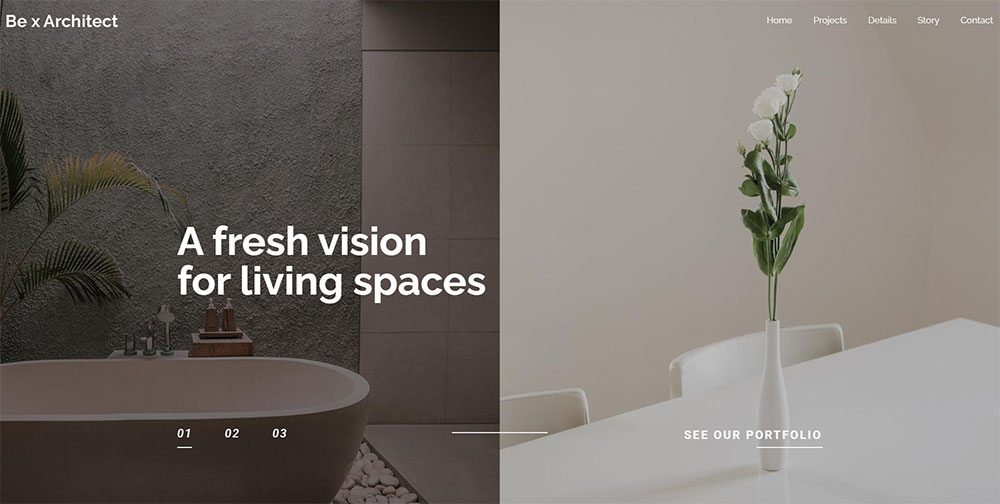
Portfolio functionality for architects differs from general creative portfolio needs in 4 specific ways. Most themes cover 2 or 3 of these. Fewer cover all 4.
Custom Project Post Types
A project post type is a custom WordPress content type specifically for portfolio projects. It separates project content from regular blog posts and allows custom fields for architecture-specific metadata.
Fields an architect project post type should support:
- Project location (city, country)
- Year completed
- Project type (residential, commercial, hospitality, institutional)
- Client name (optional, for public display)
- Project area in square meters or square feet
BeTheme, Bridge, and Avada all include project post types with some variation of these fields. Kalium and Uncode offer project post types but with fewer default custom fields. Advanced Custom Fields Pro ($49/year) extends any of these themes to add fields the default setup doesn't include.
Ajax Portfolio Filtering
Ajax filtering lets visitors sort projects by category without a page reload. For an architecture firm with 40+ projects across residential, commercial, and interior categories, this is a real usability feature, not a nice-to-have.
All 5 themes in this article support Ajax portfolio filtering. The difference is in how it handles edge cases: what happens when a category has only 1 project, how the grid reflows on mobile, and whether the active filter state persists across page visits.
BeTheme and Uncode handle the mobile reflow best. Bridge occasionally shows layout jump issues on the reflow when switching between categories on certain demos.
Single Project Page Layouts
The single project page is where architecture sites lose visitors or keep them. A weak single project page reduces the work to a thumbnail. A strong one tells the full story.
Single project page elements that convert visitors into inquiries:
- Full-width or edge-to-edge hero image or video
- Before/after image slider for renovation projects
- Specs sidebar: year, location, type, area, team
- Gallery with lightbox and keyboard navigation
- Next/previous project navigation to keep visitors in the portfolio
Research on architecture firm websites from Pravaah Consulting (2026) shows that strong project page design is directly correlated with conversion rates between 3.5% and 8.2% from portfolio visitors to inquiry submissions. A weak project page sits at the lower end of that range.
Contact and Inquiry Integration on Project Pages
This is the feature most architect themes miss. A project page shouldn't just display the work. It should make it easy to start a conversation about similar work.
Placing a project-specific inquiry form or a "Start a similar project" CTA directly on the single project page closes the gap between inspiration and action. BeTheme's architecture demos include a contact section at the bottom of project pages by default. Most other themes require manually adding this element after import.
If your architecture site uses interior design portfolio layouts or adjacent niche designs, the same principle applies. The inquiry touchpoint belongs near the work, not buried in a separate contact page.
How Do Architect WordPress Themes Handle Multilingual and RTL Sites?
WPML is installed on over 1.5 million WordPress sites and is the standard for multilingual architecture portfolios operating across international markets (WPML, 2025).
Architecture firms working on projects in the Middle East, North Africa, or Israel need RTL layout support. WPML fully supports RTL languages and automatically switches text direction based on the active language. The theme still has to cooperate for the layout to flip correctly.
| Theme | WPML Compatibility | RTL Support | Polylang Support |
|---|---|---|---|
| BeTheme | Full | Yes | Yes |
| Avada | Full | Yes | Yes |
| Bridge | Full | Yes | Partial |
| Uncode | Certified | Partial | Limited |
| Kalium | Compatible | CSS overrides needed | Yes |
WPML vs. Polylang for Architecture Sites
WPML costs $39-$99 per year depending on the plan. It handles translation of pages, posts, custom post types, taxonomy, menus, and theme strings. For architecture firms with a project post type and custom fields, WPML is the more reliable choice because it explicitly supports custom post type translation.
Polylang is free at the base level. It works well for simple bilingual sites but lacks the WooCommerce multilingual add-on and doesn't support per-domain language configuration. For firms that only need two languages and no e-commerce component, Polylang covers the need without the annual cost.
Uncode has received official WPML certification, meaning the WPML team has verified compatibility. That matters if you run into translation issues and need support from either side.
RTL Layout Considerations for Architecture Portfolios
RTL support covers a lot of languages. Arabic, Hebrew, and Persian together account for over a billion speakers globally (WPML documentation).
For an architecture portfolio, RTL compatibility means more than just flipping text direction. Project grids need to reflow correctly. Navigation menus need to reverse. Sidebar positions on single project pages need to mirror. Themes that handle this with a single CSS dir attribute declaration work cleanly. Themes that hardcode left/right values in their component CSS require overrides on every affected element.
BeTheme and Avada handle RTL at the theme level without requiring custom CSS. Bridge handles most elements correctly with a few known exceptions in its slider components. Kalium needs manual CSS adjustments on the portfolio grid specifically.
What Is the True Cost of an Architect WordPress Theme?
The license price is the smallest part of the total cost. Most architecture firms discover the full picture only after purchase.
Premium plugin pricing as of 2024-2025: WPBakery Page Builder at $64, Slider Revolution at $59, Advanced Custom Fields Pro at $49/year, WPForms at $39.50/year (ThreeBird Creative, 2024).
What Comes Bundled vs. What Costs Extra
Several premium plugins come bundled with ThemeForest themes at no additional cost. But bundled plugins don't include standalone licenses, which means no direct author support and no access to premium cloud template libraries.
BeTheme bundle includes: Slider Revolution, LayerSlider, and Muffin Builder (native). No separate purchase needed for these to function.
What BeTheme doesn't include: Advanced Custom Fields Pro for extended project metadata, WPForms Pro for complex inquiry forms, and caching plugins like WP Rocket ($49/year).
Most architecture site builds need at least one caching plugin and one form plugin on top of the theme. Budget $90-$150/year for those two additions regardless of which theme you choose.
Two-Year Cost Comparison: BeTheme vs. Avada
Avada costs $60 as a one-time single-site license. BeTheme costs $69. The license difference is $9. The real cost difference shows up in support and plugin ecosystem choices over time.
| Cost Item | BeTheme (Year 1) | Avada (Year 1) |
|---|---|---|
| Theme license | $69 | $60 |
| Extended support (optional) | ~$23 | ~$19 |
| WP Rocket caching | $49 | $49 |
| WPForms Pro (basic) | $40 | $40 |
| Year 1 total | ~$181 | ~$168 |
By year 2, the recurring costs (caching, forms, optional ACF Pro) are identical. The $13 first-year difference is not a meaningful factor in theme selection.
Free Architect Theme Options
Astra with Starter Templates and Neve both offer free architecture-adjacent portfolio layouts. Honest limitations: no dedicated project post type, thinner customization depth, and no architect-specific demo quality to match BeTheme or Bridge.
Free themes work for a solo practitioner building a personal portfolio on a tight budget. They don't work well for a firm that needs project filtering, multilingual support, and professional inquiry forms without significant custom development.
If budget is the constraint, Astra Pro at $47/year paired with Elementor free covers the basics. Total year 1 cost: under $140. The tradeoff is build time, since you're assembling the site from components rather than importing a working demo.
How Do Architect Themes Support Contact Forms and Project Inquiry Flows?
A project inquiry form is the primary conversion mechanism on an architecture website. Every other design decision, portfolio grid, project page layout, and performance score, exists to get visitors to this form.
Architecture-specific inquiry forms need fields that standard contact forms don't include by default: project type, estimated budget range, timeline, and an option to upload a brief or reference images.
Built-In Form Support vs. Plugin Dependency
None of the 5 themes in this article ship with a native form builder. All of them require a plugin. The difference is in how well their demo templates are pre-configured to display those forms.
BeTheme architecture demos include pre-styled contact sections with Contact Form 7 markup ready to replace. Bridge demos use a similar approach. Avada and Kalium demos typically show a basic contact form placeholder that needs more setup work to reach a functional inquiry flow.
Contact Form 7 is free and handles standard fields well. The weakness: no built-in file upload for architectural briefs without an additional plugin. WPForms ($40/year) handles file uploads natively and integrates with HubSpot and Mailchimp directly.
Project Inquiry Form Fields That Actually Filter Leads
Most architecture firms don't want all inquiries. They want qualified ones. A well-structured inquiry form filters at submission.
Fields that qualify architecture leads at the form level:
- Project type: dropdown (new construction, renovation, interior, landscape)
- Estimated budget: range selector ($50K-$100K, $100K-$500K, $500K+)
- Timeline: start date and completion target
- Location: city and country for international firms
- File upload: for site surveys, existing plans, or reference images
am.com research on architecture lead generation (2026) shows that including budget and timeline fields in inquiry forms significantly improves lead quality, since clients unwilling to disclose this information are rarely ready to commission work.
CRM Integration for Architecture Client Pipelines
HubSpot's free CRM tier integrates directly with WPForms and Contact Form 7 via plugin. For architecture firms that track project bids across a long sales cycle of 3 to 12 months, having form submissions flow directly into a CRM pipeline changes how the firm follows up.
Mailchimp integration handles a different use case: newsletter lists for past clients, design updates, and project announcements. Both BeTheme and Avada demos include pre-styled newsletter opt-in sections that connect to Mailchimp with standard plugin setup.
Mobile form performance matters. Architecture website designs that convert well on mobile treat forms as primary content, not footer elements. Tap targets on mobile inquiry forms need to be at least 44x44px to meet usability standards. BeTheme and Bridge both meet this by default on their architecture demos. Kalium requires a CSS override on its default form styling for mobile tap target compliance.
Which Architect WordPress Theme Fits Small Firms vs. Large Studios?
60% of AIA member-owned architecture firms have fewer than 5 employees, and 27% are sole practitioners (Architizer, 2022). The website needs of a one-person practice and a 50-person studio are genuinely different.
Matching the theme to firm size isn't about prestige. It's about avoiding unnecessary complexity on small sites and avoiding capability ceilings on large ones.
Solo Architect and Small Firms (1-5 People)
Priority: fast setup, low maintenance, clean portfolio presentation. No need for multi-language, multi-site, or complex CRM integration at this scale.
Best fits:
- BeTheme with a single architecture demo import and Muffin Builder
- Kalium for firms where the visual grid is the primary differentiator
- Astra Pro + Elementor for budget-conscious solo practitioners
A small firm site typically needs: homepage with project grid, 10-30 individual project pages, about page, and a contact form. BeTheme covers this in one demo import with minimal configuration.
Mid-Size Firms (5-20 People)
Priority: project filtering by category, team page, service descriptions, and a contact flow that handles multiple project types.
BeTheme handles this range well. Its architecture and interior demos include team sections, service pages, and multi-category portfolio filtering. Bridge is a strong alternative if Elementor is the preferred builder across the team.
Key differentiator at this size: the number of active project categories. A firm working across residential, commercial, hospitality, and public sectors needs filtering that doesn't break the grid layout when one category has only 2 projects. BeTheme and Uncode handle sparse-category filtering more cleanly than Bridge or Avada.
Large Studios and International Firms (20+ People)
Between 2015 and 2023, the share of national architecture billings generated by larger firms increased by 40%, according to the AIA Firm Survey 2024. These firms need sites that scale.
Avada becomes the strongest option at this scale for 3 reasons:
- Multi-site licensing for firms with regional office sites
- Full WPML support for international project bids and regional client portals
- Fusion Builder's depth for complex service pages and sector-specific landing pages
Firms like Gensler (6,000 professionals) use custom builds, but mid-to-large firms below that scale often run on Avada or similarly mature themes because the documentation, community, and plugin ecosystem reduce dependence on a single developer. BeTheme also scales to this level with WPML, but its single-site license model increases cost for multi-office deployments.
How Do You Set Up an Architect WordPress Theme Correctly?
The setup order matters more than most theme documentation admits. Getting it wrong doesn't break the site permanently, but it does create extra work and occasionally orphaned content that's painful to clean up.
The Correct Installation Sequence
Skipping steps in this order causes the most common setup problems: demo content that won't import, plugin conflicts, and customizer settings that reset on update.
Step 1: Install WordPress on a clean install or staging environment, not on a live site with existing content.
Step 2: Install and activate the theme. Do not customize anything yet.
Step 3: Install all required and recommended plugins before importing demo content. Importing a BeTheme architecture demo without Slider Revolution active results in broken hero sections that take time to fix retroactively.
Step 4: Run the one-click demo import. This overwrites the default WordPress content (sample page, hello world post). If you have existing content, export it first.
Step 5: Customize from the imported demo. Replace placeholder images, update copy, and configure the contact form.
Child Theme: When You Need One, When You Don't
The standard advice is always to use a child theme. The practical reality is more nuanced for architecture sites built on BeTheme or Avada.
According to WordPress.org official documentation, a child theme is needed when you add custom PHP functions to the theme's functions.php file. If you lose those changes on a theme update, you need a child theme.
When you don't need a child theme: if all customizations happen through the theme's options panel, WordPress Customizer, or a page builder. BeTheme and Avada store these settings in the database, not in theme files. Theme updates don't erase them.
When you do need a child theme: if you're adding custom template files, modifying functions.php directly, or overriding WooCommerce templates for an architecture services shop.
Performance Configuration After Demo Import
A freshly imported BeTheme architecture demo runs with every available module active. That's not the right starting point for a production site.
Post-import performance steps specific to BeTheme:
- Go to BeTheme Options and disable unused builder elements under the Performance tab
- Set images to lazy load if not already enabled by default
- Install WP Rocket or LiteSpeed Cache and configure it before going live
- Run a PageSpeed Insights check on the architecture demo page specifically, since it carries the heaviest image load
Research on site speed from Google's web.dev case studies shows that a 31% improvement in Largest Contentful Paint led to 8% more sales for Vodafone Italy. For an architecture firm where one new project contract can be worth $200,000 or more, performance optimization has a direct return.
For real estate WordPress theme setups and architecture sites alike, this performance configuration step is consistently skipped during initial builds and almost always causes problems at launch. Do it before going live, not after.
FAQ
What is the best WordPress theme for architects?
BeTheme is the top choice. It offers 700+ pre-built demos including dedicated architect and interior layouts, one-click import, full Elementor and Muffin Builder support, and close to 260,000 sales on ThemeForest with a 4.82 out of 5 rating.
What makes an architect WordPress theme different from a regular portfolio theme?
Architect themes include custom project post types, Ajax portfolio filtering by category, and single project page layouts built for architectural photography. Generic portfolio themes display images. Architect themes add structured project metadata and inquiry flows on top of that.
Does BeTheme work with Elementor?
Yes. BeTheme supports both Elementor and Elementor Pro fully. Most demos are built with the native Muffin Builder, so if Elementor is your primary workflow, look for demos specifically labeled Elementor-compatible before importing.
How much does an architect WordPress theme cost?
Most premium architect themes on ThemeForest range from $59 to $79 as a one-time license. BeTheme costs $69. Budget an additional $90 to $150 per year for a caching plugin and a form builder like WPForms.
Can I use BeTheme for a multilingual architecture site?
Yes. BeTheme is fully compatible with both WPML and Polylang. It also supports RTL layouts for Arabic and Hebrew without requiring custom CSS overrides, making it a solid option for international architecture firms.
Which architect WordPress theme performs best on Core Web Vitals?
BeTheme and Kalium perform best out of the box. BeTheme's recent updates delivered a 3x speed improvement. Disabling unused Muffin Builder modules after demo import reduces script load significantly and improves Largest Contentful Paint scores.
Do architect WordPress themes include contact forms for project inquiries?
No theme ships with a native form builder. BeTheme and Bridge architecture demos include pre-styled contact sections ready for Contact Form 7 or WPForms. WPForms adds file upload support for architectural briefs, which Contact Form 7 requires an extra plugin to handle.
What is the difference between BeTheme and Avada for architecture sites?
BeTheme offers more architecture-specific demos, faster default performance, and a lower entry price. Avada has over 858,000 total sales and supports multi-site licensing, making it better suited for large studios managing multiple office sites or international deployments.
Do I need a child theme when using BeTheme for an architecture site?
Not always. If all customizations happen through BeTheme's options panel or a page builder, a child theme is unnecessary. You only need one when adding custom PHP to functions.php or overriding theme template files directly.
Which architect WordPress theme works best for a solo practitioner?
BeTheme or Kalium. Both offer clean architecture portfolio demos with minimal setup overhead. Astra Pro with Elementor is a budget alternative under $140 for year one, though it requires more manual configuration than a dedicated architect theme import.
Conclusion
This conclusion is for an article presenting architect WordPress themes, and the verdict is clear: the right theme saves weeks of custom development work.
BeTheme leads because it combines the largest architecture demo library, solid Core Web Vitals performance, and dual Muffin Builder and Elementor compatibility at a price that makes sense for firms of any size.
Kalium wins on visual precision. Bridge works best for Elementor-first workflows. Avada scales for large studios running multi-site deployments with full WPML integration.
Your architecture portfolio deserves a theme built around masonry grids, Ajax project filtering, and responsive project inquiry forms, not a generic business layout with a different font.
Match the theme to your firm size, builder preference, and multilingual needs. Then build something worth looking at.