
How To Solve The Failed To Open Stream Error In WordPress
June 15, 2026
How much does a website cost in 2026?
June 16, 2026Picking the wrong WordPress theme costs you time, client trust, and sometimes the entire project.
With over 11,000 themes available and WordPress powering 43.4% of the web, the options are overwhelming. Most look good in demos. Few hold up under real designer workflows.
This guide cuts through the noise. You will find the best WordPress themes for designers ranked by what actually matters: customization depth, performance, licensing, and builder compatibility.
From BeTheme at the top to lightweight alternatives for speed-first builds, every pick here is backed by benchmark data and real user feedback.
What Makes a WordPress Theme Good for Designers?
A good WordPress theme for designers gives you real control: over code output, layout structure, typography, spacing, and breakpoints. Not just color pickers and font dropdowns.
WordPress powers 43.4% of all websites as of early 2025, with over 11,000 themes available on the official repository alone (W3Techs, 2025). That number makes choosing harder, not easier.
Most themes look fine in demos. The gaps show up during actual builds, when you need to override a style, adjust padding on a specific breakpoint, or hand off a project to a client without breaking everything.
What Separates Design-Focused Themes from General-Purpose Themes
Code quality: clean, minimal HTML output with no forced inline styles that override your CSS.
Typography controls: per-element line-height, letter-spacing, and variable font support. Not just a font-family picker.
Breakpoint depth: at least 4 distinct breakpoints with independent controls, not just a mobile toggle.
Builder compatibility: confirmed support for Gutenberg, Elementor, WPBakery, and ideally a native builder option.
Licensing: unlimited site use matters for agencies and freelancers delivering client projects at scale.
Which Performance Benchmarks Matter for Designer Workflows
Speed affects both client satisfaction and search rankings. Two benchmarks actually matter: LCP (Largest Contentful Paint) and TTFB (Time to First Byte).
Testing by WP Rocket in 2025 confirmed that lightweight themes like Astra load in under 2 seconds by default, while multipurpose builder themes average 2-4 seconds without optimization. Both can reach strong scores with caching tools applied.
WP Rocket's own testing showed BeTheme improving from a mobile PageSpeed score of 82/100 to 98/100 after optimization, with LCP dropping from 3.3s to 1.2s. That range is realistic for most complex designer builds.
| Metric | What It Measures | Target |
|---|---|---|
| LCP | How fast the main content loads | Under 2.5s |
| TTFB | Server response time | Under 800ms |
| CLS | Layout stability during load | Under 0.1 |
| TBT | JavaScript blocking time | Under 200ms |
Page builder choice affects these numbers more than the theme itself. A lean theme running Elementor Pro will almost always be slower than the same theme with a native builder.
Which WordPress Theme Is Best for Designers Overall?
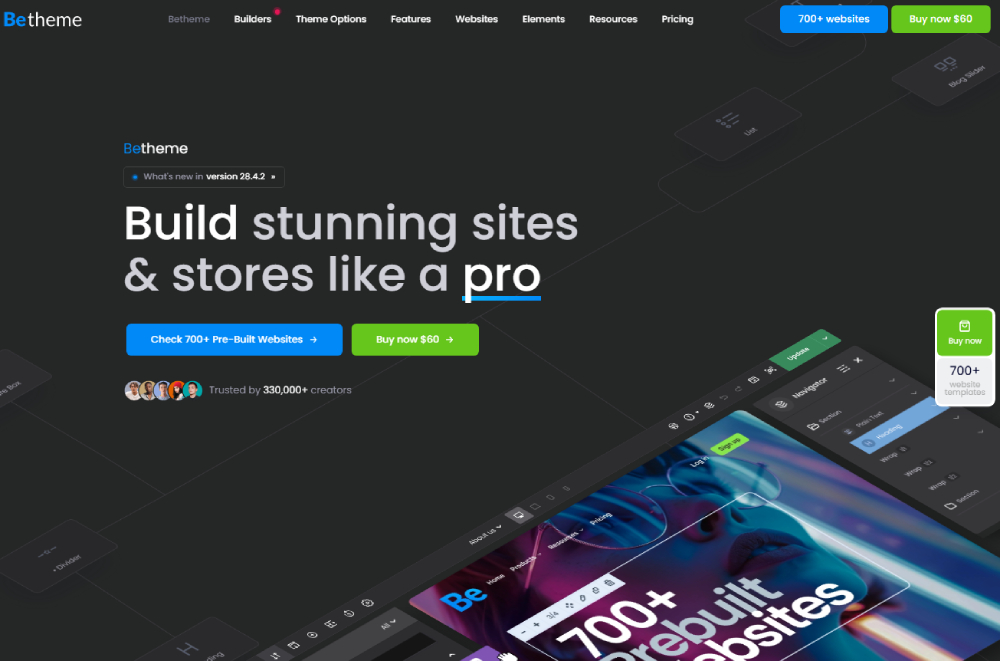
BeTheme is the best WordPress theme for designers overall. It combines 700+ pre-built sites, a native drag-and-drop builder (BeBuilder), full Elementor compatibility, white-label features, and per-breakpoint controls in a single purchase with unlimited site use.
Developed by Muffin Group, a Power Elite Author on ThemeForest, BeTheme has accumulated over 315,000 sales and holds a 4.8-star rating from more than 8,500 verified reviews (ThemeForest, 2025). That kind of track record across real designer and agency workflows is hard to fake.
BeTheme Pre-Built Sites for Designers: What's Available
700+ pre-built sites cover categories including creative agencies, design studios, photography, architecture, fashion, and SaaS products.
BeBuilder gives access to all 700 demos. Elementor users get access to 234 pre-built sites with one-click import. Both options include the setup wizard, which filters demos by builder and site type before import.
New demos are added regularly based on user requests. That matters for designers who repeatedly build sites for similar niches, such as interior design, architecture, and fashion.
BeTheme Performance on Default Installs
BeTheme scores a B grade on GTmetrix on default installs and an 89% performance score. That is the baseline before any caching or optimization plugin is applied.
With WP Rocket, BeTheme reached near 100/100 on PageSpeed Insights in WooCommerce testing scenarios (WP Rocket, 2025). The gap between default and optimized performance is large but manageable.
For designers running Kinsta or similar managed hosting, the default scores are less relevant. The optimized numbers are what client sites actually deliver.
BeTheme White-Label and Client Handoff Features
BeTheme includes a built-in white-label mode. You can remove all Muffin Group branding from the admin panel before handing off to clients.
This covers: the theme options panel label, admin footer text, and builder credits. Clients see a clean dashboard tied to your brand, not the theme vendor's.
Combined with a single-purchase unlimited site license, BeTheme is built for the kind of repeatable client delivery workflow that agencies and freelancers actually run. Most competing themes charge per site or restrict white-label to higher-tier plans.
How Does BeTheme Compare to Other Top WordPress Themes for Designers?
BeTheme holds its own against every major competitor. Where it loses on raw speed (vs. Astra) or sheer layout volume (vs. Divi), it wins back on licensing, native builder quality, and design control depth for production-ready work.
| Theme | Pre-Built Sites | Builder | White Label | License | Price |
|---|---|---|---|---|---|
| BeTheme | 700+ | BeBuilder + Elementor | Yes | Unlimited | $69 one-time |
| Avada | 90+ | Fusion Builder | No | 1 site | $69 one-time |
| Divi | 2,300+ layouts | Divi Builder | No (add-on) | Unlimited | $89/yr or $249 lifetime |
| Astra Pro | 250+ | Third-party only | No | Up to 1,000 | $47/yr |
| OceanWP | 210+ | Third-party only | No | Limited | ~$43/yr |
BeTheme vs. Avada
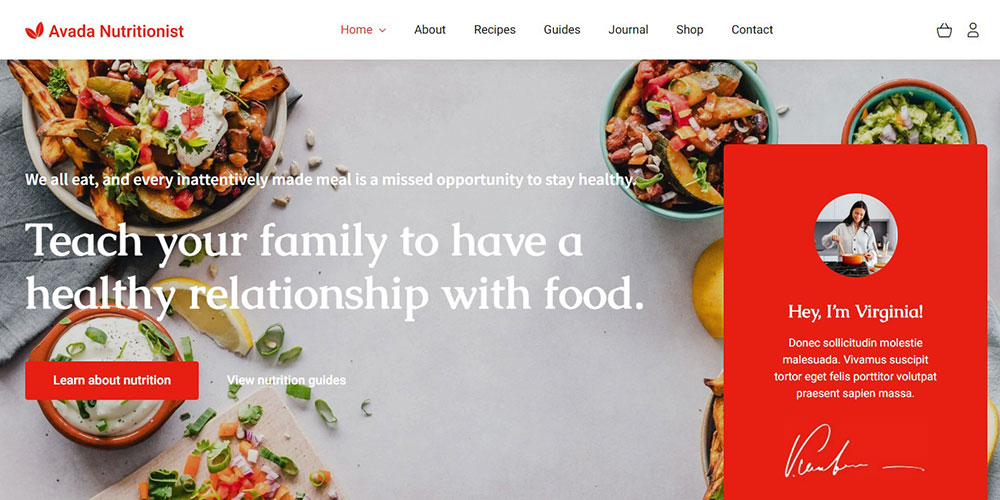
Avada has over 858,000 ThemeForest sales and a 4.78-star rating, making it the bestselling theme on the platform (ThemeForest, 2025). Its Fusion Builder handles complex multi-column layouts reliably.
The gap is in licensing. Avada sells single-site licenses. BeTheme includes unlimited sites in one purchase. For any designer managing multiple client projects, that math tips firmly toward BeTheme.
Avada's design flexibility is strong, but its demo library tops out at around 90 importable layouts vs. BeTheme's 700+. For client projects across varied niches, that difference is real.
BeTheme vs. Divi
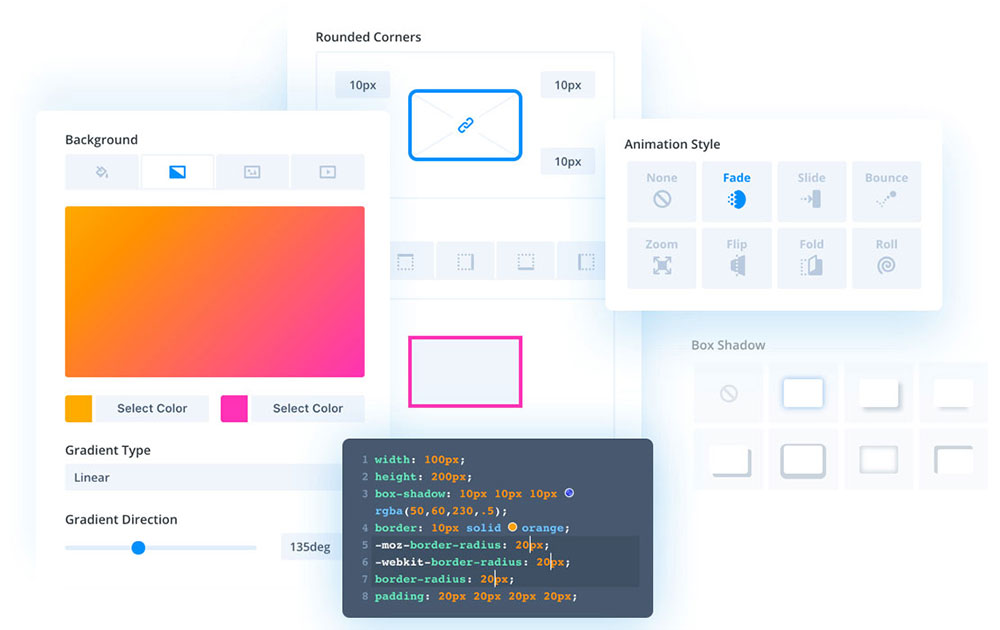
Divi offers over 2,300 layout packs and a front-end visual builder that non-technical clients can actually use without breaking things. That is genuinely useful for agencies that hand off editable sites.
Where Divi falls short: its DOM output is heavier than BeTheme's. Divi-built pages typically add more HTTP requests, which complicates performance optimization for fast-loading portfolio and agency sites.
White-label features in Divi require a separate paid add-on. BeTheme includes white-label mode in the base purchase. If client handoff is a regular part of your workflow, that distinction saves real money.
BeTheme vs. Astra Pro
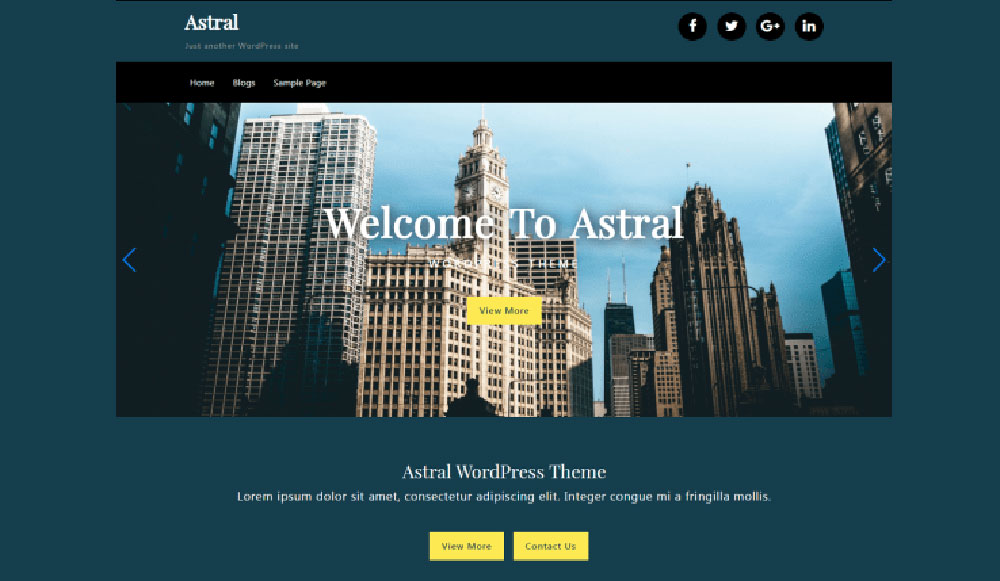
Astra is the fastest option in this group. GTmetrix testing shows Astra loading in under 400ms on default installs, with a page size under 50KB (WPAstra, 2025). No other multipurpose theme gets close to those defaults.
The trade-off is design control depth. Astra relies entirely on third-party page builders for layout work. BeTheme ships with BeBuilder as a native option, which keeps the stack tighter on client builds where plugin conflicts are a real concern.
Astra Pro suits designers who prioritize speed above all else and are already deep in an Elementor or Spectra workflow.
BeTheme vs. OceanWP
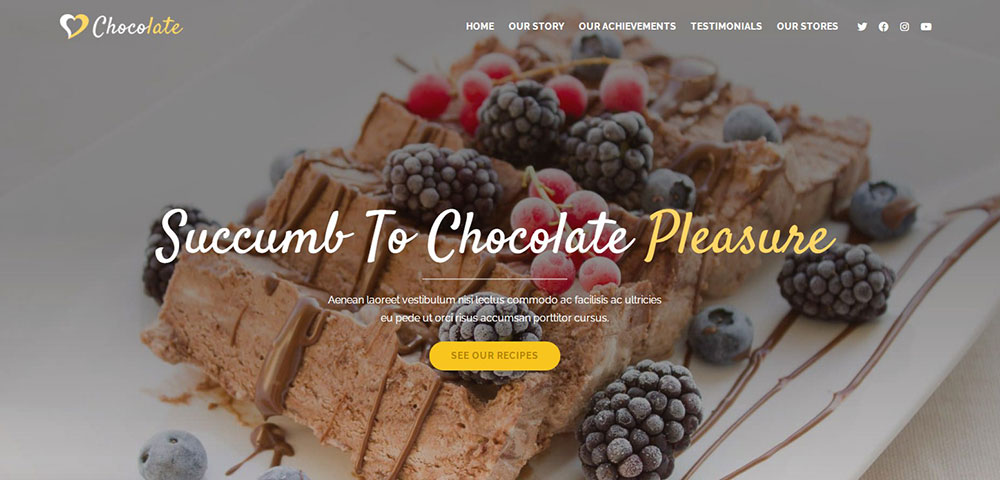
OceanWP has over 1 million WordPress installs and a near-perfect rating on WordPress.org. For ecommerce-heavy work, its WooCommerce extensions are genuinely strong.
For designer workflows that go beyond shop pages, OceanWP runs into limits. Its premium extensions are sold separately, and the cumulative cost for advanced layout and portfolio controls can exceed BeTheme's single-purchase price. No native builder and no white-label mode either.
What Are the Best WordPress Themes for Portfolio and Agency Designers?
Portfolio and agency sites live or die on visual presentation and load time. Visitors form an opinion about a design agency in under 50 milliseconds (Google, 2012 study, still cited in 2024 UX research). The theme carries significant weight in that first impression.
BeTheme's portfolio and creative agency demos are built with this in mind, covering photography, design studios, branding agencies, and creative consultancies. Beyond BeTheme, 3 other themes stand out for this specific use case.
Kalium for Creative Portfolio Designers
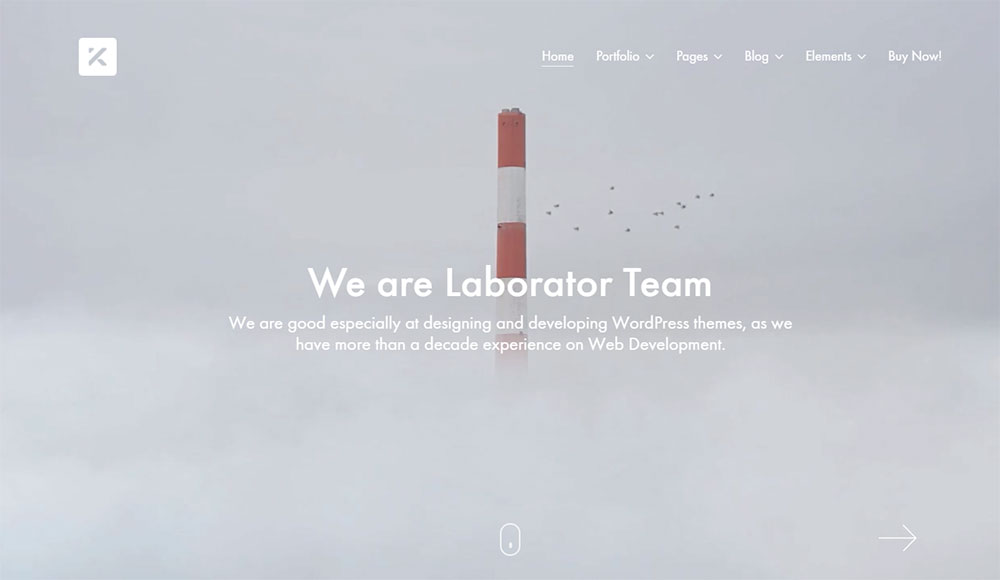
Built for creatives with pixel-level control.
Kalium, developed by Laborator, is a premium multipurpose theme that has served over 30,000 clients and consistently earns strong ratings across ThemeForest for its portfolio and agency use cases (Laborator, 2025).
Portfolio layout options include 2-, 3-, and 4-column grids, metro and non-metro designs, and full-screen project views. WooCommerce support makes it practical for designers who also sell prints, digital downloads, or services directly. Elementor and WPBakery both work out of the box.
The one real limitation: a single-site license. Freelancers building multiple client portfolio sites will need separate purchases, which adds up fast compared to BeTheme's unlimited use model.
Uncode for Agency Presentation Sites
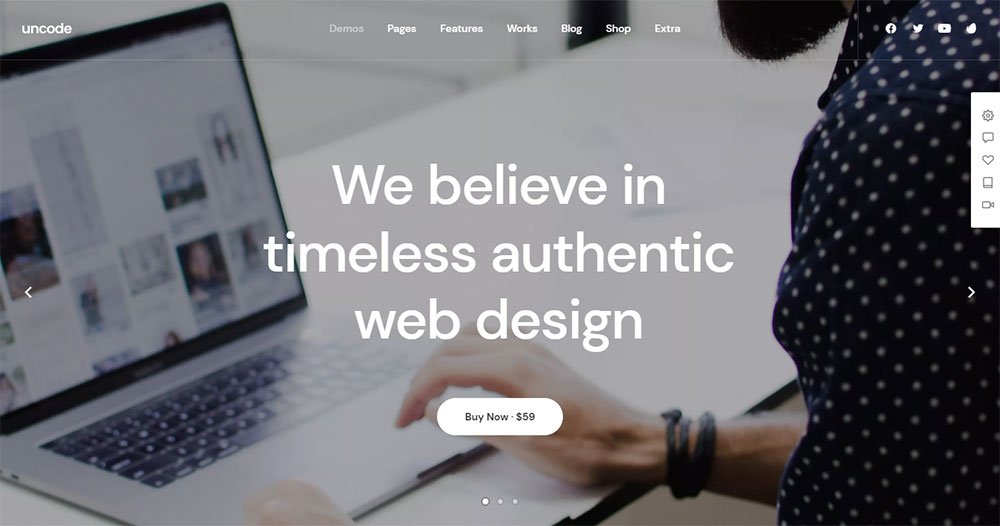
Uncode's strongest feature is its grid system. You get independent column and row controls that go deeper than what most multipurpose themes expose, which makes it the right call for visually complex agency pages and case study layouts.
Version 2.9.2 introduced scroll-triggered row animations as a built-in feature, without needing a separate plugin. For designers building design agency sites or branding agency sites where motion adds to the presentation, that is a meaningful addition.
70+ demos, WPBakery included in the license, Revolution Slider and LayerSlider bundled. The $60 single-site price is fair for an individual project. Less so if you're building for multiple clients.
Bridge for Multi-Style Design Studios
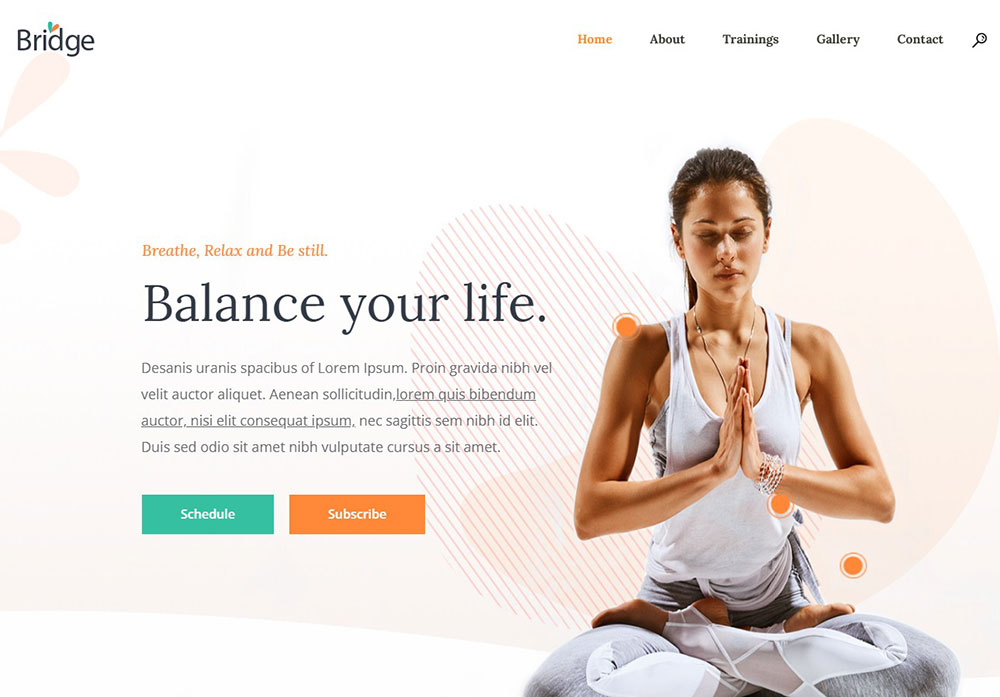
Bridge has over 500 demos and has maintained a top-10 position on ThemeForest since its launch in 2014, with 192,000+ sales and a 4.78-star rating (ThemeForest, 2025).
Most of Bridge's demos target graphic designers, creative agencies, and studios. If you need to quickly match a client's preferred aesthetic from a large library, Bridge covers more stylistic ground than most alternatives. It works well alongside visual references for graphic designers portfolio websites and photography studio sites.
Same single-site license limitation as Kalium and Uncode. BeTheme is still the practical default for studios managing multiple client builds under one license.
What Are the Best WordPress Themes for Freelance Web Designers?
Freelancers have different needs than agencies. The priority is usually: fast deployment, clean client handoff, predictable costs, and a theme that doesn't create support tickets six months later.
BeTheme covers all of those requirements. The unlimited site license, built-in white-label mode, and 700+ demo library make it the lowest-friction option for designers managing 5 to 50+ client projects per year.
Blocksy Pro as a Gutenberg-Native Option for Freelancers
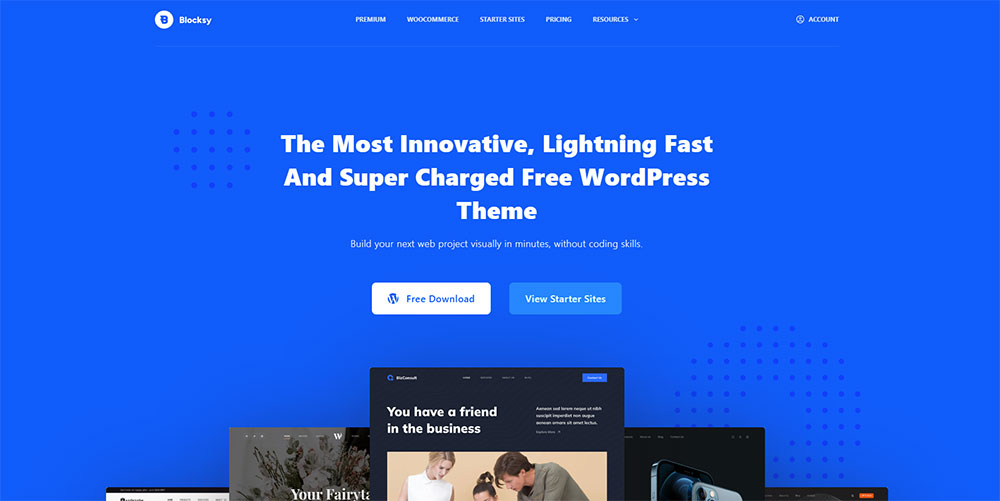
Full-site editing without the complexity of a traditional page builder.
Blocksy Pro is built on WordPress's native Gutenberg editor and supports full-site editing (FSE) out of the box. For freelancers who are already working with the block editor and want to avoid plugin dependencies, this is the cleanest stack available.
- Native WooCommerce support with custom product layouts
- Dark mode built in, no plugin needed
- CSS variable architecture with exposed root-level variables for fast style overrides
- Clean code output with minimal render-blocking scripts
The trade-off vs. BeTheme: far fewer pre-built sites. Blocksy Pro works best when you have a clear design direction and need a lightweight, standards-compliant base to build from. Not when you need to get a client demo approved by Friday.
Licensing Models That Matter for Freelance Client Projects
This is where most freelancers underestimate cost. Per-site licensing adds up faster than it looks on paper.
| Theme | License Type | Cost Per Site (estimate) |
|---|---|---|
| BeTheme | Unlimited sites, one-time | $69 total, any number of sites |
| Divi | Unlimited sites, annual or lifetime | $89/yr or $249 one-time |
| Astra Pro | Up to 1,000 sites, annual | $47/yr |
| Kalium | 1 site, one-time | $69 per client project |
| Uncode | 1 site, one-time | $60 per client project |
For a freelancer building 10 sites per year, BeTheme at $69 total costs less than a single Kalium or Uncode license for each project. Divi's unlimited lifetime plan at $249 is the only comparable option if you are already in a Divi workflow.
What Are the Best WordPress Themes for UI/UX Designers?
UI/UX work has specific requirements: reliable microinteraction support, fine-grained spacing control, animation capabilities that don't require custom JavaScript, and DOM output clean enough to inspect and reason about.
BeTheme's scroll effects, section transitions, and animation controls within BeBuilder handle most of this without plugins. It is not a dedicated UI design tool, but it covers 80% of what UI/UX designers actually need in production builds.
Salient for Interaction-Heavy UI Projects
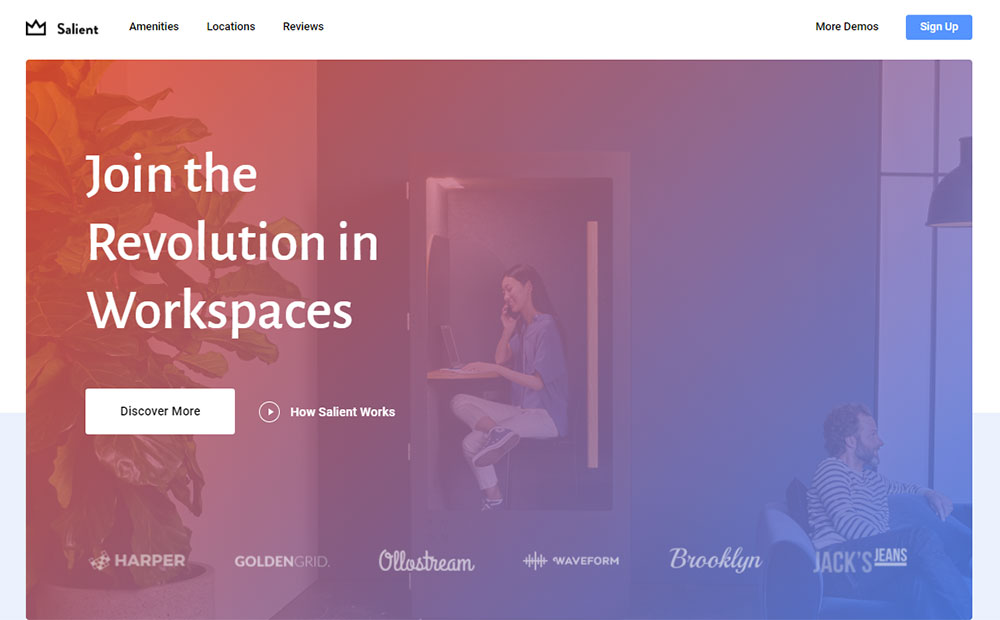
Salient ships with WPBakery animations and scroll effects built directly into its section settings. No Elementor or third-party builder needed for complex scroll-triggered reveals, counter animations, or sticky section behavior.
Where it stands out: section transition variety. Salient has more built-in transition types than most themes, which matters for UI designers trying to hit specific interaction patterns without writing custom CSS or JavaScript.
Useful reference when pairing with detailed websites with good UI examples or websites with good UX benchmarks during client presentations.
Flatsome for Ecommerce UI Design
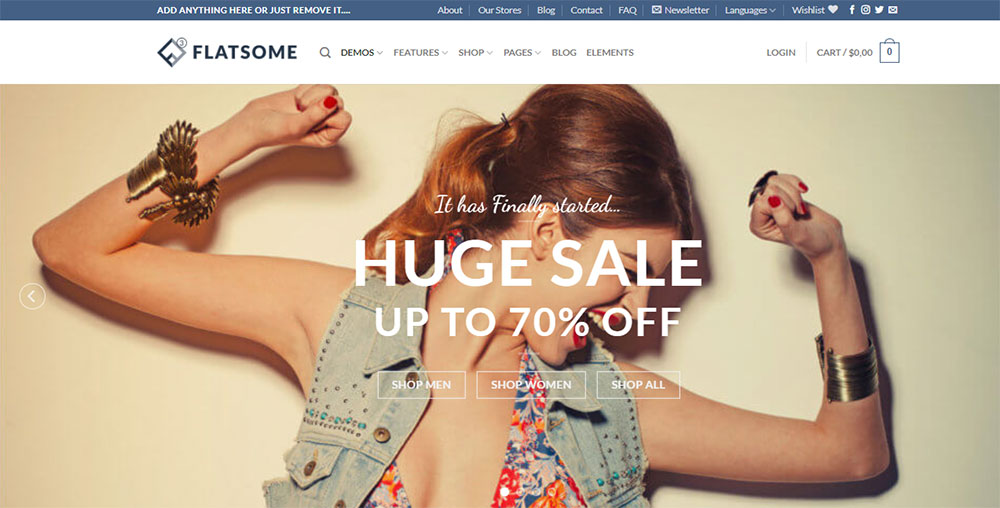
Flatsome's UX Builder provides live front-end editing with real-time style previews. It has over 5,000 ThemeForest reviews and a 4.80-star rating, which reflects consistent satisfaction across ecommerce UI builds (ThemeForest, 2025).
For UI/UX designers working on ecommerce homepage design or ecommerce landing page design, Flatsome's WooCommerce-specific controls go deeper than any general-purpose theme. Product page layout options, cart drawer design, and quick-view customization all live inside the builder without plugin add-ons.
Bricks Builder for DOM-Level UI Control
Bricks is technically a theme and a builder combined. It generates among the cleanest DOM output of any visual builder available for WordPress, which makes it the right choice for UI designers who need to inspect, replicate, or document page structure precisely.
- CSS Grid and Flexbox controls exposed directly in the builder
- Query Loop builder for dynamic content layouts
- No Gutenberg dependency, no WPBakery legacy overhead
The learning curve is steeper than BeTheme or Divi. Bricks rewards designers who want low-level control and are building complex, custom interfaces. It does not reward designers who need to deliver quickly from a pre-built starting point.
What Are the Best Free WordPress Themes for Designers?
Free themes have real limits. The honest answer is: if you are doing professional client work, a premium theme pays for itself on the first project. But free options are legitimate for personal portfolios, side projects, or heavily customized builds where the theme is mostly a blank canvas.
4 free themes are actually worth using. The rest in the WordPress repository are mostly outdated, unsupported, or too locked down to be useful for design work.
Astra (Free): Speed-First Starting Point
Astra's free version loads at under 50KB page size with a default GTmetrix score of A and a load time around 400ms (WPAstra, 2025). No other free theme gets close to that baseline.
It integrates with Elementor, Spectra, Beaver Builder, Divi, and Gutenberg. Over 1 million active installs and 6,300+ five-star ratings confirm its stability (WordPress.org, 2025). For designers starting a new project who want the fastest possible base, Astra free is the default choice.
Blocksy (Free): Gutenberg-First Architecture
Blocksy's free version supports full-site editing and exposes CSS variables for fast global style overrides. It is WooCommerce ready without requiring a separate extension.
Key practical feature: dark mode is built into Blocksy free. Most themes lock dark mode behind a premium tier or require a plugin. Combined with clean CSS output and FSE support, Blocksy free is the best option for designers working in the native block editor.
Neve: Lightweight with Strong Mobile Scores
Neve scored 100 on PageSpeed Insights mobile and achieved a GTmetrix performance score of 98% with a load time of approximately 1 second on clean installs (Truehost, 2025). For a free theme, those are strong baselines.
30+ starter templates, Elementor and Gutenberg compatible. The free version has fewer layout controls than Astra's free tier, but its mobile performance credentials are the strongest in this group.
GeneratePress (Free): Best for Custom CSS Builds
GeneratePress produces minimal HTML markup. Almost no unnecessary wrapper divs, no forced inline styles. For designers who write significant custom CSS and need a neutral base, GeneratePress free is the cleanest starting point available.
Scored 100 on PageSpeed Insights mobile in independent testing alongside Astra and Neve (Kinsta, 2024). The free tier is genuinely usable, not a stripped-down demo. The gap to GeneratePress Premium is mostly about additional layout controls and hook system access, not basic performance.
All 4 free themes hit a hard ceiling on design control compared to BeTheme or Divi. Specifically: no white-label mode, limited or no per-breakpoint controls, and smaller template libraries. For simple website projects or personal work, the ceiling is high enough. For full-scale client delivery, it usually is not.
Which WordPress Themes Load the Fastest for Designer Projects?
Speed is not a "nice to have" for designer projects. Slow themes damage the exact first impression your client is paying you to create.
Independent testing across GTmetrix, Lighthouse, and PageSpeed Insights confirms a clear split: lightweight themes load under 2 seconds by default, while multipurpose builder themes average 2-4 seconds before any optimization is applied (WP Rocket, 2025).
| Theme | Default Load Time | Default Page Size | PageSpeed Mobile (default) |
|---|---|---|---|
| Astra | ~400ms | ~48KB | 100/100 |
| GeneratePress | ~400ms | ~50KB | 100/100 |
| Neve | ~643ms | ~40KB | 100/100 |
| BeTheme | ~4.0s | Larger | 82/100 |
| Divi | 2-4s range | Larger | 80-91/100 |
How Page Builder Choice Affects Load Time More Than the Theme
The theme gets blamed for speed issues. Usually it is the page builder doing the damage.
WP Rocket's 2025 testing confirmed this directly: BeTheme with WP Rocket applied improved from 82/100 to 98/100 on PageSpeed Insights, and LCP dropped from 3.3 seconds to 1.2 seconds. The theme was not the bottleneck. The render pipeline was.
A lean theme running a heavy builder will almost always lose to a heavier theme running a native builder with clean output. Designers building on managed hosting like Kinsta or Cloudways narrow this gap further.
Optimizing BeTheme and Divi for Speed
Both BeTheme and Divi reach competitive scores after optimization. Neither is competitive at bare defaults. That is the honest picture.
- BeTheme: WP Rocket brings mobile score to 98/100 and reduces LCP to 1.2s (WP Rocket, 2025)
- Divi: heavy DOM output means TBT (Total Blocking Time) is the hardest metric to fix
- Both benefit from object caching, CDN delivery, and deferred JavaScript loading
For responsive website design projects where Core Web Vitals directly affect client SEO, plan the optimization stack before picking a builder. The theme choice shapes the ceiling, but the hosting and caching setup determines the floor.
What Theme Features Do Designers Need That Most Themes Miss?
Most theme reviews cover the obvious stuff: demo count, page builder support, pricing. The features that actually separate good designer tools from great ones are less discussed.
The median annual wage for web and digital interface designers reached $98,090 in May 2024, according to Research.com. Designers at that level are not working with themes that lock typography to three font sizes or only expose mobile/tablet/desktop breakpoint controls.
Breakpoint Controls Beyond Mobile and Desktop
Most themes give you 3 breakpoints. Desktop, tablet, mobile. That is not enough for modern responsive design work.
What professional designers actually need:
- At least 4-5 distinct breakpoints with independent padding, margin, and font-size controls
- Sticky header behavior that changes per breakpoint (transparent on desktop, solid on mobile)
- Section visibility toggles that work at each breakpoint without extra CSS
BeTheme's BeBuilder and Elementor both expose per-breakpoint controls at this depth. Most themes in the $0-30 range do not. That gap shows in the final product. For designers focused on web design principles and structured layout systems, this is a non-negotiable feature.
CSS Variable Support in Modern Designer Themes
Theme.json in WordPress 6.6+ lets block themes define CSS custom properties directly, enabling design token overrides without touching theme files (Advanced Custom Fields, 2025).
Why this matters for designers: if a theme exposes root-level CSS variables, you can swap an entire color system in one file. If it uses hardcoded hex values, every style change is a find-and-replace exercise.
Blocksy Pro and GeneratePress both expose CSS variables cleanly. Classic multipurpose themes like Avada and BeTheme handle this through their options panels instead, which is less portable but more beginner-friendly for clients who need to self-manage after handoff.
Pair this with thoughtful typography in web design and color theory in web design decisions, and the theme becomes a design system, not just a skin.
How Do WordPress Themes Handle Gutenberg Full-Site Editing for Designers?
FSE adoption grew 145% in 2025, and the majority of new themes released that year are block themes built for the Site Editor (Vapvarun, 2025). This is no longer an experimental feature. It is the direction WordPress is heading.
For designers, the practical question is not "does this theme support FSE" but "how well does it implement theme.json and global styles." That determines how much control you actually have over typography, spacing, and color at the site level.
theme.json and Global Styles: What Designers Need to Know
Theme.json is the configuration file block themes use to define design tokens, enable or disable editor features, and set global styles for blocks. Version 3, available in WordPress 6.6+, introduced enhanced style inheritance and direct CSS variable definitions (ACF, 2025).
Three things designers should verify in any block theme:
- Does it expose a color palette in the Site Editor's Global Styles panel?
- Does it support per-block typography settings without custom CSS?
- Does it use a structured folder for block templates (parts, templates, patterns directories)?
Neve FSE and Blocksy Pro both pass these checks cleanly. BeTheme handles global styles through its own admin panel rather than native theme.json, which works well but is less portable if a client later migrates to a different host or theme.
FSE-Ready Themes vs. Classic Themes: Which to Choose Now
Gutenberg adoption reached over 60% of WordPress installations by 2025, up from 37% in 2020 (Vapvarun, 2025). That shift changes which themes are worth building on for new projects.
Choose an FSE block theme when: you want future-proof architecture, you are working primarily in Gutenberg, and the client will self-manage content after handoff.
Choose a classic multipurpose theme (BeTheme, Avada, Divi) when: you need 500+ pre-built layouts, a native drag-and-drop builder, white-label delivery, or Elementor as your primary tool.
For designers building professional website projects at scale, the answer in 2025 is still largely classic themes for production delivery. FSE is worth learning now. It is not yet the default for most agency workflows.
What Do Real Designers Say About These WordPress Themes?
Ratings are easy to collect. The patterns inside the reviews tell you more.
BeTheme holds a 4.8-star rating from 8,500+ verified ThemeForest reviews, with users specifically citing flexibility, demo quality, and support response times as consistent strengths (ThemeForest, 2025). That volume of feedback across 10+ years of updates makes the rating meaningful, not a launch-day spike.
BeTheme's average rating of 4.83 out of 5 is notably higher than Avada's 4.78 across 37,000+ reviews. One could argue Avada's sample is larger. The BeTheme rating holding that high with 8,500 reviews is still a strong signal.
Common designer complaints across all themes in this category follow a consistent pattern:
- Update conflicts that break custom CSS after major version releases
- Builder lock-in making it hard to switch themes mid-project
- Support lag on complex customization questions vs. basic installation issues
- Documentation that covers beginner setup well but skips edge cases
Avada draws specific criticism for Fusion Builder being less capable than Elementor or Divi Builder for complex layouts, despite being the platform's proprietary tool. Divi users frequently mention that client-editable sites require careful setup to prevent accidental layout breaks.
BeTheme's documentation depth stands out positively in community comparisons. Muffin Group maintains extensive written guides, which matters for designer workflows where a quick answer at 11pm on a client deadline is worth more than a support ticket.
Which WordPress Theme Should Designers Choose?
The right theme depends on your workflow, your client types, and what you need to deliver. There is no universal answer, but there are 4 clear patterns.
| Designer Profile | Best Theme | Deciding Factor |
|---|---|---|
| Agency handling varied client projects | BeTheme | 700+ demos, unlimited license, white-label |
| Speed-first freelancer or blog designer | Astra Pro | Fastest defaults, $47/yr, 250+ templates |
| Client-editable site specialist | Divi | Front-end editing clients can use safely |
| Gutenberg/FSE-first developer | Blocksy Pro | Native FSE, CSS variables, dark mode built in |
BeTheme is the default recommendation for most designer use cases. The combination of pre-built site depth, licensing terms, white-label features, and builder flexibility covers more ground than any single competing theme.
Astra Pro wins on speed, not on design complexity. If your projects are mostly content sites with relatively simple layouts, Astra's $47/yr cost and near-instant load times make it the smarter spend.
Divi makes the most sense if your clients regularly log in and update their own content. Its front-end visual editor is the most client-friendly of the group, meaning fewer support calls six months after handoff.
Blocksy Pro is the right call for designers who are fully committed to Gutenberg and want a theme that takes FSE seriously as an architecture, not just a compatibility checkbox. It is the most future-aligned option in this list, and the one most likely to age well as WordPress continues shifting toward native block editing.
If you are building core web designer skills and want a theme that teaches you how real agency and freelance workflows run, start with BeTheme. It covers more use cases, niche industries, and client scenarios than any other single tool in this category. From SaaS product sites to photographer portfolio builds, the demo library alone reduces project setup time by hours per client.
Whatever you choose, do not let the theme be the last decision you make. Pick your hosting, your builder, and your optimization stack first. The theme performs inside that context, not in spite of it.
FAQ
Is BeTheme the best WordPress theme for designers?
For most designer workflows, yes. BeTheme combines 700+ pre-built sites, a native drag-and-drop builder, white-label mode, and an unlimited site license for a one-time $69 purchase. No other multipurpose theme matches that combination at that price.
What makes a WordPress theme good for professional designers?
Clean code output, per-breakpoint controls, deep typography settings, and reliable page builder compatibility. Licensing matters too. Themes that restrict site count add hidden costs for freelancers and agencies managing multiple client projects.
How many pre-built sites does BeTheme include?
BeTheme includes 700+ pre-built sites for BeBuilder users and 234 for Elementor users. Categories cover creative agencies, portfolios, photography, architecture, fashion, SaaS, and more. New demos are added regularly based on user requests.
Is BeTheme good for freelance web designers?
Yes. The unlimited site license means one $69 purchase covers every client project. Built-in white-label mode removes Muffin Group branding before handoff. That combination is rare among premium multipurpose themes.
Which WordPress theme loads the fastest?
Astra loads in approximately 400ms with a 48KB default page size, scoring 100/100 on PageSpeed Insights mobile. GeneratePress and Neve follow closely. BeTheme and Divi require optimization tools like WP Rocket to reach competitive scores.
Can BeTheme be used with Elementor?
Yes. BeTheme supports both its native BeBuilder and Elementor. BeBuilder gives access to all 700+ demos. Elementor users get 234 compatible pre-built sites with one-click import through the setup wizard.
What is the difference between BeTheme and Divi?
BeTheme includes white-label mode and an unlimited site license in the base price. Divi offers more layout packs (2,300+) and a more client-editable front-end builder, but white-label requires a paid add-on and DOM output is heavier by default.
Are free WordPress themes good enough for designer projects?
For personal portfolios or heavily custom builds, yes. Astra, Neve, Blocksy, and GeneratePress are all solid free options. For client delivery at scale, free themes hit limits on template variety, white-label support, and per-breakpoint design controls.
Does BeTheme support WordPress full-site editing?
BeTheme manages global styles through its own admin panel rather than native theme.json. It is not a block theme in the FSE sense. Blocksy Pro and Neve FSE are better choices for designers committed to Gutenberg full-site editing workflows.
Which WordPress theme is best for portfolio and agency designers?
BeTheme for scale and licensing. Kalium for pixel-precise portfolio layouts. Uncode for agency presentations with complex grids. Bridge for studios needing stylistic variety across 500+ demos. All four have ThemeForest track records above 4.7 stars.
Conclusion
This conclusion is for an article presenting the best WordPress themes for designers, and the answer at the top stays consistent: BeTheme covers more ground than any competing multipurpose theme.
700+ pre-built sites, white-label delivery, unlimited site licensing, and native BeBuilder support make it the practical default for agency and freelance workflows alike.
For speed-first projects, Astra Pro wins. For Gutenberg full-site editing, Blocksy Pro is the cleaner choice. For client-editable builds, Divi handles handoff better than most.
But if you only pick one premium WordPress theme and need it to cover photography studios, SaaS products, creative agencies, and ecommerce portfolios without buying additional licenses, BeTheme is it.