

Inspiring artist websites you should check out
June 8, 2026
WooCommerce vs Shopify in 2026: which platform wins for your online store?
June 9, 2026Your gaming site's theme is either working for you or against you. There is no middle ground.
The global esports market crossed $2.5 billion in 2024 and is still climbing. Whether you are building an esports team website, a game review platform, or a streaming channel site, the template you choose shapes every visitor's first impression.
Not all gaming WordPress themes are equal. Some are dark multipurpose layouts with a neon accent thrown in. Others ship with tournament brackets, roster sections, and WooCommerce merch store support built in from day one.
This article covers the best options available right now, starting with BeTheme at the top, and gives you the criteria to pick the right one for your specific gaming niche.
What Is a Gaming WordPress Theme?
A gaming WordPress theme is a pre-built WordPress template built specifically for esports teams, game review sites, game streaming channels, and gaming news platforms. It is not just a dark color scheme slapped onto a general multipurpose layout.
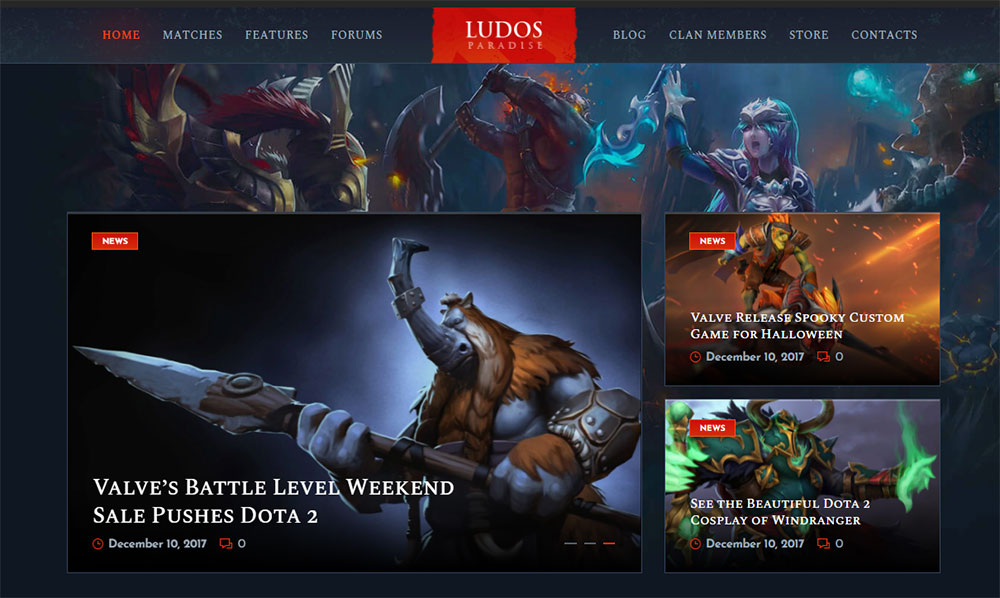
The distinction matters. A lot of people grab a generic dark theme and call it a "gaming site." That is not the same thing. Real gaming WordPress themes ship with HUD-style typography, neon color scheme options, animated hero sections, and layouts built around game-specific content blocks.
What separates a gaming theme from a general dark theme
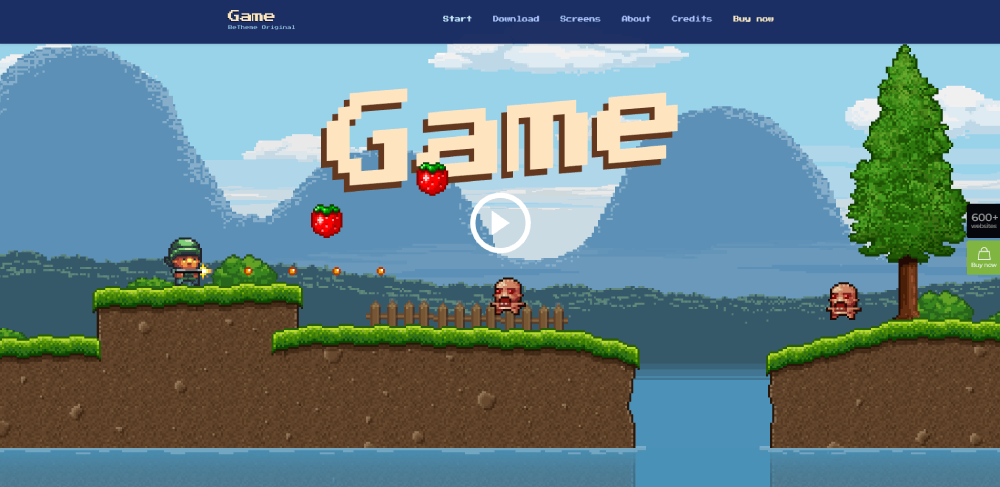
Built-in gaming content blocks are the clearest signal. These include tournament brackets, match schedule tables, team roster sections, player profile cards, and game countdown timers. A dark corporate theme has none of these.
Common use cases for true gaming website design templates:
- Esports organization and clan websites
- Game review and gaming news magazines
- Twitch and YouTube gaming channel sites
- Game stores selling merch or in-game items via WooCommerce
- Gaming community and forum platforms using bbPress or BuddyPress
The global esports market hit approximately $2.5 billion in 2024 and is growing at a CAGR of 23.1% through 2030 (Grand View Research, 2025). That growth is pulling demand for professional esports website templates with it.
Who actually uses gaming WordPress themes
Not just esports organizations. Independent game bloggers, affiliate review sites, and content creators building a streaming site on WordPress all need these templates. The audience is broader than most people expect.
T1 (the South Korean esports organization behind League of Legends player Faker) runs a highly branded team website with roster pages, sponsor sections, and match result feeds. That is the model most esports club website templates are designed around.
What Makes a WordPress Theme Good for Gaming Sites?
5 factors decide whether a gaming WordPress theme actually works in production or just looks good in a demo screenshot.
| Factor | Why It Matters | What to Check |
|---|---|---|
| Page speed | Animation-heavy themes kill Core Web Vitals scores | GTmetrix score, LCP under 2.5s |
| WooCommerce support | Game merch stores and digital item sales need it | WooCommerce page builder compatibility |
| Builder compatibility | Elementor or native block editor support affects workflow | Elementor vs WPBakery vs native builder |
| Mobile responsiveness | 83% of all gamers play on mobile (Newzoo, 2025) | Layout on 375px viewport |
| Plugin dependency | Themes needing 10+ plugins to function are a maintenance problem | Count required vs. bundled plugins |
Performance standards for gaming themes
Gaming themes are visually aggressive. Video backgrounds, particle animations, neon glow effects, and Slider Revolution carousels all pile on render-blocking resources. That is a real problem for Core Web Vitals.
Google's own data shows that sites meeting Core Web Vitals thresholds experience 24% fewer visitor abandonments (BigScoots / Google research, 2024). For a gaming news site running ad revenue, that number translates directly to lost impressions.
What to target on Google PageSpeed Insights:
- LCP (Largest Contentful Paint) under 2.5 seconds
- INP (Interaction to Next Paint) under 200 milliseconds
- CLS (Cumulative Layout Shift) score below 0.1
WP Rocket or LiteSpeed Cache handle most of the optimization work post-install. But a bloated theme makes those plugins work twice as hard.
Design requirements specific to gaming niches
Esports team sites need roster blocks, match schedules, sponsor logo grids, and social media feed integration. The design language is structured and data-forward.
Game review sites need star rating systems, affiliate-ready product comparison tables, and high-volume article layouts that stay readable at scale. WordPress review plugins handle the rating logic, but the theme has to support the layout.
Streaming and content creator sites are video-first. The homepage needs a large video embed or Twitch embed block, subscriber CTA sections, and social proof elements. Layout priorities are completely different from an esports team page.
What Are the Best Gaming WordPress Themes?
These 8 themes cover the full range of gaming site types, from esports organizations to game affiliate blogs. Each is assessed on design quality, speed, builder support, gaming-specific features, and pricing.
BeTheme
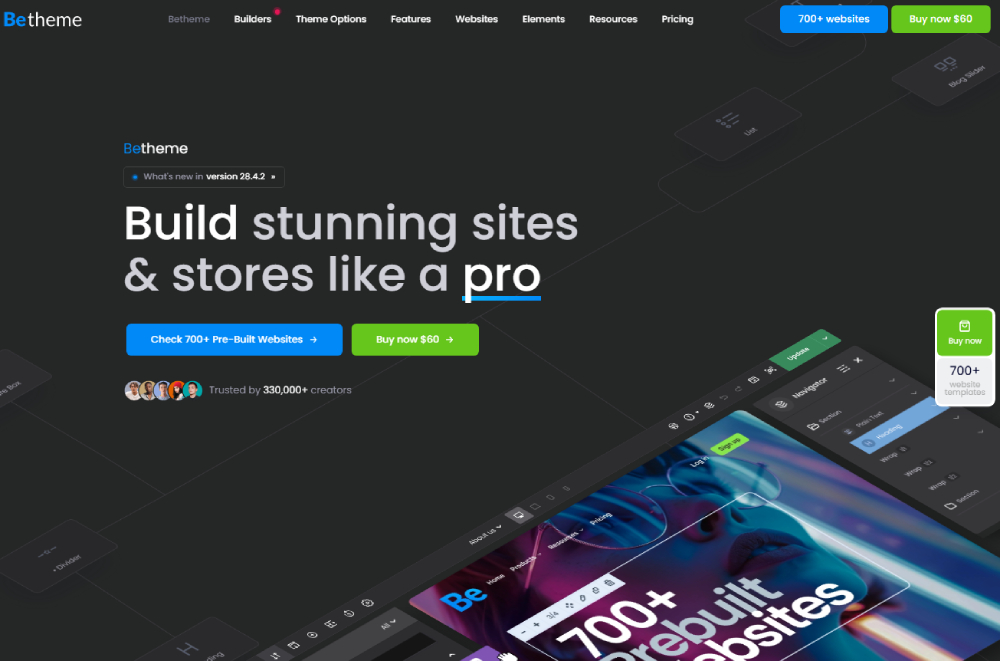
BeTheme is the most versatile option on this list. Over 750 pre-built websites are included, with multiple gaming and esports-specific layouts among them (WPMadeEasy, 2024). The Muffin Builder (also called BeBuilder) comes included and gives you 200+ design elements without touching code.
With more than 315,000 sales and a 4.8-star rating on ThemeForest, BeTheme has the track record to back up its reputation (Kukucourses, 2025).
Key specs:
- Price: $69 one-time on ThemeForest (regular license)
- Builder: Native BeBuilder + Elementor compatibility
- WooCommerce: Full WooCommerce page builder support
- WPML: WPML compatible for multilingual gaming communities
- Updates: Lifetime updates included
Best for agencies, freelancers, and gaming content creators who want a single theme that handles every niche without starting from scratch. The sheer volume of pre-built demos means you will find a gaming layout that is 80% of the way to where you need to be on day one.
One honest note: the options panel is dense. BeTheme has 700+ built-in settings, and that can feel overwhelming if you are new to WordPress. Starting with a pre-built gaming demo and editing from there is the right approach.
Divi
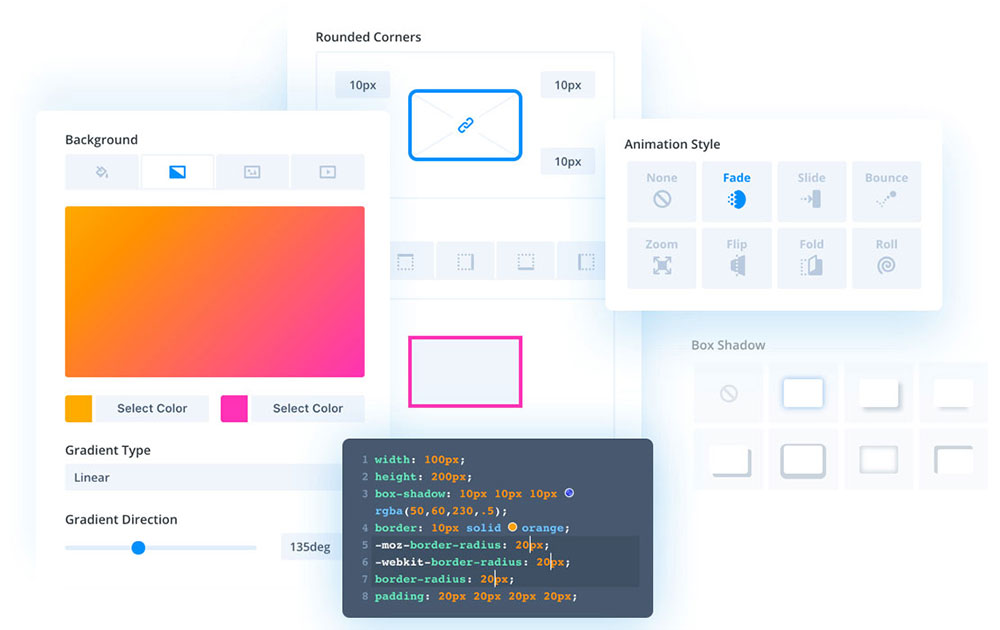
Subscription model, powerful visual builder (Elegant Themes).
Divi costs $89 per year or $249 for a lifetime license. The visual builder is real-time and strong, and it works across unlimited sites. The main drawback for gaming sites is the lack of dedicated gaming demo layouts compared to BeTheme's library. You are building from scratch more often.
Gaming is a top activity for mobile users, with nearly 7 in 10 people using their phones for gaming or entertainment (Priori Data, 2024). Divi handles responsive design well, which matters here.
Astra

Astra loads fast. That is the main reason people pick it.
The free version is genuinely usable, and the Pro version ($49/year) unlocks a broader starter template library. For gaming sites, Astra works best as a lightweight base for a game review blog or content creator site, not as a full esports team platform. It does not ship with tournament brackets or roster sections out of the box.
OceanWP

OceanWP sits in a similar category to Astra: fast, lightweight, good free tier. The free version combined with Elementor gives you a workable gaming blog setup.
Weakness: gaming-specific pre-built layouts are thin. If you need a fully designed esports website template fast, OceanWP will make you build it yourself.
Kalium

Kalium is a premium ThemeForest theme ($59 one-time) with strong visual design and a portfolio-first approach. It works for gaming portfolio sites and content creator pages. Not the right pick for esports team sites or game review magazines that need structured data layouts.
Soledad

Soledad (PenciDesign, $59 on ThemeForest) is another strong choice for a gaming blog or game review site. It ships with 250+ pre-built demos and a clean, readable layout system. Speed is reasonable. Builder compatibility includes Elementor and WPBakery.
Bridge

Bridge (QODE Interactive, $69 on ThemeForest) is a multipurpose theme with strong visual capabilities. It includes 600+ demo sites and works well for esports organizations that want a high-end, heavily branded look. The learning curve is real, similar to BeTheme.
How Does BeTheme Compare to Other Gaming WordPress Themes?
Direct comparisons on the dimensions that actually matter for a gaming site build.
BeTheme vs. Divi
The core trade-off is pre-built content vs. builder flexibility.
- BeTheme: 750+ pre-built demos, one-time $69 fee, includes BeBuilder
- Divi: Fewer gaming demos, stronger visual builder, $89/year or $249 lifetime
If you need a gaming site live fast, BeTheme wins. If you want long-term visual builder power across multiple unrelated projects, Divi is worth the subscription. For strictly gaming-focused builds, BeTheme's demo volume is a practical edge.
BeTheme vs. Astra
Astra loads faster out of the box. BeTheme has more gaming-specific design depth.
Astra is a clean, minimal base. BeTheme ships with neon color scheme options, animation-ready sections, and demo sites already styled for game streaming and esports. You can get Astra to look like that, but you are doing more of the design work yourself.
Speed difference: Astra is built lightweight by design. BeTheme with WP Rocket installed closes most of that gap in practice, but Astra still wins in raw PageSpeed Insights scores on a blank install.
BeTheme vs. Newspaper
These serve different purposes. They are not really competing.
Newspaper is purpose-built for game news and editorial sites. BeTheme is a multipurpose platform that can become a game news site, but it is not optimized for high-volume publishing the way Newspaper is. If your whole site is a gaming magazine, use Newspaper. If your site is an esports organization with a news section, BeTheme handles both.
What Gaming Niches Do These Themes Support?
The wrong theme for the wrong gaming niche creates real problems. An esports team site and a game review magazine have completely different layout priorities.
| Gaming Niche | Best Theme Match | Key Feature Needed |
|---|---|---|
| Esports team / organization | BeTheme, Bridge | Roster blocks, match schedule, sponsor logos |
| Game review / news magazine | Newspaper, Soledad | Rating system, ad placement, article volume |
| Streaming / content creator | BeTheme, Astra + Elementor | Video embeds, Twitch integration, subscriber CTAs |
| Game merch store | BeTheme, Divi | WooCommerce depth, product page customization |
| Clan / gaming community forum | BeTheme, OceanWP | BuddyPress / bbPress compatibility |
Esports team and organization sites
These sites are data-forward. Visitors come for match results, player stats, and team announcements. The design is secondary to structured content delivery.
Required features: roster blocks with player photos and stats, match schedule feeds, sponsor logo sections, and social media integration. SportsPress plugin handles most of the data logic. The theme needs to support its output without layout conflicts.
Game review and affiliate sites
Game review sites make money through affiliate links and display advertising. Layout decisions directly affect revenue.
Star rating systems need to render cleanly in the header area and in structured data for rich snippets. Comparison tables need to be fast-loading and mobile-readable. WordPress review plugins handle the rating logic, but a theme with a broken column system will break those tables on mobile.
Streaming and content creator sites
These pages live or die by the hero section. A Twitch embed or YouTube video background in the homepage header is standard. Everything else, subscriber counts, recent stream highlights, merch links, flows below that anchor.
Gaming is the most popular mobile activity, with 68% of mobile users gaming on their phones (Priori Data, 2024). A streaming site with a broken mobile layout is leaving a massive share of its audience with a bad first impression.
Are Free Gaming WordPress Themes Worth Using?
The honest answer depends entirely on where you are in the build and what you need the site to do.
What free gaming themes actually offer
Free gaming-adjacent themes available in the WordPress directory include Kadence, Hestia, and Sydney. None of them ship with dedicated gaming demo sites, tournament brackets, or esports-specific layout blocks. They are general multipurpose themes with dark color options.
Kadence has a growing starter template library that includes some dark, modern layouts. With Elementor free tier added on top, you can get a functional game blog or gaming website templates setup without spending a dollar. But the ceiling is low.
Where free themes fall short for gaming sites
Security updates are slower on abandoned free themes. The WordPress theme directory has over 14,000 free themes as of April 2025 (Themeisle, 2025), and a large percentage of those are not actively maintained.
Three specific gaps that matter:
- No dedicated gaming demo sites to import and customize
- No built-in tournament bracket or match schedule support
- No priority support when something breaks pre-launch
Free themes work for an early-stage gaming blog with low traffic and no monetization. Once affiliate revenue, ad networks, or a merch store enters the picture, the missing features start costing more in time than a $69 premium theme would have cost upfront.
How to Install and Set Up a Gaming WordPress Theme?
The installation process is straightforward. The setup decisions after installation are where most people lose time.
Standard WordPress theme installation
2 installation paths exist depending on where you bought the theme.
- WordPress directory themes: Appearance > Themes > Add New > search and install
- ThemeForest / premium themes: Download the installable .zip file, then Appearance > Themes > Upload Theme
Most premium gaming themes, including BeTheme, bundle required plugins (Slider Revolution, BeBuilder) inside the theme package. Those activate automatically during setup or via the "Install Plugins" prompt that appears after theme activation.
One-click demo import: how it works
BeTheme, Divi, and Kalium all support one-click demo import. You pick a pre-built gaming site from the library, click import, and the theme pulls in dummy content, images, and page structures in one step.
Critical step most people skip: set up a child theme before customizing anything. Editing the parent theme directly means every theme update overwrites your changes. Child theme setup takes five minutes and prevents that problem entirely.
Setting up BeTheme for a gaming site
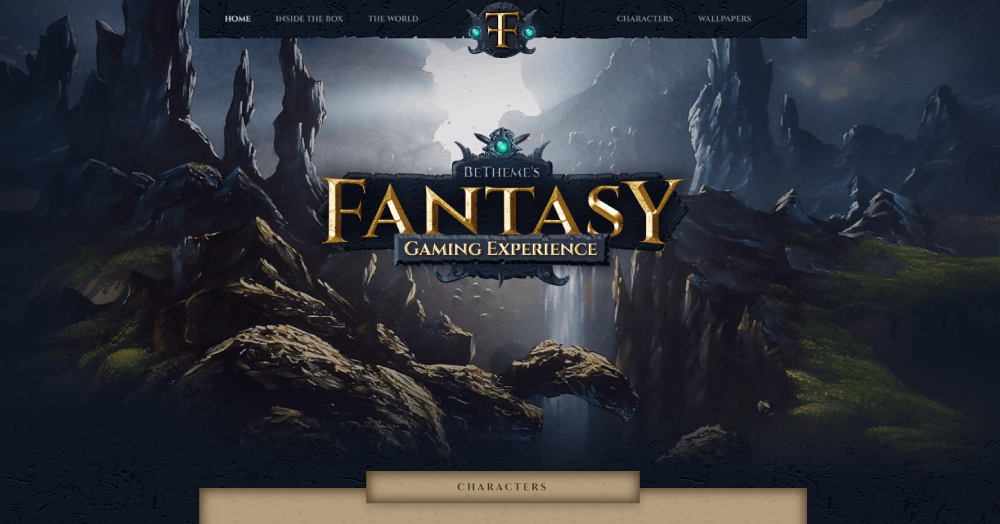
The fastest path to a functional gaming site with BeTheme:
- Install BeTheme and activate it
- Go to BeTheme > Pre-built Websites and filter by gaming or esports
- Click "Import" on the layout that closest matches your site type
- Open BeBuilder and replace placeholder content with real text, images, and branding
- Set your neon color scheme in Theme Options > Colors
- Configure the header layout (16 header styles available) to match your gaming aesthetic
Post-import, disable any demo content sections you do not need. Imported demos often include portfolio sections, testimonial blocks, and contact forms that are irrelevant to a gaming site. Removing them keeps the page structure clean and reduces load time.
BeTheme's 700+ built-in theme option settings cover typography, grid size, sidebar behavior, and footer layout. For a dark neon gaming theme, the main color settings to adjust are: primary accent color (neon green, electric blue, or purple are common), background base color (near-black, usually #0d0d0d range), and heading font (a geometric or condensed sans-serif reads as gaming-adjacent). Beyond gaming, the same BeBuilder workflow applies to other niche sites like sports WordPress themes or even entertainment WordPress themes where visual identity is just as critical.
What Plugins Work Best with Gaming WordPress Themes?
The theme handles layout and design. Plugins handle the functional layer that makes a gaming site actually work. Getting these right matters more than most people expect.
The gaming merchandise market hit $479.8 million in 2024 and is growing at a CAGR of 19.2% through 2032 (Credence Research, 2025). A gaming site without solid WooCommerce and tournament infrastructure is leaving real money on the table.
Tournament and league management plugins
SportsPress is the go-to for esports team sites. It handles player profiles, team rosters, match results, league standings, and statistics, all with shortcode output that most gaming WordPress themes render cleanly.
For bracket-based tournaments specifically:
- Tournamatch: ladder standings, single-elimination brackets, player challenges, match history
- Simple Tournament Brackets: supports 4-256 competitors, responsive bracket display, real-time updates
- WP Event Manager: event listings and registration for live gaming events
FaZe Clan's content operation runs structured match result pages and tournament coverage as core editorial content. That structure requires a plugin layer, not just a theme layout.
WooCommerce for gaming merch stores
WooCommerce powers nearly 1 in 3 online stores globally and holds a 38.76% share of the ecommerce software market (MageComp, 2025). For a gaming merch store built on WordPress, it is the default choice.
The extensions that actually matter for a game store:
- WooCommerce Variable Products: for size/color variants on gaming apparel
- WooCommerce Subscriptions: for monthly loot box or game key services
- A WooCommerce page builder integration for custom product page layouts
Performance and caching
WP Rocket applies 80% of web performance best practices on activation (WP Rocket, 2025). That is the fastest way to close the speed gap created by animation-heavy gaming themes.
WP Rocket ($59/year): best all-around choice for most hosts, strong Core Web Vitals improvement, beginner-friendly setup.
LiteSpeed Cache (free): faster raw page load times on LiteSpeed servers. Free but requires LiteSpeed hosting to unlock full caching features.
Community and forum plugins
Gaming community sites need a discussion layer. Two options dominate here.
BuddyPress adds social networking features: member profiles, activity feeds, private messaging, and groups. bbPress handles threaded forum discussions. They work together, and BeTheme is compatible with both. If you want to understand the differences before committing, the bbPress vs BuddyPress breakdown covers the feature split in detail.
SEO and review plugins
Game review sites need structured data output to get star ratings in search results. Yoast SEO or Rank Math handle the schema markup. WordPress review plugins add the rating UI.
A plugin that consistently causes issues is Contact Form 7 on gaming sites with heavy custom headers. If forms stop submitting after a theme update, it is almost always a JavaScript conflict. The Contact Form 7 not sending fix usually comes down to script loading order in the theme options.
How Much Do Gaming WordPress Themes Cost?
ThemeForest gaming and multipurpose themes range from $39 to $79 for a regular license (MoldStud / Envato data, 2024). The median price across the marketplace sits at $59 (GigaPress analysis). BeTheme at $69 sits slightly above median but comes with substantially more pre-built content than most themes at that price.
| Theme | Price | Model | Updates |
|---|---|---|---|
| BeTheme | $69 | One-time (ThemeForest) | Lifetime |
| Divi | $89/year or $249 lifetime | Subscription or lifetime | Included |
| Astra Pro | $49/year | Subscription | Included |
| Newspaper | $59 | One-time (ThemeForest) | Lifetime |
| Bridge | $69 | One-time (ThemeForest) | Lifetime |
What the regular license actually covers
A ThemeForest regular license covers one domain. If you are building gaming sites for multiple clients, you need a separate license per project. This catches a lot of agency buyers off guard.
Support is included for 6 months after purchase. Extended support costs roughly $21-$28 extra, depending on the theme. Lifetime updates are included regardless of support status, meaning your theme continues to receive security patches and WordPress compatibility fixes forever.
When you need an extended license
An extended license is required when end users pay to access your site. That covers:
- Gaming sites with paid memberships or subscriptions
- Esports platforms charging tournament entry fees
- Any site where the theme is part of a product someone pays for
A display-ad-only gaming blog does not need an extended license. Revenue from ads is not considered a direct payment to access the site. Still, if you are unsure, check Envato's license FAQ directly rather than guessing.
Hidden costs to budget for
The theme price is not the full picture. A realistic gaming site build on BeTheme or any premium theme includes additional costs.
Common add-on costs:
- Slider Revolution: $36/year if not bundled
- WP Rocket: $59/year
- SportsPress Pro: $99/year for advanced sports management features
- WPML for multilingual gaming communities: $99/year (starter plan)
BeTheme bundles Slider Revolution inside the theme package, which removes one line item from that list. That alone justifies a meaningful portion of the $69 price premium over a $39 basic theme.
WooCommerce itself is free. But if your game merch store needs subscriptions, product filters, or multi-currency checkout, expect to spend $100-$300/year on WooCommerce extensions (ThreeBird Creative, 2024).
For context on what fully built-out gaming and sports website design projects typically include from a design investment standpoint, the feature requirements are almost identical. Both need responsive layouts, media-heavy sections, and structured data blocks. The plugin and theme costs stack up the same way.
If you want to see what fully realized esports website design looks like at the professional level, and how that translates back into theme and plugin selection decisions, that resource covers the design decisions that actually matter. Similarly, looking at examples of dark themed websites gives you a clearer picture of what good dark mode execution actually requires from a theme before you commit to one.
FAQ on Gaming WordPress Themes
What is the best gaming WordPress theme?
BeTheme is the top pick. It includes 750+ pre-built websites, multiple esports and gaming layouts, a one-time $69 price on ThemeForest, and lifetime updates. The Muffin Builder handles full design customization without code.
Do gaming WordPress themes work with WooCommerce?
Yes. Most premium gaming themes, including BeTheme, Divi, and Bridge, include full WooCommerce compatibility. That covers product pages, cart, checkout, and custom shop layouts for selling game merch or digital items.
Can I use a gaming theme for an esports team website?
Yes. BeTheme and Bridge both ship with esports-specific layouts that include roster blocks, match schedule sections, and sponsor logo grids. Add SportsPress for player stats and league standings.
Are gaming WordPress themes mobile-friendly?
All premium options on this list are responsive. Given that 83% of gamers play on mobile (Newzoo, 2025), this is non-negotiable. Test on a 375px viewport before going live, not just in a desktop preview.
What is the difference between BeTheme and Divi for gaming sites?
BeTheme offers more pre-built gaming demos and costs $69 one-time. Divi has a stronger visual builder but fewer gaming-specific layouts and runs $89/year or $249 lifetime. For fast gaming site builds, BeTheme wins.
Do I need a child theme for a gaming WordPress theme?
Yes, always. Editing a parent theme directly means every update overwrites your changes. A child theme takes five minutes to set up and prevents that problem permanently. Skip this step and you will regret it.
What plugins do I need for a gaming WordPress site?
Core plugins: SportsPress for team and match data, WP Rocket for performance, WooCommerce for merch, and either BuddyPress or bbPress for community features. Tournamatch handles brackets and ladder standings.
How much does a gaming WordPress theme cost?
ThemeForest gaming themes range from $39 to $79 one-time. BeTheme costs $69 with lifetime updates included. Subscription-based options like Divi cost $89/year. Free gaming themes exist but lack esports-specific features.
Can I build a game review site with a gaming WordPress theme?
Yes, but theme choice matters. Newspaper and Soledad handle high-volume game review publishing better than multipurpose themes. BeTheme works too, especially when paired with a WordPress review plugin for star ratings.
Is BeTheme good for beginners?
Manageable, not effortless. BeTheme has 700+ settings, which can feel dense at first. The fix: start with a pre-built gaming demo, import it in one click, then edit from there. Most users are up and running within a few hours.
Conclusion
This conclusion is for an article presenting gaming WordPress themes, and the core takeaway is straightforward: the right theme saves you weeks of build time and prevents layout problems that hurt both performance and conversions.
BeTheme leads the list because 750+ pre-built demos, lifetime updates, and native BeBuilder support cover every gaming niche from esports clan sites to WooCommerce merch stores.
Newspaper wins for high-volume game review publishing. Astra works when raw page speed is the priority. Divi suits agencies building across multiple unrelated projects.
Match the theme to the niche. Check Core Web Vitals scores after install. Set up a child theme before customizing anything.
That three-step approach keeps your gaming site fast, maintainable, and built to last.