



How to choose a website template? Crucial factors to consider
April 28, 2026
Fresh Ecommerce Homepage Design Examples to Inspire You
May 1, 2026Most architecture firms spend months perfecting a building's facade, then throw up a website that looks like it was built in 2014. The disconnect is real.
Architecture website templates solve this by giving firms, studios, and solo architects a pre-designed layout built for visual-heavy portfolios, project galleries, and the kind of clean design sensibility the profession demands.
But picking the right one across WordPress, Squarespace, Webflow, and HTML5 options takes more than scrolling through demos.
This guide covers what to look for in an architect website template, compares the best options by platform, and breaks down how to customize, optimize, and structure project pages so your site actually works as hard as your buildings do.
What Is an Architecture Website Template
An architecture website template is a pre-designed website layout built specifically for architecture firms, studios, and independent architects. It comes with page structures, gallery sections, and visual elements tailored to how architecture businesses present their work online.
That's the short version. But there's more to it than just "a website theme with nice photos."
These templates differ from general business or portfolio themes in a few specific ways. Architecture relies on visual hierarchy, large-format imagery, and project-based storytelling. A generic business template designed for a law firm or accounting practice won't have the right bones for showcasing residential renovations, competition entries, or mixed-use developments.
Most architecture templates are built on one of the major CMS platforms: WordPress, Squarespace, Webflow, or Wix. Some exist as standalone HTML5 files. The AIA's 2024 Firm Survey Report found that roughly 75% of U.S. architecture firms have fewer than 10 employees. That means the majority of potential users are small studios or solo practitioners, not large firms with in-house dev teams.
So templates fill a real gap. They give smaller practices a way to look polished without hiring an agency or learning to code from scratch.
Interior design crossovers, landscape architects, urban planners, and even architectural visualization studios also use these templates. The overlap makes sense. All of them need project galleries, full-bleed imagery, and clean grid layouts.
The global website builder market reached $2.32 billion in 2025, according to Network Solutions. Architects are a growing slice of that number, especially as more firms realize that a strong online presence does more than look good. It directly affects how prospective clients perceive credibility and competence.
Architecture Website Templates
BE Builder 2
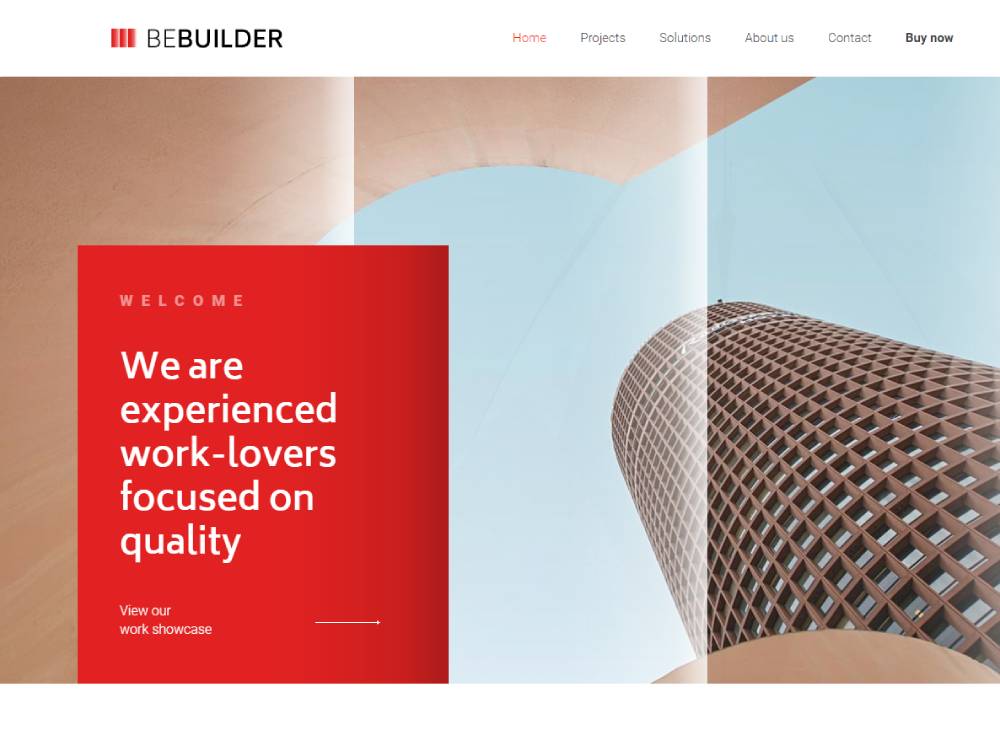
BE Builder

BE Constructor
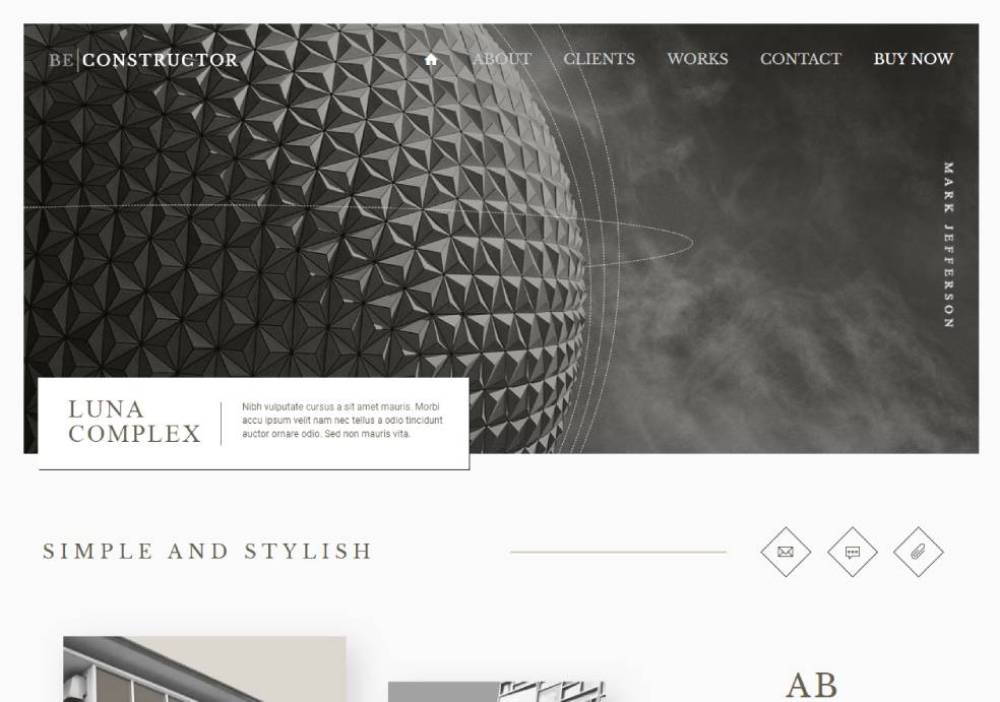
Archidex
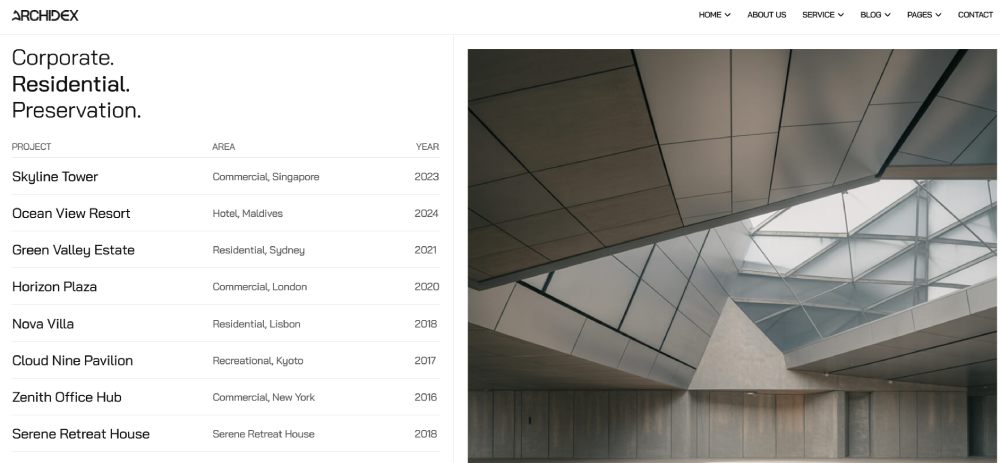
Prague

Luxe

Arki
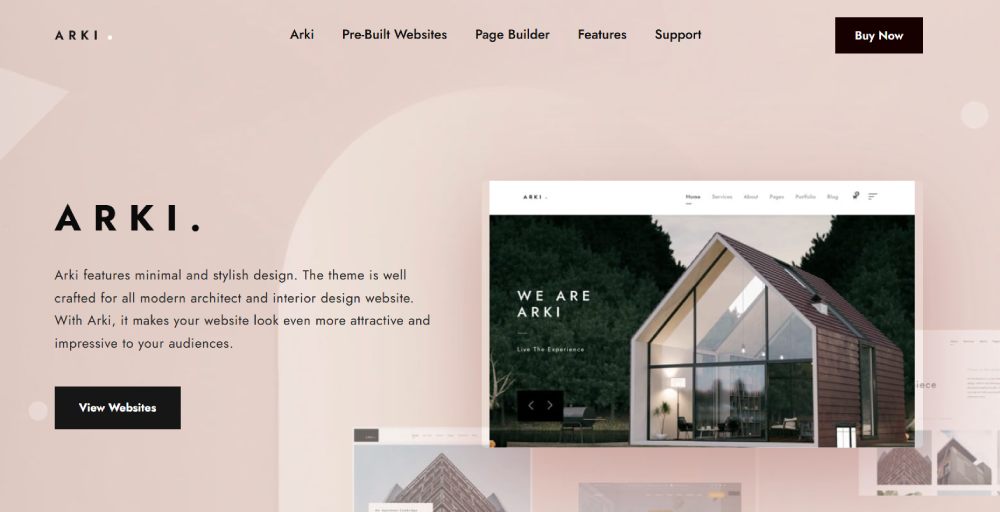
TheBuilt

Archicon

Larson
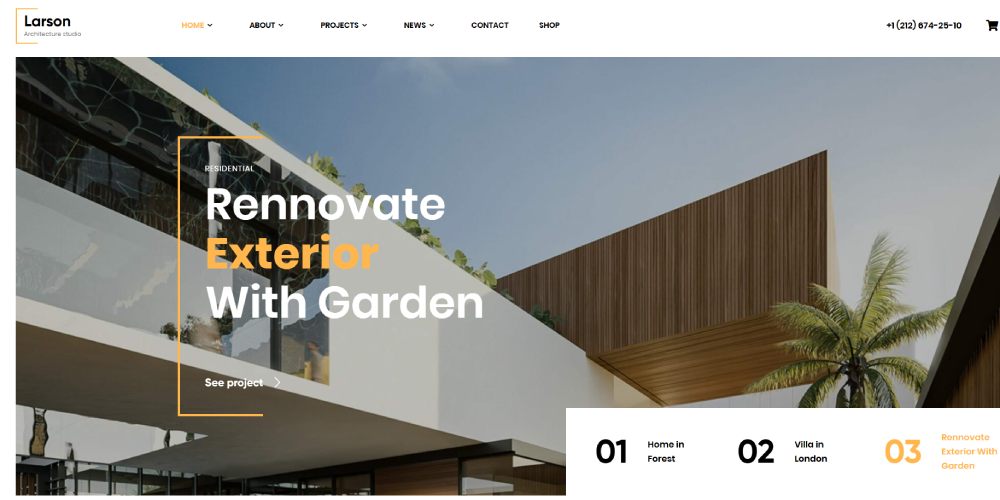
Antra

ArcHub
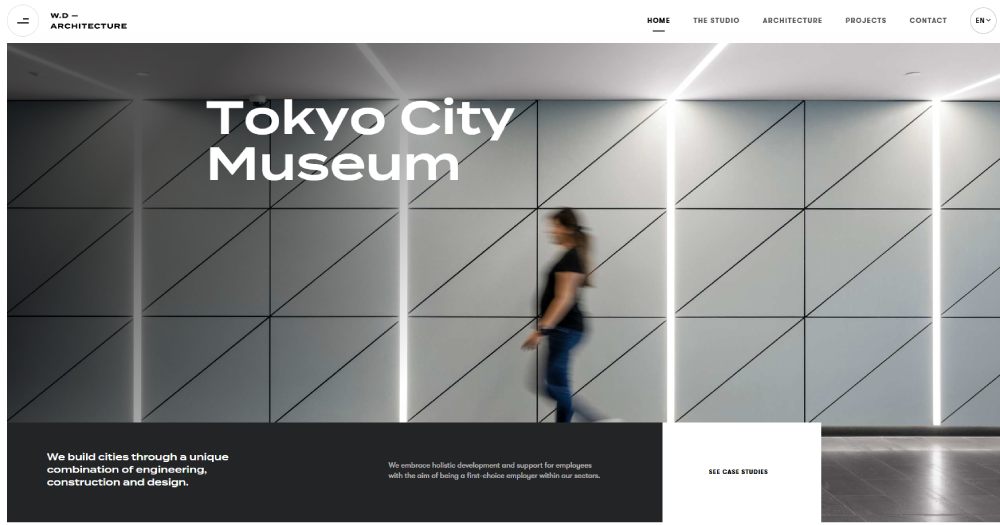
Stoni
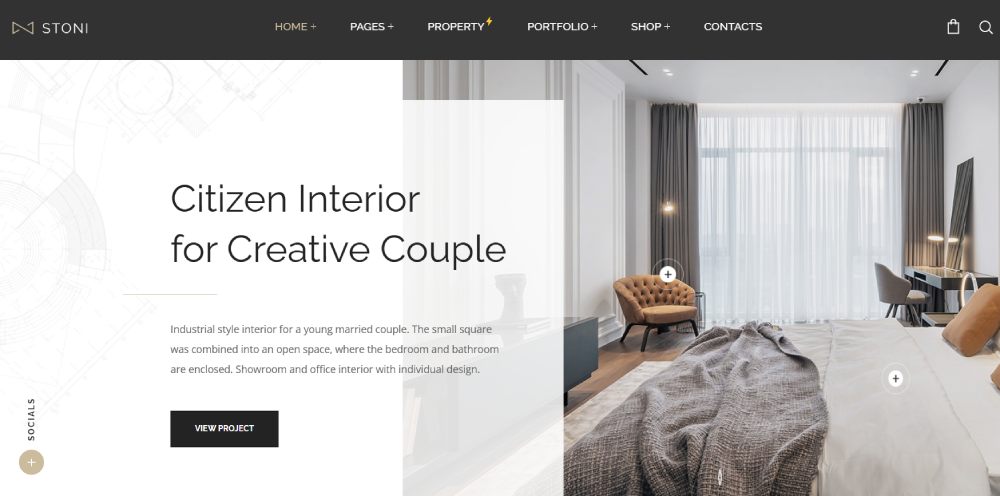
Builda

BAUEN
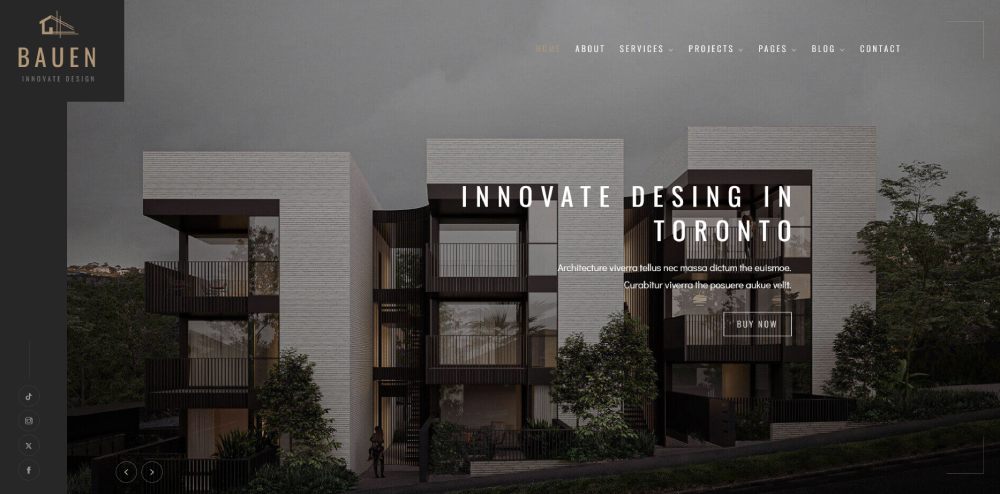
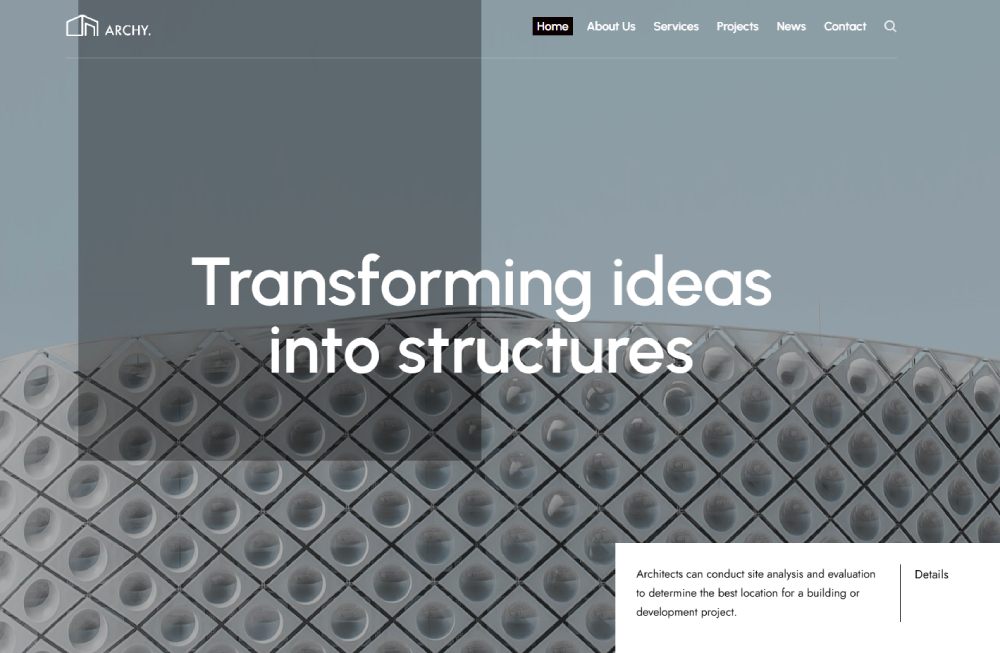
Archy
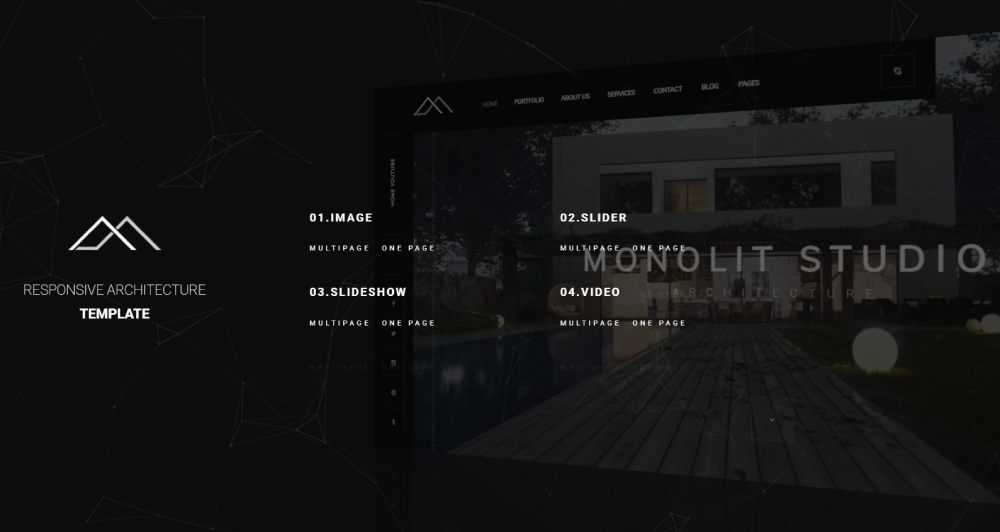
Monolit
What to Look for in an Architecture Website Template
Picking the wrong template wastes time. And you'll feel it three months later when you're fighting the layout to do something it was never designed for.
Here's what actually matters.
Full-Bleed Image Support and Gallery Functionality
Architecture is visual-first. Always has been.
Your template needs to handle high-resolution project photography without cropping, compressing, or distorting images. Look for full-width image sections, lightbox galleries, and masonry or grid-based layouts that let photographs breathe.
A proper hero section makes a huge difference on the homepage. It's the first thing visitors see, and for architecture firms, that first impression is almost always a photograph.
Mobile Responsiveness and Load Performance
94% of first impressions relate directly to website design, according to research cited by BeBusinessed. And over 61% of global web traffic came from mobile devices in 2024.
That means your architecture site needs to look sharp on phones, not just desktops. Templates with responsive layouts adjust image sizes, reflow text, and restructure navigation for smaller screens automatically.
Performance matters too. Websites that take more than two seconds to load lose roughly 60% of visitors, per Hostinger data. Architecture sites are especially vulnerable here because they're image-heavy by nature.
Project Filtering and Categorization
Good architecture templates let you tag and sort projects by type: residential, commercial, mixed-use, hospitality, institutional.
Some also support filterable galleries where visitors click a category and see only those projects. This sounds simple, but many themes don't offer it natively. You end up needing plugins or custom code to make it work.
Integration With Architecture Tools
Took me a while to realize how much this matters. A lot of templates look great in demos but fall apart when you try to embed a 3D model viewer, a BIM walkthrough, or even a PDF portfolio download.
Check whether the template supports iframe embeds, SketchUp viewer integrations, or custom HTML blocks where you can drop in Revit or AutoCAD renders. Not every firm needs this, but for studios doing architectural visualization, it's a deal-breaker.
Typography and Whitespace
Architecture firms tend to favor clean, minimal aesthetics. The template's default typography should reflect that.
Look for themes that use generous white space, readable sans-serif fonts, and restrained color schemes. If the template's demo looks like a nightclub flyer, it's probably not the right fit for a practice that designs research libraries.
Free vs. Premium Architecture Website Templates
The average cost of a premium website template is $59, according to ThemeForest data. Custom website design from an agency? That starts around $2,000 and climbs to $15,000 or more.
So templates sit in a sweet spot. But the gap between free and paid options is wider than most people expect.
What You Actually Lose With Free Templates
Design limitations: Free templates come with basic layouts and restricted customization. You'll often share the same look with dozens of other sites.
Missing support: No documentation, no ticket system, no one to ask when something breaks. You're on your own.
Licensing restrictions: Some free themes limit commercial use. For an architecture firm trying to attract paying clients, that's a problem worth checking before you build on one.
Plugin gaps: Free themes rarely bundle premium plugins. You may need a separate slider plugin, gallery add-on, or page builder, and those can cost more individually than a premium theme would have in the first place.
When Free Makes Sense
Solo architects testing their online presence. Students building a portfolio for job applications. Firms that want to experiment with layout before committing real money.
BeBusinessed data shows 45% of small businesses use website templates as their primary solution for going online. Many start free and upgrade later once they know what they actually need.
When Premium Is Worth It
Firms rebranding, studios launching with an existing client pipeline, or any practice where the website will be a lead generation tool.
ThemesCamp research found that businesses using premium themes convert up to 3.7 times more prospects than those using basic alternatives. For a firm trying to win institutional or commercial projects, that conversion gap translates directly into revenue.
|
Factor |
Free Template |
Premium Template |
|---|---|---|
|
Cost |
$0 |
$30 to $200+ |
|
Design Quality |
Basic, often shared |
Polished, unique layouts |
|
Support |
Community forums only |
Dedicated support + docs |
|
Updates |
Irregular or abandoned |
Regular, often lifetime |
|
Best For |
Testing, personal use |
Client-facing firm sites |
Selldorf Architects, a firm known for restrained and precise design, runs a custom-built site. But the structure they use (minimal navigation, prominent imagery, clear project categories) mirrors exactly what a good premium template provides out of the box.
How Architecture Firms Structure Their Project Pages
The project page is where architecture websites succeed or fail. Everything else (homepage, about section, contact form) supports it. But the project page is the thing prospective clients actually spend time reading.
Pravaah Consulting's 2026 analysis found that 73% of potential clients judge design quality based solely on the website experience. Olson Kundig reportedly invests $5,000 to $15,000 per project photo shoot specifically for web use. That's how much the project page matters at the top end.
What a Strong Project Page Includes
- Hero image (full-width, high-resolution, showing the building in context)
- Project metadata: location, year, area in square meters or feet, building typology
- Narrative description explaining the design concept and client brief
- Image gallery with 10-20 curated photographs
- Architectural drawings or plans (when applicable)
Hinge Marketing recommends connecting project pages to team bios so visitors can associate specific expertise with specific work. That small detail builds trust faster than a standalone "About" page.
Before-and-After and Process Documentation
Some firms include construction-phase photography or before-and-after comparisons. These work especially well for renovation and adaptive reuse projects.
Not every template handles this natively. WordPress themes with custom post types let you create structured project pages with dedicated fields for each content block. On Webflow, CMS collections do the same thing. On Squarespace, you'll typically use blog posts with manual formatting.
Real-World Examples Worth Studying
Zaha Hadid Architects: Bold visuals, structured project pages that read like visual narratives. Minimal interface that keeps attention on the work.
Foster + Partners: Refined, highly organized. Clear project categories by sector and building type. Editorial-quality write-ups that read more like magazine features than spec sheets.
Both firms treat their websites as extensions of their design identity, not afterthoughts. Your template should let you do the same, even at a smaller scale.
Customizing an Architecture Template Without Breaking It
Buying a template is step one. Making it feel like yours is where most people either succeed or waste a weekend fighting with settings.
GoodFirms data shows 84.6% of designers consider cluttered layouts the biggest mistake small businesses make on their websites. Architecture firms aren't immune. Overloading a clean template with widgets, animations, and unnecessary sections defeats the purpose of using one.
Fastest Identity Changes
Swap fonts and colors first. These two changes alone can make a template feel completely different. A firm specializing in brutalist concrete buildings needs different typography than one focused on residential interiors.
Stick to two typefaces maximum. One for headings, one for body text. Adjust your color theory to match your firm's existing brand identity, or build a new palette if you're starting fresh.
Replace Placeholder Content Immediately
Stock photos kill credibility in architecture. This isn't a restaurant website where a generic "team meeting" photo blends in. Architecture clients expect to see real projects, real buildings, real construction sites.
Medium reported that 90% of web designers' portfolios look nearly identical because they rely on ready-made visuals instead of original work. The same applies to architecture firm sites running template demos with placeholder images.
Common Customization Mistakes
- Overloading parallax scrolling effects on every section
- Ignoring how the mobile layout renders after desktop edits
- Installing too many plugins (on WordPress, 92% of vulnerabilities stem from outdated plugins, per GrowthScribe)
When the template already looks good, your job is subtraction, not addition. Remove what doesn't serve your firm's story. Add only what fills a genuine gap.
When to Hire a Developer
If you need custom post types, advanced filtering, BIM viewer embeds, or significant layout changes that the template's built-in options can't handle.
For everything else (content updates, image swaps, menu adjustments, adding press features or award logos), most user-friendly templates let you handle it yourself through the CMS dashboard.
Architecture Website Templates and Page Speed
Architecture sites are some of the slowest on the web. Not because they're poorly built (though some are), but because the content itself is heavy. Large project photographs, 3D renders, embedded videos, image sliders with ten high-resolution slides.
Hostinger data shows websites loading in over two seconds risk losing 60% of visitors. And each additional second of delay causes roughly 7% fewer conversions, according to ThemesCamp.
Why Architecture Sites Score Low on Core Web Vitals
Google measures three Core Web Vitals: Largest Contentful Paint (LCP), Interaction to Next Paint (INP), and Cumulative Layout Shift (CLS).
Only 62% of mobile pages achieve a good LCP score, per 2025 data cited by Brand Vision. Architecture sites tend to fall in the other 38% because their LCP element is almost always a massive hero image.
Images account for 60 to 70% of total page weight on most websites, according to YAAM Web Solutions. On an architecture site loaded with full-resolution project photography, that percentage can be even higher.
Image Optimization Strategies
WebP format: Reduces file sizes by 25 to 35% compared to JPEG at the same visual quality. Supported by all modern browsers.
Lazy loading: Delays loading of images below the fold until the user scrolls to them. Add loading="lazy" to image tags. Never lazy-load the hero image (that's your LCP element, and it needs to load immediately).
Responsive srcset: Serve different image sizes based on screen resolution. A visitor on a phone doesn't need a 3000-pixel-wide image meant for a desktop monitor.
Template-Level Factors That Affect Speed
|
Issue |
What Causes It |
Fix |
|---|---|---|
|
Bloated JavaScript |
Page builders, sliders, unused plugins |
Remove unused scripts, defer non-critical JS |
|
Render-blocking CSS |
Large stylesheets loading before content |
Inline critical CSS, defer the rest |
|
Third-party fonts |
Multiple font families loaded externally |
Limit to 2 fonts, self-host when possible |
|
Unoptimized images |
Full-res uploads without compression |
Compress, convert to WebP, use srcset |
What "Good Enough" Looks Like
Google recommends LCP under 2.5 seconds, INP under 200 milliseconds, and CLS under 0.1.
For an image-heavy architecture portfolio? Getting LCP under 3 seconds on mobile with proper image optimization is realistic. Chasing a perfect 100 on PageSpeed Insights probably isn't worth the effort for most firms. The sweet spot is a score in the 70-90 range with fast perceived load times.
Test before committing to any template. Run the demo through PageSpeed Insights, GTmetrix, or Lighthouse. If the demo scores poorly with placeholder content, your real site (with heavier images) will score worse.
FAQ on Architecture Website Templates
What is an architecture website template?
A pre-designed website layout built for architecture firms, studios, and independent architects. It includes project gallery sections, full-bleed image support, and page structures tailored to how architectural work gets presented online.
Which platform is best for architecture websites?
WordPress offers the most flexibility and theme options. Squarespace is easier for beginners. Webflow gives pixel-perfect design control. The right choice depends on your technical comfort and how much customization you need.
Are free architecture website templates worth using?
For testing ideas or building a student portfolio, yes. For a client-facing firm site, free templates typically lack the design polish, plugin support, and documentation that premium templates provide.
How much do premium architecture templates cost?
Most range from $30 to $200 depending on the platform. WordPress themes on ThemeForest average around $59. Webflow marketplace templates run between $49 and $149. Custom-designed sites cost significantly more.
Can I build an architecture website without coding?
Yes. Platforms like Squarespace, Wix, and WordPress with Elementor or Gutenberg let you build and customize without writing code. Webflow requires more learning but still doesn't need manual HTML or CSS.
What features should an architecture template include?
Full-width image galleries, project filtering by building type, mobile responsive design, fast loading performance, and dedicated project page layouts with metadata fields for location, year, and typology.
How do I make my architecture website load faster?
Convert images to WebP format, use lazy loading for below-the-fold photos, enable browser caching, and limit plugin use. Architecture sites are image-heavy by nature, so optimization matters more than on most websites.
Should I use WordPress or Squarespace for my architecture firm?
WordPress gives more control over design, hosting, and SEO. Squarespace bundles everything into a simpler package with less maintenance. Small studios often prefer Squarespace. Firms wanting scalability lean toward WordPress.
How do I structure project pages on an architecture website?
Start with a hero image, add project metadata (location, year, area), write a brief design narrative, include a curated photo gallery, and add architectural drawings when relevant. Each project page should function like a short case study.
Can I customize an architecture template to match my brand?
Yes. Swap fonts, adjust color palettes, replace placeholder images with real project photography, and remove unnecessary sections. Most premium templates include enough built-in customization options for branding without developer help.
Conclusion
The right architecture website template gives your firm a polished online presence without the cost of a custom build. Whether you go with WordPress for flexibility, Squarespace for simplicity, or Webflow for design precision, the template is just the starting point.
What matters more is what you do with it. Replace stock images with real project photography. Structure your project pages like case studies, not slideshows. Optimize for mobile responsiveness and page speed so visitors actually stick around.
A well-chosen template paired with strong architectural visualization, clear site navigation, and intentional branding can compete with sites costing ten times as much.
Pick a template that fits your workflow. Customize it with intention. Then let your built work speak for itself.
























