



Event Website Templates for Unforgettable Experiences
May 14, 2026
Awesome Record Label Website Design Examples
May 19, 2026Your clinic's website is often the first thing a patient judges before ever calling your number.
With 77% of patients starting their health journey on Google (Milestone), a poorly built site doesn't just look bad. It costs you appointments.
Picking the right medical website template means balancing patient trust, booking functionality, accessibility standards, and compliance requirements all at once. Not every template handles all four.
This guide covers what separates a healthcare website template from a generic one, which platforms and specific options hold up in 2025, what they actually cost, and the most common problems practices run into after purchase.
What Are Medical Website Templates?
A medical website template is a pre-built web design structure built for healthcare providers, clinics, hospitals, or health-related services. It differs from a generic business template in one core way: it ships with layout patterns, content blocks, and structural hierarchies built around patient needs, not product sales.
Generic templates work for most industries. Medical templates are different. They include doctor bio sections, service description blocks, appointment call-to-action areas, trust signal placements, and patient-facing contact forms, all arranged in a clinical content hierarchy that puts credibility first.
The distinction matters because 77% of people use search engines in their patient journey (Milestone), and the website is usually the first impression. A general business layout does not communicate the same level of trust a patient needs before booking an appointment.
Medical Templates vs. Generic Website Templates
|
Feature |
Medical Template |
Generic Template |
|---|---|---|
|
Primary design goal |
Patient trust and appointment conversion |
Brand awareness and product sales |
|
Content hierarchy |
Credentials, services, booking, contact |
Features, pricing, testimonials, CTA |
|
Compliance awareness |
Built around HIPAA-conscious form placement |
No healthcare compliance consideration |
|
Trust elements |
Doctor bios, accreditation badges, credentials |
Generic social proof and product reviews |
Common Use Cases
Medical website templates cover a wide range of practice types. The most common include GP practices, dental clinics, specialist consultants, mental health therapists, pediatric clinics, and telehealth platforms.
Each of these use cases has different layout priorities. A mental health website design needs discreet contact options and a calming visual tone. A dental clinic needs before-and-after photo galleries and treatment menus. One template does not fit all.
Medical Website Template Examples
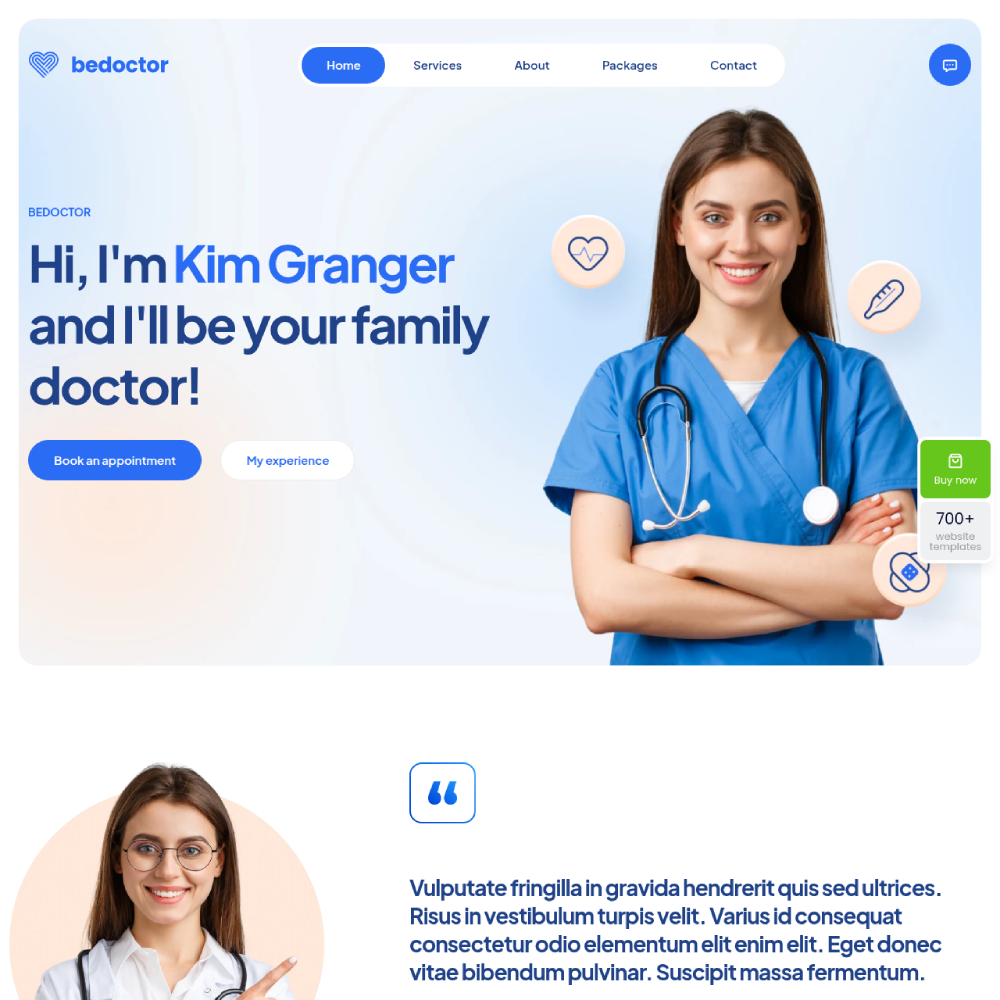
Be Doctor 2
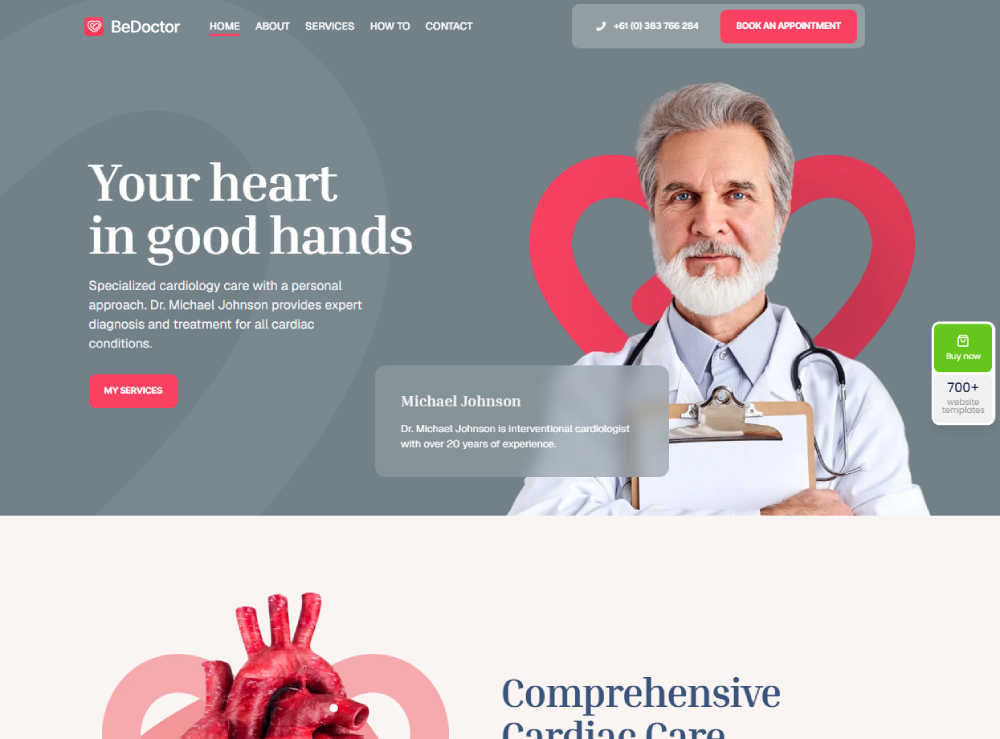
Be Doctor
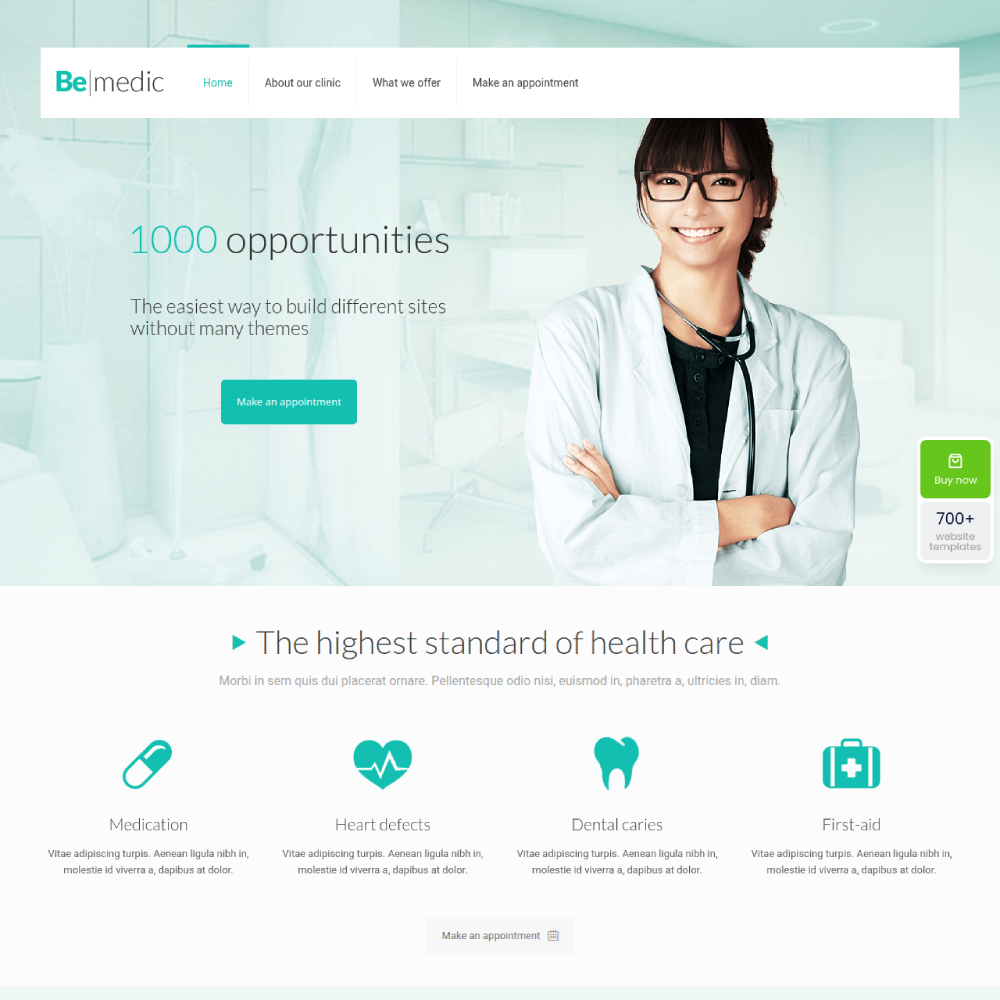
Be Medic
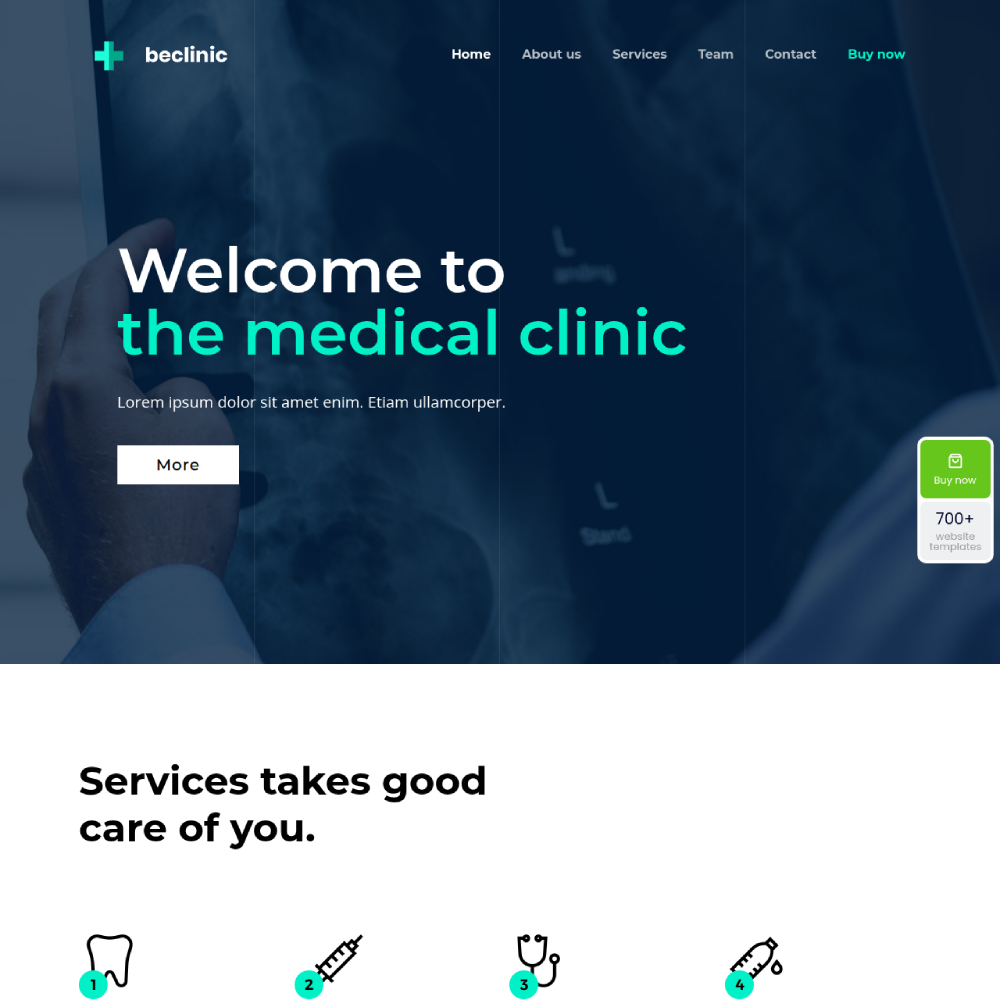
Be Clinic
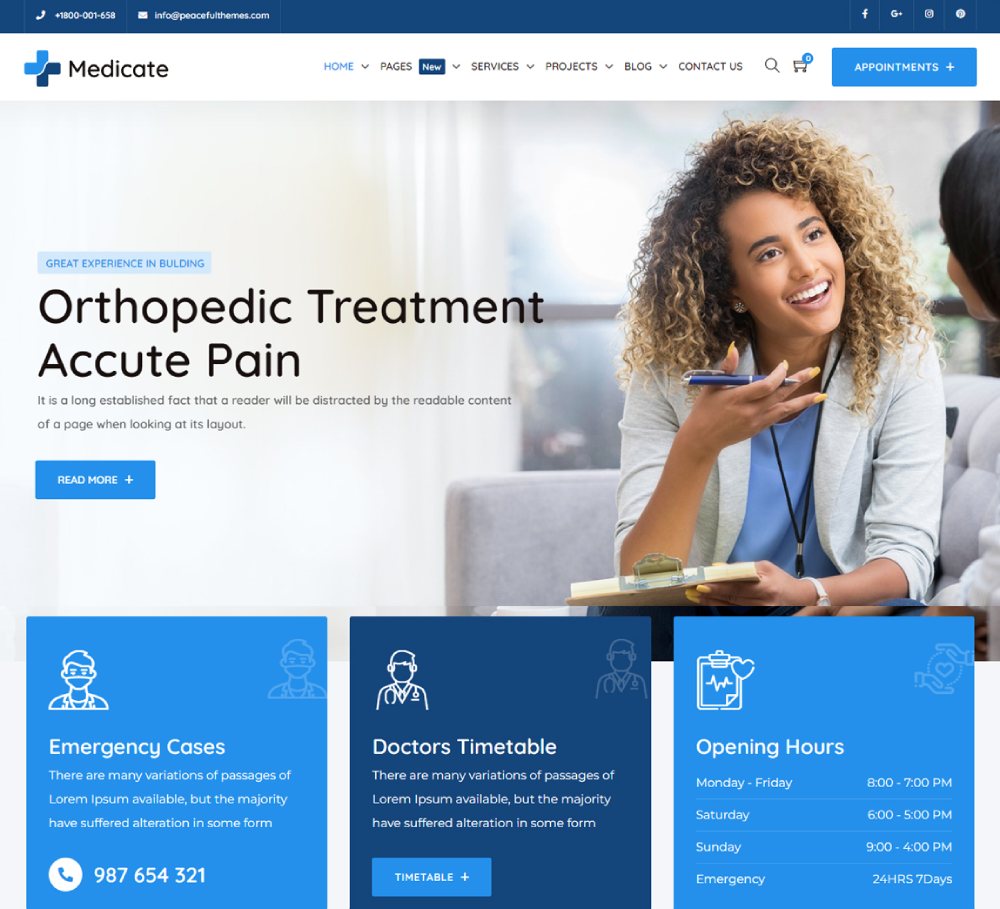
Medicate
OneLife

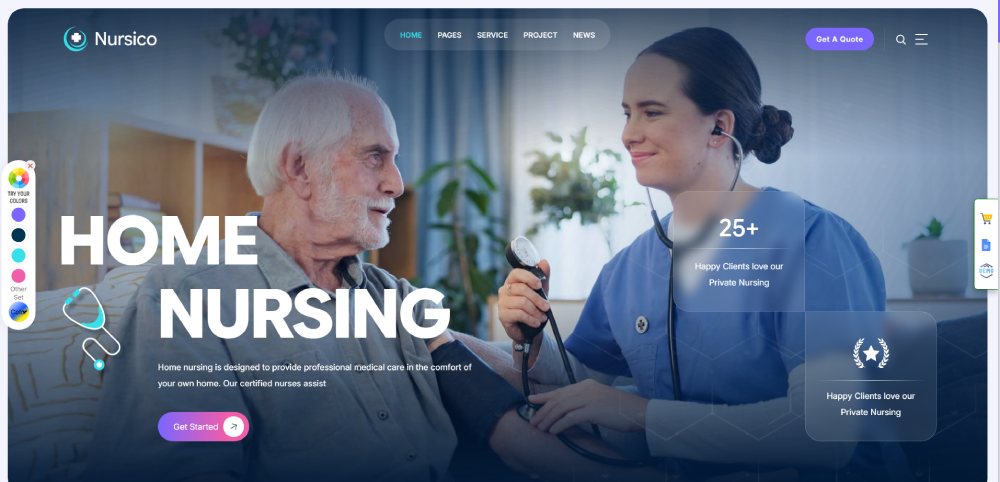
Nursico
MediCenter

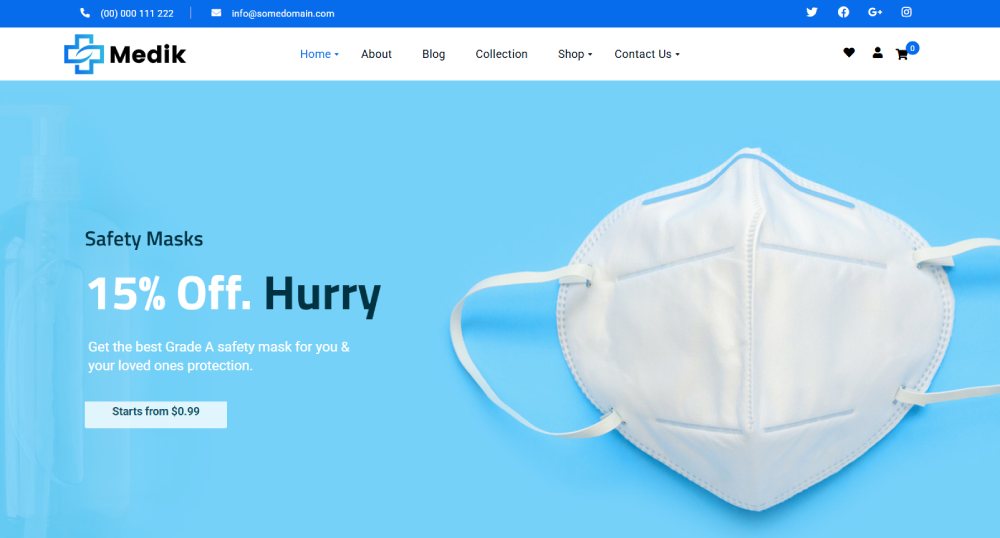
Medik
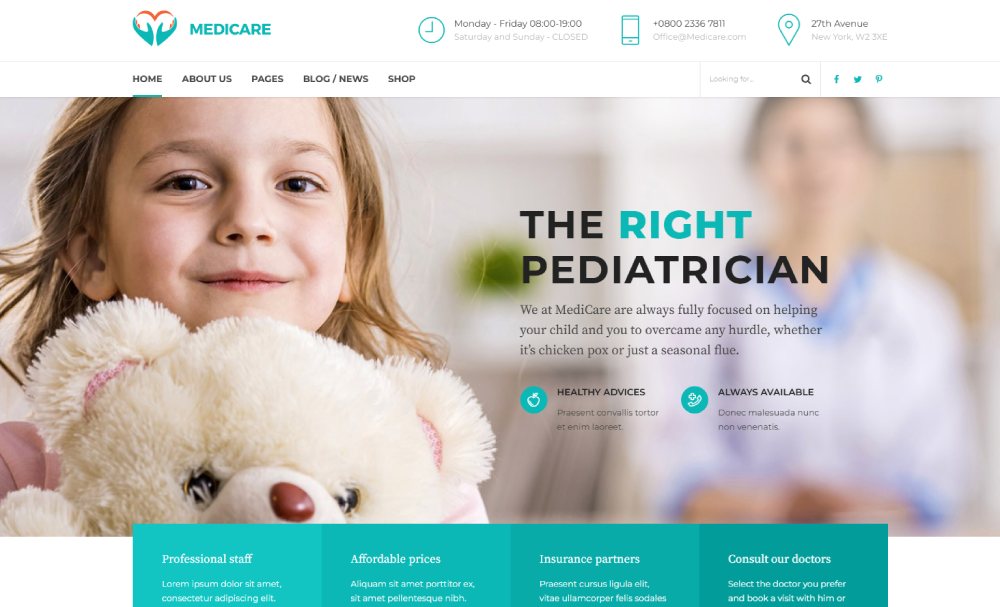
Medicare
Mediz

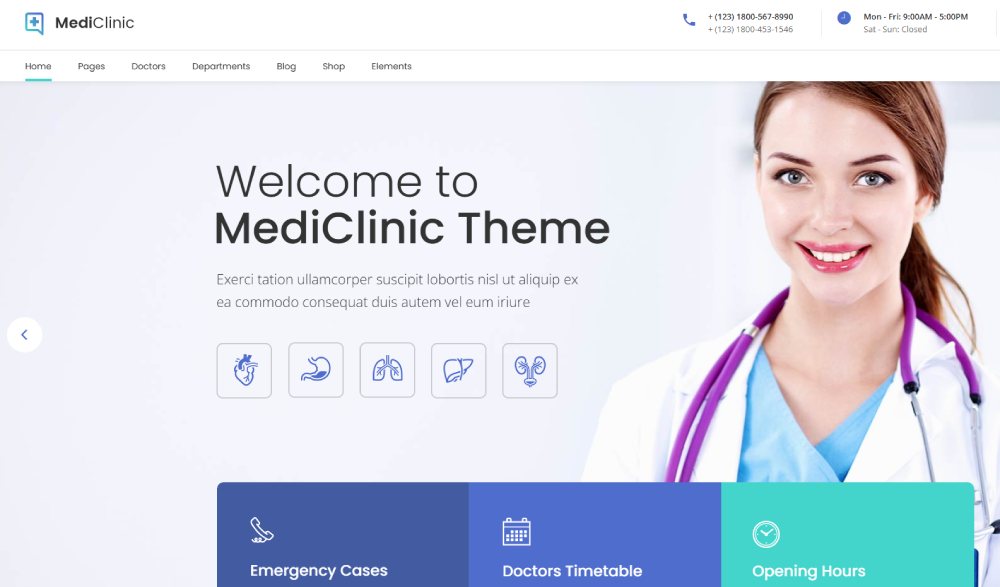
MediClinic
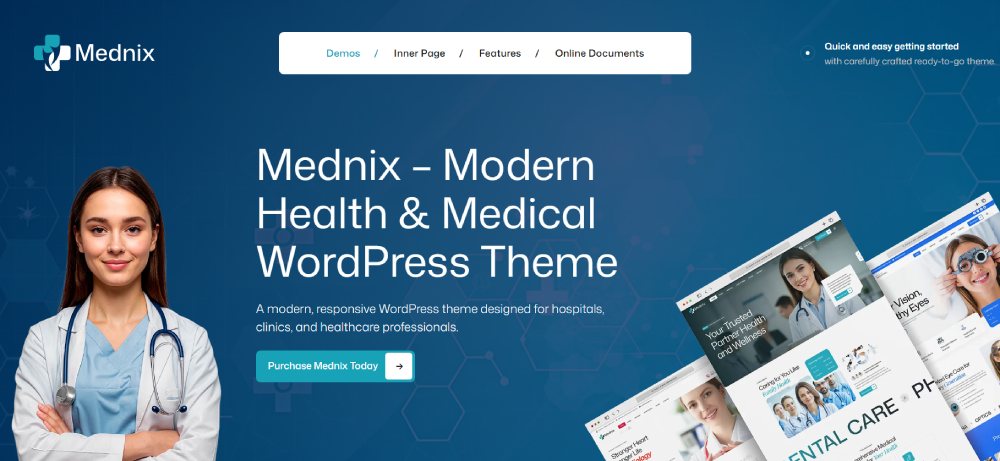
Mednix
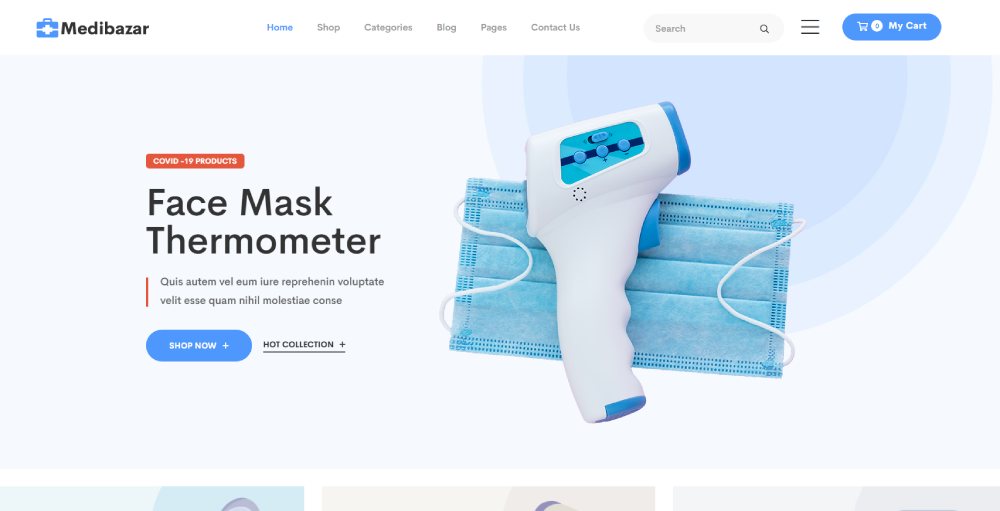
Medibazar
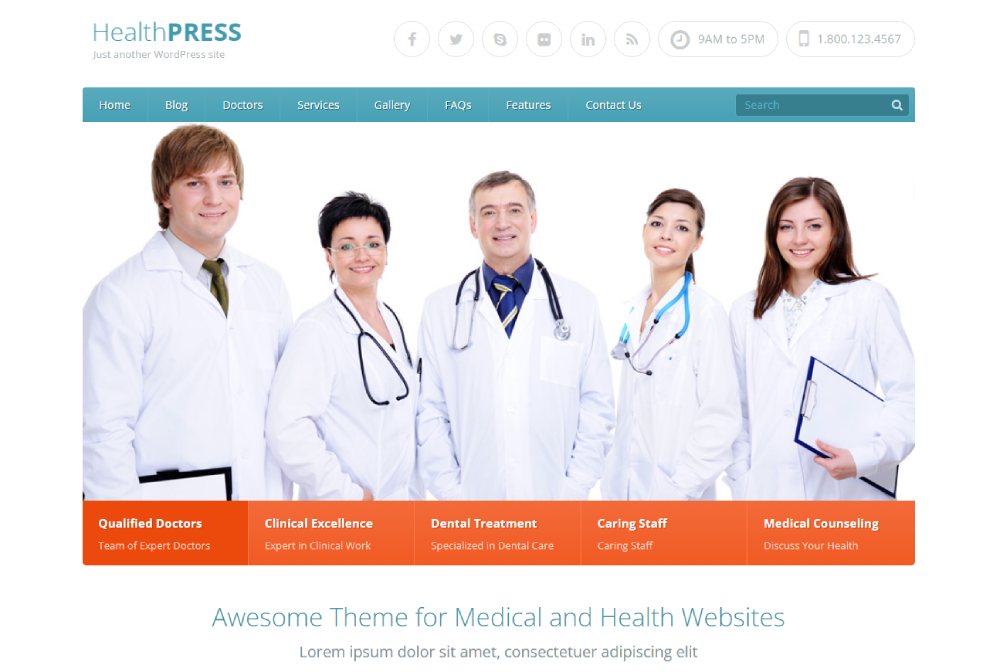
HealthPress
DentiCare

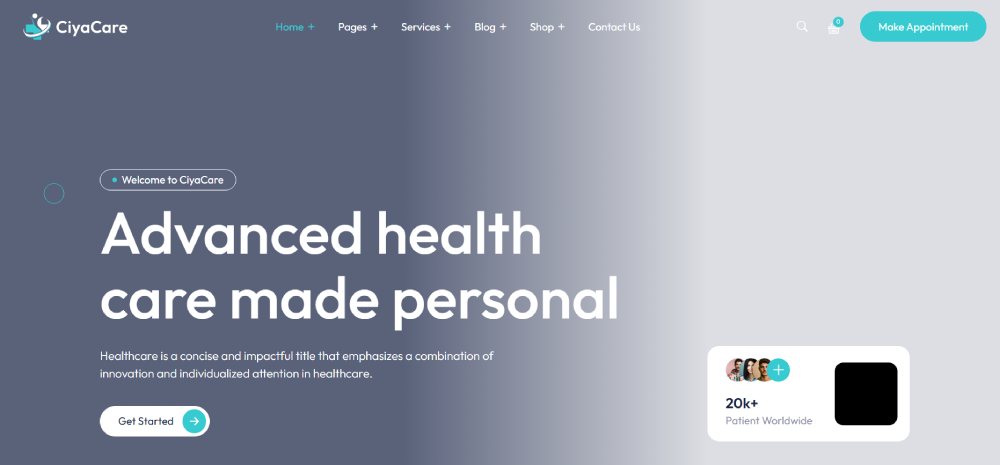
CiyaCare
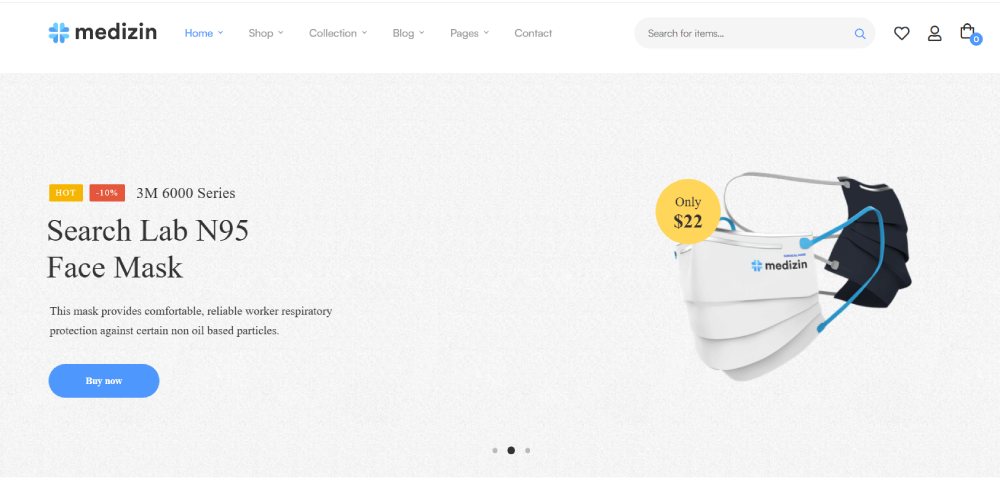
Medizin
What Features Does a Medical Website Template Need?
Medical templates carry functional requirements that most website categories never deal with. The design has to support patient trust, appointment conversion, compliance-aware data collection, and accessibility all at the same time.
55% of U.S. consumers prefer a mobile application to manage healthcare appointments and medical records (2024 Healthtech Perspectives Report). That number tells you where the design priority has to start: mobile-first layout is not optional.
Appointment and Contact Form Requirements
Appointment booking is the primary conversion action on a medical website. The template must support this with either native booking blocks or clean embed zones for tools like Calendly, Jane App, or Acuity Scheduling.
- Contact forms must route through HIPAA-conscious form tools, not standard email submission
- Patient intake fields should never store unencrypted data in the CMS database
- Booking widgets from Doxy.me and similar telehealth platforms need clean embed support
Good form design in a medical context means reducing visible friction while keeping back-end data handling secure. That balance is harder to get right than it looks.
Accessibility and Compliance Standards
HHS published a final rule in May 2024 requiring healthcare providers receiving federal funds to meet WCAG 2.1 Level AA standards by May 2026 (HHS). In 2024 alone, over 4,100 ADA website accessibility lawsuits were filed in federal courts.
A medical template built without these standards already embedded creates compliance risk before a single line of content is added. The template must include proper color contrast ratios, keyboard-navigable menus, screen reader compatibility, and correctly structured heading hierarchies.
Trust and Credibility Design Patterns
Trust signals are not optional decorations in healthcare web design. Patients evaluate a practice's credibility before they call.
- Doctor bios: Full credential display, specialty, and photo
- Accreditation badges: Board certifications, professional associations
- Patient testimonials: Placed near booking CTAs, not buried in a separate section
- About page: Practice history, team structure, and mission
According to PatientPop, 74% of patients find online reviews very or extremely important when choosing a healthcare provider. A template that buries or omits this content pattern loses conversions before the page even loads on mobile.
How Do Medical Website Templates Differ by Specialty?
The template needs to shift significantly depending on the specialty. A pediatric clinic and a cosmetic surgery practice have almost nothing in common from a patient UX standpoint, even though both are medical websites.
|
Specialty |
Key Layout Need |
Distinct Design Element |
|---|---|---|
|
Dental clinic |
Before/after photo gallery |
Smile assessment form block |
|
Mental health / therapy |
Calming palette, discreet contact |
Crisis line placement in header |
|
Pediatrics |
Parent-friendly UX |
Age-appropriate visual tone |
|
Telehealth |
Video consult CTA prominence |
Zoom Health / Doxy.me embed zone |
|
Cosmetic / aesthetic |
High-resolution imagery support |
Treatment menu with pricing |
Dental Clinic Templates
Before-and-after photo galleries are the core conversion element for dental practices. A dental template without a dedicated gallery block forces workarounds that slow down page load and break layout consistency on mobile.
Smile assessment forms and insurance verification widgets are also standard needs. Dental practices like Aspen Dental have built significant patient acquisition funnels around these interactive entry points on their websites.
Mental Health and Therapy Templates
These templates require the most careful UX consideration of any medical specialty. Patients visiting a mental health website are often in a vulnerable state. The design needs to reduce friction and anxiety immediately.
- Calming color palettes: muted blues, greens, and neutrals over clinical whites
- Discreet contact options: no large, prominent "Book Now" buttons on every scroll
- Crisis line placement in the header, always visible
- Therapist bios with photo and specialty, not just credentials
The best therapist websites share one trait: the design feels safe before the content is even read. That's a layout and color decision, not a copywriting one.
Telehealth Platform Templates
In 2024, 71.4% of physicians reported using telehealth in their practices weekly, nearly triple the pre-pandemic rate (AMA). Templates for telehealth-forward practices need to prioritize video consult CTAs, platform integration zones, and clean appointment flows for virtual visits.
Doxy.me and Zoom Health embed cleanly into most modern template frameworks. The layout challenge is making virtual and in-person booking options equally accessible without cluttering the homepage.
What Is the Cost of a Medical Website Template?
Medical website template costs range from free to $129 for a standalone template file. That number is just the starting point. The full cost of a live, patient-facing medical website includes hosting, plugin licenses, booking tool subscriptions, and compliance-adjacent form tools.
Template Pricing by Source
Free templates: WordPress.org repository, Webflow free tier, Wix and Squarespace free plans. Functional for testing. Most lack current accessibility compliance and active maintenance.
Premium one-time purchase: $29 to $89 on ThemeForest, $49 to $129 on Webflow Marketplace. Most include 6 to 12 months of support and updates from the developer.
Subscription-based platforms: Squarespace at $23 per month (Business plan), Wix starting at $17 per month. The template is included, but the platform cost is ongoing.
Full Build Cost Beyond the Template
The template is rarely the expensive part. According to Flamingo Agency, custom medical web design for small practices typically ranges from $4,000 to $8,000 for a professionally built site. Template-based builds with customization land between $1,000 and $5,000 depending on complexity (IIH Global).
- HIPAA-compliant hosting: $170 to $400 per month for solo practices (Dixie Raiz Pacheco)
- HIPAA form tools: JotForm HIPAA at $39 to $99 per month, Hushmail starting at $9.99 per month
- Booking software: Jane App at $74 per month, Acuity Scheduling at $20 to $61 per month
- Ongoing maintenance: $75 to $300 per month for updates, backups, and security monitoring
Hidden Costs Most Practices Miss
Plugin licenses, premium stock photography, and structured data tools are rarely factored into initial budgets. Schema Pro for MedicalOrganization and Physician structured data runs around $79 per year. Replacing generic stock photography with real team photos is a one-time cost but often requires a professional photography session.
Google Analytics is not HIPAA compliant and Google will not sign a BAA. Practices that switch to Plausible or Fathom Analytics for HIPAA-safe tracking add another $9 to $14 per month to the stack (Dixie Raiz Pacheco).
Which Platforms Support Medical Website Templates?
Five platforms dominate medical website template builds in 2025: WordPress, Webflow, Squarespace, Wix, and Showit. Each has a different trade-off between customization depth, compliance readiness, and technical complexity.
|
Platform |
Best For |
Key Limitation |
|---|---|---|
|
WordPress |
Flexibility, plugin ecosystem, SEO control |
Requires hosting setup and maintenance |
|
Webflow |
Clean code output, design precision |
Steeper learning curve, higher template cost |
|
Squarespace |
Fast setup, solo practitioners |
Limited customization, no BAA for forms |
|
Wix |
Drag-and-drop ease, quick launch |
Weaker SEO control, less schema support |
|
Showit |
Cosmetic and aesthetic clinics |
WordPress blog integration required for CMS |
WordPress for Medical Websites
WordPress runs the largest medical template library of any CMS. Plugins like Yoast SEO, RankMath, and Schema Pro add MedicalOrganization and Physician structured data without custom development.
The flexibility comes with responsibility. WordPress is not HIPAA compliant by default. The hosting environment, form tools, and any plugin that touches patient data all need individual compliance review. For practices with a web developer involved, it's still the strongest long-term platform for medical practices that plan to grow their online presence over time.
Webflow for Medical Websites
Webflow's clean HTML output and no plugin dependency model makes it a strong choice for practices that prioritize page speed and Core Web Vitals scores. There are no WP plugin conflicts, no database bloat, and no update cycles that break template layouts.
The trade-off is CMS complexity for non-developers. Adding new doctor profiles or service pages in Webflow requires more setup than a WordPress post type. For practices that plan to manage their own content long-term without a developer, this matters.
Wix and Squarespace for Small Practices
Both platforms offer the fastest time-to-launch of any option. A solo GP or therapist can have a functional website with appointment booking running in a single day using either platform.
Squarespace's built-in scheduling tool is genuinely good for basic use cases. Wix's ADI (Artificial Design Intelligence) generates a starter layout in minutes. Neither platform gives the SEO control or compliance depth of WordPress or Webflow, but for an informational website that does not collect PHI, both are legitimate options. The responsive website design output from both platforms has improved significantly since 2022.
How Do Medical Website Templates Handle SEO?
SEO performance in a medical template comes down to 4 structural factors: schema markup support, Core Web Vitals scores, heading hierarchy, and local SEO readiness. Most templates handle some of these well. Very few handle all 4 out of the box.
Search drives 3 times more visitors to hospital sites compared to non-search sources (Google). And patients who booked healthcare appointments ran 3 times more searches than those who did not (Google). The SEO structure baked into a template from day one has a direct line to patient acquisition volume.
Schema Markup and Structured Data
Medical websites benefit from 3 specific schema types: MedicalOrganization, Physician, and MedicalClinic. These structured data types help Google surface the right information in knowledge panels, local packs, and AI Overviews.
Most WordPress medical templates do not ship with schema pre-configured. Schema Pro, Yoast SEO Premium, and RankMath Pro all add this capability, but it requires setup. Webflow templates require manual JSON-LD injection or a third-party script. Squarespace and Wix offer limited structured data support with no medical-specific schema options.
Core Web Vitals and Page Speed
Bloated medical templates are a common problem. ThemeForest medical themes frequently bundle sliders, carousels, and multiple animation libraries that inflate page weight and hurt Largest Contentful Paint scores.
- Target LCP under 2.5 seconds on mobile
- Avoid templates that load 15+ JavaScript files on the homepage
- Astra and GeneratePress-based medical themes consistently outperform heavier visual builders on Core Web Vitals
Local SEO Readiness
Local SEO structure is the most directly revenue-relevant SEO factor for clinic and practice websites. 5% of all Google searches are health-related (Google), and a significant portion of those are local intent queries.
A well-structured medical template includes consistent NAP (Name, Address, Phone) fields in the footer, Google Maps embed blocks, and dedicated location page templates for multi-clinic practices. Templates without these blocks built in require custom development to add them cleanly later.
The doctor websites that rank well in local search almost always have clean location page structures, consistent NAP data across every page, and MedicalClinic schema running at the domain level.
What Makes a Medical Website Template HIPAA-Compatible?
HIPAA applies to the transmission and storage of Protected Health Information (PHI), not to design or visual layout. A template itself cannot be HIPAA compliant. The hosting environment, form tools, and third-party scripts that touch patient data are what determine compliance.
Most practices get this wrong. Mass General Brigham settled for $18.4 million over tracking pixels on patient-facing pages, not because of their template design but because of the tools running on top of it (Dixie Raiz Pacheco, 2026).
What HIPAA Actually Covers on a Healthcare Website
PHI on a website includes:
- Contact forms that collect health-related details
- Appointment booking fields linked to medical conditions
- Patient portal login pages and session data
- Live chat tools where patients describe symptoms
A purely informational website with no data collection has no HIPAA requirement. A template that ships with a generic contact form routed through standard email is not HIPAA compliant the moment a patient describes a symptom in the message field.
Business Associate Agreements and Vendor Liability
Every vendor that handles PHI needs a signed Business Associate Agreement (BAA) before data flows to their servers. This includes the hosting provider, the form tool, the analytics platform, and the booking software.
Google Analytics does not qualify. Google refuses to sign a BAA in any version of its analytics product. Practices using Google Analytics on patient-facing pages carry the compliance exposure, not Google. Aurora Health paid $12.25 million and Novant Health paid $6.6 million for exactly this issue (Dixie Raiz Pacheco, 2026).
HIPAA-safe analytics alternatives include Plausible, Fathom, and PostHog. All three sign BAAs and do not track individual IP addresses against health content.
Template Features That Signal Compliance Readiness
No template is inherently compliant, but some are built to make compliance easier to layer on top.
Compliance-friendly template signals:
- Form fields that connect to JotForm HIPAA, Hushmail, or NovaStar rather than native CMS database storage
- Clean embed zones for third-party booking tools that handle their own encryption
- No bundled analytics scripts that run on page load
- Cookie consent banner support with configurable tracking consent
The May 2026 HHS deadline requires WCAG 2.1 AA compliance for any healthcare provider receiving federal funds. Templates that ship without proper contrast ratios and keyboard navigation pre-built create both an accessibility and a compliance gap from day one (HHS, 2024).
How Do You Customize a Medical Website Template?
Practices with online scheduling see 20 to 30% more appointment requests because patients can book outside office hours (MedTech Consulting, 2026). Getting that booking flow working cleanly inside a medical template is the most important customization task.
The rest of customization falls into 3 categories: visual brand updates, third-party tool integration, and content structure for service and location pages.
Customizing Visual Brand Elements
Color and typography are the fastest wins. Most WordPress medical templates store brand colors in a single CSS variable file or theme customizer panel. Updating 4 to 6 hex values replaces the template's default palette across every page simultaneously.
Priority visual updates in order:
- Primary and secondary brand colors in CSS variables or theme settings
- Heading font family and weight (Google Fonts or self-hosted)
- Logo replacement in header and footer
- Button style: radius, hover state, and CTA color
Generic stock photography is the hardest thing to fix with CSS. Research shows blue tones increase perceived trust by 34% and green elements improve perceptions of wait time by 21% in healthcare contexts (SPRY, 2025). But no color variable update fixes a photo of a smiling stock doctor that patients have already seen on 12 other clinic websites.
Integrating Third-Party Booking and Form Tools
Jane App, Acuity Scheduling, and Calendly all provide embed codes that drop into a template's designated booking block. The integration is usually one paste of an iframe or script tag.
The tricky part is styling. Most booking widgets render inside a sandboxed iframe, which means the template's CSS cannot override the widget's visual style. Jane App and SimplePractice offer limited white-label styling at their higher pricing tiers. Acuity's embed supports custom CSS injection for practices that need tighter visual consistency.
For contact forms, the same logic applies. Healthcare form design decisions that look purely visual often have compliance implications. A form field labeled "Reason for visit" routes through whichever form tool handles the submission, and that tool either has a BAA or it does not.
Adding and Structuring Service Pages
Multi-location practices and specialty clinics need structured service page templates, not just a single services overview page.
Service page structure that supports both SEO and patient UX:
- One page per service or specialty (not a list on a single page)
- MedicalClinic or Physician schema markup on each page
- Location-specific NAP data in the page footer or sidebar
- Booking CTA placed above the fold and repeated at the bottom
Mayo Clinic's website is the clearest large-scale example of this done right: each condition and treatment gets its own URL, structured heading hierarchy, and local schema markup. That model scales down to a 3-doctor family practice. The template needs to support it from the start, not as a later addition.
What Are the Most Common Problems with Medical Website Templates?
Healthcare is the second-most cyberattacked industry globally, with the average data breach costing $9.23 million per incident (Kyruus Health). Most of those breaches trace back to infrastructure decisions made during website setup, not after.
Template problems fall into 3 categories: outdated or unmaintained builds, design choices that damage trust, and compliance gaps that create legal exposure.
Outdated Templates and Maintenance Gaps
Most healthcare organizations redesign their website every 3 to 5 years (WG Content). Between redesigns, templates that are not actively maintained accumulate compatibility issues with newer WordPress block editor versions, outdated plugin dependencies, and security vulnerabilities that have known patches.
Signs a medical template is dangerously outdated:
- Last updated more than 18 months ago on ThemeForest or WordPress.org
- No compatibility note for WordPress 6.x or current Gutenberg blocks
- Bundled plugins (sliders, page builders) that no longer receive security updates
In 2024, healthcare saw a 15% increase in data breaches, with the most damaging incidents tracing to inadequate security architecture at the infrastructure level (Latent HQ, 2026). A template running on an outdated plugin stack is a contributing factor, not a minor inconvenience.
Stock Photography and Generic Design
Generic stock photos are one of the fastest ways to lose patient trust before the first word is read. The same "doctor in white coat smiling" image appears across hundreds of unrelated clinic websites. Patients recognize it instantly.
Research from SPRY (2025) shows that authentic photography signals investment in the practice, while obviously stock images suggest the same generic approach might extend to patient care. For cosmetic, aesthetic, and plastic surgery practices especially, the before-and-after gallery is the primary conversion element. A plastic surgery website that uses stock procedure images in place of real patient results loses the only content that actually moves a prospective patient toward booking.
The fix is straightforward but not free: a 2-hour professional photography session covering the team, the facility, and treatment rooms replaces every critical stock image on the site.
The "HIPAA Compliant" Marketing Claim Problem
Plenty of ThemeForest medical templates are marketed as "HIPAA compliant." None of them actually are.
A template is an HTML and CSS structure. HIPAA compliance is a hosting, data handling, and vendor agreement issue. The two are entirely separate layers of a healthcare website stack.
|
Compliance Layer |
Responsible Party |
Template's Role |
|---|---|---|
|
Data encryption in transit |
Hosting provider (BAA required) |
None |
|
Form data storage |
Form tool (JotForm HIPAA, Hushmail) |
Embed zone only |
|
Analytics tracking |
Analytics platform (Plausible, Fathom) |
None |
|
Booking data handling |
Booking software (Jane App, SimplePractice) |
Embed zone only |
A template that claims HIPAA compliance is misrepresenting what compliance means. Buy the template for its layout quality, accessibility structure, and platform compatibility. Handle compliance through the hosting and tool stack separately.
Slow Load Times From Bloated Template Bundles
Many premium medical templates on ThemeForest ship with 8 to 15 bundled plugins: sliders, carousels, icon libraries, animation frameworks, and demo content importers. Most of these load JavaScript and CSS on every page regardless of whether that page uses them.
The result is a homepage that looks polished in the demo environment but scores poorly on Core Web Vitals in production. Accessible healthcare websites that rank well in local search consistently share one trait: fast mobile load times. A medical template that ships lean and lets you add what you need is almost always better than one that ships with everything enabled.
Target benchmarks for a live medical website:
- Largest Contentful Paint (LCP) under 2.5 seconds on mobile
- Total Blocking Time (TBT) under 200 milliseconds
- Cumulative Layout Shift (CLS) under 0.1
Astra and GeneratePress-based medical themes consistently hit these targets. Most visual builder-heavy ThemeForest templates do not without significant optimization work after purchase.
FAQ on Medical Website Templates
What is a medical website template?
A medical website template is a pre-built layout designed for healthcare providers, clinics, and practices.
It includes patient-focused UX patterns, doctor bio sections, appointment booking blocks, and trust signals. Unlike generic templates, it prioritizes clinical content hierarchy and compliance-aware design from the start.
Are medical website templates HIPAA compliant?
No template is inherently HIPAA compliant. Compliance depends on your hosting provider, form tools, and analytics stack, not the template itself.
Tools like JotForm HIPAA, Hushmail, and Jane App handle data correctly. The template only provides the layout structure.
Which platform is best for a medical website template?
WordPress offers the most flexibility and the largest medical template library. Webflow suits design-focused practices. Squarespace works well for solo practitioners who need fast setup without deep technical requirements.
Platform choice depends on your compliance needs, technical capacity, and long-term content plans.
How much does a medical website template cost?
Premium templates range from $29 to $129 as a one-time purchase on ThemeForest or Webflow Marketplace.
Free options exist on WordPress.org and Wix, but most lack current accessibility compliance and active maintenance. Budget separately for hosting, booking tools, and HIPAA-safe form software.
Do I need a developer to customize a medical website template?
Not always. Squarespace and Wix templates require no coding. WordPress templates using Elementor or Beaver Builder are manageable for non-developers.
You likely need a developer for custom schema markup, EHR integrations, multi-location page structures, or anything involving patient data handling.
What features should a medical website template include?
At minimum: mobile-first layout, appointment booking integration, WCAG 2.1 AA-ready accessibility, doctor bio sections, and compliance-aware contact forms.
Trust signals like accreditation badges, patient testimonials, and credential displays are also standard expectations for any patient-facing healthcare website.
Can I use a medical website template for a telehealth practice?
Yes, but check that the template includes clean embed zones for platforms like Doxy.me or Zoom Health.
Telehealth templates need prominent video consult CTAs and separate booking flows for virtual and in-person appointments. Not every general medical template handles this layout well by default.
What is the difference between a medical template and a healthcare landing page?
A medical website template is a full multi-page site structure covering services, bios, booking, and contact.
A healthcare landing page is a single-purpose page built for one conversion goal, such as booking a specific appointment type or promoting a new service.
How do I make my medical website template accessible?
Start with a template that already meets WCAG 2.1 Level AA standards. Check color contrast ratios, heading hierarchy, keyboard navigation, and alt text fields before adding content.
Overlay tools like accessiBe do not substitute for source-level accessibility fixes, according to HHS guidelines.
What are the most common mistakes when choosing a medical website template?
Buying an unmaintained template, trusting "HIPAA compliant" marketing claims, and underestimating the cost of compliance tools added on top.
Also: relying on stock photography instead of real team photos, and picking a visually heavy template that fails Core Web Vitals on mobile.
Conclusion
This conclusion is for an article presenting medical website templates as a practical starting point, not a finished product.
The right healthcare web template cuts build time significantly. But the platform, hosting stack, booking software, and HIPAA-safe form tools you layer on top determine whether the site actually works for patients.
Specialty matters too. A patient-friendly web design for a pediatric clinic looks nothing like one built for a telehealth platform or cosmetic practice.
Check maintenance history before buying. Verify WCAG 2.1 AA readiness. Budget for ongoing costs beyond the template license.
Get those decisions right from the start, and the template becomes a solid foundation for long-term healthcare website performance.
























