


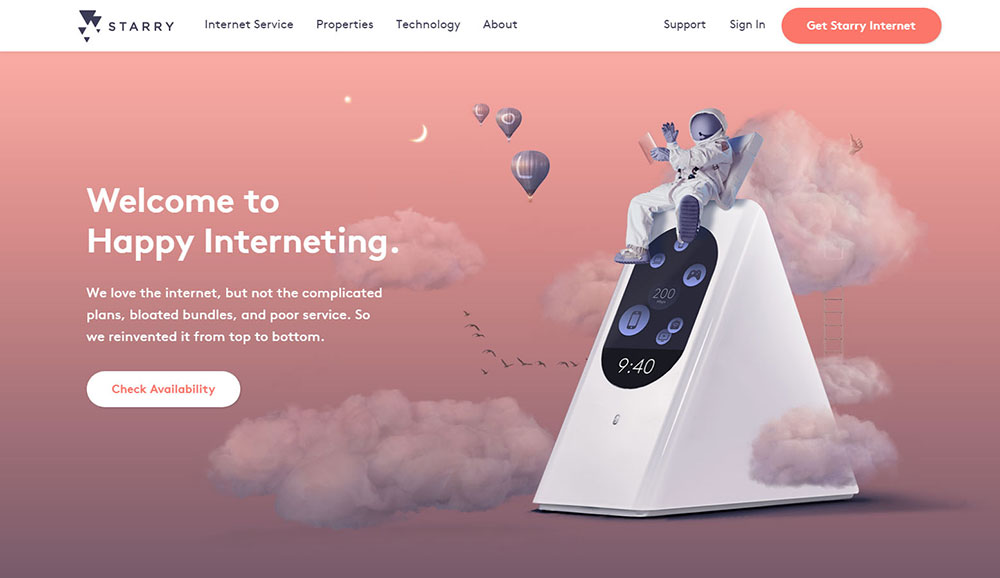
Great looking technology websites you should check out
May 10, 2026
Artist Website Templates to Showcase Your Portfolio
May 12, 2026Your theme is either capturing leads or quietly losing them. Most WordPress sites fall into the second category.
Choosing the right lead generation WordPress theme means getting conversion-focused layouts, above-the-fold CTA sections, and form plugin compatibility built in from the start, not assembled piece by piece with plugins.
This article covers 8 themes that actually deliver on that promise. Be Theme leads the list, followed by Divi, Astra, OceanWP, GeneratePress, SeedProd, Kadence, and Thrive Theme Builder.
You'll also find a breakdown of the criteria that separate a real lead capture theme from a generic one, plus the setup mistakes that quietly kill conversion rates after installation.
What Is a Lead Generation WordPress Theme?
A lead generation WordPress theme is a theme built with conversion-focused layouts, CTA sections, opt-in form compatibility, and landing page templates as core features, not afterthoughts added via plugins.
General-purpose themes prioritize visual variety. Lead generation themes prioritize one thing: getting visitors to take action, whether that's filling out a contact form, booking a call, or dropping an email address.
WordPress powers 43.4% of all websites on the internet as of 2025 (W3Techs), which makes theme selection a decision that affects hundreds of millions of live sites. Choosing a theme built for conversion from the start is a different process than choosing one for aesthetics.
Core Components That Define the Category
Not every theme marketed as a "business theme" qualifies. A true lead generation theme ships with these structural defaults:
- Above-the-fold CTA blocks: hero sections that include a form embed or button, not just an image
- Sticky header with CTA button that stays visible as users scroll through long pages
- Dedicated landing page templates with minimal navigation to reduce exit points
- Trust signal sections built into the theme's block library (testimonials, client logos, social proof)
- Form plugin compatibility with WPForms, Gravity Forms, or Elementor forms out of the box
If any of these require a third-party plugin to fake the layout, the theme is not purpose-built for lead capture. It's a general theme with conversion features bolted on.
How Lead Generation Themes Differ from Page Builders
A page builder like Elementor or Beaver Builder handles layout on specific pages. A lead generation theme applies conversion structure site-wide, including headers, footers, archive pages, and blog posts.
The practical difference: a theme with a built-in sticky CTA header captures leads from every page, including blog posts that drive organic traffic. A page builder only does this on the pages you manually build with it.
Many teams end up using both. A lead generation WordPress theme as the foundation, plus Elementor or BeBuilder on top for campaign-specific landing pages. That combination covers both ongoing lead capture and dedicated campaign pages.
What Criteria Separate a Good Lead Generation Theme from a Generic One?
The median landing page conversion rate across all industries is 6.6%, based on Unbounce's analysis of 41,000 landing pages and 464 million visitors in Q4 2024. Theme choice directly affects whether you get near that number or stay well below it.
Here's the framework used to evaluate every theme in this article:
| Criterion | What to Check | Why It Matters |
|---|---|---|
| Conversion layout defaults | Above-the-fold opt-in sections in default templates | Reduces setup time; structure works before any customization |
| Form plugin compatibility | Native support for WPForms, Gravity Forms, Elementor forms | Determines CRM and email marketing integration options |
| Page speed baseline | Core Web Vitals scores before optimization plugins | Slower load times reduce conversions; 1s vs 5s = 2.5x difference (Portent) |
| Landing page template variety | Number of dedicated lead capture layouts included | More pre-built options mean less custom build time |
| Mobile CTA visibility | CTA sections visible and functional on mobile by default | 82.9% of landing page visitors arrive via mobile (Unbounce, 2024) |
Performance Benchmarks That Affect Lead Capture
Portent research shows e-commerce sites loading in 1 second achieve conversion rates 2.5x higher than sites loading in 5 seconds. For B2B, that gap is even wider: 3x higher at 1 second vs. 5 seconds.
This matters for theme selection because heavier multipurpose themes ship with more CSS and JavaScript than lightweight alternatives. Before any caching or optimization plugin is added, that baseline load affects every visitor who arrives from a paid ad or organic search result.
GeneratePress and Kadence consistently achieve the best raw performance scores out of the box. Be Theme, Divi, and Avada carry more code weight but compensate with richer conversion-focused template libraries. The right choice depends on whether design breadth or raw speed matters more for your specific traffic volume and use case.
Form and CRM Integration Depth
A lead capture form that doesn't connect to a CRM or email platform is just a form. Integration depth determines whether captured leads move automatically into Mailchimp, HubSpot, ActiveCampaign, or ConvertKit.
3 integration paths are common across WordPress lead generation themes:
- Native integration: the theme ships with its own form builder and direct connections to email platforms
- Plugin-dependent: the theme relies on WPForms or Gravity Forms as middleware for CRM connections
- Webhook-based: form data passes to Zapier, which then routes to Salesforce, ConvertKit, or any other tool
Most premium lead generation themes fall into the second category. They don't manage CRM connections directly; they make it easy to embed forms from plugins that do.
Which WordPress Themes Are Best for Lead Generation?
The 8 themes below cover the full range of use cases: agency sites, SaaS products, local service businesses, and e-commerce lead capture. Each is evaluated against the criteria above.
Well-optimized landing pages can see up to 220% higher conversion rates compared to generic web pages (Firework, 2024). Theme architecture is one of the first variables in that gap.
Be Theme
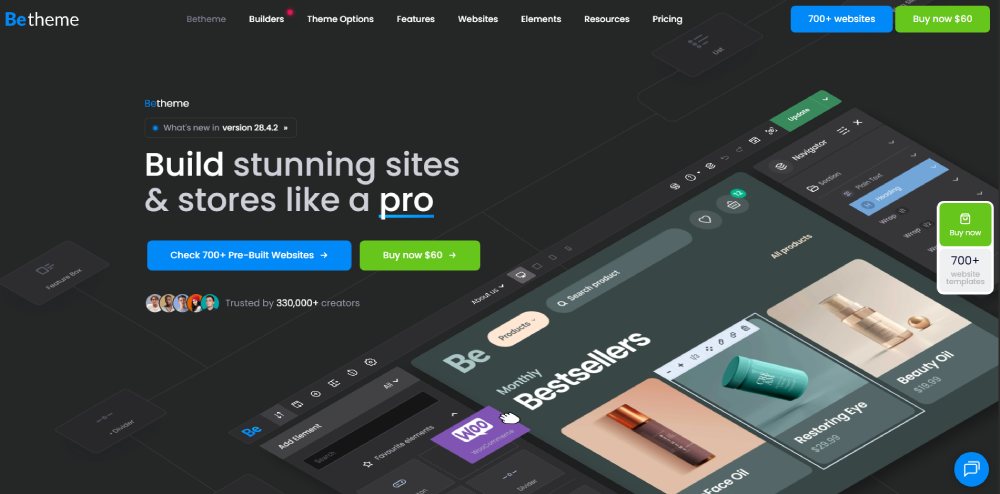
Best overall for lead generation variety and design depth.
Be Theme ships with 700+ pre-built websites, including dedicated layouts for agencies, SaaS products, consulting firms, local service businesses, and e-commerce lead capture. With 288,000+ sales on ThemeForest, it's one of the most widely used multipurpose themes on the market.
3 builder options are included with every license: BeBuilder (the native drag-and-drop editor), full Elementor compatibility, and classic WordPress block editing. Most teams working on lead generation campaigns use BeBuilder for site-wide structure and Elementor for individual landing pages.
Key lead generation capabilities:
- Native CTA blocks, countdown timers, and form section layouts in BeBuilder
- Sticky header with CTA button control per page, not just globally
- One-time purchase model: no recurring subscription for access to all templates
- Full WooCommerce 10.7 and Elementor Pro compatibility as of the latest release
One real limitation: the BeBuilder learning curve is steeper than Elementor for new WordPress users. Teams already familiar with Elementor will reach productive speed faster by sticking with it on top of Be Theme.
Divi

Elegant Themes' flagship product. Divi operates as both a theme and a page builder, which means the visual editor is inseparable from the theme itself.
Lead generation strengths: split testing built directly into the builder (no third-party plugin needed), 800+ layout packs including dedicated lead capture designs, and an email opt-in module with direct connections to Mailchimp, ConvertKit, and ActiveCampaign.
The trade-off is speed. Divi outputs more CSS and JavaScript than lightweight alternatives by default. Pairing it with a caching plugin (WP Rocket or LiteSpeed Cache) is nearly mandatory for sites prioritizing Core Web Vitals scores.
Divi runs on a subscription model, currently around $89/year for all sites.
Astra

Astra's free tier is the most widely installed WordPress theme globally, used on over 2 million sites. The paid tier (Astra Pro) adds the Starter Templates library, which includes conversion-focused layouts for agencies, coaches, and SaaS products.
What Astra does well: it runs clean and fast, integrates with Elementor, Beaver Builder, Divi, and Gutenberg without conflicts, and its free version works competently for basic lead capture setups.
What Astra lacks at the free tier: above-the-fold CTA sections, dedicated opt-in page templates, and a sticky header with CTA button control. Those features require Astra Pro ($47/year) or a page builder add-on.
OceanWP

OceanWP sits in similar territory to Astra: lightweight free core, conversion features unlocked through premium extensions.
The Ocean Extra plugin adds the WooCommerce integration, sticky header, and custom sidebar controls needed for local business lead capture. Without it, OceanWP's lead generation utility is limited to whatever a page builder supplies.
Best use case: local service businesses and small agencies that want Elementor compatibility and a low-cost baseline, not SaaS or high-volume lead capture operations where template variety matters.
GeneratePress
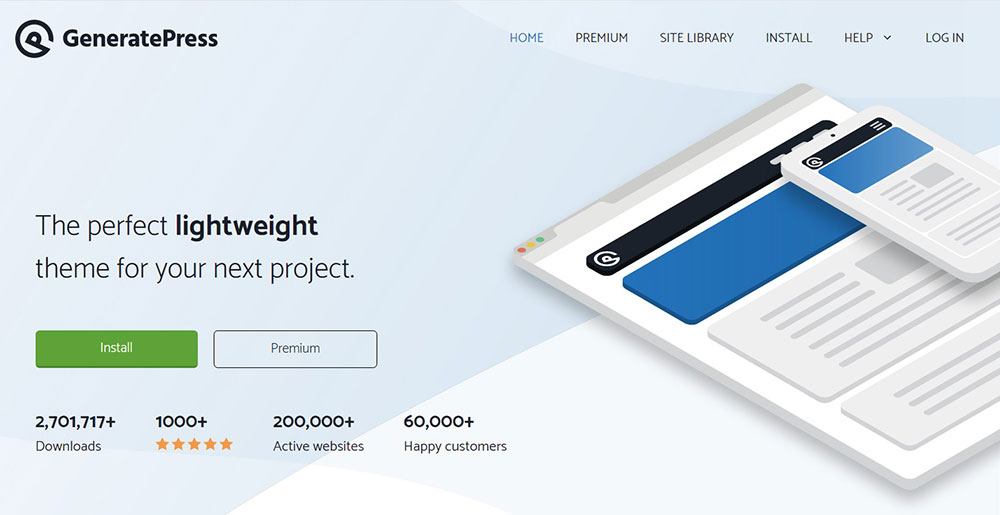
GeneratePress wins pure performance benchmarks. In GTMetrix testing, GeneratePress produces the best LCP values among lightweight themes, ahead of Astra and Kadence in back-to-back comparisons.
The catch for lead generation: GeneratePress ships with minimal design opinions. There are no dedicated lead generation landing page templates. Every conversion-focused element needs to be built manually using Elementor, Beaver Builder, or the block editor.
The right choice if page speed is the primary variable and the team has the design skill to build CTA sections from scratch. A poor choice for teams that need pre-built lead capture layouts ready to launch quickly.
SeedProd

SeedProd is technically a landing page plugin, not a full WordPress theme. But the SeedProd Theme Builder lets it function as one, controlling headers, footers, and archive layouts alongside campaign-specific landing pages.
Where SeedProd genuinely leads: dedicated lead capture page modes (coming soon, maintenance, squeeze pages) that run independently of the active theme. This makes it useful for campaign-specific lead capture without rebuilding the main site.
For full-site lead generation where the entire site structure needs conversion architecture, SeedProd requires more setup than Be Theme or Divi.
Kadence
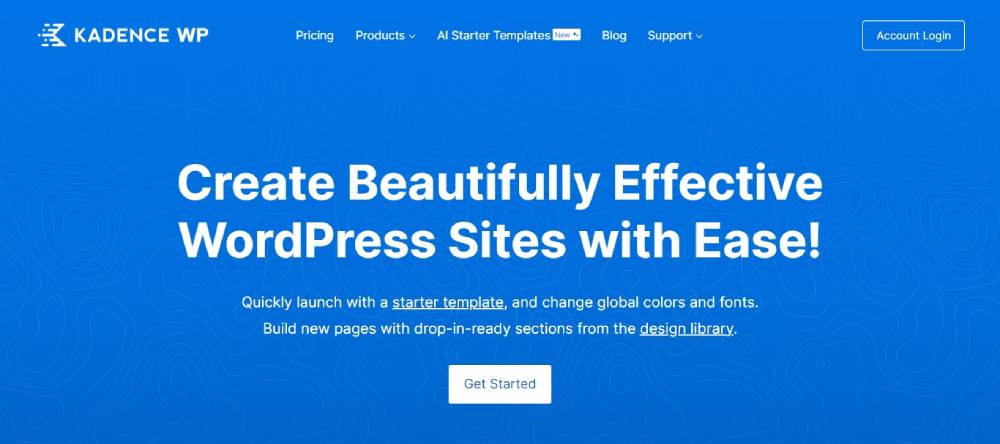
Kadence's free version packs more functionality than most paid themes. The Kadence Blocks plugin adds conversion-focused elements (testimonials, call-to-action sections, form layouts) directly to the block editor without requiring Elementor.
Speed-to-feature ratio is Kadence's strongest argument: lightweight codebase, 100% GTMetrix performance score in benchmark tests, deep WooCommerce integration, and a free global color/typography system that makes site-wide brand application fast.
Kadence Conversions (a paid add-on) brings exit-intent popups, sticky banners, and targeted notification bars. That positions Kadence as a genuinely capable lead generation theme at a lower total cost than Divi or Be Theme.
Thrive Theme Builder
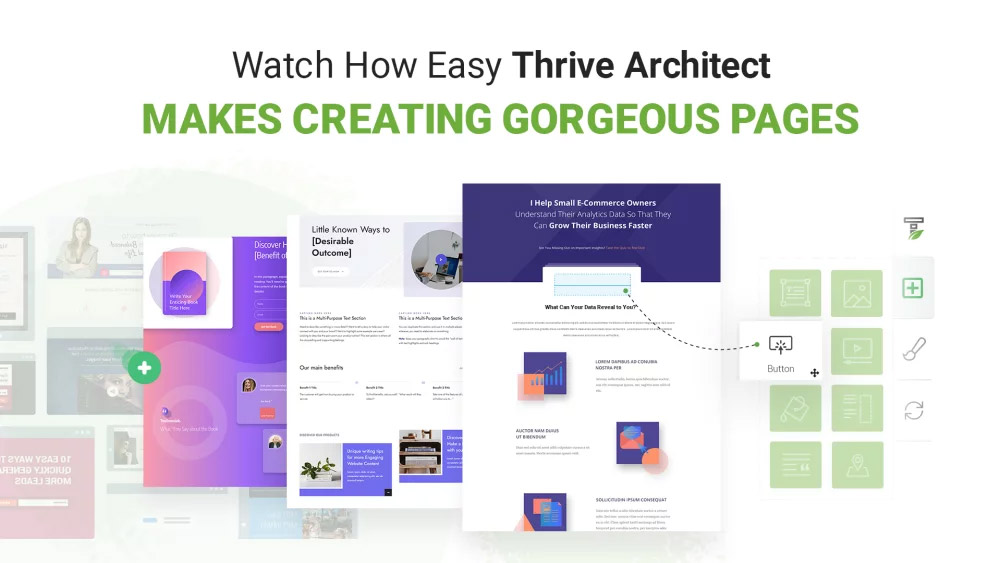
Thrive Theme Builder is part of the Thrive Suite, a set of conversion-focused tools built specifically for coaches, course creators, and online businesses that rely on email list growth.
What sets it apart: the entire Thrive ecosystem (Thrive Leads, Thrive Optimize, Thrive Quiz Builder) integrates natively, making it the most complete lead generation stack available within a single WordPress theme license.
The downside: it requires a Thrive Suite subscription ($299/year), and switching themes later is tricky because the builder markup is tightly coupled to Thrive's ecosystem. It's a commitment, not just a theme.
How Does Be Theme Perform for Lead Generation Specifically?
Be Theme's 700+ pre-built websites include a dedicated subset for lead generation use cases: consulting firms, digital agencies, SaaS landing pages, local service businesses (legal, medical, HVAC), and e-commerce pre-launch capture pages.
That range matters. A theme with 50 general templates requires more custom layout work for each new campaign. Be Theme's library reduces that time significantly, and new pre-built sites are added continuously based on user requests.
Pre-Built Lead Generation Layouts in Be Theme
Industry coverage in the lead generation subset:
- Agency and consulting: multi-page layouts with prominent contact form placement and case study sections
- SaaS and software: hero sections with trial signup CTAs, feature grids, and testimonial blocks
- Local service: phone CTA headers, Google Maps embeds, and review sections as native layout blocks
- Coach and course creator: webinar registration sections, countdown timers, and opt-in form heroes
Each pre-built site imports in one click. The full layout, including header, footer, inner pages, and section blocks, loads into WordPress immediately without manual block-by-block recreation.
CTA and Form Placement Controls

BeBuilder's CTA block system allows button placement, form embeds, and sticky header configuration at the section level, not just globally.
This means a service page can carry a different CTA from the homepage without creating a separate template file. That kind of per-page CTA control is relevant when running campaigns for multiple services from a single WordPress installation.
Form compatibility: WPForms, Gravity Forms, Contact Form 7, and Elementor's native form widget all embed cleanly inside BeBuilder's form section blocks. For CRM connections, those forms then route to Mailchimp, HubSpot, ActiveCampaign, or ConvertKit through native plugin integrations or Zapier webhooks.
One practical note: Be Theme's Muffin Builder (the legacy version of BeBuilder) operates differently from the current BeBuilder. Teams starting fresh should use BeBuilder. The Muffin Builder documentation still appears in search results and causes confusion for new users who land on older tutorials.
What Role Does Page Speed Play in Lead Generation Theme Selection?
E-commerce sites loading in 1 second achieve conversion rates 2.5x higher than sites loading in 5 seconds, according to Portent's analysis of over 100 million pageviews. For B2B lead capture pages, that multiplier reaches 3x.
A 0.1-second improvement in load time produces a 10.1% conversion increase in the travel sector, 8.4% in e-commerce, and 3.6% in luxury, based on collaborative Google research. These are not marginal gains.
Core Web Vitals and Theme Architecture
Google's March 2024 update replaced First Input Delay with Interaction to Next Paint (INP) as the interactivity metric in Core Web Vitals. Sites that previously passed CWV assessments at 97% (FID) now pass at only 65% (INP), exposing interactivity problems that the older metric missed.
Theme architecture directly affects 2 of the 3 Core Web Vitals metrics:
- LCP (Largest Contentful Paint): heavy hero images and render-blocking CSS from bloated themes delay the largest visible element. Target: under 2.5 seconds.
- INP (Interaction to Next Paint): complex theme JavaScript that runs on the main thread increases response latency to clicks and taps. Target: under 200ms.
CLS (Cumulative Layout Shift) is less theme-dependent and more affected by images without defined dimensions and dynamically injected content like ads or popups.
Speed Trade-offs by Theme Type
| Theme | Speed Profile | Lead Gen Template Depth | Best Fit |
|---|---|---|---|
| GeneratePress | Fastest baseline | Minimal (build your own) | Speed-first, custom builds |
| Kadence | Very fast | Moderate with Kadence Blocks | Balance of speed and features |
| Astra | Fast | Good with Starter Templates | Budget-conscious lead gen |
| Be Theme | Moderate (optimizable) | 700+ pre-built sites | Template variety, agency use |
| Divi | Heavier by default | 800+ layout packs | Built-in split testing priority |
The practical conclusion: if the site will receive high volumes of paid traffic, a lightweight theme with a separate landing page plugin often outperforms an all-in-one heavy theme on pure conversion math. If organic traffic is the primary channel and design flexibility matters more than raw milliseconds, a feature-rich theme like Be Theme covers both needs without requiring separate tools.
Which Lead Generation Features Should a WordPress Theme Include Natively?
43.6% of marketers identify lead generation as the primary goal of their landing pages (Unbounce, 2024). The theme features below are the structural requirements for hitting that goal without relying entirely on plugin stacks.
Above-the-Fold CTA Architecture

The above-the-fold section is the only content guaranteed to appear before a visitor scrolls. If there's no CTA, form, or button in that section, the theme is not optimized for lead capture by default.
A properly built lead generation hero section includes:
- A headline block with primary value proposition
- A subheadline or short supporting text area
- A form embed area or a CTA button (not both; they split attention)
- An optional social proof element (client logos, star rating, testimonial snippet)
Personalised CTA elements perform 202% better than generic ones in conversion testing (HubSpot). The implication: a theme that allows per-page CTA customization produces better results than one that applies a single global CTA across all pages.
Trust Signal and Social Proof Sections
Trust signals are the sections between the hero and the primary CTA that reduce purchase anxiety or commitment hesitation. Without them, opt-in rates drop.
Trust signal block types that effective lead generation themes include natively:
- Client logo grids (displays recognizable brands to establish credibility)
- Testimonial sections with name, photo, and company attribution
- Case study or results sections with specific numbers ("Increased conversions by 38%")
- Certification and award badges as block-level elements, not just images pasted into a page
Themes that ship these as proper layout blocks (not just image placeholders) allow teams to update individual testimonials without touching the page structure. Themes that treat them as decorative images require rebuilding the section layout when content changes.
For reference: see how dedicated lead generation landing pages use these trust elements structurally, not decoratively, across different industries.
How Do Lead Generation Themes Integrate with Email Marketing and CRM Tools?
A form that captures a lead but doesn't route it anywhere useful is the most common failure point in WordPress lead generation setups. Integration architecture matters as much as the form itself.
About 85% of B2B marketers use content for lead generation, and content combined with SEO generates 3x more leads than traditional outbound at roughly 62% lower cost (SalesHive, 2024). That volume of leads requires a reliable CRM pipeline, not just a contact form that emails a notification.
Direct vs. Plugin-Dependent Integration
Direct integration means the theme or its native builder connects to an email platform without a separate plugin. Thrive Theme Builder does this: Thrive Leads connects directly to Mailchimp, ConvertKit, ActiveCampaign, and HubSpot through the Thrive dashboard.
Plugin-dependent integration is the standard approach for most themes including Be Theme, Divi, Astra, and Kadence. The theme embeds a form from WPForms or Gravity Forms, and those plugins handle the CRM connections. This works reliably but adds one more plugin to maintain and update.
Webhook and Zapier Integration for Advanced Pipelines
For teams routing leads into Salesforce, Pipedrive, or custom CRMs, webhook support through WPForms Elite or Gravity Forms becomes the critical variable. The theme itself doesn't need to do anything; it just needs to embed forms without breaking the webhook payload.
Most lead generation themes handle this without issues. The exceptions tend to be page-builder themes with proprietary form systems that override WPForms output or inject conflicting JavaScript. Testing form submission in staging before going live catches these conflicts before they affect real leads.
Block Themes vs. Classic Themes for Form Embedding
Full site editing (FSE) block themes handle form embeds through WordPress blocks. Classic themes use PHP template parts and widget areas. Hybrid themes (which most modern lead generation themes are) support both approaches.
This distinction matters for teams using Elementor's native form widget, which requires Elementor's editor to be active on the page. A theme that partially overrides Elementor's output can break form rendering in specific template areas, particularly headers and footers built outside the main content area.
Be Theme, Kadence, and Astra all handle Elementor's native form widget without conflicts. Divi's form module operates within its own builder context and does not render through Elementor.
What Is the Difference Between a Lead Generation Theme and a Landing Page Plugin?
Landing pages convert 160% better than standard signup forms and methods, according to SellersCommerce data. The question is whether you need a dedicated theme to achieve that, or whether a landing page plugin on top of any theme gets you there.
The answer depends on your use case. They solve different problems.
| Factor | Lead Generation Theme | Landing Page Plugin |
|---|---|---|
| Scope | Site-wide conversion structure | Specific URLs only |
| Header/footer control | Applies to every page globally | Only on plugin-built pages |
| Blog post CTAs | Built in via theme layout | Requires manual override per post |
| Best for | Full-site lead capture | Campaign-specific pages |
When a Landing Page Plugin Is the Right Choice
Campaign-specific use: paid ad campaigns, product launches, and webinar registrations benefit from isolated pages with no navigation. SeedProd and Elementor both create these pages independently of the active theme.
48% of marketers create a new landing page for each campaign they run (Firework, 2024). For teams running multiple simultaneous campaigns, a landing page plugin handles this without touching the theme at all.
The dedicated campaign page also protects conversion rates. No global header means no navigation links pulling visitors away from the single desired action.
When a Full Theme Is the Right Choice
A service business that drives organic traffic to blog posts, service pages, and a homepage needs lead capture across the entire site, not just on isolated campaign pages.
A lead generation theme handles this: sticky CTA headers, form embeds in blog post sidebars, opt-in sections on service pages, and trust signal blocks on the homepage all work together without per-page plugin configuration.
Hybrid setup (most practical for established sites):
- Lightweight base theme handles site-wide CTA and trust signal structure
- SeedProd or Elementor builds isolated campaign landing pages on top
- Speed stays manageable because the theme itself doesn't carry excess weight
Vodafone's 2024 study showed a 31% Largest Contentful Paint improvement led to 15% better lead-to-visit rates. The hybrid approach keeps LCP scores low on campaign pages where paid traffic lands first.
How Do Free vs. Premium Lead Generation WordPress Themes Compare?
About a third of all available WordPress themes are free (8theme, 2024). For lead generation specifically, the free tier of most themes covers basic structure but consistently falls short on the features that drive conversion.
What Free Themes Consistently Lack
Free themes are built to demonstrate capability, not to deliver complete conversion infrastructure. The gaps show up in 3 specific areas:
- No dedicated above-the-fold opt-in sections with form embed support
- No sticky header with CTA button controls
- No landing page template library with pre-built lead capture layouts
Astra's free tier, OceanWP free, and Kadence free all require either Astra Pro, Ocean Extra, or Kadence Conversions (respectively) to unlock these features. The free versions handle site structure; the paid tiers handle conversion architecture.
Premium Theme Pricing Comparison
One-time purchase vs. subscription matters for long-term cost:
Be Theme is a one-time purchase at $69 on ThemeForest, covering unlimited sites with lifetime updates included. Divi runs at $89/year (Elegant Themes). GeneratePress Premium is $59/year for unlimited sites. Thrive Theme Builder requires the full Thrive Suite at $299/year.
For agencies managing 10+ client sites, the one-time model is significantly cheaper over a 3-year period. For solo operators running one site, the subscription models are cheaper initially but accumulate cost faster than a one-time fee.
Total Cost of Ownership
Free theme + necessary plugins often costs more than a single premium theme license. A typical free-theme lead generation stack includes:
- WPForms Pro: $49.50/year (for conditional logic and CRM connections)
- OptinMonster: from $9/month ($108/year) for exit-intent popups
- SeedProd Pro: $39.50/year for dedicated landing page templates
That's roughly $197/year to replicate features that come bundled in Be Theme's one-time purchase or Thrive Theme Builder's annual subscription. Choosing a free base theme is not automatically the cheaper option when lead generation is the goal.
Which Lead Generation Theme Works Best for Specific Industries?
Landing pages with copy at a 5th-to-7th grade reading level achieve an 11.1% median conversion rate vs. 5.3% for college-level copy (Unbounce, 2024). Theme choice affects layout; industry context affects messaging. Both variables determine whether a lead capture page performs above or below the 6.6% baseline.
SaaS and Software Products
SaaS landing pages have a median conversion rate of 3.8%, the lowest of any tracked category in Unbounce's 2024 data.
The structural reason: SaaS asks for commitment (trial signup, demo request) before users have a clear sense of value. Theme choice can't fix weak copy, but it can provide the right layout defaults.
Be Theme's SaaS pre-built layouts include:
- Product screenshot hero sections with trial CTA
- Feature comparison grids
- Pricing section blocks with toggle (monthly/annual)
- Social proof bars with logo grids for brand recognition
Astra with Starter Templates and SeedProd both cover SaaS layouts. For teams wanting a purpose-built SaaS stack, check out SaaS-focused website templates for layout reference before committing to a specific theme build.
Local Service Businesses
HVAC, legal, dental, and home services sites depend on phone calls more than form submissions. The theme structure needs to reflect that.
Critical layout requirements for local lead capture:
- Phone number as a clickable CTA in the sticky header (not just in the footer)
- Google Maps embed section with contact form on the same page
- Review/testimonial section with star ratings and verifiable attribution
OceanWP with the Ocean Extra plugin handles local service layouts well at a low cost. Be Theme's local business pre-built sites cover these requirements without additional plugins for most setups.
Agencies and Consultants
Agency lead capture depends on building credibility before asking for contact. Case study sections, client logos, and specific results claims carry more conversion weight than generic CTA buttons.
Be Theme, Divi, and Thrive Theme Builder all include multi-page agency layouts. Divi's advantage here is its built-in A/B testing, which lets agencies test different case study presentations or CTA copy directly without a third-party split-testing plugin.
For agency-focused landing page layouts, the structural patterns that convert well across agency niches follow a consistent sequence: outcome proof, process explanation, then contact CTA.
Coaches and Course Creators
Webinar registration pages convert at 20-40% when the offer is right (SeedProd, 2024). That range is 3x to 6x the overall landing page median.
Thrive Theme Builder is purpose-built for this use case.
The Thrive ecosystem includes webinar registration templates, countdown timers, lead magnet delivery, and direct ActiveCampaign and ConvertKit integration without any additional plugins. For coaches building email lists as the primary business metric, Thrive Suite's $299/year covers more ground than assembling the same stack with separate tools.
What Are the Most Common Setup Mistakes with Lead Generation WordPress Themes?
Landing pages with 5 or fewer form fields convert 120% better than those with more fields (Cobloom, cited in GenesysGrowth 2024). Most setup errors aren't about theme selection. They're about what happens after the theme is installed.
Disabling CTA Sections to "Clean Up" the Design
This is the most common mistake. A developer or designer installs a conversion-focused theme, then hides or removes the above-the-fold opt-in sections because they look "too salesy" for the brand.
The result is a generic-looking site that has no structural lead capture architecture. The theme's entire conversion value gets discarded during customization.
Fix: adjust CTA copy and styling to match the brand, but keep the structural placement. The section exists because it works, not because it looks good by default.
Ignoring Mobile CTA Visibility
Several theme builders hide or collapse CTA sections on mobile by default to reduce visual clutter on small screens. This setting is easy to miss during setup.
86% of high-performing landing pages are mobile-optimized (Firework, 2024). Most traffic arrives on mobile. A CTA that doesn't render on the device used by most visitors is not a CTA.
Check responsive visibility settings in BeBuilder, Elementor, and Divi for every CTA section before going live. All 3 builders include per-element device visibility toggles that default differently depending on the section type.
Skipping the Thank-You Page
A form that redirects to the homepage after submission is a tracking dead end. Without a dedicated thank-you page URL, there's no clean conversion event to fire in Google Analytics 4 or Meta Pixel.
GA4 tracks conversions as events triggered by specific URL paths. The standard setup: form submission redirects to /thank-you/, which fires a GA4 key event and a Meta Pixel lead event. Without that URL, conversion data goes into a black hole.
What a proper thank-you page setup includes:
- Unique URL containing "/thank-you" or a similar path GA4 can target
- GA4 key event configured to fire on that page view
- Meta Pixel Lead event in the page header (via Google Tag Manager or directly)
- An optional upsell or next-step CTA to keep the session active
Stacking Plugins on a Performance-Optimized Theme
Teams that choose GeneratePress or Kadence for their speed advantages sometimes stack 15-20 plugins afterward, erasing the performance benefit entirely.
Thrive Suite recorded 91 database queries on a clean homepage load in benchmark testing (SeedProd, 2024). That's the cost of running active conversion infrastructure on every page. Lightweight themes with heavy plugin stacks approach the same overhead without the same feature benefit.
The practical rule: count the total JavaScript payloads across theme plus plugins before going live. Google's PageSpeed Insights flags render-blocking scripts that most developers don't notice during local testing.
Using Older Tutorials for BeBuilder Setup
Be Theme's legacy Muffin Builder and the current BeBuilder are different products with different interfaces. Older tutorials that appear in search results still reference Muffin Builder workflows that no longer apply to new installations.
New Be Theme installations use BeBuilder exclusively.
Following a Muffin Builder tutorial on a BeBuilder installation leads to configuration errors, missing options, and wasted time. Check the date and Be Theme version referenced in any tutorial before following it. Tutorials from before 2023 almost certainly reference the old builder.
What is the best WordPress theme for lead generation?
Be Theme is the strongest option overall. It ships with 700+ pre-built websites, native CTA blocks, BeBuilder, and full Elementor compatibility. The one-time purchase model makes it cost-effective for agencies managing multiple client sites.
Does Be Theme work with WPForms and Gravity Forms?
Yes. Be Theme embeds WPForms, Gravity Forms, and Contact Form 7 cleanly inside BeBuilder's form section blocks. CRM connections to Mailchimp, HubSpot, and ActiveCampaign run through those plugins without conflicts.
What features should a lead generation WordPress theme have?
Look for above-the-fold opt-in form sections, a sticky header with a CTA button, dedicated landing page templates, trust signal blocks, and mobile-visible CTAs. These should be built in, not added via plugins.
Is a free WordPress theme good enough for lead generation?
Free tiers of Astra, Kadence, and OceanWP cover basic structure. They consistently lack dedicated CTA sections, landing page templates, and sticky header controls. Most teams need the paid tier to build a real lead capture setup.
What is the difference between Be Theme and Divi for lead generation?
Be Theme offers more pre-built layouts and a one-time price. Divi includes built-in A/B testing and runs on a subscription. Both support Elementor-compatible workflows. Divi is heavier by default and needs caching to match Be Theme's baseline speed.
How does page speed affect lead generation on WordPress?
Sites loading in 1 second convert 2.5x higher than those loading in 5 seconds, according to Portent research. Theme architecture directly affects Largest Contentful Paint and Interaction to Next Paint scores, both of which impact form completion rates.
Can I use Be Theme with Elementor for landing pages?
Yes. Be Theme is fully compatible with Elementor and Elementor Pro. Most teams use BeBuilder for site-wide structure and Elementor for campaign-specific landing pages. Both builders coexist without conflicts on the same installation.
What is the best WordPress theme for SaaS lead generation?
Be Theme includes dedicated SaaS layouts with trial signup CTAs, feature grids, and pricing toggles. Astra with Starter Templates also covers SaaS. SeedProd handles isolated campaign pages well but lacks site-wide lead capture structure.
Do lead generation WordPress themes integrate with Mailchimp and HubSpot?
Most do through WPForms or Gravity Forms as middleware. Thrive Theme Builder connects directly to Mailchimp, ConvertKit, and HubSpot without additional plugins. Be Theme, Astra, and Kadence rely on form plugins to handle those CRM connections.
What are the most common mistakes when setting up a lead generation WordPress theme?
The 3 most damaging: removing above-the-fold CTA sections during design cleanup, skipping a dedicated thank-you page (which breaks GA4 and Meta Pixel conversion tracking), and hiding CTA sections on mobile via responsive visibility settings.
Conclusion
This conclusion is for an article presenting lead generation WordPress themes, and the core takeaway is straightforward: conversion architecture starts at the theme level, not the plugin level.
Be Theme leads because it combines 700+ pre-built sites, BeBuilder's native CTA blocks, and full Elementor Pro compatibility under a one-time license.
For teams prioritizing raw page speed, Kadence and GeneratePress hold up well. For coaches and course creators building email lists, Thrive Theme Builder's direct ActiveCampaign and ConvertKit integrations are hard to beat.
Whatever theme you choose, keep the above-the-fold opt-in section intact, set up a dedicated thank-you page, and verify mobile CTA visibility before going live.
The right sales funnel structure begins with the right foundation.
























