

Fresh Ecommerce Homepage Design Examples to Inspire You
May 1, 2026
How to fix the “WordPress publishing failed” error
May 5, 2026Your website is either working for you or against you. There is no middle ground.
Choosing the right WordPress theme for your consulting business shapes how fast your site loads, how clearly your services read, and whether potential clients book a call or leave.
This guide covers the best WordPress themes for consultants, ranked by real criteria: pre-built layout quality, page builder flexibility, plugin compatibility, and performance benchmarks.
Be Theme leads the list, followed by nine other responsive, professional themes built for service businesses, agencies, and independent consultants.
By the end, you will know exactly which theme fits your setup, your budget, and your workflow.
What Makes a WordPress Theme Good for Consultants?
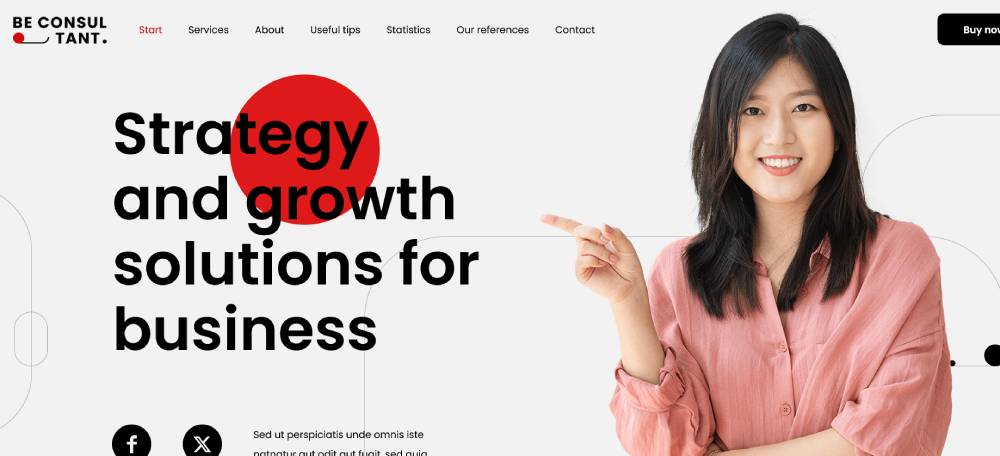
A good WordPress theme for consultants does one job: it turns visitors into leads. That means fast load times, clear service layouts, and zero friction between a potential client and your contact form.
According to Consulting Success, 80% of potential clients check a consulting website before deciding to do business, yet 70% of consultants get zero leads or calls from their site each month. The theme is often the first place to look when diagnosing that gap.
What Features Do Consulting Websites Actually Need?
Not every feature matters equally. These 4 are non-negotiable for professional consulting website design:
- Service page layouts: structured sections to describe offerings clearly, with calls to action above the fold
- Testimonial and case study sections: built-in portfolio and social proof areas, not afterthoughts
- Team and author bios: pages that show real people behind the work, which directly supports trust signals
- Contact and booking integration: native compatibility with WPForms, Gravity Forms, Calendly, or Acuity Scheduling
Themes that require workarounds for any of these add hours of setup time and usually break during updates.
What Performance Benchmarks Should a Consultant Theme Meet?
Page speed is a direct factor in how many leads a consulting site generates. A B2B site that loads in 1 second converts 3x more visitors than one that loads in 5 seconds, and 5x more than a 10-second site (Portent research, via WP Rocket, 2025).
Google recommends pages load in under 3 seconds. The average first-page result loads in 1.65 seconds on desktop.
| Benchmark | Target | Why It Matters |
|---|---|---|
| Largest Contentful Paint (LCP) | Under 2.5 seconds | Core Web Vitals ranking signal |
| Mobile PageSpeed score | 85+ | Mobile drives over 62% of global traffic (Statista, 2025) |
| Initial page weight | Under 500 KB | Keeps load time manageable before caching plugins |
| HTTP requests on homepage | Under 50 | Fewer requests mean faster perceived load |
B2B and professional services sites skew heavily toward desktop, with only 34.7% of B2B traffic coming from mobile (SimilarWeb, 2024). That said, responsive design still matters because mobile visitors who hit a broken layout rarely come back.
What Are the Best WordPress Themes for Consultants?
WordPress powers 43.4% of all websites globally as of April 2025 (W3Techs), and the theme repository holds over 14,000 free options, with ThemeForest adding another 12,000+ premium choices. Finding the right one for a consulting business means filtering by real criteria, not star ratings alone.
The 10 themes below are selected based on pre-built layout depth, page builder flexibility, performance benchmarks, plugin compatibility, and pricing structure.
Be Theme
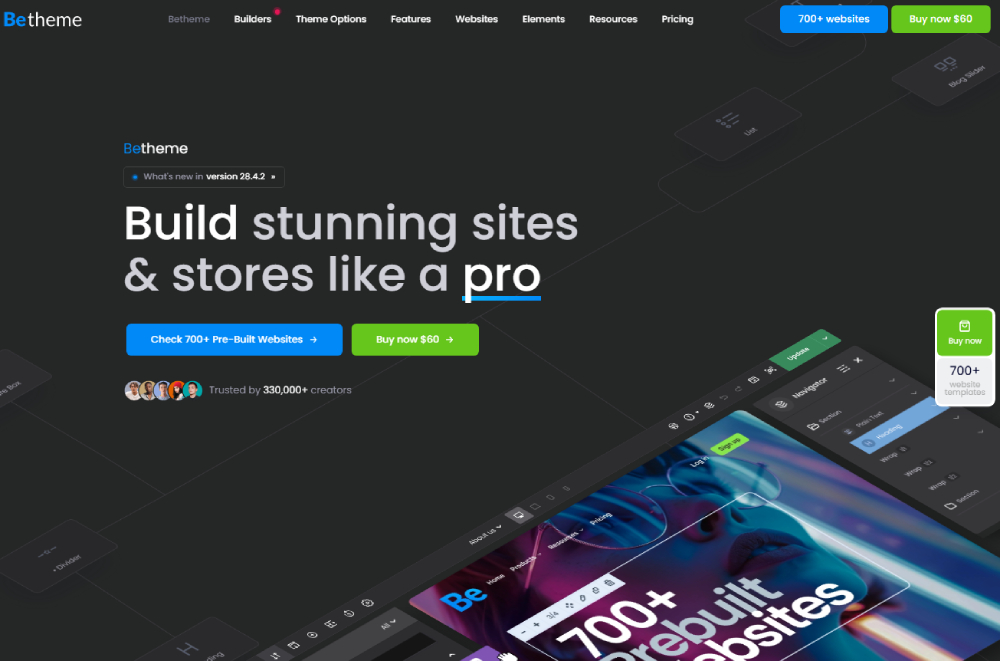
Be Theme is the strongest all-around choice for consultants who want professional results without building from scratch. It includes 700+ pre-built websites spanning consulting, finance, law, marketing, and IT niches, all importable in one click.
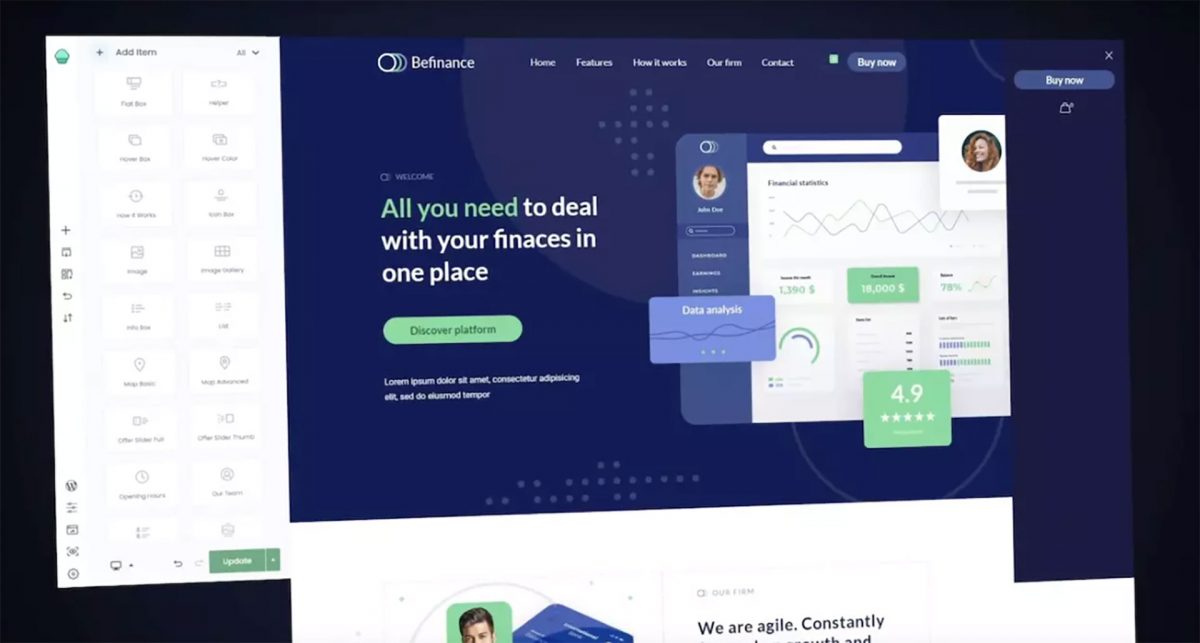
It runs on BeBuilder, the theme's own live front-end editor, and also supports Elementor and Elementor Pro for teams already using that workflow. Be Theme carries a 4.8/5 rating after 240,000+ sales on ThemeForest.
- 700+ pre-built websites updated weekly with new additions
- Full WordPress 7.0, Elementor Pro, and WooCommerce 10.7 compatibility (as of May 2026)
- Integrated mega menu builder, header builder, and footer builder
- GDPR 2.0 ready with built-in privacy tools
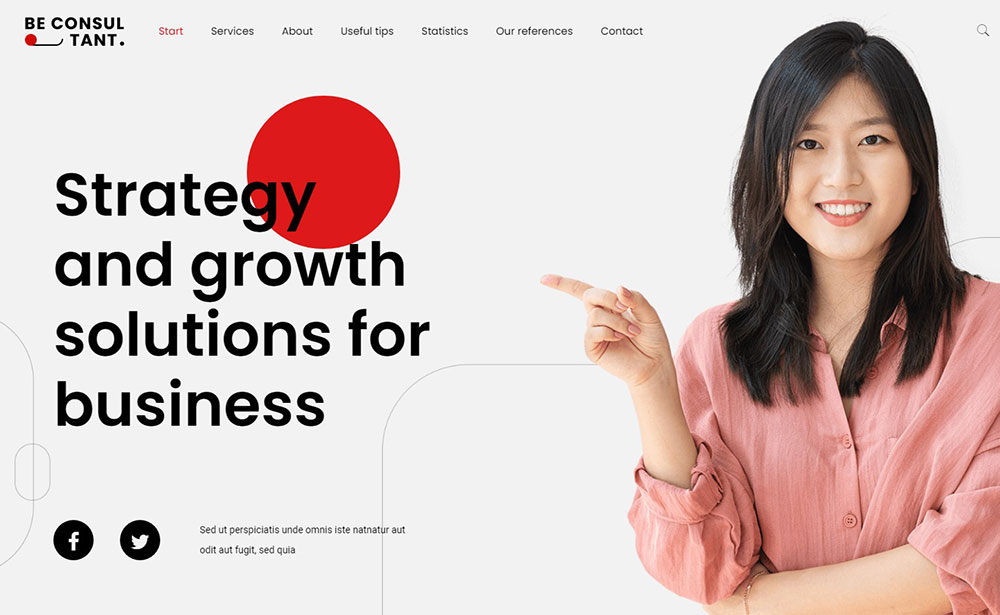
Looking at examples of top-performing consulting websites shows a clear pattern: the best ones use themes with deep layout control and trust-signal sections baked in. Be Theme covers both.
Divi
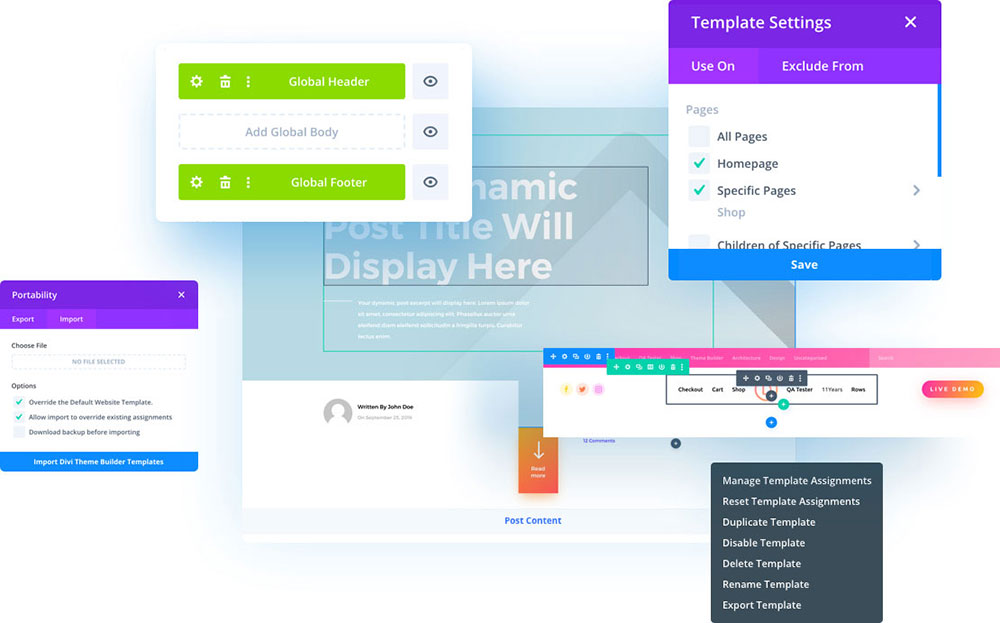
Elegant Themes reports over 806,000 customers for Divi, making it one of the most widely used premium themes on the market.
Best for: consultants who want visual editing with a large community of third-party extensions and tutorials.
Divi uses a subscription model ($89/year or $249 lifetime), which includes access to all Elegant Themes products. The visual builder works inline, so what you see while editing matches the front end exactly. One practical downside: Divi adds significant page weight out of the box. Avada and Divi are 20-40x heavier than Astra on a clean install (HostingRadar, 2025), so performance optimization is needed before going live.
Astra
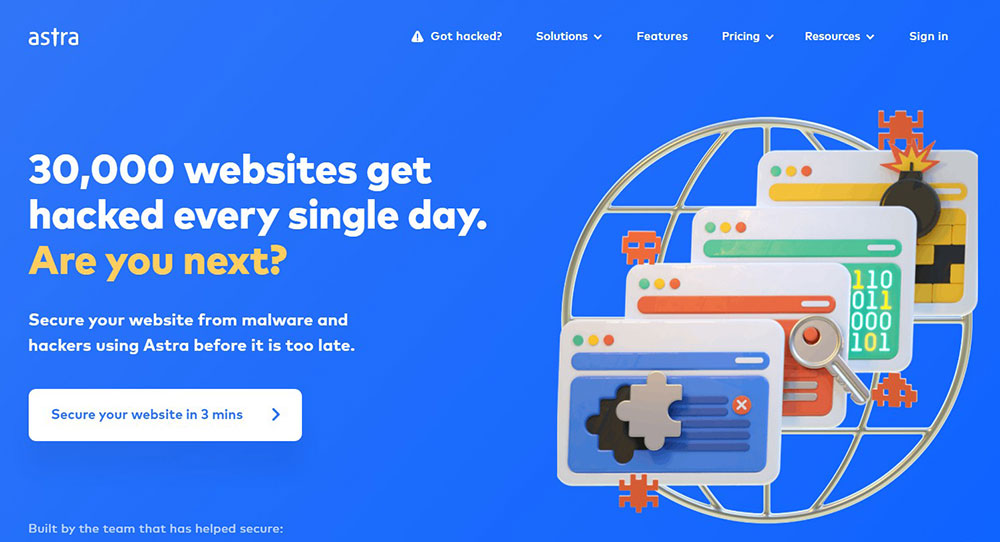
Astra is installed on more than 2.3 million websites. Its base theme weighs less than 50 KB, which means it loads in under 1 second on decent hosting and regularly scores 90-100 on Google PageSpeed Insights without additional optimization (HostingRadar, 2025).
- Free version is genuinely usable for simple consulting sites
- Astra Pro at $59/year unlocks advanced header, footer, and layout controls
- Works with Elementor, Divi Builder, Beaver Builder, and Gutenberg
The trade-off is template depth. Astra does not match Be Theme's pre-built site count for consulting-specific layouts, so expect more manual setup time.
Avada
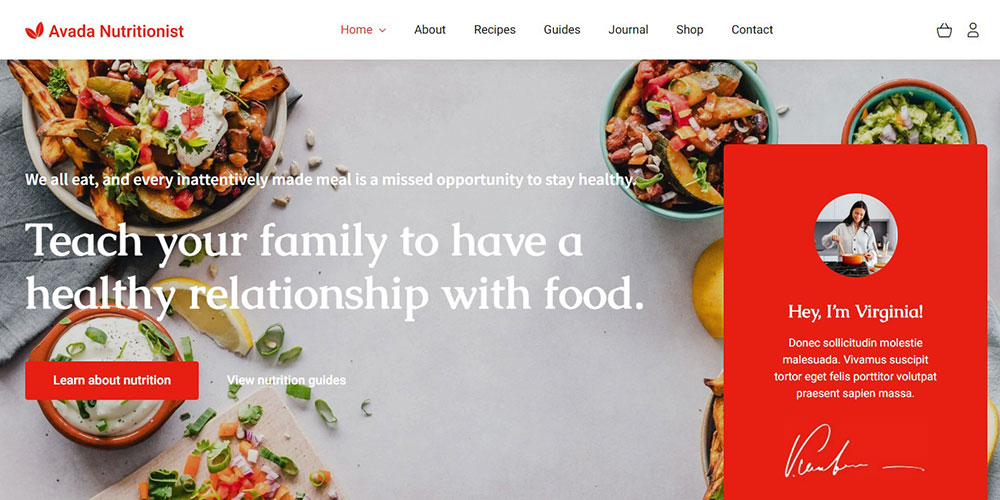
Avada crossed 1 million sales on ThemeForest in 2024, making it the best-selling premium WordPress theme of all time. It ships with 83 pre-built websites and the Avada Website Builder, a drag-and-drop editor developed entirely in-house.
No third-party page builders are required, which reduces plugin conflicts and update risks. At $69 one-time on ThemeForest, it delivers strong value for consulting firms that need a stable, long-term platform with documented support.
OceanWP

OceanWP is the lean option for solo consultants or freelancers who prioritize speed over a large demo library.
The free core theme loads fast, integrates cleanly with Elementor, and covers the basics: service layouts, portfolio sections, and WooCommerce support. Extensions are sold separately through the OceanWP library, so costs scale with what you actually use. Useful for budget-conscious builds, less practical for agencies managing multiple client sites.
Bridge
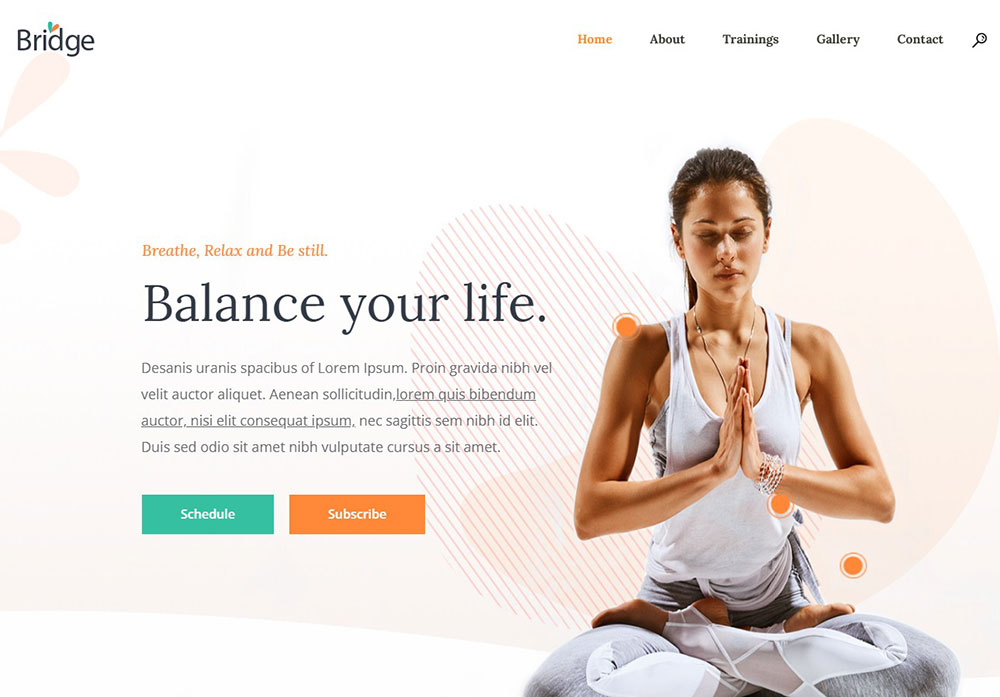
Bridge is built by Qode Interactive, a team of 100+ developers and designers based in Serbia. It has sold over 219,000 copies and ships with 520+ demo websites, many targeting agency, portfolio, and professional services use cases.
The theme bundles several premium plugins including Slider Revolution and the Qode Interactive plugin suite. Visual quality is high. Performance requires attention, as the demo library depth adds page weight on complex pages.
Enfold
Enfold has 267,000+ sales on ThemeForest with a 4.8/5 rating, and its reputation is built largely on reliable long-term support and clean, professional default designs.
- Uses Avia Layout Builder, a custom drag-and-drop editor
- Strong WooCommerce integration for consultants who sell digital products or courses
- Conservative, business-appropriate aesthetic with minimal configuration
It is a predictable, low-risk pick for consulting firms that want something that works and stays updated without surprise compatibility issues.
Sydney
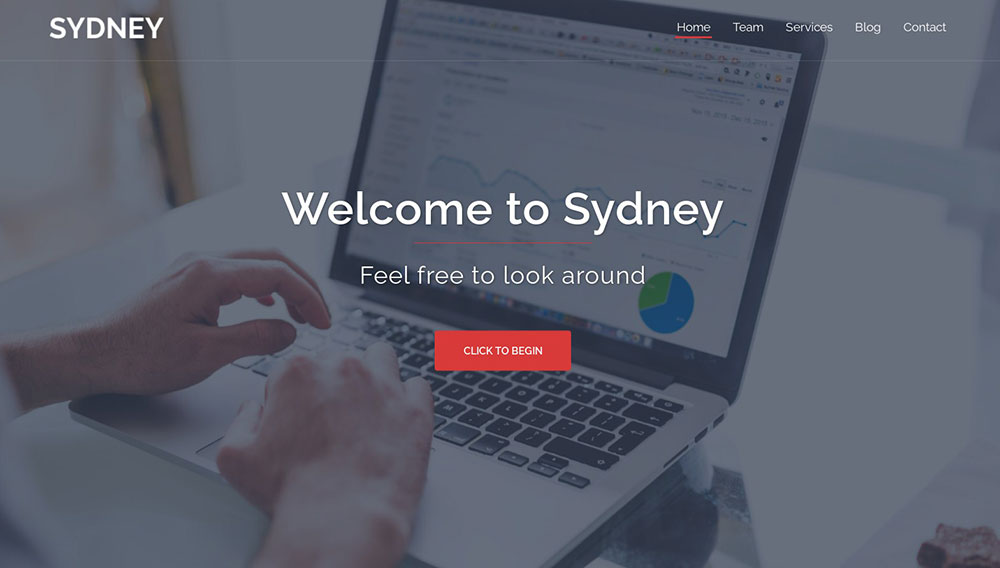
Sydney is free. That is its primary advantage, and it is a real one for consultants just getting started.
The theme includes service sections, team layouts, and a clean one-page design option. It works with Elementor and Gutenberg. Sydney Pro (paid) unlocks header builder controls, sticky menus, and additional footer options. If budget is the main constraint and the site needs to launch quickly, Sydney competes with paid options on design quality.
Hestia Pro
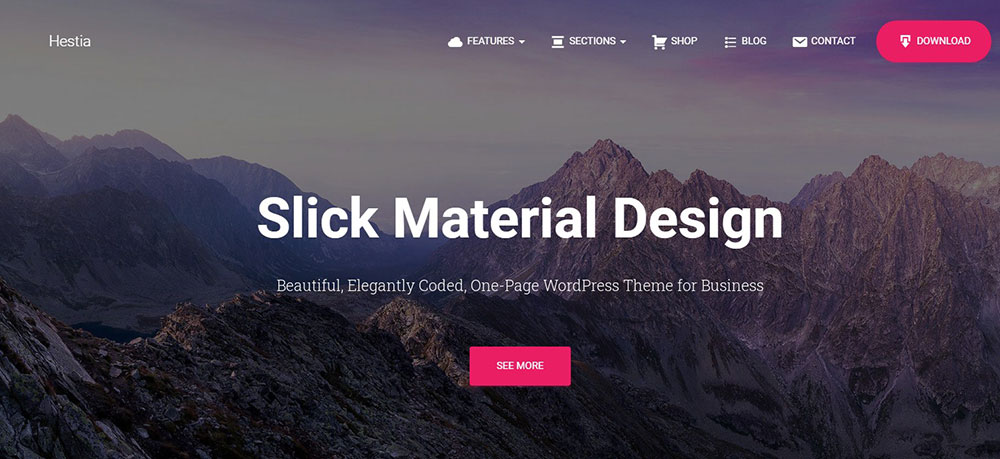
Hestia Pro targets small consulting businesses and solo practitioners with a clean, one-page responsive design and tight Elementor integration. Its free version covers the basics, and the Pro upgrade at $69/year adds WooCommerce support, custom sidebars, and header and footer building tools.
It lacks the pre-built site depth of Be Theme or Bridge, but its professional website design quality is solid for straightforward consulting projects that do not need a large template library.
How Does Be Theme Compare to Other Consultant Themes?
Be Theme's core advantage over competitors is the combination of pre-built site volume, builder flexibility, and one-time pricing. No other theme on this list matches all three at once.
| Theme | Pre-built Sites | Builder | Price Model | Consulting Layouts |
|---|---|---|---|---|
| Be Theme | 700+ | BeBuilder + Elementor | One-time ($69) | High |
| Divi | 200+ | Divi Builder (proprietary) | Annual ($89/year) | Medium |
| Astra | 240+ starter sites | Elementor / Beaver / Gutenberg | Annual ($59/year) | Medium |
| Avada | 83 | Avada Builder (proprietary) | One-time ($69) | Medium |
Be Theme vs. Divi
Divi requires an annual subscription to stay current. Be Theme is a one-time purchase with lifetime updates. For a consultant running a single site long-term, that difference is real money over 3 to 5 years.
Builder experience: Divi's visual builder is inline and polished, but its code output is heavier than Be Theme's BeBuilder. Divi sites often need WP Rocket or a similar performance plugin to pass Core Web Vitals on mobile without extra work.
Be Theme lets you switch between BeBuilder and Elementor without losing your layout, which Divi does not.
Be Theme vs. Astra
Astra is faster on a clean install. Its sub-50 KB base theme is technically superior to Be Theme in raw performance before optimization. That gap closes with caching and image optimization, but Astra starts closer to the target.
Where Be Theme wins: pre-built consulting layouts. Astra's starter sites are general-purpose. Be Theme has dozens of consulting, finance, legal, and advisory pre-built sites that map directly to what a consultant needs on launch day.
Be Theme vs. Avada
Both are one-time purchases at similar price points. Avada is the best-selling theme of all time on ThemeForest with over 1 million sales, which signals strong long-term support.
Be Theme has 700+ pre-built sites versus Avada's 83. For a consultant who wants to launch a credible site in a day rather than a week, that volume matters. Avada's Fusion Builder is capable but requires more setup time to reach the same visual result.
What Pre-Built Layouts Does Be Theme Offer for Consultants?
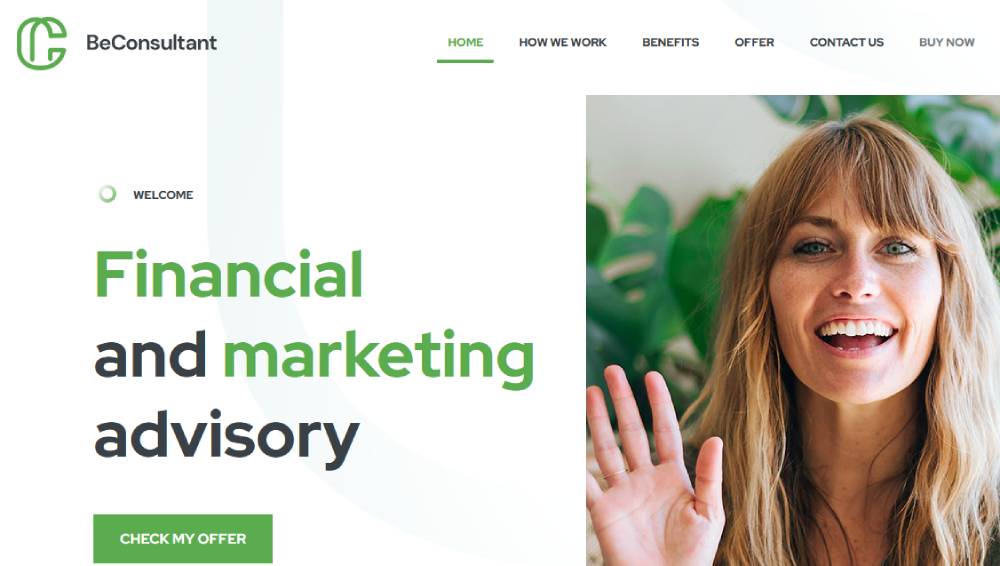
Be Theme adds new pre-built websites every week through theme updates. The current library passes 700 sites, organized by industry and purpose.
For consultants specifically, the most relevant categories include business consulting, financial advisory, legal services, IT services, HR consulting, and marketing agency layouts. Each pre-built site imports pages, content structure, and layout sections in one step, not just a homepage template.
Choosing and Importing a Pre-Built Layout
The import process starts at the Be Theme pre-built websites page. You browse by category, search by keyword (like "consulting" or "finance"), and preview the full demo before importing.
What imports with a pre-built site:
- Homepage with pre-configured sections (hero, services, testimonials, team, contact)
- Inner pages including About, Services, Portfolio, and Blog templates
- Theme option settings, fonts, and color palette
- Required plugin installations handled automatically during import
One practical note: the import process resets post and media content. Run the import on a fresh WordPress install or back up first if you are adding Be Theme to an existing site.
Customizing the Header and Service Sections
BeBuilder's header editor is one of the theme's strongest features. You get a visual canvas for building sticky headers, transparent headers, and mobile-specific navigation, all without touching CSS.
Service sections use pre-configured grid layouts with icon, image, or card-style blocks. Each service block supports custom post types, so services appear in their own archive and can be queried for dynamic filtering. That is useful for consulting firms with multiple practice areas.
Connecting Contact and Booking Plugins
Be Theme is compatible with WPForms, Gravity Forms, Contact Form 7, Calendly embed blocks, and Acuity Scheduling widgets. No custom CSS is required for any of these to render cleanly within Be Theme layouts.
For consultants selling services through the site, Be Theme supports WooCommerce Bookings and WooCommerce in general, including product pages, checkout, and account areas that match the main site design.
Which WordPress Themes Load Fastest for Consulting Websites?
Speed tests from WP Rocket (2025) using clean installs show clear differences across the themes on this list. Astra is the fastest lightweight theme at 1.9 seconds fully loaded with a 91/100 mobile score. Avada is the fastest multipurpose theme with a page builder, at 2.3 seconds and 87/100 on mobile.
A 1-second delay in page load reduces conversions by 7%, cuts page views by 11%, and drops customer satisfaction by 16% (Reboot Online, 2025).
Lightweight Themes vs. Feature-Heavy Themes
The performance split is predictable: themes built around their own page builders carry more initial page weight.
- Astra base theme: under 50 KB, 9 HTTP requests
- Avada with page builder: approximately 450 KB heavier than Astra before optimization (WP Rocket)
- Divi: heavier code output, requires performance plugins to pass Core Web Vitals reliably
- Sydney (free): lightweight baseline, comparable to Astra without the Pro features
Be Theme, Avada, and Bridge all fall into the feature-heavy category. That does not disqualify them. With WP Rocket, Imagify for images, and a good host, any of these themes can reach PageSpeed scores above 85 on desktop. Mobile is harder and takes more deliberate optimization work.
What Hosting Does to These Numbers
Theme performance benchmarks assume shared or managed hosting at a baseline level. On a VPS or a host like Kinsta or WP Engine, even heavier themes like Avada and Bridge perform significantly better than clean-install tests suggest.
Practical reality: a well-optimized Be Theme install on quality hosting will outperform a poorly-hosted Astra install every time. Pick the theme that fits your workflow first. Then address performance at the hosting and plugin level.
What Should Consultants Look for in a Theme's Design Flexibility?

Design flexibility for a consulting site is not about having the most options. It is about controlling the right ones: header layout, typography, color, service page structure, and mobile behavior.
A Deloitte study found that a 0.1-second improvement in site speed increases conversions by 8% for retail sites. The same principle applies to design: small friction points in navigation or layout cost leads at a measurable rate.
Header and Navigation Control
Header builder quality varies significantly across these themes.
| Theme | Header Builder | Sticky Header | Mobile Menu Control |
|---|---|---|---|
| Be Theme | Visual, built-in | Yes | Full |
| Avada | Visual, built-in | Yes | Full |
| Astra Pro | Visual, built-in | Yes | Full |
| Divi | Through Divi Builder | Yes | Partial |
| Sydney (free) | Limited (Customizer) | Limited | Basic |
WordPress mega menu support matters for larger consulting firms with multiple service lines. Be Theme includes a built-in WordPress mega menu with visual configuration, no separate plugin needed.
Typography and Color System Control
Typography in web design has a direct effect on how trustworthy a consulting site appears. Themes that let you set global font pairings across headings, body text, and buttons without CSS save real time and reduce inconsistency.
Be Theme includes access to 700+ Google Fonts and supports custom font uploads for brand-specific typefaces. Divi and Avada offer similar font control. Sydney's free version is more limited, pushing font decisions into the Customizer with fewer options.
Elementor and Gutenberg Compatibility
Elementor compatibility is a practical requirement for most consultants working with designers or freelancers, since Elementor is the most widely used page builder in the WordPress ecosystem.
Be Theme, Astra, OceanWP, and Hestia Pro all integrate cleanly with Elementor without layout conflicts. Avada and Divi use proprietary builders and do not need Elementor, but that also means locking into their own ecosystems for layout edits.
For consultants who want to edit their own sites without a developer, comparing Elementor and Divi directly helps clarify which builder will feel more natural to use day-to-day.
Which Themes Support the Plugins Consultants Use Most?
Plugin compatibility is where theme choices become practical. A theme that conflicts with your booking tool or CRM can break lead capture, which is the whole point of the site.
More than half of B2B businesses say SEO has the most impact on their lead generation efforts, according to Marketing Charts. That means themes also need to play nicely with Yoast SEO, Rank Math, and schema plugins without CSS conflicts or speed hits.
Booking and Scheduling Plugin Compatibility
Calendly and Acuity Scheduling both use embed codes that work within any theme's content area. The difference is how cleanly they render inside the page layout.
WooCommerce Bookings requires tighter theme integration because it generates its own product and checkout pages. Be Theme, Avada, and Astra all have documented WooCommerce compatibility and style their booking pages without custom CSS. Bridge and Enfold also support WooCommerce Bookings reliably.
Themes to watch: Divi's WooCommerce styling requires the Divi Builder active on shop pages, which can create conflicts during updates if the builder version lags behind WooCommerce releases.
CRM and Email Marketing Integrations
HubSpot, ActiveCampaign, and Mailchimp all work through form plugins or direct embed scripts, so the relevant compatibility check is really about the contact form plugin, not the theme itself.
- WPForms: compatible with all 10 themes on this list
- Gravity Forms: compatible with all 10 themes, with advanced conditional logic for multi-step consultation intake forms
- Contact Form 7: compatible with all themes, though styling varies by theme
The real plugin risk is between page builders and WooCommerce extensions. If a consultant sells courses via LearnDash or LifterLMS, testing the theme with those plugins active before launch is not optional. Several themes have documented conflict histories with LMS plugins during major version updates.
LMS Plugin Compatibility for Course-Selling Consultants
Consultants who package knowledge into online courses need LearnDash or LifterLMS compatibility, not just WooCommerce support.
Astra has purpose-built LearnDash compatibility with dedicated starter templates for course sites. Be Theme and Avada support LearnDash through standard WooCommerce integration. Divi has occasional conflict reports with LearnDash course page templates during Divi Builder updates, worth testing before committing to that stack.
For a broader look at how [finance website templates] translate into course-selling or advisory platforms, the design principles that work for financial consultants carry directly into course page layouts.
How Much Do the Best Consultant WordPress Themes Cost?
ThemeForest premium themes average between $59 and $89 per license (Envato, 2024). That range covers most of the themes on this list at the single-site level.
The real cost difference is not the sticker price. It is whether you pay once or every year.
| Theme | Price Model | Price | Support Included |
|---|---|---|---|
| Be Theme | One-time | $69 (ThemeForest) | 6 months, extendable |
| Divi | Annual subscription | $89/year or $249 lifetime | Ongoing with subscription |
| Astra Pro | Annual subscription | $59/year (single site) | Ongoing with subscription |
| Avada | One-time | $69 (ThemeForest) | 6 months, extendable |
| Sydney Pro | Annual subscription | $69/year | Ongoing with subscription |
One-Time Purchase vs. Annual Subscription
One-time wins long-term for single-site builds. A consultant running one website for 3+ years pays $69 once with Be Theme or Avada, versus $177+ over 3 years with Astra Pro or Divi's annual plan.
The math changes for agencies. Astra Pro's Essential Toolkit at $119/year covers unlimited sites, making it dramatically cheaper than buying individual ThemeForest licenses per client project.
What Happens When Support Expires
ThemeForest includes 6 months of author support with every purchase. After that, you can extend for roughly 30-40% of the original theme price per additional 6 or 12 months.
You keep the theme and all updates regardless. Support expiry does not break the site or remove features. For a solo consultant comfortable with basic WordPress maintenance, letting support lapse after the first year is a reasonable cost decision.
Free vs. Premium: What the Gap Actually Looks Like
Sydney and Hestia offer free versions that cover the basics. The paid upgrade matters most for 3 things:
- Header builder control (sticky menus, transparent headers, mobile behavior)
- Footer builder and custom sidebar layouts
- WooCommerce styling for consulting firms that sell services or courses
OceanWP's free core theme is solid, but its extension bundles add up fast. Buying individual extensions for booking, WooCommerce, and portfolio sections can push total cost past a one-time ThemeForest purchase within the first year.
ThemeForest Extended License
Standard license: one site, personal or client use, end users not charged to access the site.
Extended license: required if end users pay to access the site directly (membership sites, course platforms, paid directories). Extended licenses on ThemeForest typically cost $2,950+ and are rarely needed for standard consulting websites. If you are selling a course through WooCommerce (where users buy a product rather than pay to access the site itself), the standard license applies.
What Do Real Consultants Say About These Themes?
Trust signals are not optional for consulting websites. 92% of B2B buyers are more likely to purchase after reading a trusted review, and 95% of consumers read reviews before buying (WiserNotify, 2026). The same principle applies when evaluating themes.
Review patterns from ThemeForest, WordPress.org, and developer communities point to consistent strengths and recurring complaints for each theme.
What Users Praise Most
Be Theme's ThemeForest reviews center on 3 points: pre-built site volume, regular update frequency, and responsive support for layout questions. With a 4.8/5 rating across 240,000+ sales, the signal-to-noise ratio is strong enough to be reliable.
Avada's reviews after reaching 1 million sales follow a similar pattern, with praise focused on stability over time and documentation quality. Consultants who have run Avada sites since 2015 or 2016 report consistent behavior across major WordPress version upgrades.
Astra pulls strong ratings on WordPress.org (4.9/5 with 3,500+ reviews), specifically for speed and Elementor compatibility. The free version earns consistent praise for delivering genuine usability without hidden paywalls.
What Users Complain About
Divi: heavier code output and slower Core Web Vitals on mobile without performance plugins. Multiple community threads on Reddit's r/Wordpress confirm this is the most common technical frustration with Divi in 2024-2025.
Avada: steep learning curve for the Fusion Builder. First-time users consistently report the interface feels complex compared to Elementor or BeBuilder. Once mastered, complaints drop off sharply.
OceanWP: extension pricing surprises. Users expect a free theme with optional paid add-ons and find that building a full consulting site requires 3-5 extensions, pushing total cost above comparable premium themes.
Community Patterns Worth Knowing
Developer communities on Reddit and Facebook groups reveal patterns that review scores miss.
- Be Theme's support forum has over 76,500 threads, with most resolved within 24-48 hours
- Divi has the largest third-party extension marketplace of any theme, which both extends capability and creates dependency risk
- Enfold is frequently recommended in agency Facebook groups specifically because it rarely breaks on WordPress major version updates
One pattern across all themes: negative reviews spike after major WordPress version releases. Themes with smaller dev teams take longer to patch compatibility issues, leaving sites in broken states for days or weeks. Be Theme, Avada, and Divi all update within 24-48 hours of major WordPress releases, which is why they dominate long-term installs.
How Do You Set Up a Consulting Website with Be Theme?
Be Theme mobile performance without optimization scores 82/100 with a 3.3-second LCP (WP Rocket testing, 2025). With WP Rocket active, that same site reaches near-100/100 on PageSpeed Insights. Setup order matters.
WordPress remains the top platform recommendation for consultants because of its flexibility, SEO capabilities, and customization depth (Consulting Success, 2025). Be Theme layers on top of that foundation with the fastest time-to-launch path of any multipurpose theme.
Choosing and Importing a Pre-Built Layout
Step 1: Install Be Theme on a fresh WordPress install. Do not import a pre-built site onto a live site with existing content unless you have a full backup.
Step 2: Navigate to BeTheme in the WordPress dashboard and open the pre-built websites panel. Filter by "consulting," "business," or "finance" to see relevant options.
Step 3: Preview 3-5 layouts before committing. Look for layouts with service sections, testimonial blocks, and a team or about page already in the structure.
The import installs required plugins automatically. Plan for 5-10 minutes for the full import to complete, including demo content, media files, and theme settings.
Customizing the Header and Service Sections
After import, open the BeBuilder header editor. Every pre-built consulting layout ships with a default sticky header. Change the logo, font, and CTA button color before touching anything else on the page.
Service sections in Be Theme use a grid wrapper with individual content blocks. Each block supports an icon (SVG or image), heading, short description, and link. For consulting firms with more than 4 services, the tabbed layout option prevents the homepage from becoming a wall of cards.
A practical note: set global colors in Theme Options before editing individual sections. Changing a brand color globally takes 30 seconds. Changing it section by section after the fact takes an hour.
Connecting Contact and Booking Plugins
WPForms and Gravity Forms both install and render cleanly inside Be Theme layouts. Drop a form shortcode into any BeBuilder content block and the styling matches the theme automatically.
For Calendly, the embed widget goes into a dedicated section block. Set it to full-width layout and remove the default section padding so the scheduling calendar fills the container cleanly.
Post-setup performance steps in order of impact:
- Install WP Rocket and activate default settings (handles 80% of best practices on activation)
- Run images through Imagify or ShortPixel before uploading
- Set Google Fonts to load locally through Be Theme's font settings panel
- Test Core Web Vitals on PageSpeed Insights before going live, not after
Consultants building service-specific sites can also look at how other finance website design patterns translate to consulting contexts, since the layout priorities overlap heavily: trust signals above the fold, service clarity in the second section, and a low-friction contact path throughout.
For agencies building multiple client sites on Be Theme, the pre-built website library covers far more than consulting. From B2B website templates to niche verticals like lead generation WordPress themes, the same theme handles the full range of professional service site types without switching platforms.
Which is the best WordPress theme for consultants?
Be Theme is the top pick. It offers 700+ pre-built websites, a flexible visual builder, and consulting-specific layouts ready to import in one click. It covers solo consultants, agencies, and niche advisory firms at a one-time price of $69.
Is Be Theme good for a consulting website?
Yes. Be Theme includes pre-built layouts for business consulting, financial advisory, IT services, and marketing agencies. Its BeBuilder handles service pages, testimonial sections, and contact forms without requiring a separate page builder plugin.
What should a consulting website theme include?
At minimum: service page layouts, testimonial sections, team bios, and a contact or booking form integration. Core Web Vitals compliance and mobile responsiveness are non-negotiable. Themes that lack these out of the box cost more time to fix than they save on setup.
Is a free WordPress theme good enough for consultants?
For basic sites, yes. Sydney and Hestia offer free versions with clean designs and Elementor compatibility. The gap shows in header builder control, WooCommerce support, and customization depth. Most consultants outgrow free themes within the first year.
Which WordPress theme loads fastest for a consulting site?
Astra is the fastest on a clean install, under 50 KB with a 1.9-second fully loaded time. Be Theme reaches comparable speeds with WP Rocket active, hitting near-100/100 on PageSpeed Insights. Hosting quality affects both more than theme choice alone.
What is the difference between Be Theme and Divi for consultants?
Be Theme is a one-time purchase with 700+ pre-built sites. Divi requires an annual subscription and includes around 200 layouts. Be Theme has more consulting-specific templates. Divi has a larger third-party extension ecosystem. Performance-wise, Be Theme is lighter out of the box.
Does Be Theme work with Elementor?
Yes. Be Theme supports both BeBuilder and Elementor Pro on the same install. You can build with either without layout conflicts. Full Elementor Pro compatibility is confirmed in Be Theme version 28.4.4, released May 2026.
How much do premium WordPress themes for consultants cost?
Most ThemeForest themes cost between $59 and $89 as a one-time purchase. Subscription-based themes like Divi run $89 per year. Free options like Sydney and Astra's base version cover basic needs. The average premium theme on ThemeForest is priced at $59.
Can I use a WordPress consulting theme for a financial advisor website?
Yes. Be Theme, Avada, and Enfold all include pre-built layouts for financial advisory, investment, and tax consulting. These layouts come with trust-signal sections, service grids, and professional typography suited to finance website design standards.
Which WordPress theme is best for a consultant who sells online courses?
Astra has the strongest native LearnDash compatibility with dedicated starter templates for course sites. Be Theme and Avada support LearnDash through WooCommerce integration. Avoid Divi for LMS builds unless you test the full stack first, as builder conflicts with LearnDash course pages are documented.
Conclusion
This article covered the best WordPress themes for consultants, from pre-built layout depth to performance benchmarks, plugin compatibility, and pricing structure.
Be Theme leads because it solves the most problems at once: 700+ pre-built websites, BeBuilder flexibility, Elementor Pro support, and a one-time license that holds up long-term.
Astra wins on raw speed. Avada wins on proven stability. Divi wins if you need the largest extension ecosystem.
The right choice depends on your workflow, your budget, and whether you are building one site or managing multiple client projects.
Pick the theme that fits your setup today, then optimize from there. A fast, well-structured consulting website design is what converts visitors into booked calls.