Real Estate WordPress Themes That Close More Deals
May 21, 2026
WordPress Stuck in Maintenance Mode: How to Fix It Quickly
May 23, 2026Over 30,000 WordPress themes exist. Most of them look the same.
Seriously. Change the hero image, swap the accent color, and half the themes in any marketplace are basically the same layout. Finding something that actually stands out takes more than scrolling through previews.
The right premium theme comes down to a few things: real design flexibility (not just a color picker), a page builder that doesn't fight you, and pre-built demos that were built for your actual industry, not some generic "business" placeholder.
This guide covers 10 themes worth your time. Be Theme leads the list, and from there it branches into multipurpose builds, WooCommerce stores, portfolios, and performance-first options.
By the end, you'll know which one fits your use case, your budget, and how much maintenance you're actually willing to deal with long-term.
What Are Unique WordPress Themes?
A unique WordPress theme isn't just a different color scheme on the same tired layout.
It has distinct visual design, actual customization depth, and features that free or generic themes don't bother including. You get real control over how your site looks, works, and performs. Not just "change the font" control. Actual control.
Here's why so many themes look identical: they're built on the same underlying frameworks, reuse the same section structures, and dress it all up with surface-level color pickers. Different theme, same skeleton.
A genuinely unique theme breaks from that entirely.
3 criteria that separate unique themes from generic ones:
- Design originality: custom grid systems, non-standard layouts, and visual identity that does not look like 40 other sites
- Customization range: header, footer, typography, layout, and component-level control without touching code
- Builder integration: a native or deeply integrated page builder that handles complex layouts without plugin conflicts
As of 2024, over 30,000 themes are available for WordPress across all marketplaces (Codexpert, 2024). The challenge is not finding a theme. It is finding one that actually stands out.
What Makes a WordPress Theme Worth Using?
Before picking a premium theme, there are 5 benchmarks worth checking. Skip these and you'll likely be switching themes within a year.
What Actually Separates a Good Theme from a Bad One
Page Speed and Core Web Vitals
Google swapped First Input Delay for Interaction to Next Paint in September 2024. A good LCP score sits under 2.5 seconds. Themes loaded with bloated CSS and render-blocking scripts will push that past 4 seconds without trying (Google, 2024).
Responsive Design
A properly built theme handles at least 3 breakpoints: mobile, tablet, and desktop. This isn't optional. 70% of WooCommerce traffic comes from mobile (Marketing LTB, 2026), so a theme that only looks good on desktop is already failing most of your visitors.
WooCommerce and Plugin Compatibility
Not every premium theme handles WooCommerce cleanly. Themes built without proper WooCommerce hooks require workarounds that tend to break on updates. You'll notice this fast when a plugin update takes down your cart page.
Update Frequency and Developer Support
An abandoned theme is a security problem. Themes without updates for 12+ months start breaking with newer WordPress core versions, and themes account for 3% of all WordPress security vulnerabilities (Wordfence, 2024). Check the changelog before you buy.
Licensing Terms
Most ThemeForest licenses cover one site. If you're an agency or freelancer building for clients, you need to factor multi-site or extended licensing into your budget from the start. It's easy to overlook and annoying to fix later.
Which Unique WordPress Themes Stand Out?
The list below covers 10 themes with genuine differences in design approach, builder quality, and use case fit. Each entry focuses on what actually makes it different, not just a feature checklist.
Be Theme
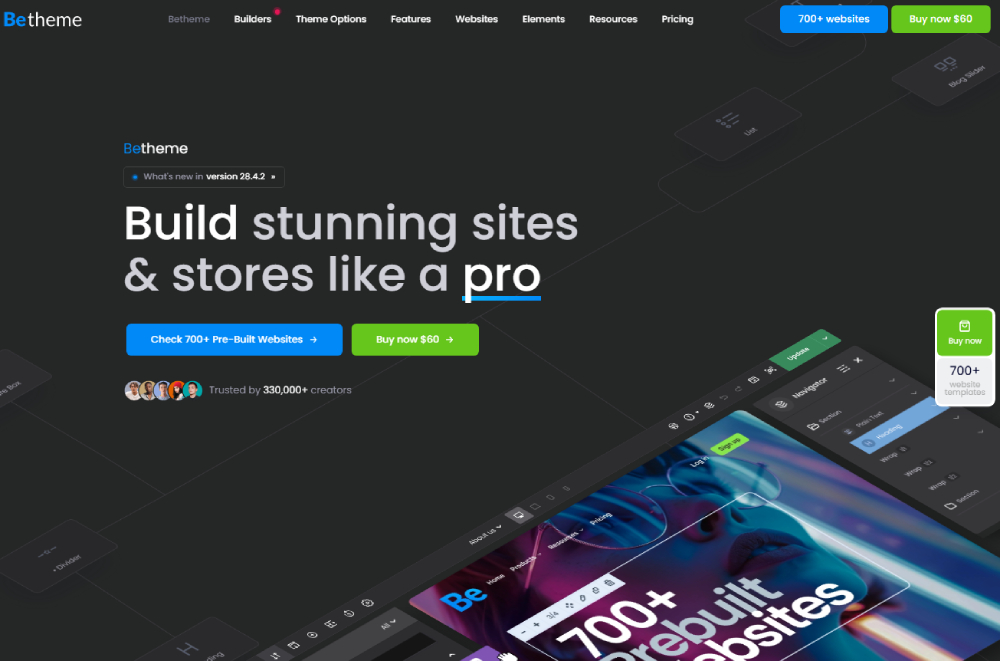
Best for: agencies, freelancers, and businesses that need a full-site building system rather than just a theme.
Be Theme is the #1 pick here for a clear reason: it is one of the top-selling premium WordPress themes on ThemeForest. Created by MuffinGroup, a Power Elite Author on Envato, it ships with 700+ pre-built websites organized by industry, covering everything from medical website templates to fashion, architecture, and portfolio builds.
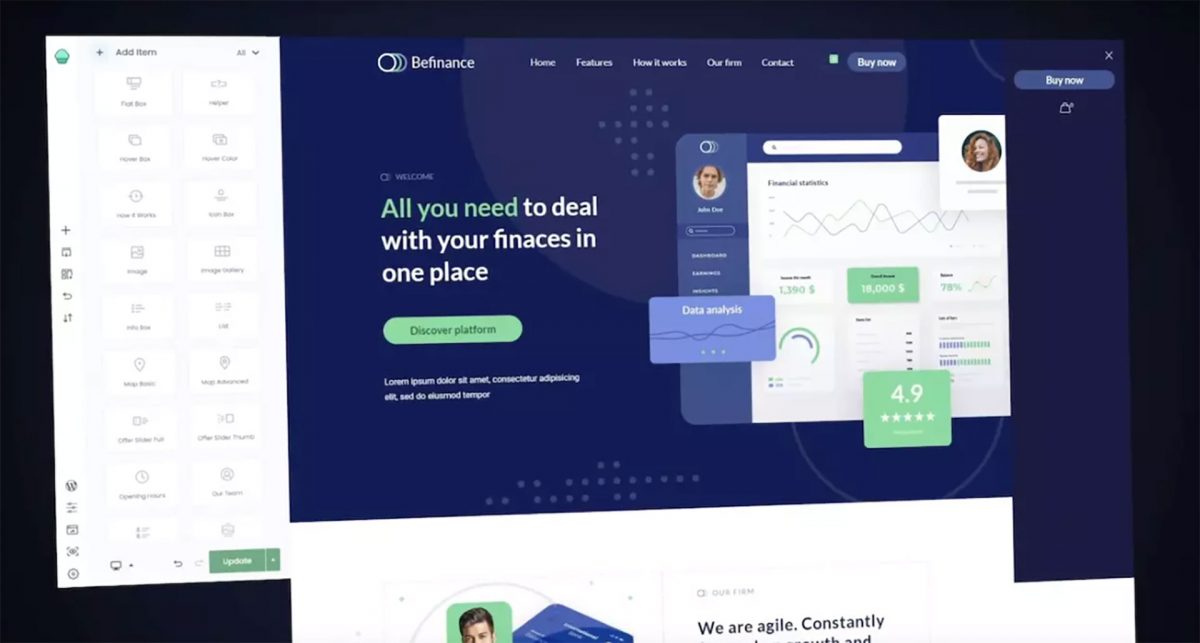
The native BeBuilder handles headers, footers, WooCommerce layouts, popups, loop builders, and sidebar menus inside one system. Developer Mode was added in recent versions, giving front-end developers more direct control over layout output.
- 700+ industry-specific pre-built websites
- BeBuilder with 80+ building blocks and premade layouts
- WooCommerce Builder with 40+ dedicated store demos
- Priced at $69 on ThemeForest (one-time, single site)
- Lifetime updates included
One client review from Codrops sums it up: no other similar framework ships over 600 professionally prepared, genuinely different templates. That range is the differentiator.
Avada
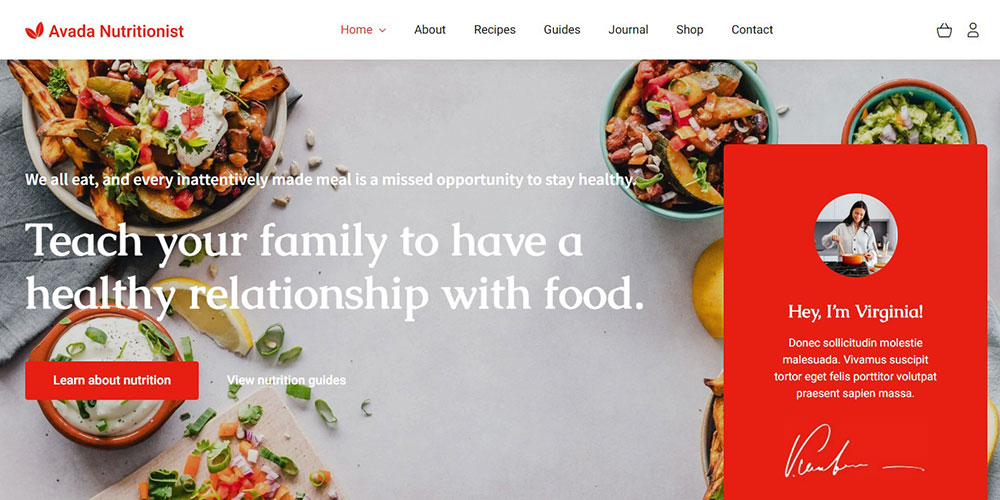
Avada holds the record as the all-time best-selling theme on ThemeForest, with over 607,000 sales since 2012 (SuperbThemes, 2025). That longevity is partly because the Fusion Builder is tightly coupled to the theme and handles most layout scenarios without external page builder plugins.
Priced at $60 on ThemeForest. Includes 400+ web page layouts and 67 complete site templates. Strong choice for business sites and agencies that want a proven, stable system.
Divi
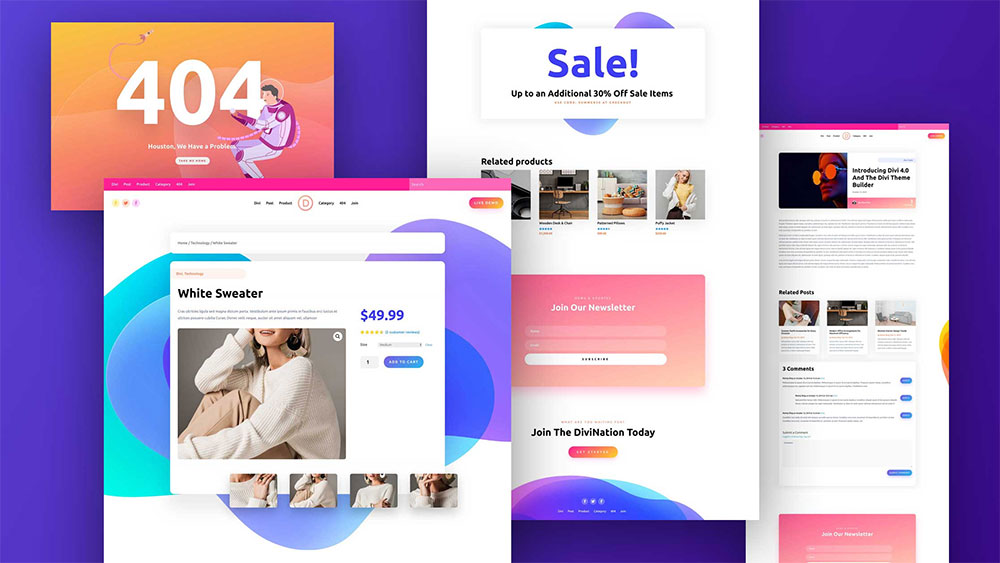
Divi by Elegant Themes operates on a subscription model: $89/year or $249 for a lifetime license. It uses a proprietary visual builder that is not transferable if you ever switch themes, which is worth knowing upfront.
The real advantage is inline editing. You see every change in real time on the front end, which speeds up client review processes considerably.
- No dependency on third-party page builder
- Inline front-end editing
- Subscription or one-time lifetime pricing
Flatsome
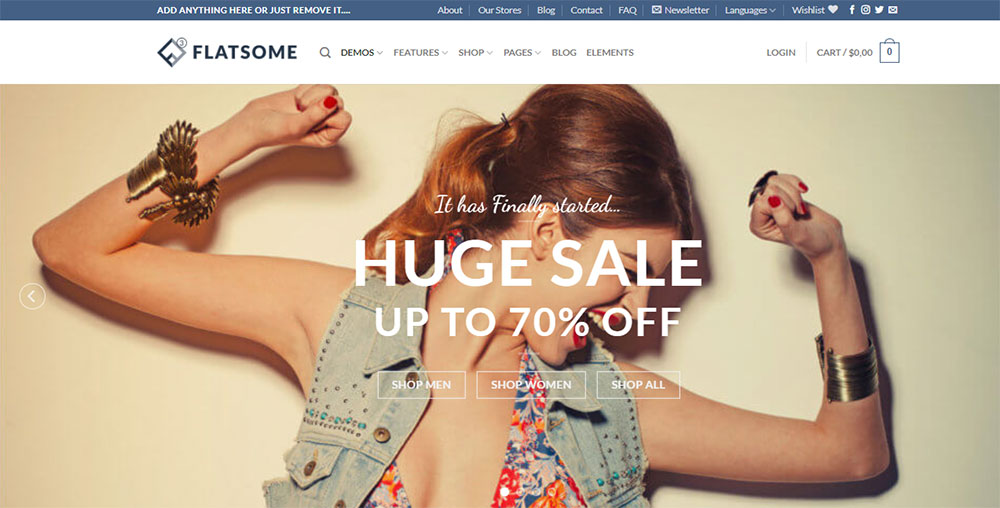
WooCommerce-first design. Flatsome is built specifically for online stores, not adapted for them. The UX Builder inside Flatsome is designed around product and shop page layouts, with conversion-focused elements like sticky product panels, AJAX cart, and distraction-free checkout baked in from the start.
Priced at $59 on ThemeForest. Not ideal as a general business theme. Perfect for ecommerce stores that need speed and conversion structure without heavy plugin reliance.
Kalium
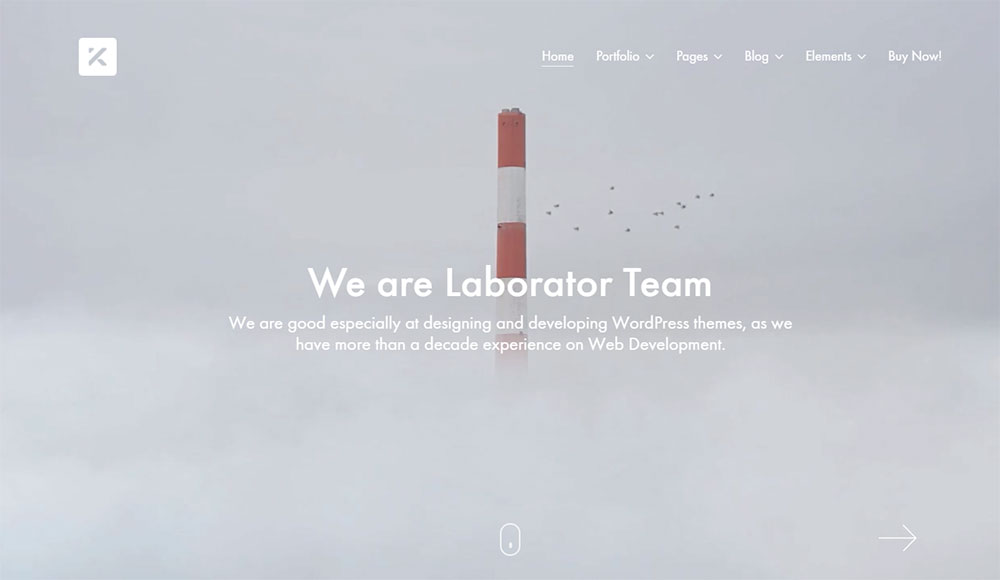
Kalium by Laborator targets designers and creatives who need advanced portfolio functionality. It ships with a dedicated portfolio post type, animation system, and grid controls that go well beyond what most multipurpose themes offer in this area.
If you are putting together photographer website templates or visual-heavy client work, Kalium handles the presentation layer better than most. Priced at $59 on ThemeForest.
Astra
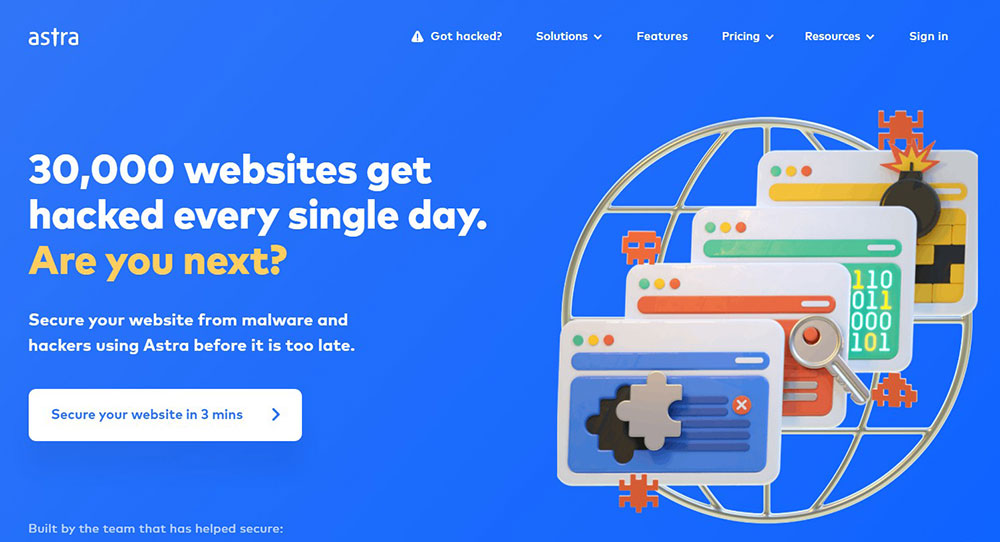
Astra loads at under 50KB base size with no jQuery dependency in its default state. That makes it one of the lightest responsive WordPress themes available. It is free with premium add-ons starting at $47/year through the Brainstorm Force ecosystem.
Works well paired with Elementor, Beaver Builder, or Gutenberg. Not the most visually distinctive theme out of the box, but the performance baseline is excellent for SEO-focused builds.
GeneratePress
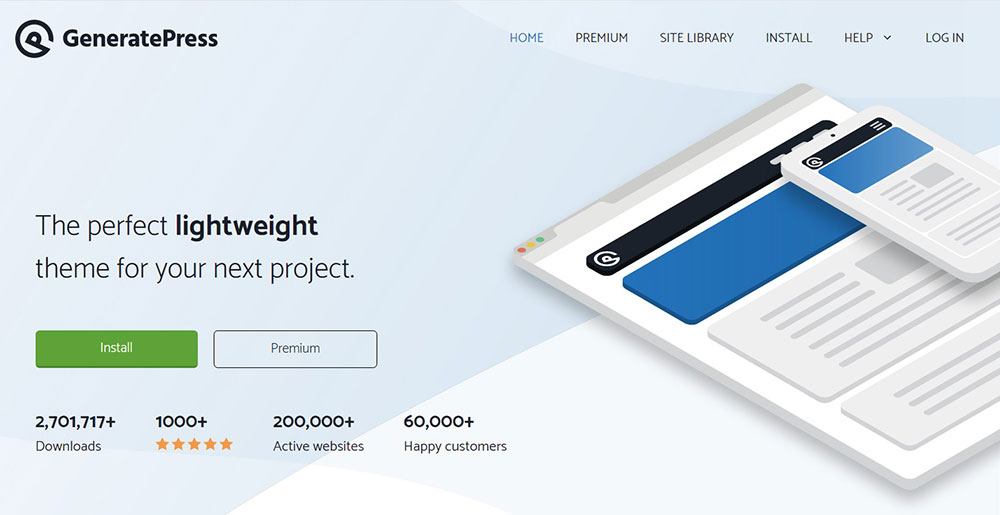
Similar performance philosophy to Astra. GeneratePress is built for developers who want a clean, minimal WordPress theme framework they can customize without fighting the theme's own CSS. The premium version costs $59/year.
Gutenberg-native and fully compatible with full site editing. Not a visual showcase theme. It is a foundation you build on, not a finished product you deploy.
OceanWP
Free core, premium extensions. OceanWP offers a solid free responsive WordPress theme with WooCommerce compatibility, then expands through paid extension bundles. The freemium model suits budget-constrained projects that still need decent design flexibility.
The paid Ocean Extra plugin unlocks additional widgets, page layouts, and library access. Full access costs around $43/year. Good for small business builds where budget is a constraint but code-level customization is not needed.
Porto
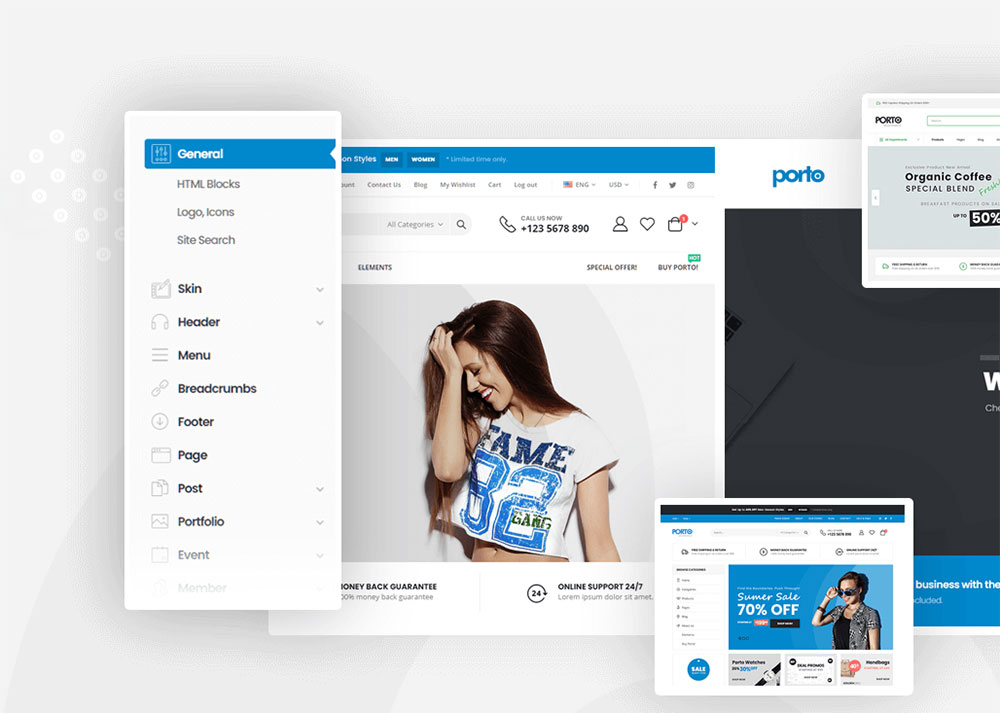
Porto is a strong option for ecommerce projects that need deep WooCommerce feature coverage. It ships with AJAX product filters, color swatches, size guides, and multi-vendor support through additional plugins.
Priced at $59 on ThemeForest. The pre-built demos include dedicated layouts for furniture website templates, fashion, and electronics stores, with enough structural variety that most ecommerce verticals are covered out of the box.
Uncode
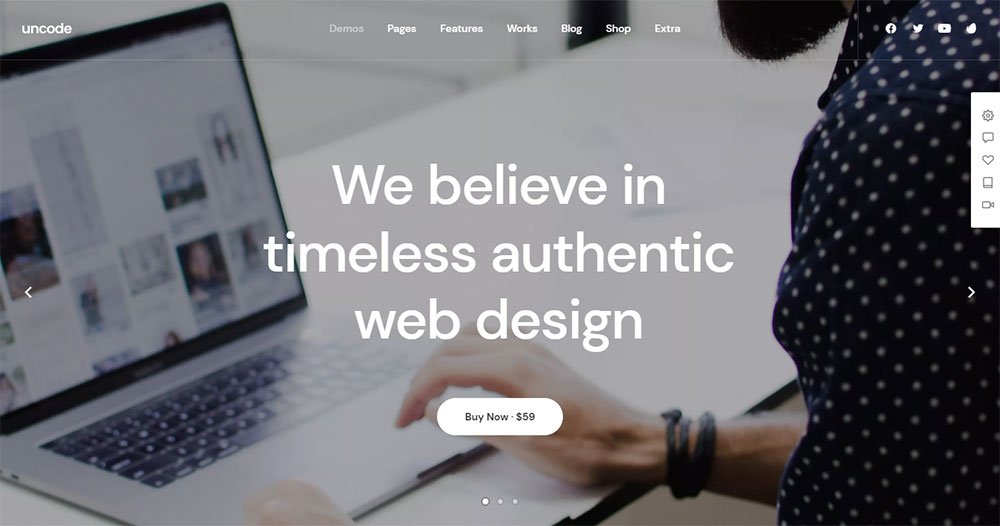
Uncode runs on the WPBakery Page Builder and targets creative agencies and designers who want fine-grained control over grid systems and visual weight. The Portfolio-Freelance demo was one of the most downloaded demos on ThemeForest in 2024 (Codrops, 2025).
New demo releases happen every 3 to 6 months. Ticket support resolution averages under 24 hours. Priced at $59 on ThemeForest.
Summary comparison:
| Theme | Best Use Case | Builder Type | Price |
|---|---|---|---|
| Be Theme | Agencies, all industries | Native BeBuilder | $69 one-time |
| Avada | Business, multipurpose | Fusion Builder | $60 one-time |
| Divi | Agencies, general | Proprietary Divi Builder | $89/year or $249 lifetime |
| Flatsome | WooCommerce stores | UX Builder | $59 one-time |
| Kalium | Portfolios, creatives | WPBakery + native | $59 one-time |
| Astra | Performance-first builds | Elementor, Gutenberg | Free + $47/year |
| GeneratePress | Developer foundation | Gutenberg-native | $59/year |
| OceanWP | Budget small business | Elementor compatible | Free + $43/year |
| Porto | Deep ecommerce builds | Elementor + WPBakery | $59 one-time |
| Uncode | Creative agencies | WPBakery | $59 one-time |
How Does Be Theme Compare to Other Multi-Purpose Themes?
The honest comparison between Be Theme, Avada, Divi, and Flatsome comes down to 3 factors: pre-built site range, builder flexibility, and pricing model. Each theme wins in different scenarios.
Be Theme vs. Avada
Pre-built site count: Be Theme ships with 700+ pre-built websites. Avada offers 400+ web pages and 67 complete site templates. Avada's templates are polished and well-structured, but Be Theme covers more industry verticals with dedicated demo content.
Avada has been the best-selling theme on ThemeForest since 2012, with 607,000+ total sales. Be Theme has surpassed 288,000 sales and continues growing as MuffinGroup releases new demo categories. Both are $60-69 on ThemeForest for a single-site license.
Be Theme vs. Divi
Divi's subscription model creates a long-term cost difference. At $89/year, Divi costs more over a 3-year period than Be Theme's one-time $69 license. The lifetime Divi license at $249 is the fairer comparison for long-term use.
| Criteria | Be Theme | Divi |
|---|---|---|
| Pricing | $69 one-time | $89/year or $249 lifetime |
| Pre-built websites | 700+ | 200+ (layout packs) |
| Builder type | Native BeBuilder | Proprietary (no third-party) |
| Front-end editing | Yes | Yes (inline editing) |
| WooCommerce builder | Dedicated WooBuilder | WooCommerce module support |
Be Theme vs. Flatsome
This is not really a direct competition. Flatsome is a WooCommerce-first theme. Be Theme is a full-spectrum multipurpose theme that also handles ecommerce well through its dedicated WooBuilder and 40+ WooCommerce demos.
If the entire site is a WooCommerce store and nothing else, Flatsome's UX Builder and conversion-focused product layouts are a tighter fit. For a site that mixes business content with ecommerce, Be Theme handles the full scope without requiring layout compromises.
Which Unique WordPress Themes Work Best for WooCommerce?
WooCommerce holds a 36.68% share of the global ecommerce platform market, and over 1,400 WooCommerce-compatible themes exist in the official WordPress theme directory alone (Digital Web Solutions, 2024). The theme choice directly affects store performance, and performance affects revenue.
Portent's research shows that ecommerce conversion rates peak when pages load within 1 to 2 seconds. Every additional second of load time drops conversion rate by an average of 0.3% (WP Rocket, 2025). That is not a rounding error for a store doing real volume.
Flatsome
Top pick for pure WooCommerce builds. Flatsome is designed from the ground up for online stores. The UX Builder creates product, shop, and checkout page layouts with conversion elements built into the structure, not bolted on.
- Distraction-free checkout layout
- Sticky product details panel
- AJAX cart and live search
- Designed around store pages, not repurposed from a business layout
Be Theme for WooCommerce
Be Theme's dedicated WooBuilder and 40+ WooCommerce pre-built demos make it a strong option for stores that need both a content-heavy site and a functioning shop under one theme system.
You can explore how different ecommerce layout approaches perform by looking at real ecommerce homepage design examples and ecommerce landing page design examples to understand what structure works before committing to a demo.
Porto for Deep Feature Coverage
Porto handles advanced WooCommerce scenarios that standard themes skip: AJAX product filters, color swatches, size guides, quick views, and multi-currency support via plugin pairing.
Sites loading under 2 seconds convert approximately 2x better than slower WooCommerce stores (Marketing LTB, 2026). Porto's modular loading approach helps keep initial page weight manageable on product archive pages where image density is highest.
Which Unique WordPress Themes Are Best for Portfolios and Creatives?
Portfolio themes have a different performance requirement than business or ecommerce themes. The visual presentation layer carries more weight, and layout flexibility determines whether a creative's work gets proper context or gets buried in a generic grid.
Kalium
Kalium by Laborator ships with a dedicated portfolio post type, custom meta fields for project details, and an animation system that handles scroll-triggered effects without requiring additional animation plugins.
The grid controls are genuinely flexible: masonry, packery, justified grid, and fixed layouts all available without a separate plugin. For artist website templates and photographer portfolios, the level of layout control per project is higher than most multipurpose themes offer.
Uncode
Grid system-first design. Uncode's visual grid editor controls column widths, gutter sizes, row ratios, and content density at a level that most themes handle through fixed breakpoint classes. That precision matters for creative agencies presenting large visual work.
The Portfolio-Freelance demo was one of the top downloaded demos on ThemeForest in 2024 (Codrops, 2025). New demos release every 3 to 6 months, which keeps the demo library current without requiring a theme switch.
Be Theme for Portfolio Builds
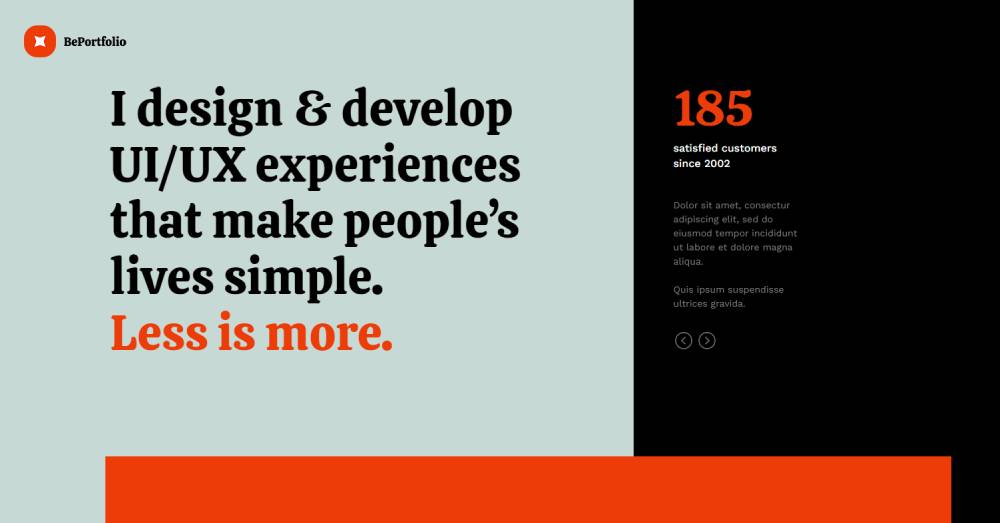
Be Theme's 700+ pre-built websites include dedicated portfolio layouts across several design styles: minimal, full-screen, scroll-based, and grid-heavy. The Skin Changer lets you swap between layout styles on pre-built content without rebuilding pages from scratch.
- Multiple portfolio grid layout options (standard, masonry, metro)
- Full-screen and scroll-based portfolio styles available
- Deep font and color control through BeBuilder global settings
- Portfolio pre-built websites span creative agency, photography, and personal branding categories
Agencies building client sites regularly across design, photography, and architecture verticals will find the demo breadth more useful than Kalium's deeper but narrower feature set. Specific industry templates like architecture website templates are covered with dedicated pre-built designs built around how those projects are actually presented.
What Are the Fastest Unique WordPress Themes?
Page speed is a confirmed Google ranking factor. Your theme is the first variable that determines whether you are starting from a good baseline or digging out of a performance hole from day one.
GeneratePress loads at 0.8 seconds in independent testing, with a base install size under 10KB (WP Rocket, 2026). Astra hits a 1.9-second fully loaded time with a 91/100 mobile PageSpeed score (WP Rocket, 2026).
Lightest Options: GeneratePress and Astra
GeneratePress: under 10KB base, no jQuery dependency, 100/100 PageSpeed Insights performance score in clean installs (WP All Import, 2026).
Astra: under 50KB base size, 99/100 performance score, 100/100 best practices (Breakdance, 2025). Over 1.8 million active installations make it the most widely deployed lightweight WordPress theme globally (PluginTheme, 2026).
Both are Gutenberg-native and pair cleanly with Elementor without introducing significant render-blocking overhead. That combination is what most developers actually reach for when Core Web Vitals are a hard project requirement.
Multipurpose Themes and Performance
Avada is the fastest multipurpose theme with a page builder, hitting a 2.3-second load time and 87/100 mobile PageSpeed score (WP Rocket, 2026). That is the honest benchmark for feature-rich multipurpose themes.
Be Theme performs heavily when loaded without optimization, which makes it a strong candidate for pairing with WP Rocket. Testing by WP Rocket specifically used Be Theme to demonstrate WP Rocket's impact, noting that Be Theme's feature density makes performance gains from a caching plugin measurably visible.
The practical takeaway for multipurpose WordPress themes: start with a CDN, enable modular CSS loading, and defer non-critical scripts. The performance gap between a tuned Be Theme and a bare Astra install closes considerably with proper caching configuration in place.
Performance Benchmarks at a Glance
| Theme | Base Size | Load Time (tested) | PageSpeed Mobile |
|---|---|---|---|
| GeneratePress | <10KB | 0.8s | 100/100 |
| Astra | <50KB | 1.9s | 91/100 |
| Avada | Moderate | 2.3s | 87/100 |
Sources: WP Rocket 2026, Barrel Roll 2025, WP All Import 2026. All tests conducted on clean installs without caching plugins.
How Much Do Unique WordPress Themes Cost?
The median price of a premium WordPress theme on ThemeForest is $59. That price point represents 33% of all themes on the platform (ThemesCamp, 2025). Most ThemeForest licenses are one-time purchases covering a single site.
Subscription models add up differently. Divi at $89/year costs more than Be Theme's $69 lifetime license within 12 months. The lifetime Divi license at $249 is the fair long-term comparison for agencies planning multi-year use.
One-Time Purchase Themes
ThemeForest themes generally fall between $39 and $79 per license, with 6 months of support included at purchase (MoldStud, 2025).
- Be Theme: $60 (lifetime updates, single site)
- Avada: $60 (ThemeForest)
- Flatsome: $59 (ThemeForest)
- Kalium: $59 (ThemeForest)
- Porto: $59 (ThemeForest)
Extended licenses cover commercial projects where the theme is part of a product sold to end clients. These run significantly higher, often $299 or more depending on the theme.
Subscription-Based Themes
Divi by Elegant Themes: $89/year includes all Elegant Themes products and plugins, or $249 for a lifetime license. About 68% of WordPress theme shops offer annual renewal options (WP Tavern, 2024).
Astra Pro: $47/year, scaling to $249 lifetime. The free core theme handles most basic builds; the premium add-on unlocks the header/footer builder and WooCommerce-specific layout controls.
Free Themes With Premium Add-Ons
GeneratePress, Astra, and OceanWP all follow a freemium model. Free to install, paid to unlock advanced customization.
Worth knowing: premium themes often reduce total project costs because advanced layouts, builders, and WooCommerce integration come included. That offsets the license fee versus assembling the same functionality through separate plugins.
How Do Pre-Built Websites and Demo Importers Work in Premium Themes?
A pre-built website (also called a starter site or demo) installs pages, menus, widgets, customizer settings, and theme options in a single import step. The goal is to get from a blank WordPress install to a working layout in minutes rather than hours.
Be Theme's library of 700+ pre-built websites is organized by industry, covering verticals like finance, real estate, fitness, and creative agencies. The Betheme AI example was one of the top 10 most downloaded demos in 2024 (Codrops, 2025), which reflects how heavily users rely on the demo library as a starting point.
What a Demo Import Actually Installs
A typical one-click demo import installs:
- Pages and posts with placeholder content
- Menu structure and navigation assignments
- Widget areas with content populated
- Customizer settings (colors, fonts, logo placeholder)
- Theme options panel settings specific to that demo
All of it is fully editable after import. The demo content is a structural scaffold, not a locked template.
Be Theme's Demo Organization
Be Theme organizes pre-built websites by industry category. That matters in practice because you are not searching through 700 random layouts. You filter by vertical, pick a design style within it, and import.
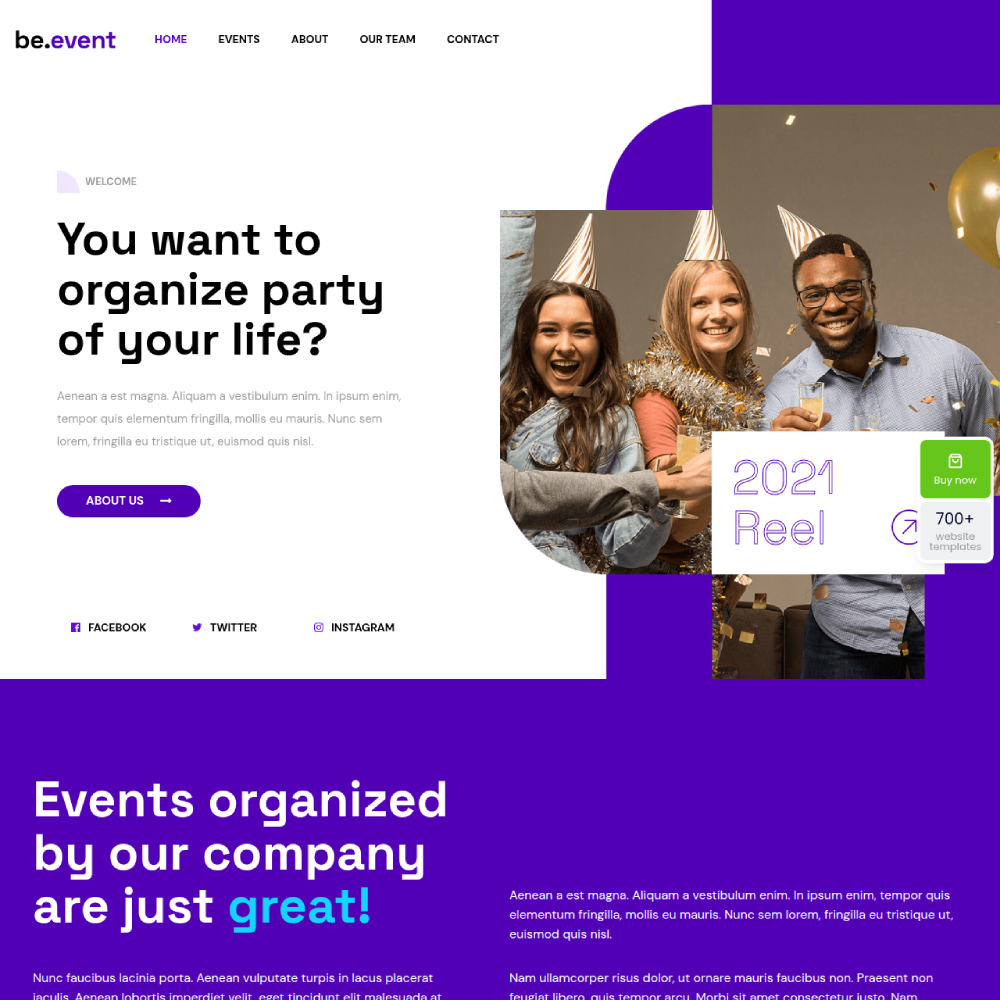
Dedicated industry coverage includes real estate WordPress themes, fitness website templates, and event website templates, with each pre-built site carrying purpose-built layout sections rather than generic blocks repurposed across categories.
Common Import Issues and How Themes Handle Them
Image placeholder replacement: Demos install with placeholder or stock images. You replace them after import. Some themes like Be Theme use royalty-free demo images that match the design context closely, which helps clients visualize the finished layout.
Required plugin prompts: Most premium themes prompt you to install required and recommended plugins before importing a demo. Missing plugins cause incomplete imports. BeTheme surfaces these requirements clearly before the import begins.
Upload limit errors: Demo XML files can exceed default WordPress upload limits. A standard fix is adjusting the upload\max\filesize value in php.ini. Be Theme's documentation covers this as a common step for hosting environments with conservative default limits.
Which Unique WordPress Themes Support Visual Page Builders?
Builder compatibility determines your long-term editing workflow and whether your content survives a theme switch. Not all builders store content the same way.
Divi's shortcode-based system means deactivating the plugin leaves broken shortcode output in the database. Elementor avoids shortcode lock-in: if you stop using it, most content remains readable (Cloudways, 2026). Gutenberg stores content as native WordPress block HTML, giving it the strongest portability of any current builder approach.
Be Theme: Native Builder Plus Elementor Compatibility
Be Theme ships with BeBuilder as its native drag-and-drop builder. It handles headers, footers, popups, WooCommerce layouts, and loop builders inside one system without requiring Elementor.
Elementor compatibility is also supported for users already working inside that ecosystem. The practical advantage: you are not forced into a third-party page builder dependency if you want full layout control, but you are not locked out of it either.
BeBuilder's Developer Mode, added in recent versions, gives front-end developers direct control over layout output. That is useful for agency teams where a developer handles structure and a designer handles visual customization.
Themes Built Around Third-Party Builders
Divi: proprietary builder, no third-party dependency, but switching themes means rebuilding layouts. Shortcode cleanup from Divi is possible but requires manual work (MarketingLTB / Cloudways research).
Astra and GeneratePress: builder-agnostic. Both work cleanly with Elementor, Beaver Builder, and Gutenberg. Neither theme introduces its own layout layer, which means zero lock-in when you switch builders.
Elementor's V4 (Atomic) update, in production-ready beta as of February 2026, introduces a CSS-first foundation designed to significantly improve Core Web Vitals scores. Themes built around Elementor compatibility will benefit from that performance lift as V4 becomes the standard release.
Gutenberg-Native Themes
Gutenberg stores content as native block HTML in the WordPress database. Deactivating a block theme leaves your content intact and readable.
- GeneratePress: deep Gutenberg integration, GenerateBlocks companion plugin for layout control
- Astra: Gutenberg-native with block patterns and full site editing support
- Kadence: another lightweight option with strong Gutenberg-first architecture
For new builds where long-term maintenance is a priority, Gutenberg-native themes reduce the risk of a builder becoming outdated or unsupported. The block editor is the direction WordPress core is moving, and themes built around it have the strongest longevity argument.
How Do Unique WordPress Themes Handle Updates and Long-Term Support?
In 2024, 7,966 new vulnerabilities were found in the WordPress ecosystem, a 34% increase over 2023 (Patchstack, 2025). Themes accounted for 326 of those, or 4% of the total. An unpatched theme is a real attack surface.
More directly: 1,614 plugins and themes were removed from the WordPress repository in 2024 due to unpatched security issues (Patchstack, 2025). Many of those remained active on live sites after removal. That is the concrete risk of choosing a theme without a consistent update history.
Be Theme Update History
MuffinGroup releases Be Theme updates consistently across major WordPress version cycles. The BeBuilder received a full rewrite focused on performance, described in Codrops' 2025 theme guide as "faster than ever" following the rebuild.
BeTheme's 24-hour ticket turnaround on support is documented across multiple third-party reviews. For agencies managing client sites, that support response window is a practical consideration when something breaks on a live project.
What "Lifetime Updates" Actually Means
On ThemeForest, "lifetime updates" means you receive all future theme updates for as long as the theme is actively developed. It does not guarantee support after the included support period expires, which is typically 6 months.
Extended support can be purchased separately on ThemeForest at renewal time. Themes like Be Theme, Avada, and Flatsome all follow this model. The key practical question is not whether updates exist, but how quickly a theme patches against new WordPress core releases and newly disclosed vulnerabilities.
Warning Signs of an Abandoned Theme
A theme showing any of these signals warrants caution:
- Last update more than 12 months ago on ThemeForest or WordPress.org
- Support forum unanswered threads dating back 6+ months
- No tested-up-to version matching current WordPress core
- No documented response to major WordPress releases (6.4, 6.5, 6.6, 6.7)
Kalium, Uncode, Avada, Divi, and Be Theme all have documented update histories covering WordPress 6.x releases. For niche themes on ThemeForest with lower sales volume, checking the changelog date before purchasing is a non-negotiable step.
Builder-Specific Update Risks
Themes that ship bundled premium plugins (Revolution Slider, Layer Slider, Visual Composer) create an additional update dependency. Those bundled plugins need to stay current independently of the theme update cycle.
Be Theme bundles several premium plugins including Revolution Slider. The theme update typically aligns bundled plugin versions with current releases, but checking plugin compatibility against the current WordPress version after any major theme update is a standard step for any agency managing live client sites.
Themes built around WordPress themes for small business use cases, where site owners often handle updates themselves, benefit most from themes with streamlined update processes and clear compatibility notices. Be Theme's admin panel surfaces compatibility notices and required actions directly, which reduces the chance of a non-technical site owner missing a critical update step.
Frequently Asked Questions About Unique WordPress Themes
What makes Be Theme the best unique WordPress theme?
Be Theme ships with 700+ pre-built websites, a native BeBuilder, dedicated WooCommerce layouts, and lifetime updates for a one-time $69 license. No other multipurpose WordPress theme covers as many industry verticals with purpose-built demo content at that price point.
What is the difference between a free and a premium WordPress theme?
Free themes offer basic layout control and limited customization. Premium WordPress themes include page builders, pre-built websites, WooCommerce compatibility, dedicated support, and regular security updates. The $59 median price on ThemeForest covers features that would otherwise require multiple paid plugins.
Which unique WordPress theme is best for WooCommerce stores?
Flatsome is built exclusively for WooCommerce, with a UX Builder designed around product and checkout pages. Be Theme covers broader store types through its WooCommerce Builder and 40+ dedicated ecommerce pre-built websites. Sites loading under 2 seconds convert roughly twice as well.
Are multipurpose WordPress themes slower than lightweight themes?
Yes, by default. GeneratePress loads in 0.8 seconds from a clean install. Feature-rich multipurpose themes like Be Theme run heavier without optimization. Pairing them with a caching plugin like WP Rocket closes that gap significantly on most hosting setups.
What is builder lock-in and which themes avoid it?
Builder lock-in happens when switching themes breaks your page layouts. Divi's shortcode system creates this problem. Gutenberg-native themes like GeneratePress and Astra store content as standard block HTML, keeping it readable and portable regardless of which theme you use next.
How many pre-built websites does Be Theme include?
Be Theme includes 700+ pre-built websites organized by industry, covering categories from medical and real estate to creative portfolios and ecommerce stores. Each demo installs pages, menus, widgets, and theme settings in one click, giving any project a structured starting point.
What should I check before buying a WordPress theme?
Check the last update date, support forum activity, WordPress core compatibility, and whether the theme includes a native page builder or requires a third-party one. Also confirm whether the license covers a single site or multiple installs, especially for agency or client work.
Which WordPress themes are best for portfolio and creative websites?
Kalium and Uncode are the strongest options for creatives. Kalium ships with a dedicated portfolio post type and advanced animation controls. Uncode offers precise grid and visual weight control. Be Theme also covers portfolio builds across multiple layout styles including masonry, metro, and full-screen.
Is a one-time purchase theme better than a subscription theme?
For long-term single-site use, one-time licenses like Be Theme at $69 cost less than Divi's $89/year subscription within 12 months. Subscriptions make more sense when you need access to a full ecosystem of tools and themes, as with Elegant Themes' all-products plan.
How do I know if a WordPress theme is abandoned?
Look for updates older than 12 months, unanswered support threads, and no documented compatibility with recent WordPress core releases (6.4 through 6.7). Patchstack removed 1,614 plugins and themes from the WordPress repository in 2024 alone due to unpatched security vulnerabilities.
Conclusion
This conclusion is for an article presenting the strongest options in a crowded market of premium WordPress themes, where design originality, builder quality, and long-term support separate reliable picks from ones you will want to replace.
Be Theme leads the list for good reason: 700+ industry-specific pre-built websites, a native BeBuilder, and a one-time license that holds up against subscription-based competitors over any multi-year period.
For performance-first builds, GeneratePress and Astra remain the benchmarks. For deep WooCommerce feature coverage, Flatsome and Porto are hard to beat.
The right choice depends on your use case, your page builder preference, and how much weight you put on Core Web Vitals compliance from day one.
Check update history before committing. A theme that stops receiving patches is a liability, not an asset.