



Using Lottie animation on WordPress without plugins
April 23, 2026
How to choose a website template? Crucial factors to consider
April 28, 2026A gym with no website is a gym that does not exist to most people searching on their phones right now. And a gym with a bad website? That might be worse.
Fitness website templates solve both problems. They give personal trainers, yoga studios, CrossFit boxes, and boutique gyms a professional online presence without the $5,000+ price tag of a custom build.
But not all templates are built the same. Some look great in the demo and fall apart the second you swap in your own photos. Others ship with class booking integrations, WooCommerce support, and mobile responsive layouts that actually convert visitors into members.
This guide covers the best fitness website templates across WordPress, Squarespace, Wix, and Webflow, what separates a good template from a bad one, and how to customize without breaking things.
What Is a Fitness Website Template?
A fitness website template is a pre-built, customizable website layout designed for gyms, personal trainers, yoga studios, CrossFit boxes, and wellness brands. It comes with industry-specific features already baked in.
That distinction matters. A generic business template with a stock photo of dumbbells on the homepage is not the same thing.
Real fitness website templates include elements like class schedule integrations, online booking systems, trainer profile sections, and transformation galleries. These are built into the template structure from the start, not bolted on after the fact.
Who Actually Uses Them
Solo personal trainers building their first online presence. Boutique studio owners who need a class timetable and membership pricing visible on day one. Online coaching businesses selling workout programs and meal plans through WooCommerce or Shopify.
Supplement brands running fitness ecommerce stores use them too, though their needs lean more toward product pages than booking flows.
Where to Find Them
The biggest platforms for fitness website templates break down like this:
|
Platform |
Template Count |
Best For |
|---|---|---|
|
WordPress (ThemeForest) |
12,000+ premium themes |
Full customization and large-scale eCommerce (WooCommerce) |
|
Squarespace |
~200 templates |
Highly curated, clean designs with minimal technical setup |
|
Wix |
900+ templates |
Intuitive drag-and-drop building with built-in business tools |
|
Webflow |
7,000+ templates |
Advanced design control and high-performance, design-heavy sites |
WordPress powers 43.4% of all websites on the internet as of 2025 (W3Techs). That alone explains why most fitness templates are built for WordPress first. The WordPress.org theme directory lists over 14,000 free themes, and ThemeForest adds another 12,000 premium options.
Squarespace and Wix are better fits if you want something live within an afternoon. Webflow sits at the other end, offering more design control but requiring more technical comfort.
Fitness Website Templates
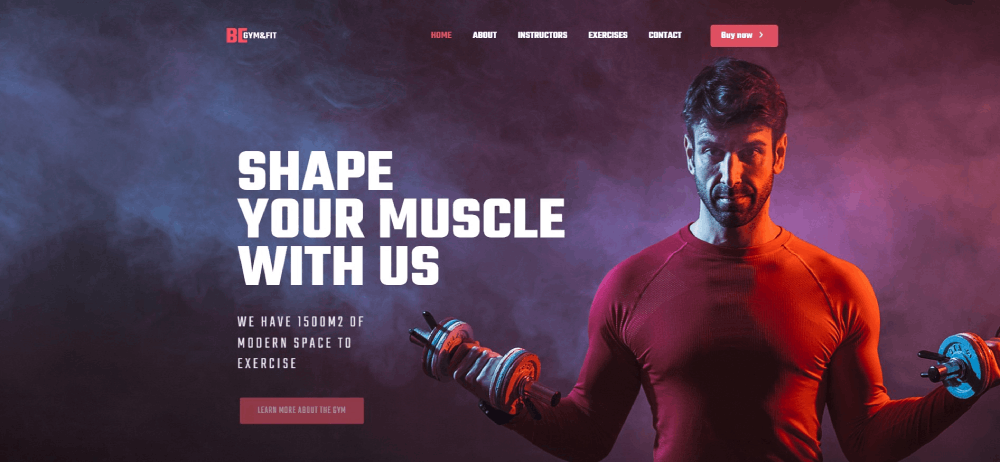
BE Gym 3
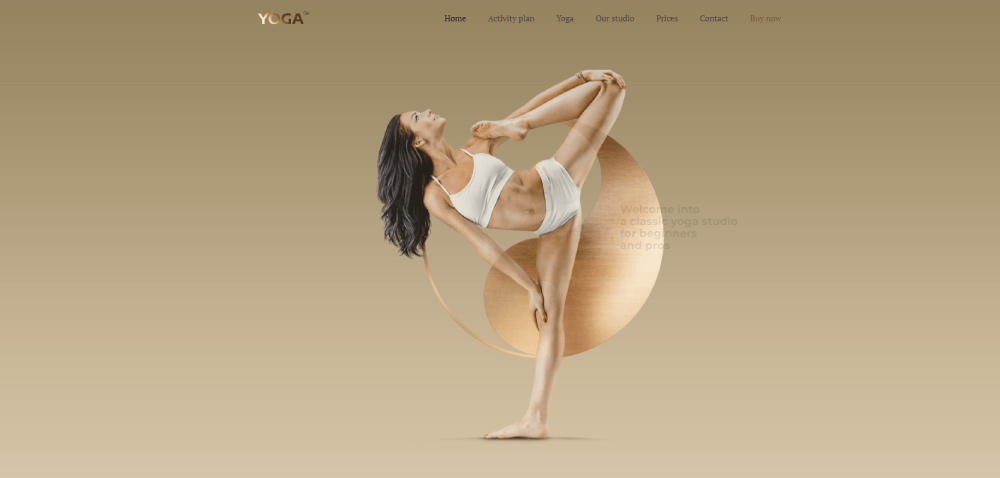
BE Yoga 2
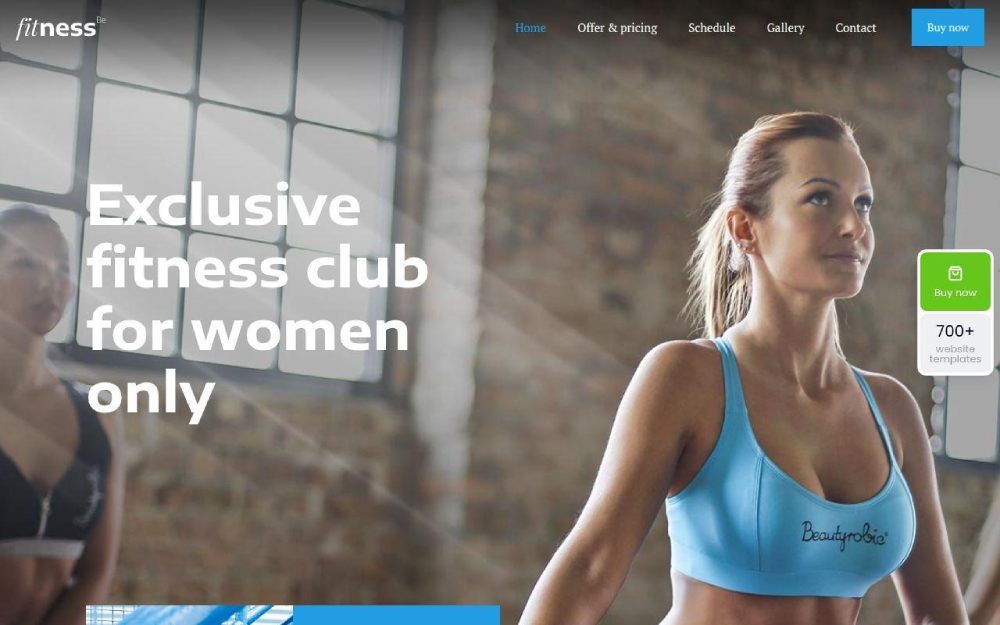
Fitness 2
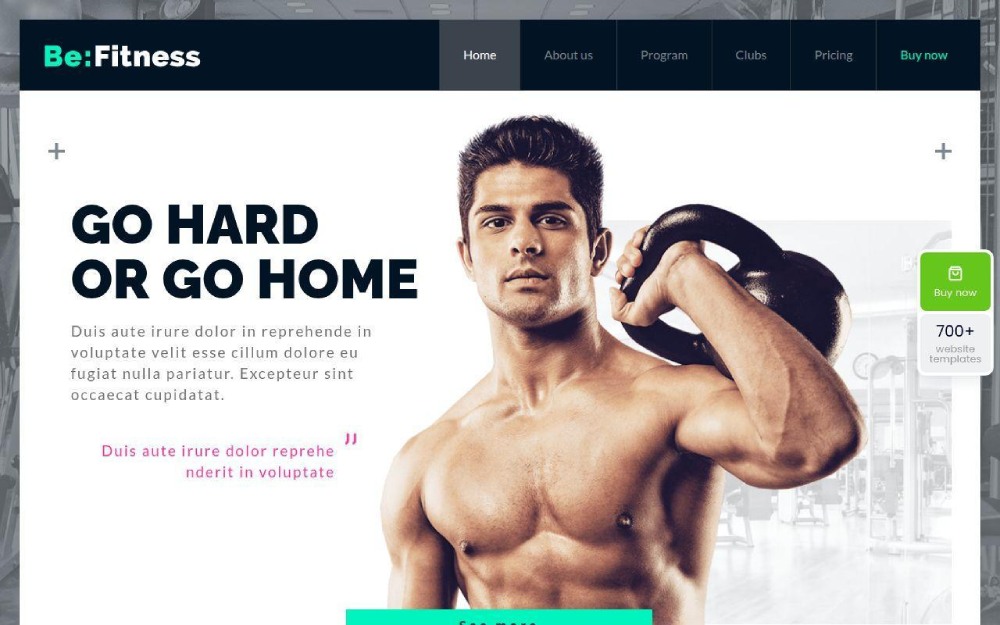
BE Fitness
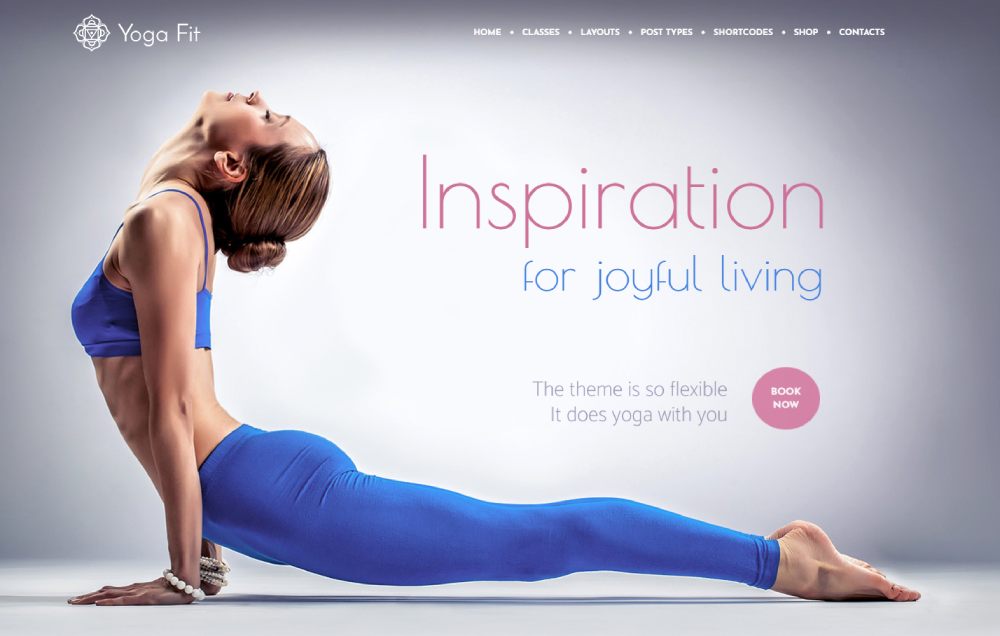
Yoga Fit
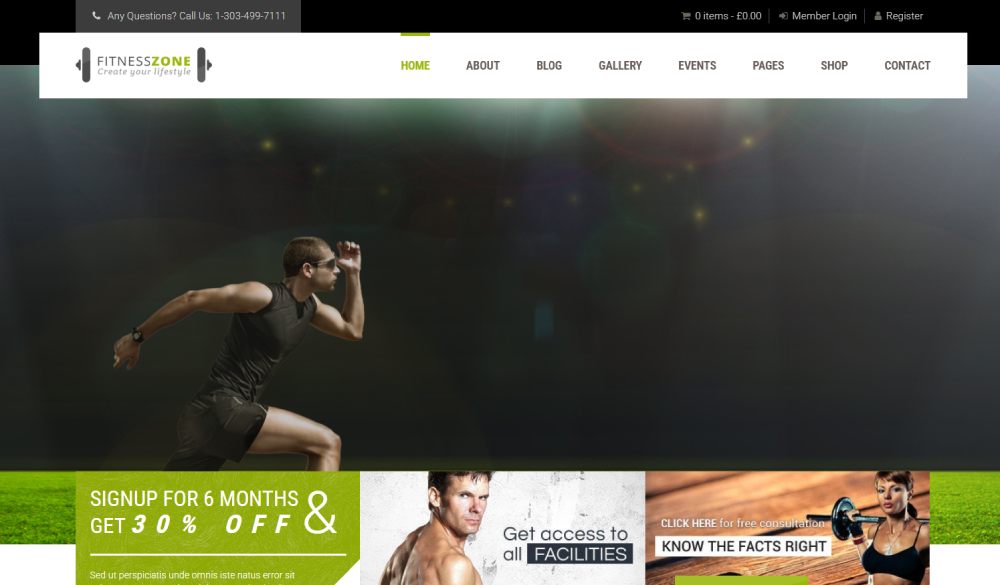
Zone
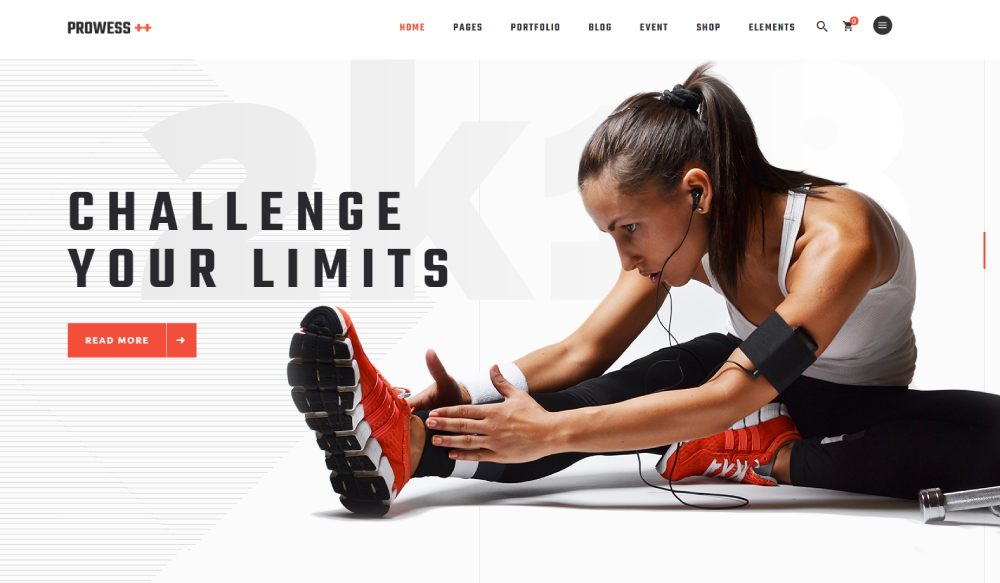
Prowess
Powerlift

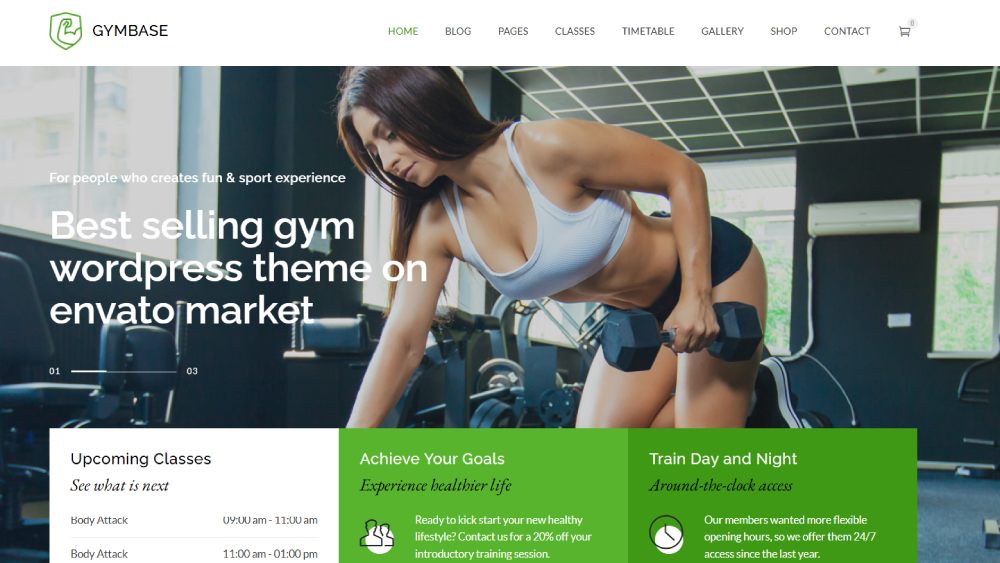
GymBase
Gym Edge
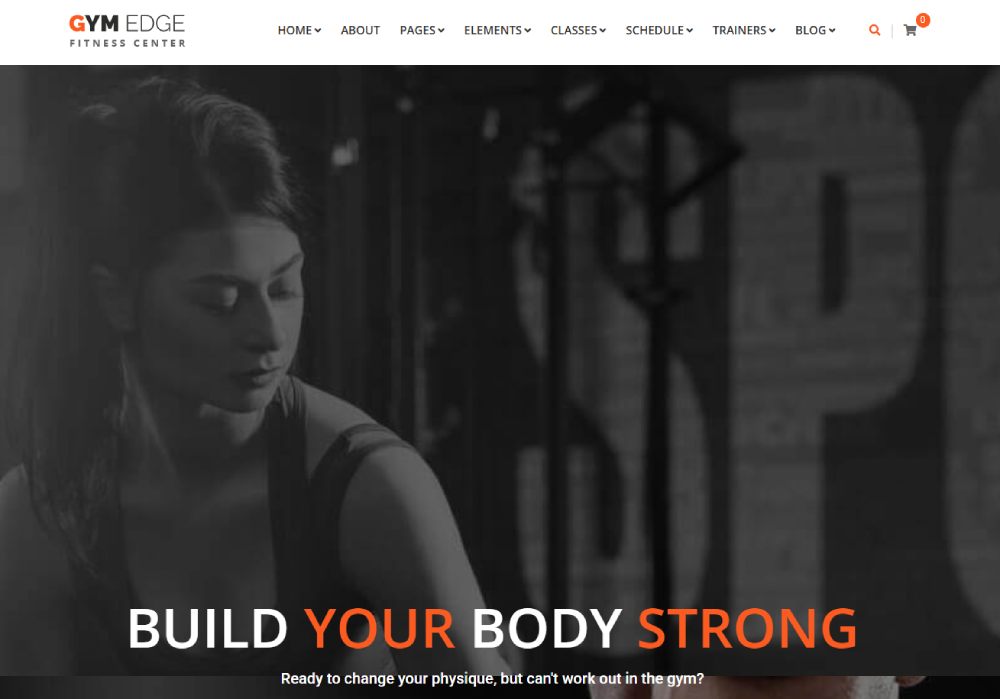
TopFit

Gymat
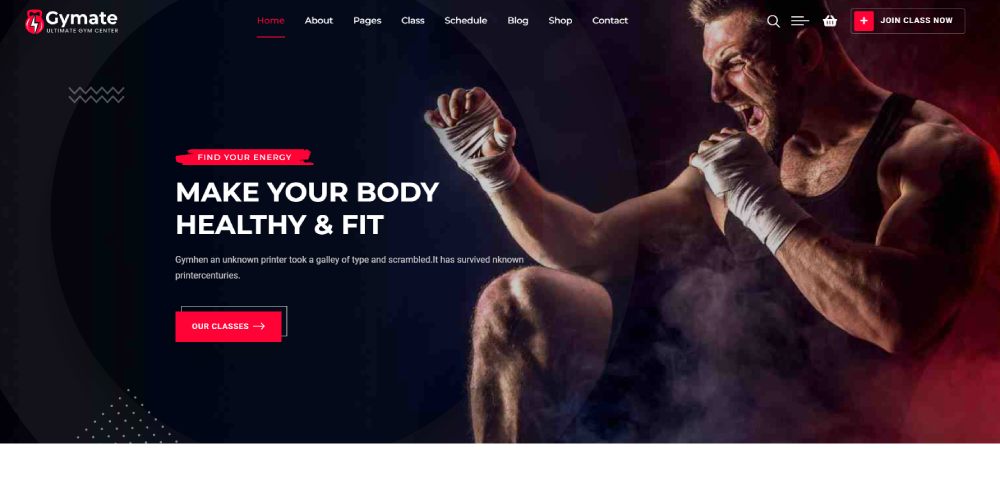
Vive

Anahata
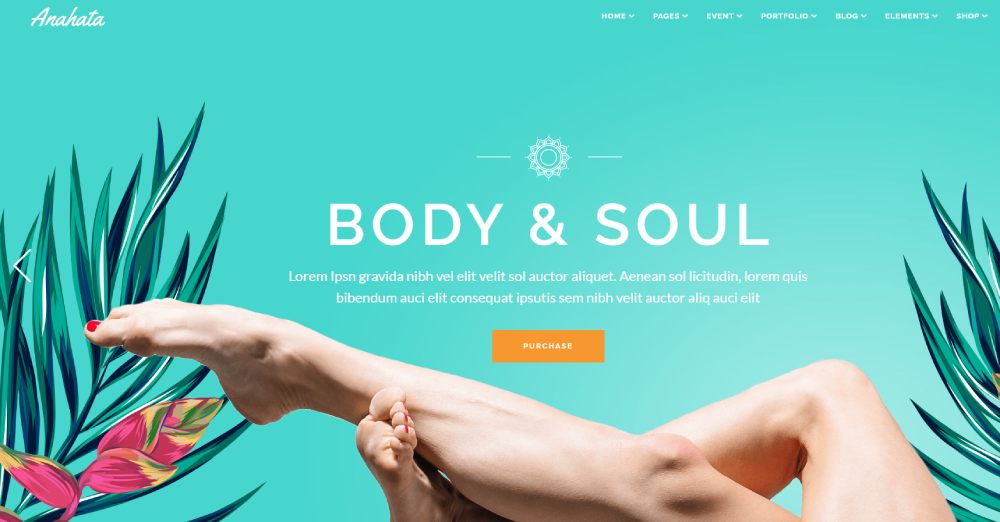
Zele

Mantra
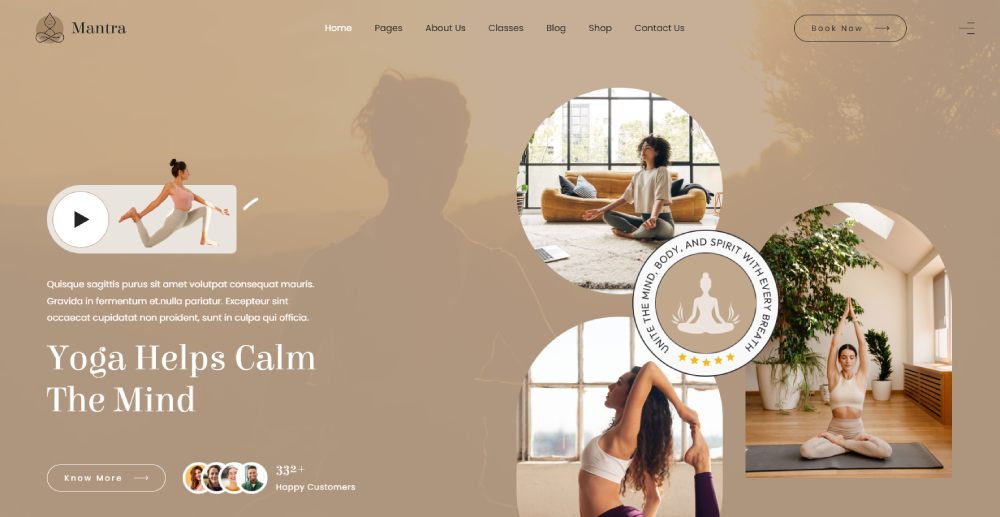
Gameplan

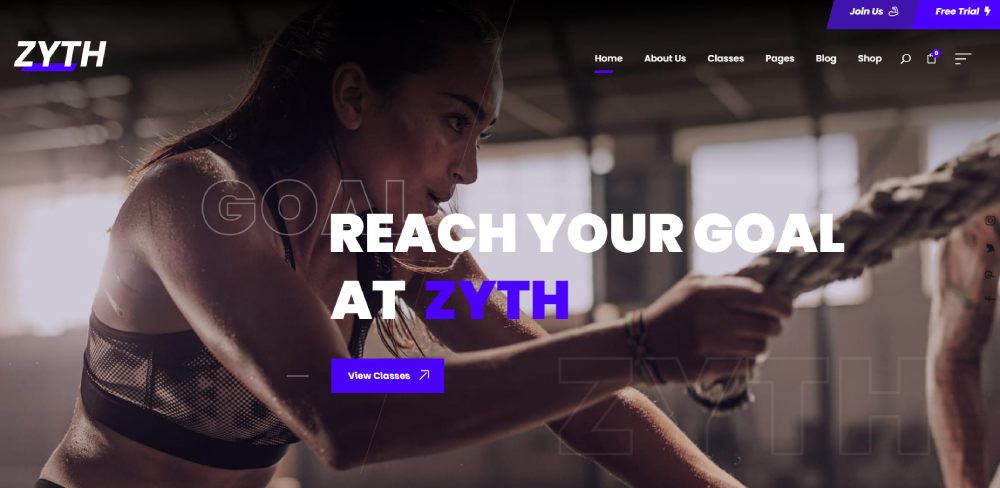
Zyth
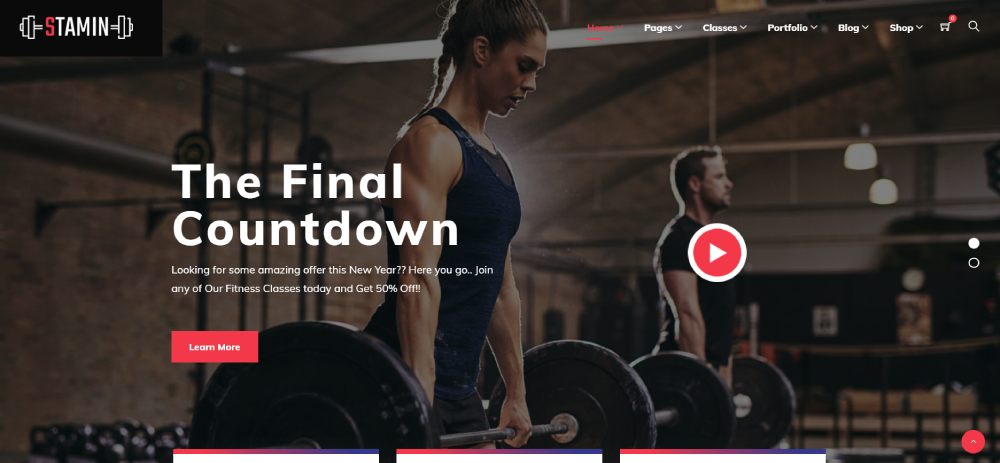
Stamin
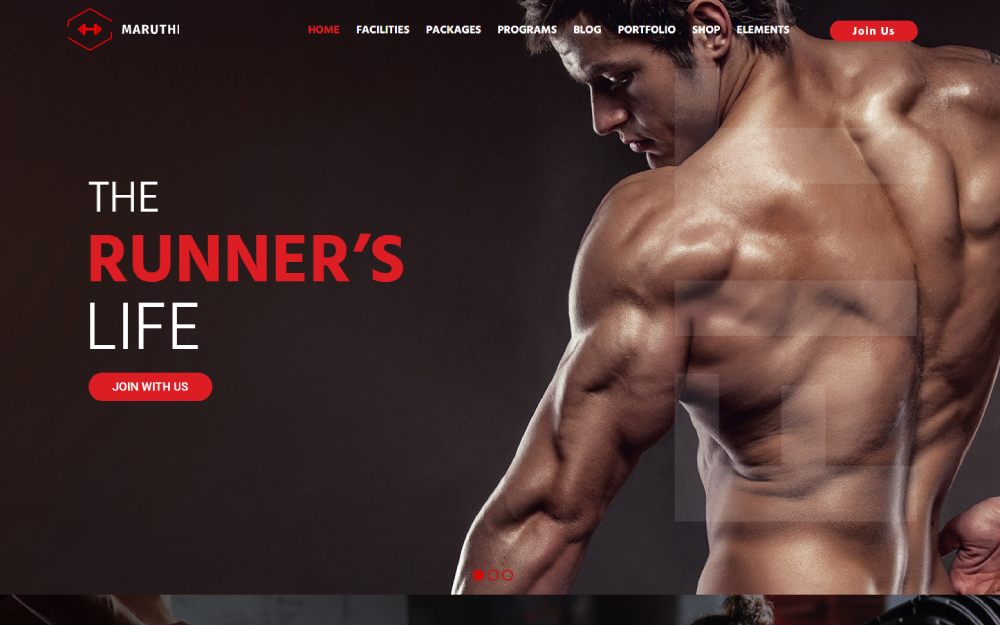
Maruthi
What Makes a Good Fitness Website Template?
Picking a template based on how it looks in the preview is a mistake I've watched people make for years. The preview always looks incredible. Then they start customizing, swap in their own photos, and everything falls apart.
A good fitness website template holds up after you change the content. That is the real test.
Mobile Responsiveness Comes First
Over 76% of fitness website traffic comes from mobile devices (Zipper). People are searching "gym near me" between sets, scrolling through class schedules on the bus, checking pricing while standing in a parking lot.
A non-responsive template can push bounce rates up by 67%. Google research shows that when a page takes more than 3 seconds to load on mobile, 53% of visitors leave.
If the template demo does not look right on your phone, skip it. No amount of desktop beauty matters if the mobile first design is broken.
Built-In Booking and Scheduling
Zipper's research found that online class booking systems increase conversions by 35% on gym websites. Directing users to a third-party booking platform instead cuts conversion rates by up to 30%.
Look for templates with native scheduling support or tight integrations with tools like Mindbody, ClassPass, or Trainerize. The booking flow should feel like part of the site, not a detour.
Speed Out of the Box
Page speed kills quietly. Google's data shows conversion rates drop by 4.42% for each additional second of load time. BBC's testing found they lose 10% of users for every extra second.
A bloated WordPress theme packed with 15 demo layouts and 40 bundled plugins will crawl. Check the template's Google PageSpeed Insights score before buying. Anything under 70 on mobile is a red flag.
Visual Hierarchy and CTAs
70% of small business websites do not include a call to action button (Sagapixel). For a fitness site, that is a huge miss.
The best fitness templates put the "Book a Free Class" or "Start Your Trial" button where it cannot be ignored. Visitors form an opinion about your site in 50 milliseconds (CXL). The hero section needs to do the heavy lifting immediately.
Free vs. Premium Fitness Website Templates
The website template market is valued at $1.3 billion as of 2023, with a projected 7.5% annual growth rate through 2028 (Statista). That number reflects a real split between free and paid options, and the decision matters more than most people think.
Free templates are fine for testing an idea. Premium templates are for building a business. Knowing which situation you are in saves a lot of frustration.
What You Lose With Free Templates
Support and updates are the biggest gaps. Free WordPress fitness themes rarely get security patches or compatibility updates when WordPress rolls out a new version. Premium themes from ThemeForest typically include 6-12 months of support and lifetime updates.
Free templates also tend to share the same handful of layouts. When three other gyms in your area have the same homepage structure, your site blends in instead of standing out.
ThemesCamp's research found that businesses using premium themes convert up to 3.7x more prospects than those using basic free alternatives.
When Free Is the Right Call
Not every fitness site needs a $79 theme. Free works perfectly in a few scenarios:
- You are a trainer building a portfolio site to test demand before investing
- You are launching a fitness blog and do not need booking or ecommerce features
- You plan to overhaul every template, making the starter design irrelevant
WordPress.org has over 13,000 free themes in its directory (W3Techs, 2025). A lightweight free theme paired with Elementor can produce surprisingly good results if you invest time in customization.
Price Ranges for Premium Fitness Templates
|
Platform |
Typical Range |
What's Included |
|---|---|---|
|
ThemeForest (WordPress) |
$19 – $89 (One-time) |
Theme file + 6 months support (updates usually lifetime) |
|
Webflow Marketplace |
$49 – $169 (One-time) |
Responsive template + CMS structure + (often) Figma files |
|
Squarespace |
$16 – $99 /mo |
Hosting, SSL, all templates, and domain (1st year) |
|
Wix |
$17 – $159 /mo |
Hosting, SSL, 900+ templates, and marketing/SEO tools |
Compare those numbers to hiring a custom web designer, which typically starts at $2,000-$5,000 for a basic fitness site. Templates are a fraction of the cost for 80% of the result.
How to Customize a Fitness Website Template Without Breaking It
75% of people judge a brand's credibility based on website design (Kinesis). But here is the thing: the template is only the starting point. What you put into it determines whether the site looks custom or cookie-cutter.
Most people start by changing colors and swapping logos. That is backwards.
Start With Content, Not Colors
Write your copy first. Get your photos organized. Figure out your class schedule, your pricing tiers, your trainer bios. Then pick the template that fits the content.
Too many gym owners pick a template because the demo looks good, then struggle for weeks trying to make their actual content fit the layout. The template should serve the content. Not the other way around.
Approach it like building a user friendly website, not a pretty one. Function first, aesthetics second.
Font Pairing for Fitness Brands
Bold sans-serifs dominate fitness web design for a reason. They communicate energy and confidence. Pair a heavy display font for headings with a clean, readable body font and you have covered 90% of the typography decisions.
Avoid using more than two font families on the site. Three at most. Anything beyond that creates visual noise and slows page load times, since each Google Fonts family adds an extra HTTP request.
Common Customization Mistakes
Overloading the homepage: cramming every service, every trainer, every testimonial above the fold. Less is more. Direct users deeper into the site instead of overwhelming them.
Ignoring mobile preview: 88% of users say their expectations for digital experiences have increased since 2020 (Salesforce). Always preview your changes on mobile before publishing. What looks great on a 27-inch monitor can be unreadable on a phone screen.
Killing the breathing room: white space between sections is what makes a site feel professional. Cramming elements together to "fit more on the page" is a hallmark of bad design.
Stock Photos vs. Original Photography for Fitness Sites
Marketing Experiments found that visitors who saw a real photo of an actual customer were 35% more likely to sign up compared to those who saw the top-performing stock photo (CXL). For fitness sites, this difference is even more pronounced.
Stock gym photos are instantly recognizable. The same "woman doing a deadlift in a spotless gym" image appears on thousands of fitness websites. MDG Advertising data shows 67% of online shoppers prioritize high-quality images when making purchase decisions.
If hiring a photographer is not in the budget right now, an iPhone shoot with decent natural lighting can outperform generic stock. Unsplash and Pexels have dedicated fitness collections that are better than most, but even those should be temporary placeholders.
Fitness Website Templates With E-Commerce Built In
The global e-commerce fitness products market is estimated at $15 billion in 2025, growing at 12% CAGR through 2033 (Archive Market Research). The U.S. dietary supplements market alone hit $67.09 billion in 2024 (Polaris Market Research).
Fitness businesses that only sell memberships and sessions are leaving significant revenue on the table. Templates with ecommerce functionality built in make it possible to sell physical and digital products from day one.
Shopify Fitness Themes
Best for: supplement brands, apparel lines, and fitness equipment retailers. Shopify handles payment processing, inventory, and shipping out of the box.
Shopify holds a 4.8% global CMS market share (W3Techs, 2025), making it the second-largest platform after WordPress. Its fitness-oriented themes include dedicated product page layouts with variant selectors, size guides, and ingredient lists for supplements.
Nike Training Club and supplement brands like Ritual both run their digital storefronts on Shopify-based infrastructure, proving the platform scales for fitness ecommerce.
WooCommerce-Ready WordPress Templates
WooCommerce powers roughly one-fifth of all WordPress websites (WPBeginner). For fitness business owners already on WordPress, adding a WooCommerce-compatible template is the fastest way to start selling.
Look for templates that handle both digital and physical products. A personal trainer selling workout PDFs and protein shakers from the same site needs a template that does not treat these as an afterthought.
The checkout experience matters. Directing users to third-party payment pages drops conversion rates by up to 30% (Zipper). Templates with Stripe and PayPal integration baked into the checkout flow keep buyers on-site through the entire purchase.
Templates for Selling Digital Fitness Programs
Online coaching and digital program delivery is where the biggest margins live. Selling a $49 workout plan PDF costs nothing to fulfill after the first version is created.
The best templates for this use case support:
- Gated content areas behind a login (for video courses and program libraries)
- Recurring subscription payments through Stripe or PayPal
- Download delivery after purchase (automatic, not manual email attachments)
Templates designed for coaching websites often include these features natively. If the template does not support them, plugins like LearnDash or Restrict Content Pro can fill the gaps on WordPress.
How to Pick the Right Fitness Website Template for Your Brand
After looking at dozens of options across WordPress, Squarespace, Wix, and Webflow, the decision can feel paralyzing. But it does not need to be.
The right template is the one you actually finish customizing and launch. A "perfect" template that stays in draft mode for six months is worth nothing.
Match the Template to Your Business Model
In-person gym or studio: prioritize class scheduling, facility galleries, and Google Maps integration. Pricing tables and a strong header with a booking CTA are non-negotiable.
Online coaching business: focus on video hosting support, member login areas, and payment processing for digital products. The website layout should lead with credibility (results, testimonials, credentials) since visitors cannot walk through your door first.
Hybrid model: you need both. Pick a template flexible enough to handle a class schedule, an ecommerce store, and a content area for blog posts or training tips. WordPress with WooCommerce usually wins here because of plugin flexibility.
Platform Selection Based on Technical Comfort
|
Your Skill Level |
Recommended Platform |
Why |
|---|---|---|
|
No tech experience |
Wix or Squarespace |
Pure drag-and-drop; AI builders handle the layout, hosting, and security. |
|
Some website experience |
WordPress + Elementor |
High "customization-to-effort" ratio; massive plugin ecosystem for any feature. |
|
Design background |
Webflow |
Pixel-perfect control without writing code; ideal for high-end animations. |
|
Developer or Agency |
Headless CMS or Custom WP |
Absolute flexibility, optimized performance, and total ownership of the stack. |
Squarespace and Wix trade customization depth for speed and simplicity. WordPress trades simplicity for power. Webflow sits in between, offering design freedom with a steeper learning curve. No platform is universally "best," just best for your specific situation.
The Launch Checklist
Before going live with any fitness template, run through these checks. Skipping them is how sites end up looking unfinished or performing poorly in search.
- Test every page on mobile (not just the homepage)
- Run Google PageSpeed Insights and fix anything under 70
- Verify that booking or contact forms actually deliver submissions
- Check that images are compressed (large gym photos can destroy load times)
- Make sure your website navigation makes sense to someone visiting for the first time
A solid fitness website template, properly customized with real photos, clear copy, and a working booking system, can outperform a $10,000 custom build. Most gym owners and trainers do not need anything more complex than that. Pick the template, finish it, and ship it. You can always refine later. The site that goes live today beats the "perfect" site that launches next year.
A gym with no website is a gym that does not exist to most people searching on their phones right now. And a gym with a bad website? That might be worse.
Fitness website templates solve both problems. They give personal trainers, yoga studios, CrossFit boxes, and boutique gyms a professional online presence without the $5,000+ price tag of a custom build.
But not all templates are built the same. Some look great in the demo and fall apart the second you swap in your own photos. Others ship with class booking integrations, WooCommerce support, and mobile responsive layouts that actually convert visitors into members.
This guide covers the best fitness website templates across WordPress, Squarespace, Wix, and Webflow, what separates a good template from a bad one, and how to customize without breaking things.
Conclusion
The right fitness website template turns a blank screen into a functioning business asset in a weekend. Whether you are a solo trainer on Squarespace or a multi-location gym running WordPress with Elementor, the template handles the design so you can focus on clients.
Prioritize mobile responsiveness, fast page speed, and a booking system that keeps visitors on-site. These three things matter more than any color scheme or font pairing.
Skip the stock photos when you can. Real images of your space, your trainers, and your members build trust faster than anything a template provides by default.
Pick a template that fits your budget and technical comfort. Customize it with real content. Launch it. A live site generating leads today beats a "perfect" redesign stuck in draft mode for months. Your next member is searching right now.
























