



Artist Website Templates to Showcase Your Portfolio
May 12, 2026
The Best Medical Website Templates for Modern Clinics
May 18, 2026Your event deserves more than a generic webpage with a date and a registration link.
Event website templates give organizers a purpose-built starting point, with countdown timers, speaker profiles, agenda blocks, and ticketing integrations already in place.
Whether you're running a multi-day conference, a music festival, or a single webinar, the template you pick shapes how attendees experience your event before they ever show up.
This guide covers what to look for in a high-quality event template, which platforms offer the best options, how registration and SEO fit into the picture, and how to avoid the setup mistakes that quietly kill conversions.
What Is an Event Website Template?
An event website template is a pre-built web layout designed specifically to promote, manage, and sell tickets for events. Unlike a generic website theme, it ships with structure and components that event organizers actually need from day one.
The distinction matters more than people realize. A general business theme can technically host an event page, but you'll spend hours adding blocks that should already be there. An event-specific template starts with them built in.
What an Event Website Template Includes
Most event templates ship with 6 core components: countdown timer, registration form, speaker profile section, agenda/schedule block, ticketing integration, and a venue map embed.
The countdown timer is usually tied to the event date field. Change the date, the timer updates automatically. Same logic applies to speaker cards and session listings in well-built templates.
Splash data from 2024 shows that 94.6% of high-performing events ask fewer than 20 questions in their registration forms. Templates that ship with lean, focused forms tend to outperform those with bloated multi-step flows out of the box.
Static vs. Dynamic Event Templates
Static templates deliver a fixed promotional page with no backend. Good for single-session webinars, product launches, and small local events where you just need a URL to send people to.
Dynamic templates connect to a CMS or event management platform. Session listings update from a database, speaker profiles pull from structured data, and attendee counts reflect in real time.
|
Type |
Best For |
Ticketing |
CMS Needed |
|---|---|---|---|
|
Static HTML |
Single-event landing page |
Embedded widget |
No |
|
WordPress theme |
Annual conferences, recurring events |
Plugin-based |
Yes |
|
Webflow template |
Design-forward single events |
Third-party embed |
Optional |
|
Platform-native |
Wix/Squarespace users |
Native |
Built-in |
Choosing the wrong type creates problems that customization can't fix. A static template can't power a 3-day conference with 40 sessions. A dynamic WordPress theme is overkill for a one-off networking night.
Event Website Templates To Try
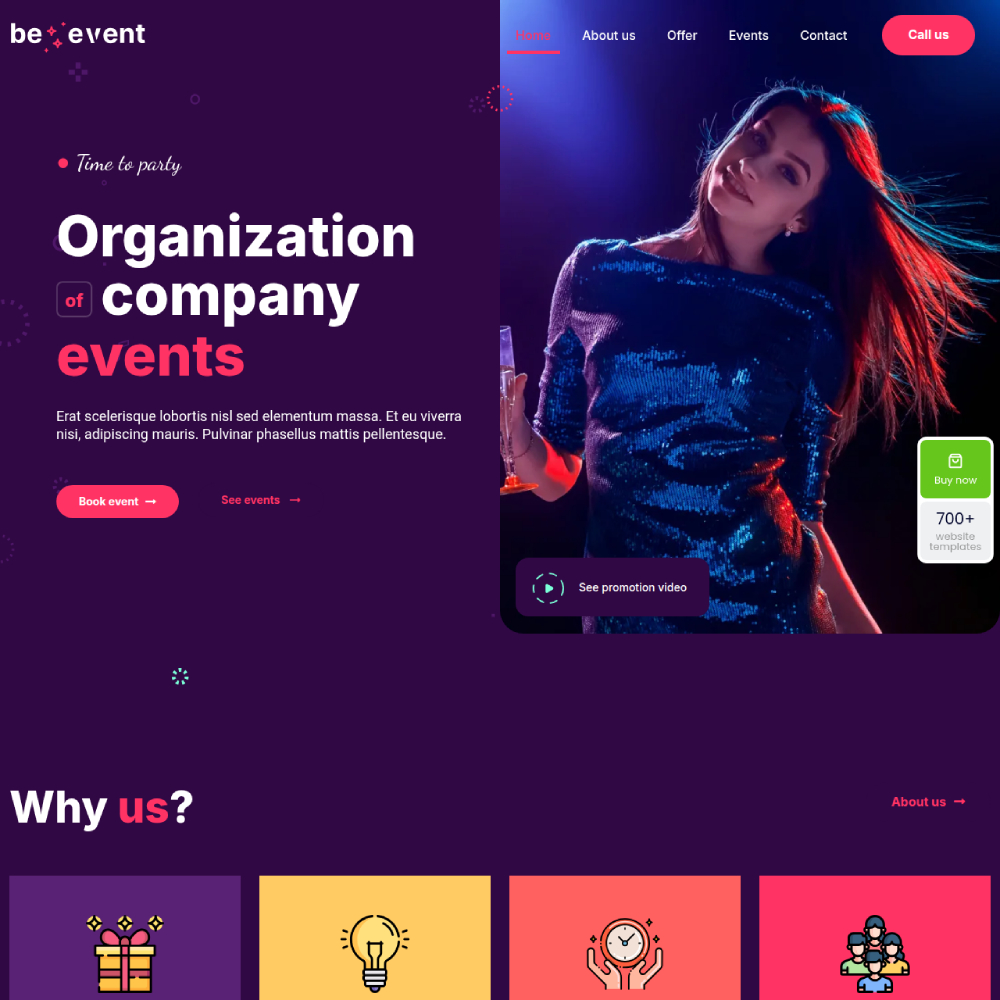
Be Event 8
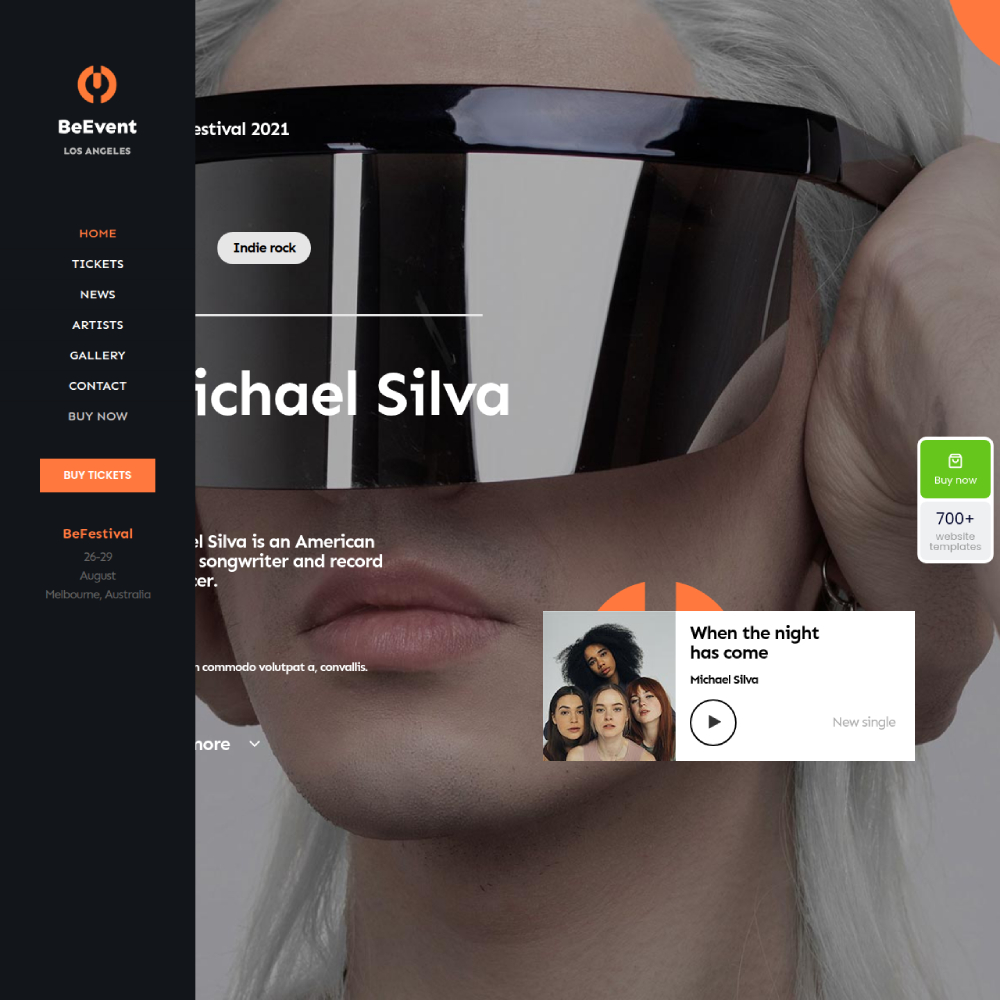
Be Event 7
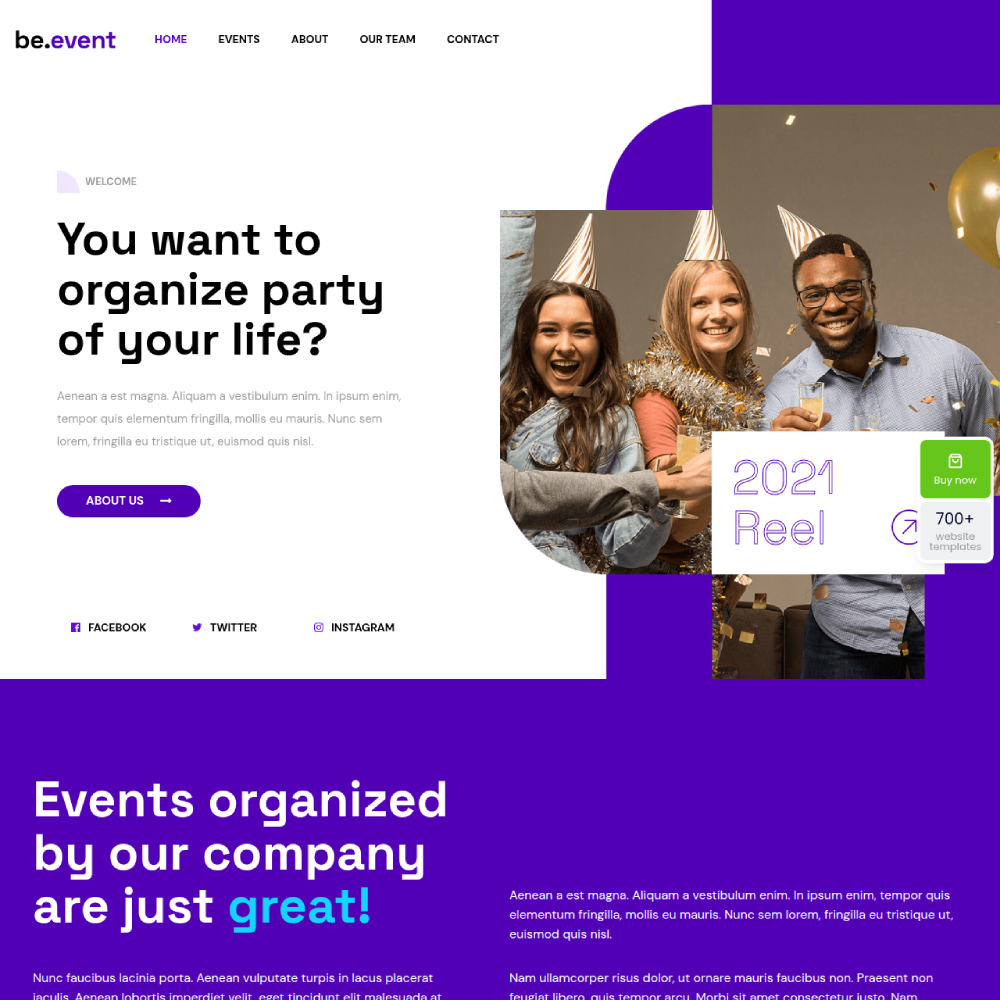
Be Event 6
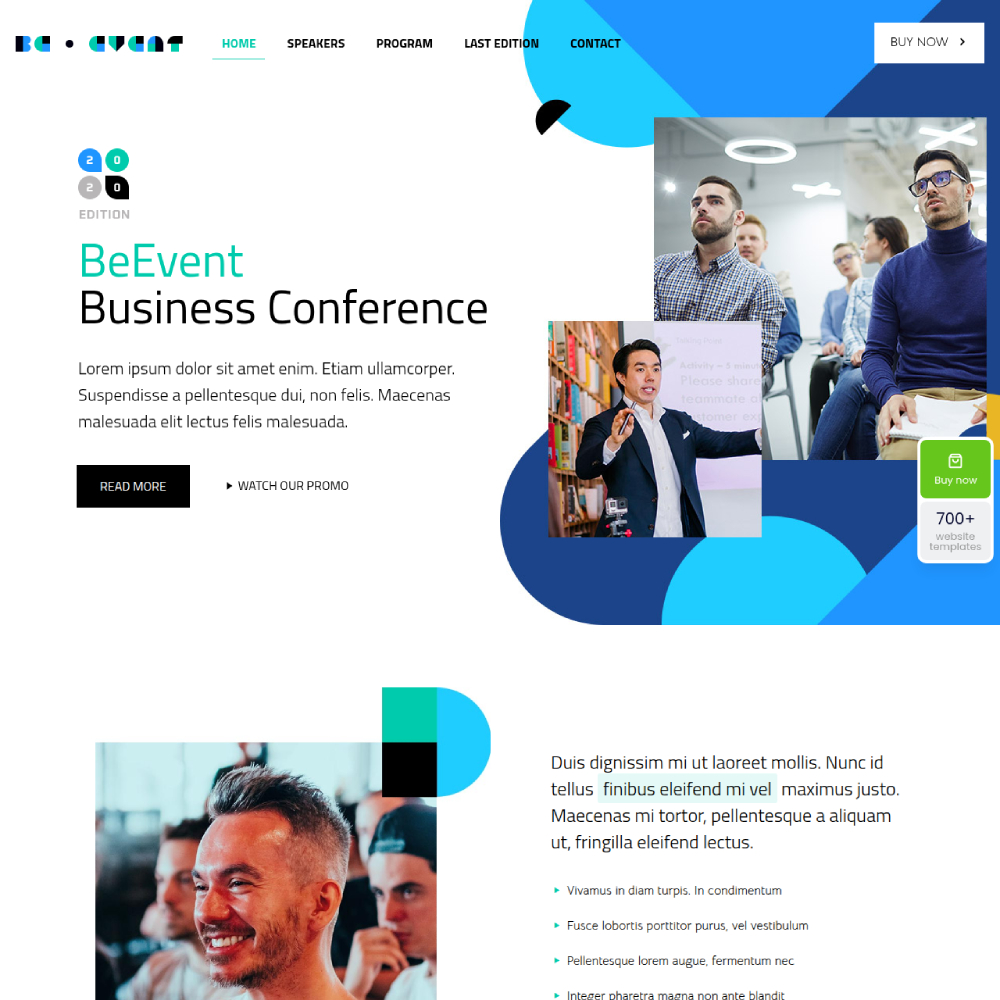
Be Event 5
Lumai

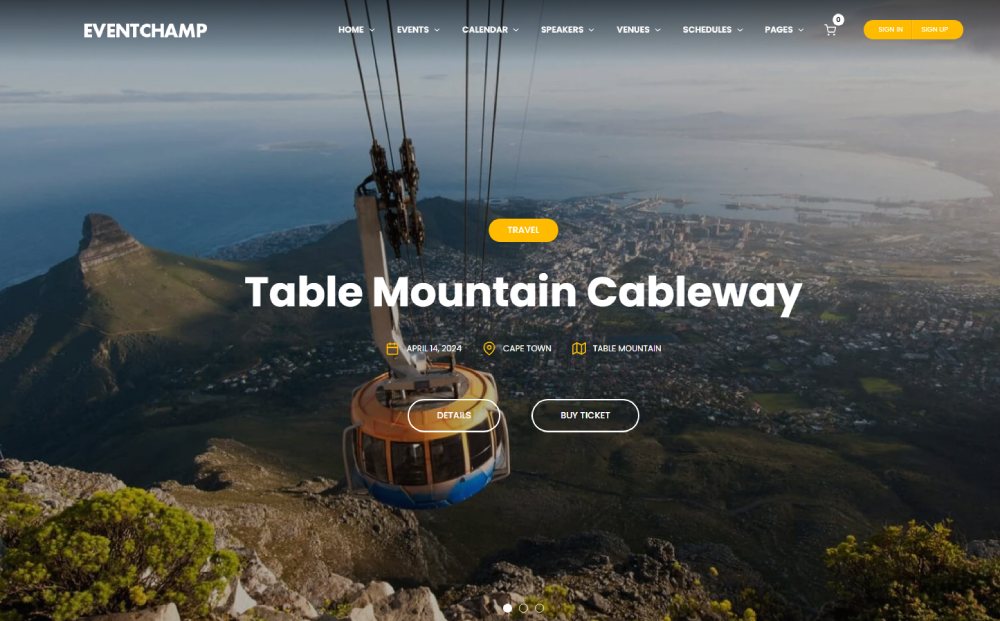
Champ
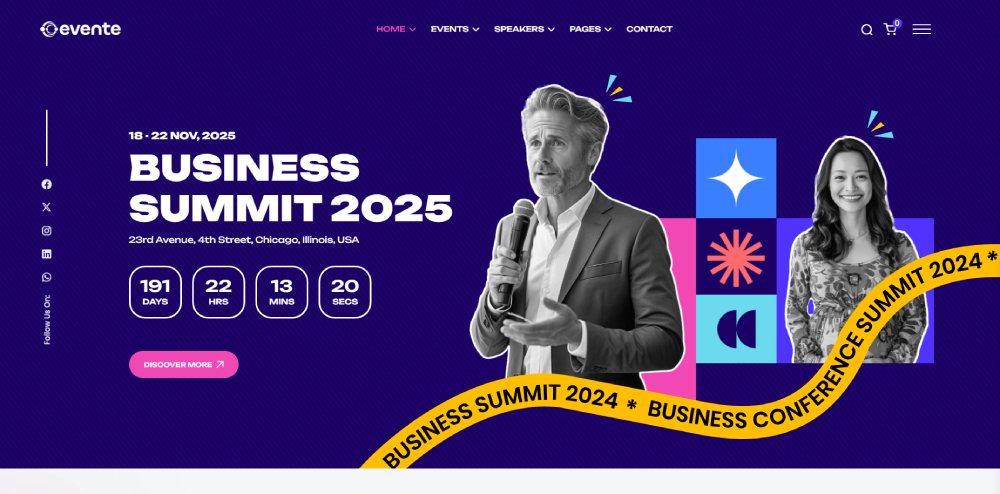
Evente
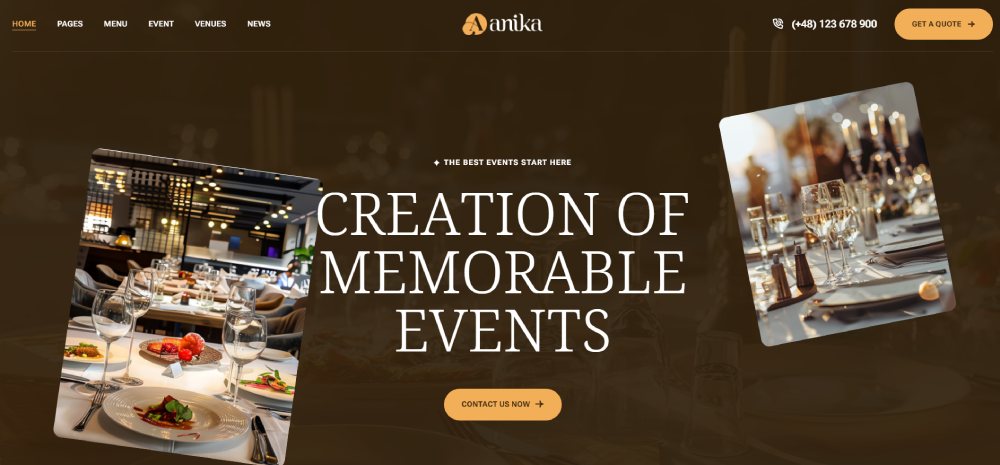
Anika
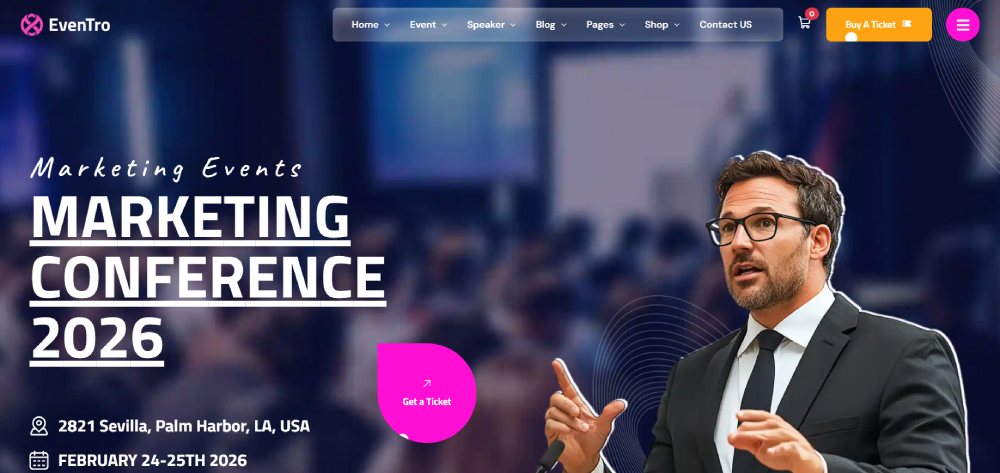
Eventro
The Keynote
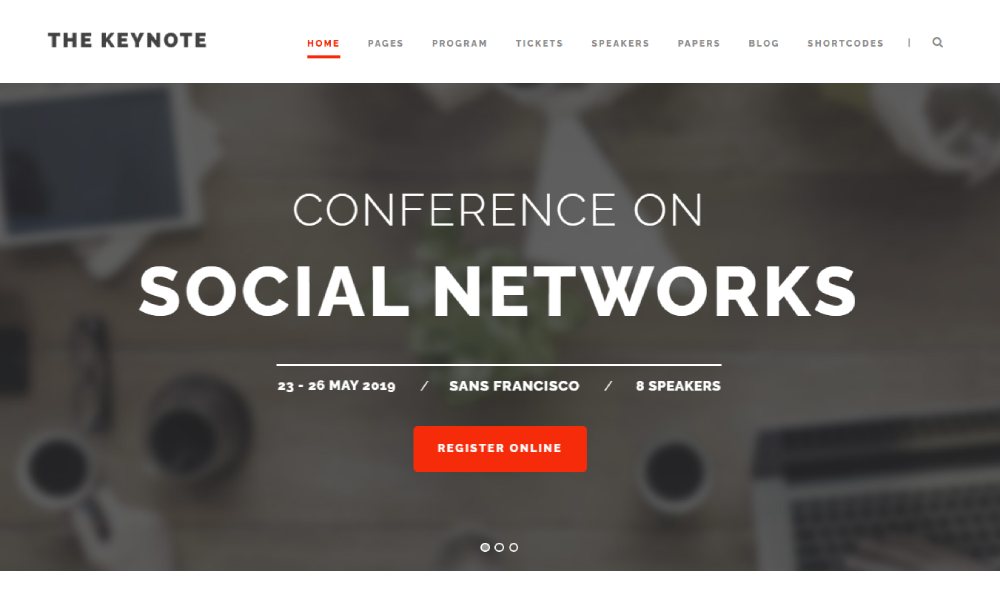
Grand Conference

Evently
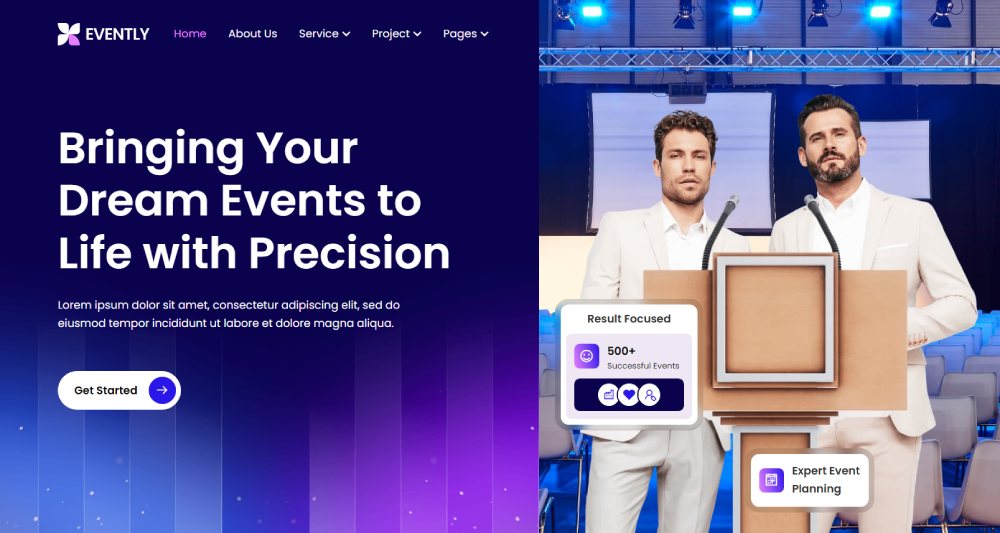
Evevit

University

Eventer
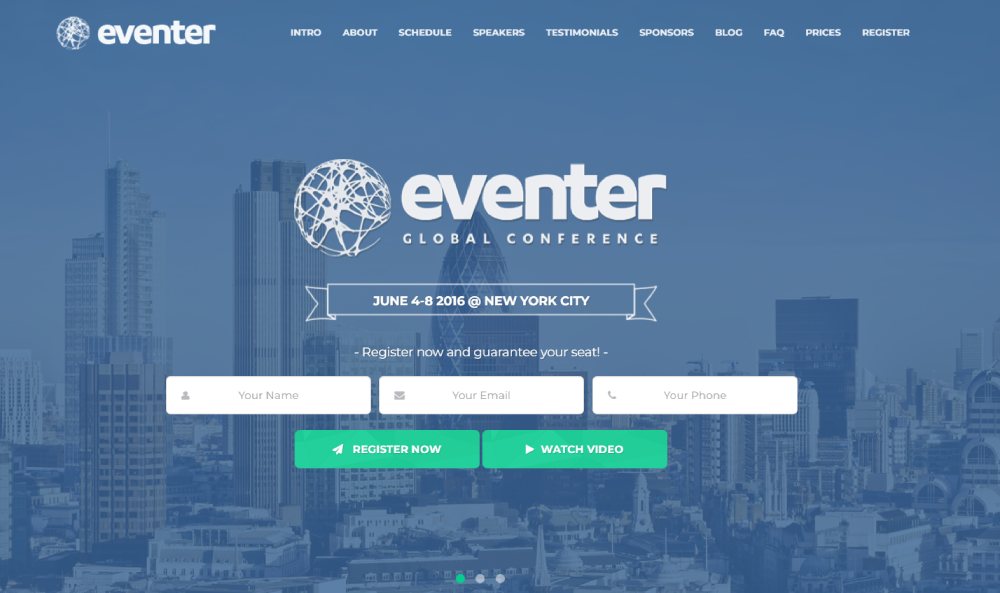
EvnTalk
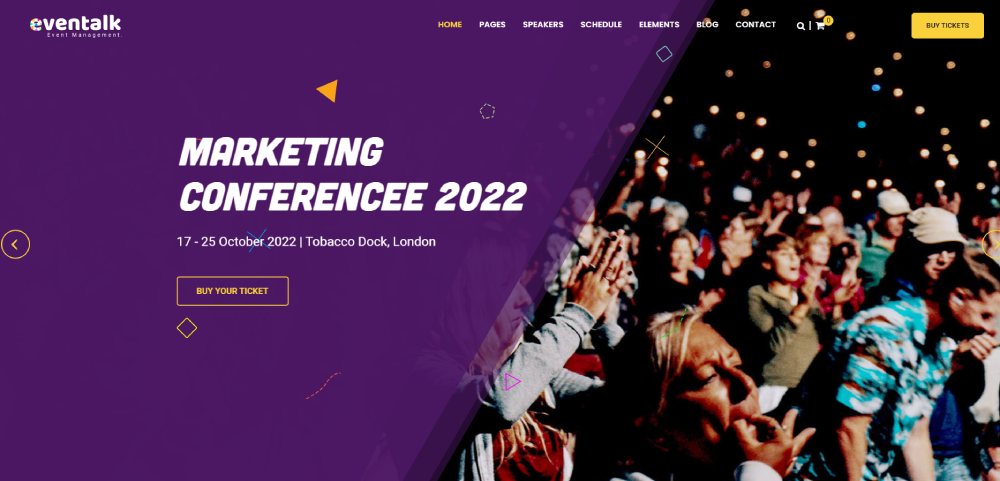
Agora

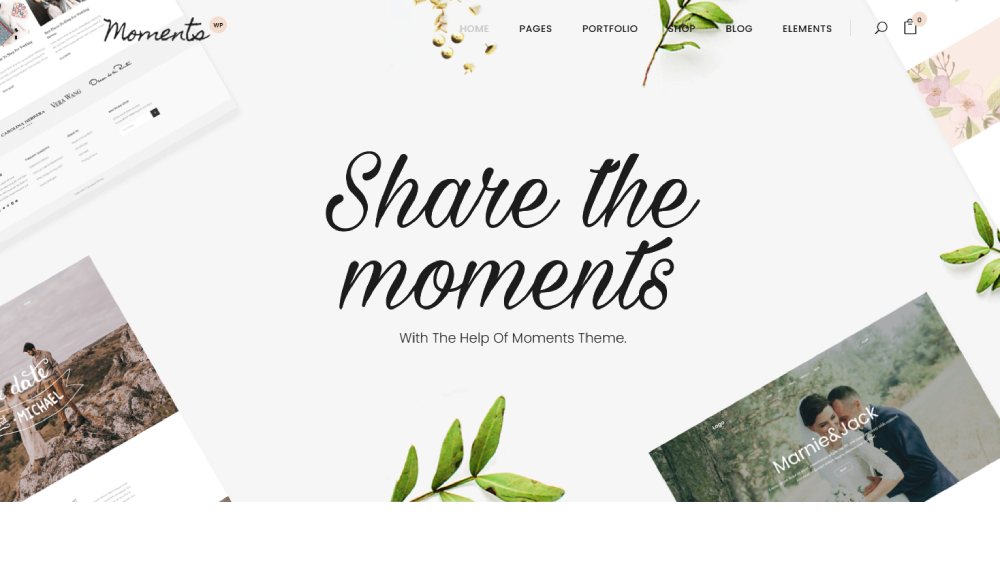
Moments
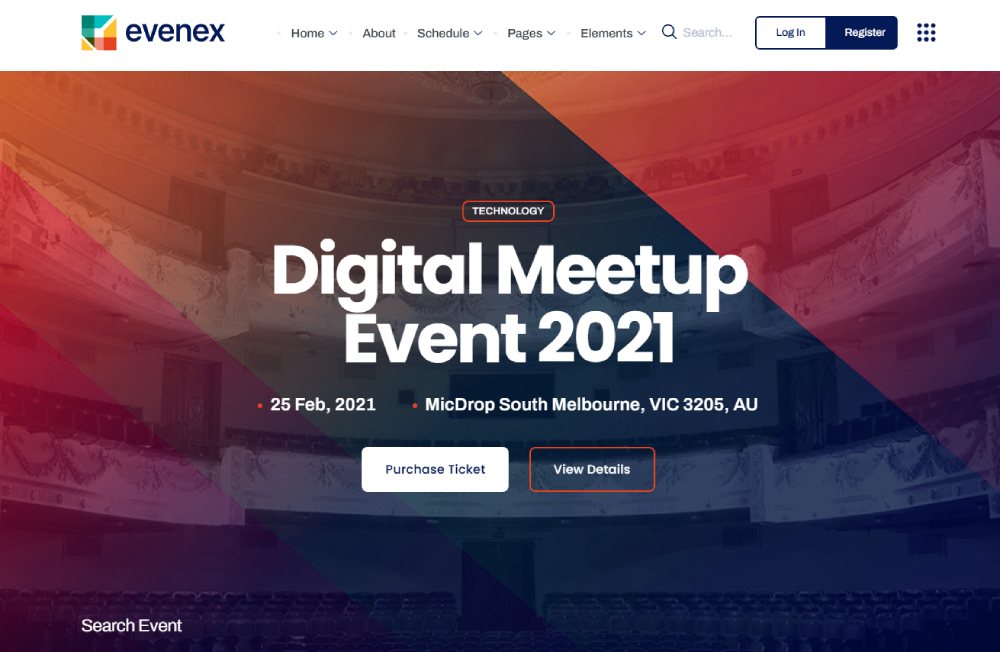
Evenex
Exhibz

Eventics
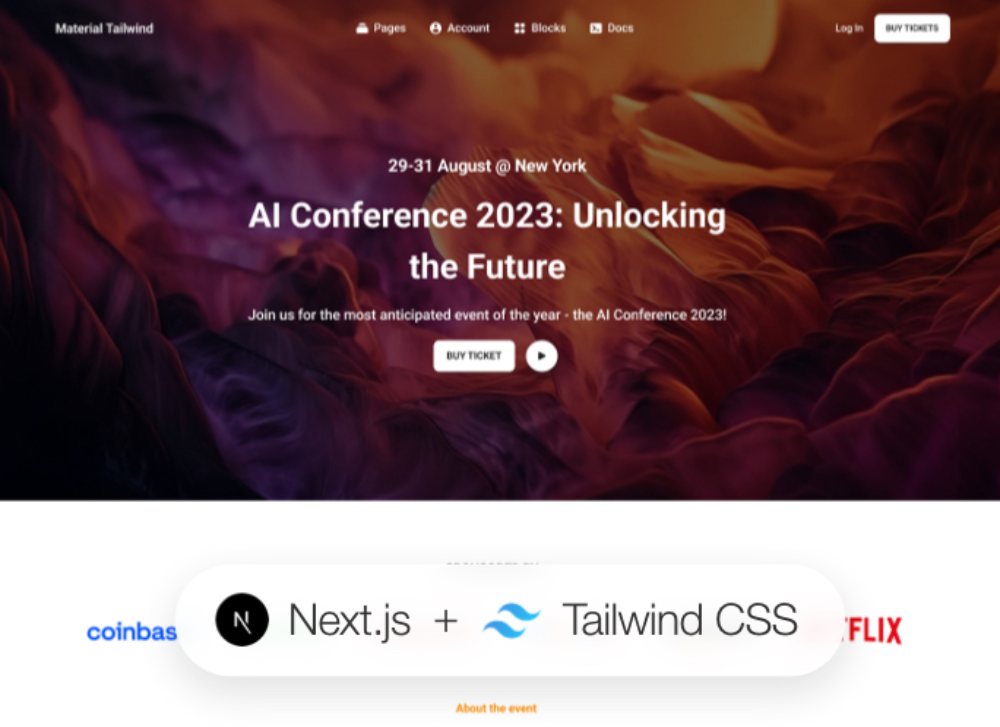
What Types of Events Use Dedicated Website Templates?
Event website design requirements change dramatically based on event category. A music festival website needs a completely different layout than a corporate product launch. The template category you choose determines what components are prioritized in the design.
Event websites grew by 52% annually between 2022 and 2024, according to Momencio, which tells you the online presence side of event planning has become non-negotiable across every format.
Conferences and Corporate Events
These need the most structural complexity. Multi-day agendas, speaker archives, sponsor tiers, and breakout session selection are all standard requirements.
Conference templates typically include:
- Tab-based schedule navigation by day or track
- Speaker profile grid with headshots, bios, and session links
- Tiered ticket types (early bird, general, VIP)
- Sponsor logo placement in dedicated tiers
Salesforce Dreamforce is a good real-world reference point. Its event website runs a separate speaker archive, session filtering by product track, and a live registration counter. Most conference templates borrow from this structure even if they simplify it.
Music Festivals and Concerts
Visual-first layouts. The hero section carries most of the conversion weight here. Ticket sales are the primary CTA, not information.
Festival templates prioritize full-width imagery, bold typography, lineup grids, and a persistent "Buy Tickets" button that follows the user as they scroll.
For DJ websites and music event pages, the color scheme and font choice are doing more persuasion work than the copy. That's a different design brief than a B2B summit.
Weddings and Private Events
RSVP form accuracy matters more than ticket volume here. A missed RSVP is a catering problem. Most wedding website templates ship with a custom RSVP form, photo gallery section, venue details block, and a dress code/registry link area.
Virtual and hybrid formats are also growing in this category. Freeman's 2024 data shows 70% of attendees say in-person events are best for professional content, but private event organizers are increasingly adding livestream options for guests who can't travel.
Webinars and Virtual Events
The virtual events market hit $98.07 billion in 2024 and is projected to reach $297.16 billion by 2030 at a 20% CAGR (Grand View Research, 2024). Templates built for virtual events need Zoom or Hopin embed support, a countdown timer, and a simple single-CTA registration form above the fold.
These are closer to event landing pages than full multi-page sites. Speed of setup matters more than structural depth.
What Are the Key Features of a High-Quality Event Website Template?
Most event templates look fine in a preview screenshot. The real differences show up when you try to run an actual event through them. These are the features that separate functional templates from frustrating ones.
Registration and Ticketing Features
Ticket sales and attendee registration are the two primary conversion goals of any event website. Templates that separate these into disconnected systems create unnecessary friction.
What to look for:
- Native Eventbrite widget embed or direct Stripe/Ticket Tailor integration
- Conditional ticket fields (early bird cutoff logic, VIP access gates)
- GDPR consent checkbox with privacy policy link built into the form layout
- Automated confirmation email trigger on form submission
Splash research confirms that high-performing registration forms stay under 20 questions. Templates that ship with 30-field default forms need to be cut back before launch, which adds unnecessary setup time.
Agenda and Speaker Layout Components
For multi-session events, the schedule block is where most attendees spend the most time on your site. Poor structure here directly reduces session attendance.
Strong agenda blocks include: tab navigation by day, session filtering by track or topic, linked speaker profile cards, and time zone display for virtual events.
Sched.com and Sessionize both offer embeddable schedule widgets that drop into most HTML and WordPress templates without custom development. If a template's native schedule block is rigid, these are the two most common workarounds.
Mobile and Performance Requirements
As of 2024, 54.67% of global web traffic comes from mobile devices (Digital Silk, 2024). An event template that isn't mobile-responsive is losing more than half its potential registrants before they even see the CTA.
Page speed compounds this. Website conversion rates drop by an average of 4.42% for each additional second of load time in the 0-5 second window (Illustrate Digital, 2024). Event templates with heavy sliders, autoplay video heroes, and uncompressed background images regularly hit 4-6 second load times on mobile.
The fix is usually three things: compress hero images below 200KB, defer non-critical JavaScript, and check that the countdown timer plugin isn't loading unnecessary dependencies. Most template providers don't do this by default.
Which Platforms Offer the Best Event Website Templates?
Platform choice determines your ceiling on customization, your floor on setup time, and whether your ticketing and registration tools will actually connect cleanly. Each platform has a different trade-off profile.
|
Platform |
Customization |
Native Ticketing |
Best For |
|---|---|---|---|
|
WordPress |
High |
Plugin-based |
Conferences, recurring events |
|
Webflow |
High |
Third-party embed |
Design-forward single events |
|
Wix |
Medium |
Wix Events app |
Small events, local organizers |
|
Squarespace |
Low-Medium |
Limited native |
Visual-first private events |
|
HTML/CSS |
Full |
Any embed |
Developers, custom deployments |
WordPress Event Templates
WordPress holds a 62.7% CMS market share globally (W3Techs, 2024), which means its event template ecosystem is the largest available. The two most-used plugin stacks are The Events Calendar paired with Divi or Elementor, and Eventin with Astra.
Themes like Eventica and Eventer on ThemeForest ($19-$69) ship with pre-built speaker pages, countdown timers, and schedule blocks. They need The Events Calendar plugin to connect actual event data, which is free in its base version.
The real advantage of WordPress is the integration depth. Mailchimp, HubSpot, Zapier, and Stripe all connect without custom code. That matters for conference organizers running post-event email sequences and lead capture.
Webflow Event Templates
Webflow templates from Flowbase and the Webflow Marketplace (ranging $49-$129) are the best option when design quality is the top priority. The Summit and Confero templates are the two most cloned for conference and summit use cases.
Webflow has no native ticketing. All ticket sales run through embedded Eventbrite widgets or Ticket Tailor checkout links. This is fine for most events, but it means the purchase experience takes the user off-site or into a modal.
Wix and Squarespace Event Templates
Wix has the fastest time-to-launch of any platform. The Wix Events app handles registration, ticket sales, and guest list management natively. Setup for a basic event page takes under an hour. The trade-off is limited layout control, especially for complex multi-day schedules.
Squarespace's event templates look polished, but the schedule and speaker components are basic. Business plan subscribers ($23/month) get access to all premium layouts. For wedding sites and private events where visual quality matters more than functional depth, Squarespace performs well.
HTML and CSS Event Templates
ThemeForest event templates in HTML/CSS format cost $19-$49 and give full control over every element. No platform dependency, no plugin conflicts. The downside is that every integration (ticketing, RSVP, schedule CMS) requires manual implementation.
These templates work best for development teams building event sites for clients, or for organizers with developer resources who want a one-time purchase with no ongoing platform fees. For context on how this compares to other design approaches, responsive website templates across categories follow similar trade-off logic between control and convenience.
How Does an Event Website Template Support Online Registration?
Registration is where most event websites either earn trust or lose it. A slow, confusing, or broken registration experience kills conversions regardless of how good the rest of the site looks.
Splash's 2024 data shows that high-performing events keep registration forms under 20 questions. That's a hard ceiling worth building into your template customization from the start.
Native Form Builders vs. Third-Party Registration Tools
Most event templates ship with a basic contact form, not a purpose-built registration system. That distinction matters when you need conditional fields, payment processing, or automated confirmation emails.
Native form builders (Wix, Squarespace built-ins) handle simple registrations well. Free, no embed required, submissions go directly into your platform dashboard.
Third-party tools add capability that native builders can't match:
- JotForm: 400+ event registration templates, PayPal and Stripe payment integration, conditional logic
- Typeform: conversational form format that increases completion rates for longer registration flows
- Google Forms: zero cost, instant Google Sheets sync, works as an RSVP embed on any template
Eventbrite Widget Integration
Eventbrite's embeddable checkout widget is the most commonly used ticketing integration across event templates. It drops into any HTML template as a JavaScript snippet and loads the full ticket purchase flow inside an iframe.
The widget handles payment processing, ticket delivery, and attendee data storage entirely within Eventbrite's infrastructure. Your template just provides the visual context around it.
One real limitation: Eventbrite's iframe styling can't be overridden from your template's CSS. The checkout always looks like Eventbrite, not your brand. Ticket Tailor and Stripe Checkout allow more visual customization for organizers where brand consistency matters.
GDPR Compliance in Registration Forms
Any event registering EU attendees needs 3 specific elements in the registration form: an explicit consent checkbox, a link to the privacy policy, and a clear statement of how attendee data will be used.
Most premium event templates include placeholder GDPR fields. Free templates often don't. Adding these after the fact is straightforward in Elementor or Webflow, but it's worth checking before launch rather than after a complaint.
Well-designed registration forms are part of broader form design principles. The same rules apply: label clarity, logical field order, single-column layout on mobile, and a visible submit button that doesn't require scrolling to reach.
How Do Event Website Templates Handle Multi-Day or Multi-Track Events?
Single-day events need one schedule block. Multi-day conferences need a full agenda architecture. Most standard website templates can't handle this without significant rebuilding. Event-specific templates built for conferences solve it with dedicated schedule components.
Bizzabo data shows most events contain around 12 sessions on average, which means schedule navigation isn't optional for conference sites. It's the most-used page section after the registration form.
Tab-Based Schedule Navigation
Tab navigation lets attendees switch between days or tracks without reloading the page. Day 1, Day 2, Day 3 as tabs is the standard pattern for multi-day events.
Track filtering adds a second layer: attendees can narrow sessions by topic, format, or audience level. This is standard in templates like Eventica and the Webflow Summit template, where filter controls sit above the schedule grid.
Sched.com and Sessionize both offer embeddable schedule widgets that plug into any HTML or WordPress template. If a template's built-in schedule block lacks filtering, these are the two most practical drop-in replacements.
Speaker Archive Pages and Session Linking
Strong conference templates connect speaker profile pages directly to schedule entries. Click a session, see the speaker bio. Click the speaker, see all their sessions.
This bidirectional linking structure matters for attendee planning and for SEO. Speaker pages indexed separately from the main schedule give the site more crawlable content around the event's topic area.
TED's event website is the most referenced example of this done well. Each speaker has a standalone profile page linked from the schedule grid, and each talk links back to the speaker. Most premium WordPress event themes replicate this structure using custom post types.
Grid vs. List Agenda Layout
Grid layout: parallel sessions displayed side by side by time slot. Best for events with 3+ simultaneous tracks. Attendees see conflicts immediately.
List layout: sessions in chronological order, one column. Cleaner on mobile, easier to scan for specific sessions, but doesn't show parallel tracks at a glance.
Most premium event templates ship both layouts and let organizers toggle between them. Free templates usually offer one or the other.
What Makes an Event Landing Page Template Different from a Full Event Website Template?
These are two different products solving two different problems. Confusing them leads to over-built pages for simple events, or under-built sites for complex ones.
Landing pages with a single CTA convert at 13.5% on average, compared to 10.5% for pages with five or more links (Growform, 2024). For single-session events, that 3-point difference is a meaningful registration lift.
|
Feature |
Landing Page Template |
Full Event Website |
|---|---|---|
|
Pages |
1 |
4-10+ |
|
Navigation menu |
None (or anchor links) |
Full nav required |
|
Speaker section |
Summary grid only |
Dedicated profile pages |
|
Schedule |
Simple list or none |
Full agenda with filtering |
|
Best for |
Webinars, single-day events |
Conferences, annual events |
When to Use an Event Landing Page Template
Single-session webinars, product launch events, paid ad campaigns, and one-off networking nights. The goal is one action: register or buy a ticket.
Good examples of this format include event landing pages built around a single hero section, a short speaker summary, and an Eventbrite or Typeform embed directly below the fold. No navigation, no blog, no sponsor page.
When to Use a Full Event Website Template
Annual conferences, multi-day festivals, recurring events with a content archive, and any event where sponsor visibility is part of the value proposition.
Dreamforce, SXSW, and Web Summit all run full multi-page event websites with speaker archives, schedule filtering, sponsor tiers, press pages, and venue information. These are reference points for what full event site templates are built to replicate at a smaller scale.
The average landing page conversion rate across all industries hit 6.6% in Q4 2024 (Unbounce, 41,000 pages analyzed). For event registrations specifically, focused single-page templates consistently outperform multi-page sites when the event is simple and the traffic is from paid campaigns.
How Do Event Website Templates Integrate with Event Management Tools?
A well-designed event template is only as useful as the tools connected to it. The template handles presentation. The integrations handle operations.
Technavio's 2025 report projects the event management software market will grow by $3.17 billion between 2024 and 2029 at an 8.6% CAGR, driven largely by demand for platform integrations that connect registration, CRM, and communication tools in one workflow.
Ticketing and Payment Integrations
3 integrations cover the majority of event ticketing use cases:
- Eventbrite: JavaScript widget embed, handles payment and ticket delivery natively
- Ticket Tailor: more brand-customizable checkout than Eventbrite, lower per-ticket fees
- Stripe: direct payment processing for templates with custom-built checkout forms
Wix Events and Squarespace's native event tools handle ticketing in-platform, which removes the need for third-party embeds entirely for organizers already on those platforms.
CRM and Email Marketing Connections
Mailchimp and HubSpot are the two most common email integrations connected to event registration forms. Zapier bridges the gap when a direct integration doesn't exist, connecting form submissions to over 5,000 apps including Salesforce, ActiveCampaign, and Notion.
The standard workflow: attendee fills out registration form, Zapier triggers a confirmation email via Mailchimp, and the attendee record syncs to HubSpot for post-event follow-up. Most premium WordPress event themes support this via native Zapier or WPForms integration.
Virtual and Hybrid Event Platform Embeds
65% of event planners see hybrid events as the norm (Statista, 2024). Templates built for hybrid events need to embed or link directly to virtual streaming infrastructure.
Zoom webinar registration links, Hopin event pages, and YouTube Live embeds all drop into event templates as iframes or button redirects. The template provides the promotional context. The virtual platform handles the live experience.
Google Calendar and Apple Calendar "Add to Calendar" buttons are easy wins that most templates either include or should add. They reduce no-show rates by keeping the event visible in attendees' daily schedules.
What SEO Considerations Apply to Event Website Templates?
Event pages have a specific SEO challenge: they're time-sensitive, often replaced or archived after the event, and need to rank fast before the date passes. Template structure plays a direct role in how well Google can index and surface event content.
Rich results with schema markup see a 5-30% higher CTR compared to standard search results, according to Blue Array research. For event pages competing against Eventbrite and Facebook Events in the same SERPs, that visibility gap matters.
Event Schema Markup Requirements
Google's event rich results require 4 fields at minimum: name, startDate, location, and organizer.
Adding these fields in JSON-LD format activates Google's event experience in search, which displays date, time, venue, and ticket availability directly in the SERP. Nearly 23% of all active websites use some form of schema.org markup (Add to Calendar PRO, 2024), but many event pages still skip it entirely.
WordPress event plugins including The Events Calendar add schema markup automatically to event pages. Webflow and HTML templates require manual JSON-LD implementation. Validate with Google's Rich Results Test before publishing.
URL Structure for Recurring Events
Reusing the same URL each year (yoursite.com/annual-conference) preserves accumulated backlinks and historical ranking signals. Changing to a new URL each year (yoursite.com/conference-2025, then /conference-2026) splits that authority and forces Google to re-evaluate each URL from scratch.
Best practice: keep the canonical URL stable year over year and update the page content for the current edition. Archive past editions at /conference/2024, /conference/2023 as separate pages if content value warrants it.
Page Speed and Core Web Vitals for Event Pages
Event templates are among the heaviest page types by default. Full-width hero images, autoplay video backgrounds, countdown timer scripts, and social proof sliders stack up fast.
A 0.1-second improvement in site speed correlated with an 8% increase in conversions for retail sites (Deloitte). The same logic applies to event registration pages. Compress hero images below 200KB, defer countdown timer JavaScript, and check that speaker photo grids use lazy loading.
For event pages where the hero section carries a large background image, this is usually the single biggest speed improvement available without changing the template design.
How to Customize an Event Website Template Without Breaking Its Structure
Most template customization problems come from editing the wrong things first. Brand colors and typography are safe. Layout grids and spacing systems are not.
Around 70% of users judge a company's credibility based on its website design (UserGuiding, 2024). Getting the visual customization right matters for first impressions, but it shouldn't come at the cost of the template's functional structure.
Safe Customization Zones
Start here, in this order:
- Color palette: replace primary and accent colors in the theme settings or CSS variables
- Typography: swap font families in the global settings, not section by section
- Logo and hero image: update without changing the container dimensions
- Copy and CTAs: replace all placeholder text before adjusting any layout elements
Color theory in web design is worth reviewing before picking an event palette. High-contrast CTA buttons, readable body text over event imagery, and consistent accent colors across the countdown timer and ticket button all affect conversion rates in measurable ways.
What Not to Touch Without Developer Help
The grid system, container max-widths, and spacing scale are structural. Changing these usually breaks responsive behavior on mobile.
Two things that reliably cause problems: manually setting pixel widths on fluid containers, and removing or renaming CSS classes that JavaScript components reference. Countdown timers and registration form embed scripts often depend on specific class names to attach and initialize.
Removing Unused Sections Before Launch
Most event templates ship with more sections than any single event needs. Leaving unused sections in the page (hidden or empty) adds page weight and creates visual gaps if the CSS isn't accounting for empty containers.
Delete sections you won't use. Don't just hide them with display:none. This applies especially to sponsor tiers, accommodation widgets, and social proof sliders that load third-party scripts regardless of whether they're visible.
What Are the Most Common Mistakes When Using Event Website Templates?
Most event website failures aren't design problems. They're setup and launch problems. The template itself is usually fine. What happens to it before going live often isn't.
Digital Silk's 2024 report found that 88% of users won't return after a bad website experience. For event sites, that means a broken registration form or a missing mobile layout doesn't just lose one registration. It loses that person permanently.
Launching with Placeholder Content
Dummy speaker names, placeholder headshots, and "Lorem ipsum" session descriptions appear in live event sites more often than they should. It happens when teams prioritize getting the URL live over completing the content.
The fix is a pre-launch content checklist. Every text field replaced, every image swapped, every form tested with a real submission. Run through it on a staging URL before pointing the domain.
Skipping Mobile Testing
A 2023 report found that web pages load 70.9% slower on mobile than on desktop across all major website-building platforms (HubSpot). Event templates with heavy hero images and script-dependent countdown timers hit this hardest.
Test on an actual phone, not just Chrome's mobile emulator. Emulator testing misses rendering issues that show up on real iOS Safari and Android Chrome. Pay particular attention to the registration form: tap target sizes, keyboard behavior, and the submit button position relative to the mobile viewport.
No Post-Event URL Plan
What happens to the event URL after the date passes? Three options, ranked by SEO impact:
- Update in place: change dates and details for the next edition, keep the URL
- Archive the page: 301 redirect to a recap or "save the date" page
- Leave it unchanged: worst option. Past event dates erode trust and confuse search engines about current relevance
Missing a redirect plan for past event URLs is one of the most common technical issues on conference websites that run annually. The accumulated backlink equity from event coverage and press mentions gets lost with a 404 or an unredirected dead page.
How to Choose the Right Event Website Template for Your Event Type
The right template is the one that matches your event's actual requirements without requiring you to build missing features from scratch. Over-featured templates create setup bloat. Under-featured ones create integration gaps.
Event teams expect up to a 10% rise in attendees in 2024 (ElectroIQ), which means the registration and ticketing infrastructure of your chosen template needs to handle growth without requiring a platform switch mid-cycle.
Decision Framework by Event Type
|
Event Type |
Template Type |
Must-Have Features |
Platform |
|---|---|---|---|
|
Single webinar |
Landing page |
1 CTA, Zoom embed, countdown |
Wix, HTML |
|
Annual conference |
Full multi-page |
Speaker archive, schedule filter, ticketing |
WordPress, Webflow |
|
Music festival |
Visual-first full site |
Lineup grid, ticket CTA, gallery |
Webflow, HTML |
|
Wedding/private |
RSVP-focused |
RSVP form, venue map, photo gallery |
Squarespace, Wix |
|
Corporate launch |
Landing page |
Brand-aligned, lead capture, countdown |
Webflow, WordPress |
Budget and Platform Trade-offs
Free tier: Astra + The Events Calendar on WordPress, Webflow free cloneables, Google Sites for internal events.
One-time purchase ($19-$129): ThemeForest WordPress themes (Be Theme), Webflow Marketplace templates (Summit, Confero). No ongoing platform fees beyond hosting.
Platform subscription ($16-$49/month): Wix Business, Squarespace Business, Webflow CMS plan. Native ticketing and CMS included. Better for organizers who want all-in-one management without plugin maintenance.
The Six-Question Pre-Selection Checklist
Before committing to any template, confirm it answers yes to all six:
- Is it fully mobile-responsive with a verified mobile preview?
- Does it support your ticketing tool (Eventbrite, Ticket Tailor, or Stripe)?
- Does it include a speaker section (if your event has speakers)?
- Does the schedule block support the number of sessions you're running?
- Can the registration form collect the fields you need without a third-party builder?
- Does it have a clear post-event archive or redirect path built in?
Any template that fails two or more of these checks requires custom development to make functional. At that point, you're building from scratch with a skin on top. For related context on what template selection looks like across different categories, the same trade-off logic applies whether you're evaluating wedding planner website templates or conference site templates: match the template's native features to your actual use case before customizing anything.
FAQ on Event Website Templates
What is an event website template?
An event website template is a pre-built web layout designed specifically for promoting and managing events.
It ships with components like countdown timers, registration forms, speaker profiles, agenda blocks, and ticketing integrations already structured into the design.
What should a good event website template include?
At minimum: a countdown timer, attendee registration form, speaker section, schedule block, and a ticketing integration.
Premium templates also include sponsor tiers, venue maps, Google Calendar buttons, and mobile-optimized layouts that load in under 3 seconds.
Which platform is best for event website templates?
WordPress offers the largest template ecosystem and deepest integrations. Webflow is best for design quality. Wix has the fastest setup time.
The right choice depends on your technical resources, budget, and whether you need native ticketing or can work with third-party embeds.
Are free event website templates worth using?
Yes, for smaller events. Astra paired with The Events Calendar on WordPress, or Webflow free cloneables, both deliver functional conference and event pages at no cost.
Free templates rarely include native ticket sales or advanced RSVP logic. Expect to connect Eventbrite or Ticket Tailor separately.
How much do premium event website templates cost?
ThemeForest WordPress event themes range from $19 to $69 as a one-time purchase. Webflow event templates on the Marketplace cost $49 to $129.
Platform subscriptions like Wix Business or Squarespace Business run $16 to $49 per month and include native event tools.
Do event website templates work for virtual and hybrid events?
Yes. Templates built for virtual events support Zoom and Hopin embeds, livestream links, and single-CTA registration flows optimized for online attendees.
For hybrid formats, look for templates that include both an in-person venue section and a virtual access block in the same layout.
How do I add ticketing to an event website template?
The most common approach is embedding an Eventbrite widget via JavaScript snippet. Ticket Tailor and Stripe Checkout are alternatives with more visual customization.
Wix and Squarespace handle ticketing natively through their own event apps, removing the need for third-party embeds entirely.
What is event schema markup and why does it matter?
Event schema markup is structured JSON-LD code added to your page's HTML. It tells Google the event's name, date, location, and ticket details.
Pages with schema markup see 5-30% higher click-through rates in search results compared to standard listings, according to Blue Array research.
Should I use a landing page or a full event website template?
Use a landing page template for single-session webinars, product launches, and paid ad campaigns. One CTA, no navigation, focused on registration.
Use a full event website for conferences, multi-day festivals, and recurring annual events that need speaker archives, schedule filtering, and sponsor pages.
What are the most common mistakes when using event website templates?
Launching with placeholder content, skipping mobile testing, and ignoring page speed on image-heavy hero sections are the three most common issues.
Not having a redirect plan for past event URLs is also a frequent oversight, causing lost backlink equity and broken user experience after the event date passes.
Conclusion
This conclusion is for an article presenting event website templates as a practical foundation for any online event promotion strategy, from conference registration pages to music festival sites.
The platform you choose, whether WordPress, Webflow, or Wix, shapes how well your event management workflow scales alongside your attendee registration process.
Schema markup, mobile responsiveness, and clean ticketing integrations with tools like Eventbrite or Ticket Tailor aren't optional extras. They directly affect visibility and conversion.
Match the template type to the event. A single webinar needs a focused landing page. A multi-day summit needs a full site with speaker profiles, agenda filtering, and sponsor sections.
Pick the right structure from the start and the rest follows.
























