


How much does a website cost in 2026?
June 16, 2026
Nonprofit Website Templates That Drive Donations
June 22, 2026Your theme is the first thing customers judge. And they do it in 50 milliseconds.
Picking the right WordPress theme for your small business affects page speed, mobile responsiveness, WooCommerce compatibility, and how professional your site looks to first-time visitors.
This guide ranks the best WordPress themes for small business - with BeTheme at #1 - based on pre-built demo depth, Core Web Vitals performance, licensing costs, and real-world usability across 30+ industries.
By the end, you'll know exactly which theme fits your business type, budget, and page builder preference.
What Makes a WordPress Theme Good for Small Business?
A good WordPress theme for small business does 3 things well: it loads fast, works on every device, and gives you enough design control without requiring a developer. Everything else is secondary.
48% of people judge a business's credibility based on website design alone (BusinessDasher, 2024). That's not a UX stat. That's a revenue stat.
Here's what actually separates a usable theme from a frustrating one:
- Core Web Vitals compliance: LCP under 2.5 seconds, CLS under 0.1, INP under 200ms. These are Google's confirmed ranking signals since March 2024.
- Mobile responsiveness: 60.4% of global web traffic came from mobile devices as of October 2024 (StatCounter). A theme that looks wrong on phones loses more than half your visitors before they read a word.
- WooCommerce compatibility: Over 70% of WooCommerce stores are small to mid-size businesses (Marketing LTB, 2024). If you sell anything online, native WooCommerce support is not optional.
- Pre-built demos with one-click import: A small business owner doesn't have 3 weeks to build a site from scratch. Demo libraries compress that timeline to hours.
- License model clarity: One-time purchase vs. annual subscription changes your 3-year cost significantly. A $69 one-time license beats a $49/year subscription after year two.
One thing I'd add that most theme comparison articles skip: look at the changelog. A theme updated every week shows active maintenance. One with a 6-month gap between updates is a problem waiting to happen.
What Are the Best WordPress Themes for Small Business?
These 12 themes cover the full range of small business needs, from a solo freelancer to a local retailer running WooCommerce. Each has a real reason it's on this list. BeTheme sits at #1 because no other multipurpose WordPress theme matches its combination of template depth, builder flexibility, and one-time pricing.
| Theme | Price | Pre-built Demos | Best For |
|---|---|---|---|
| BeTheme | $69 one-time | 700+ | Any small business type |
| Astra | Free / $47/yr | 240+ | Speed-focused sites |
| OceanWP | Free / $54/yr | 100+ | WooCommerce stores |
| Divi | $89/yr or $249 lifetime | 2000+ | Agencies, design-heavy sites |
| Kadence | Free / $129/yr | 100+ | Block editor users |
BeTheme
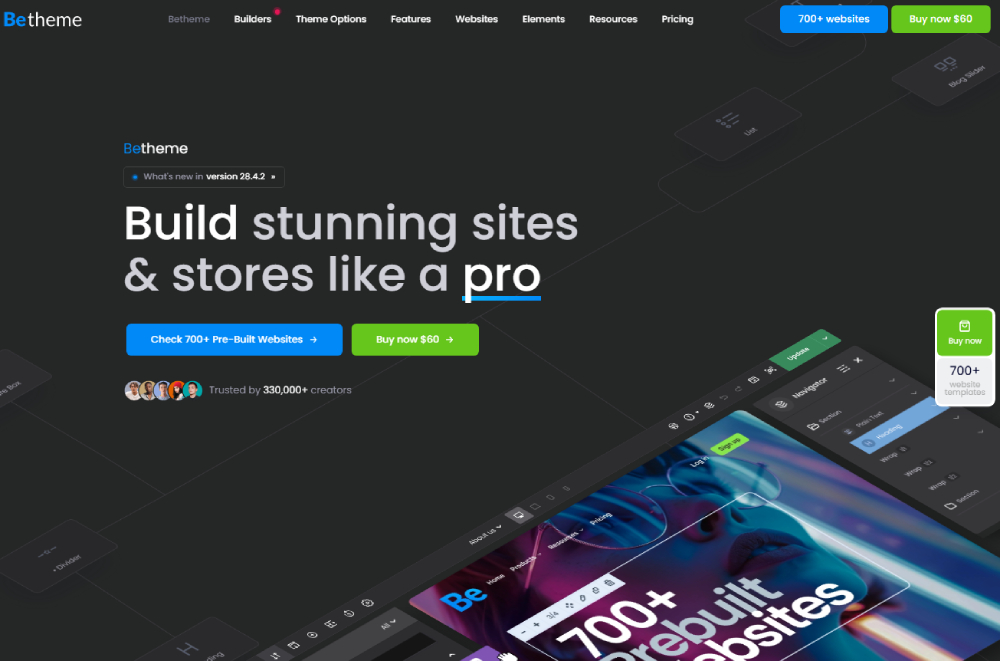
Over 267,000 sales on ThemeForest since 2014, with a 4.82/5 rating. That's not marketing copy, that's the actual product page data.
BeTheme ships with 700+ pre-built websites spanning 30+ industries, built-in BeBuilder (their native drag-and-drop page builder), full Elementor compatibility, and lifetime updates included in a single $69 purchase.
It covers industries most multipurpose themes ignore. You'll find ready-made layouts for clinics and healthcare practices, real estate agencies, fitness studios, restaurants, and construction companies -- all within one license.
Full breakdown in the dedicated BeTheme section below.
Astra
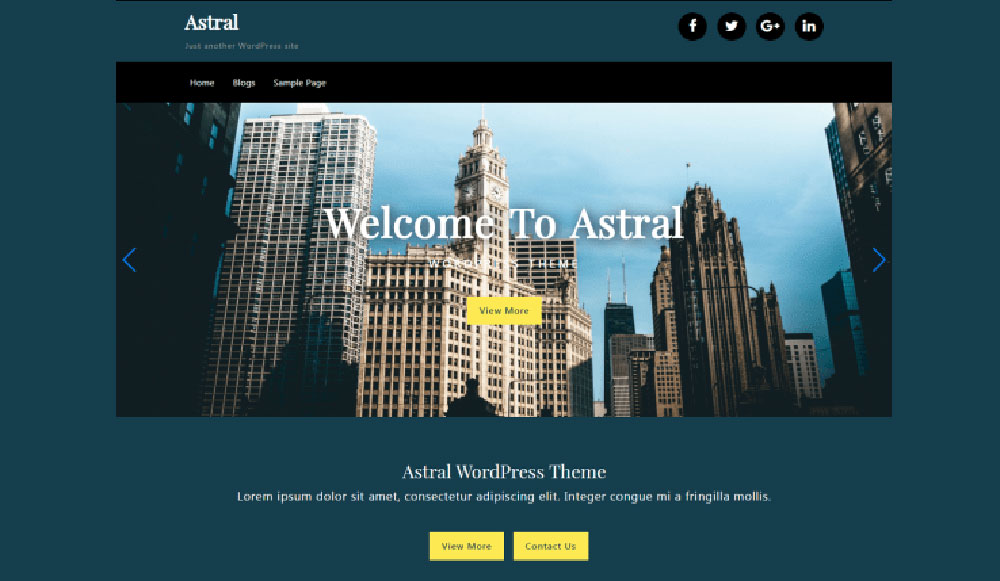
Astra built its reputation on speed. On a default clean install with no additional plugins, it loads in under 0.5 seconds according to published GTmetrix benchmarks.
Free tier limitation: The free version is genuinely usable but strips out WooCommerce cart layouts, custom header options, and most starter template access. The $47/year Pro license unlocks those.
- Works natively with Elementor, Beaver Builder, and Gutenberg
- 240+ starter templates across business, portfolio, and store categories
- Ideal for: service businesses and bloggers where page speed is the priority
OceanWP

OceanWP is the one I'd point a WooCommerce-focused store owner to first. The free version already includes solid shop page layouts, cart popup behavior, and checkout customization options.
Key limitation: Advanced ecommerce features like sticky add-to-cart bars and product gallery controls require the $54/year Ocean Extra plugin bundle. Worth it for a store. Less so for a brochure site.
Divi
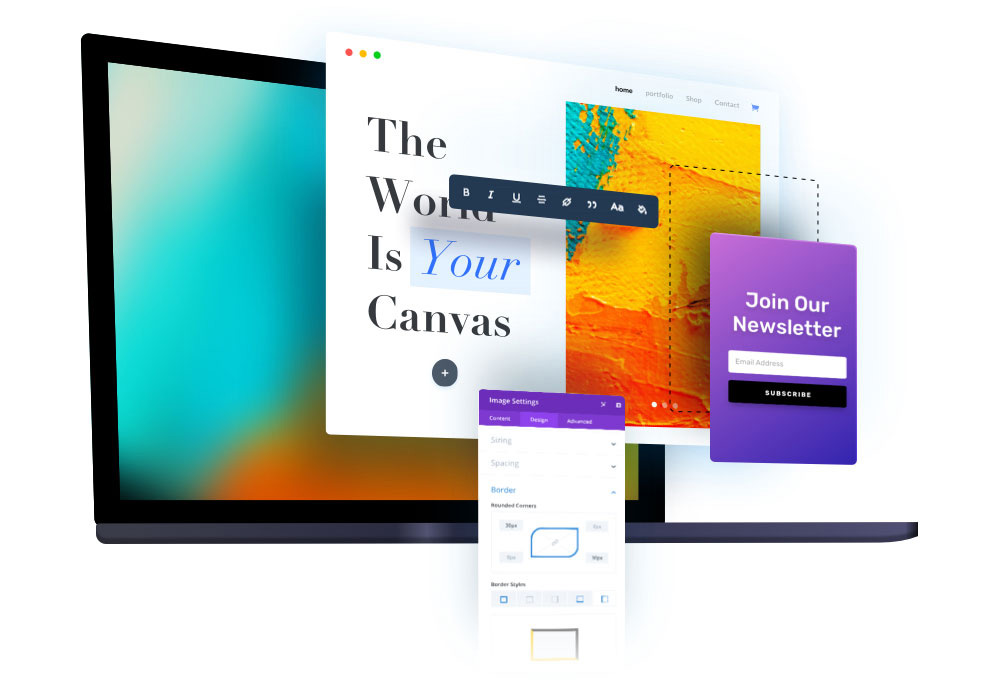
Divi from Elegant Themes is an all-in-one design ecosystem. The visual builder is genuinely impressive and the 2000+ layout packs cover almost every use case imaginable.
The catch: it's subscription-only at $89/year (or $249 lifetime). For a small business owner building one site and keeping it for years, the lifetime option makes the math work. The annual subscription gets expensive.
Also worth noting: Divi's builder adds measurable JavaScript overhead. A Divi site needs more performance optimization work than a block-editor-native theme like Kadence or GeneratePress.
Kadence
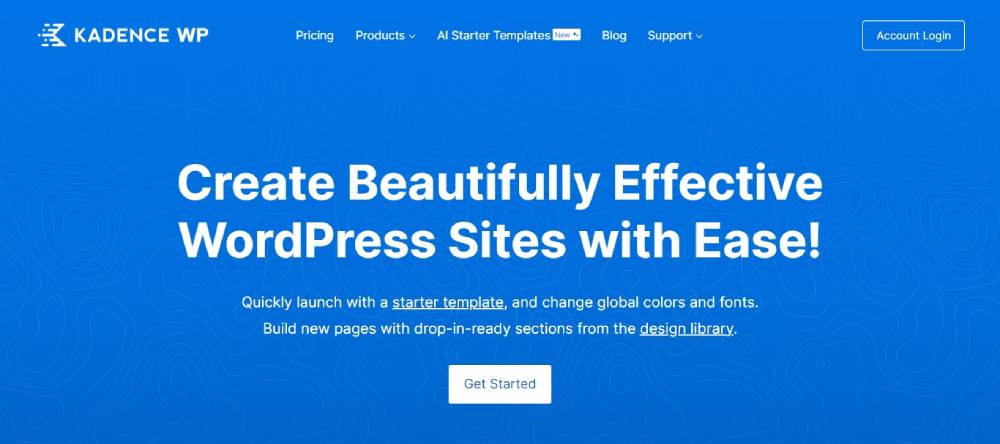
Kadence is purpose-built for the WordPress block editor. If you're committed to Gutenberg and want a theme that works with it natively rather than around it, Kadence is the right call.
Free tier is strong -- more capable than Astra Free out of the box. The $129/year Pro license adds full template kit access, advanced header/footer builder, and WooCommerce hooks.
GeneratePress
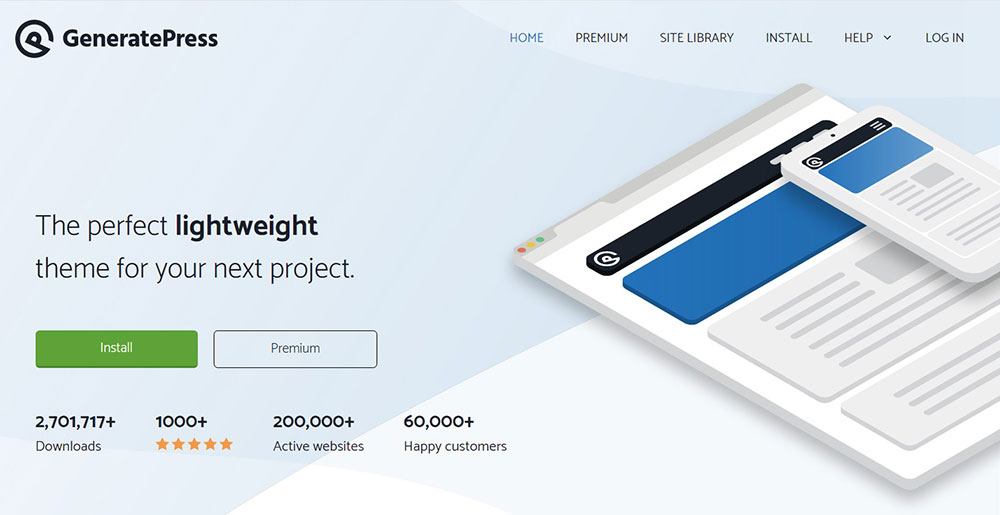
GeneratePress is the lightest theme on this list. The base install is under 30KB of CSS. For businesses running content-heavy sites or blogs where every millisecond of load time counts, nothing else comes close on raw performance.
The trade-off is clear: you get minimal design out of the box. GeneratePress rewards developers and technically confident users. A small business owner with no design experience will find it harder to work with than BeTheme or Astra.
Blocksy
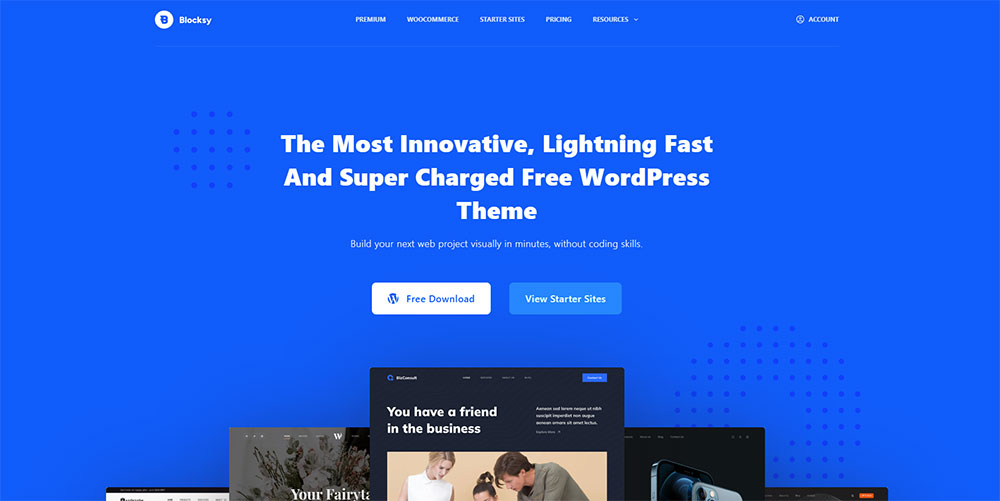
Blocksy earns its spot by offering genuinely useful features in the free version that other themes charge for: sticky header, scroll-to-top button, multiple header layouts, and WooCommerce quick view.
It's a newer player (launched 2019) and the template library is smaller, but the quality is consistent. Works well paired with Elementor or as a standalone block-editor theme.
Neve
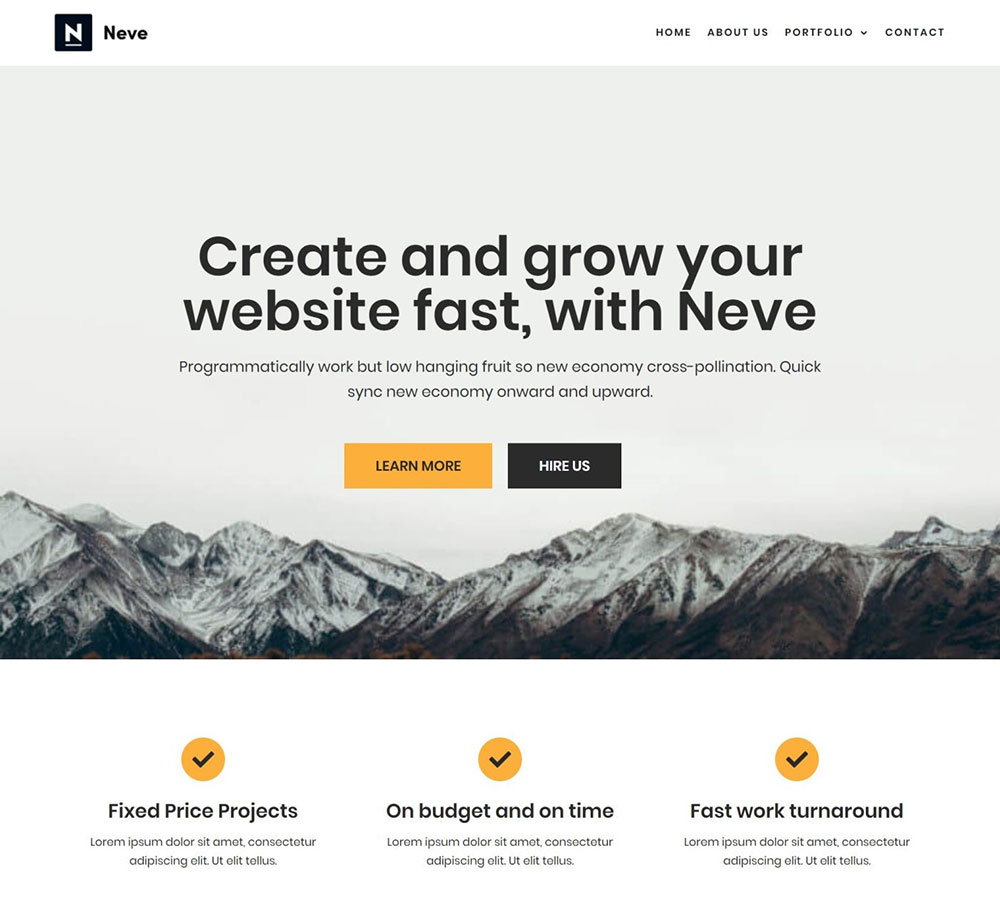
Neve is developed by Themeisle and installs at under 40KB, which puts it in the same speed range as GeneratePress. The starter site library leans toward service businesses, agencies, and local businesses.
Best use case: a small business that wants a fast, professional-looking site and is comfortable using the Neve Starter Sites wizard to import and customize a template quickly.
Avada

Avada is the all-time bestselling WordPress theme on ThemeForest with over 744,000 sales. It comes with the Fusion Builder, 90+ pre-built websites, and a sprawling options panel that covers almost every configuration imaginable.
Honestly? Avada is powerful, but it's a lot. The options panel can overwhelm a small business owner who just wants to change their homepage layout. It's better suited to agencies building client sites than solo business owners building their own.
Hello Elementor
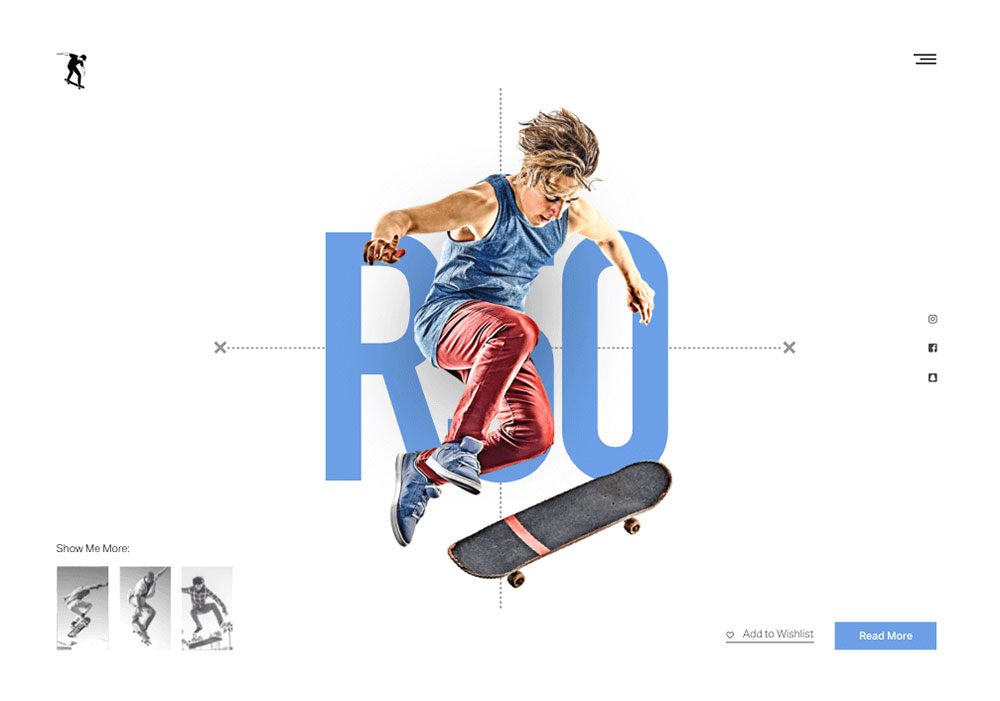
Hello Elementor is a blank-slate theme built specifically to pair with Elementor. It does one thing: get out of the way and let Elementor handle everything. Zero bloat, zero pre-built design opinions.
If you're already committed to Elementor Pro and know how to use it, Hello is a solid choice. If you're starting fresh and not sure yet, BeTheme gives you Elementor compatibility plus its own builder plus 700+ ready-to-use sites.
Flatsome
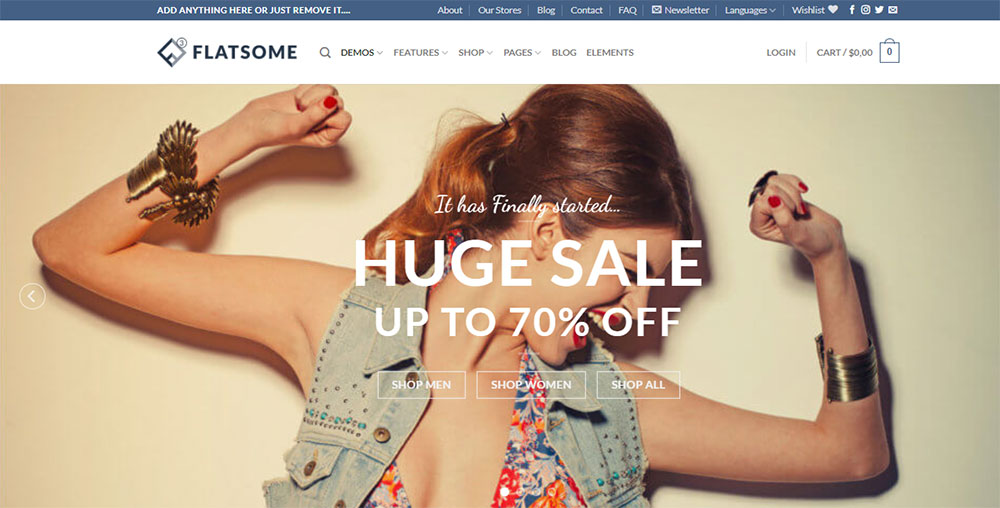
Flatsome is a WooCommerce-specific theme, not a multipurpose theme. It's designed from the ground up around product pages, category layouts, and checkout conversion. The UX Builder handles page design without requiring Elementor or WPBakery.
For a small business running a dedicated online store, Flatsome is competitive with OceanWP. For a business that also needs a blog, service pages, and contact forms, it's more limited than BeTheme or Astra.
SeedProd
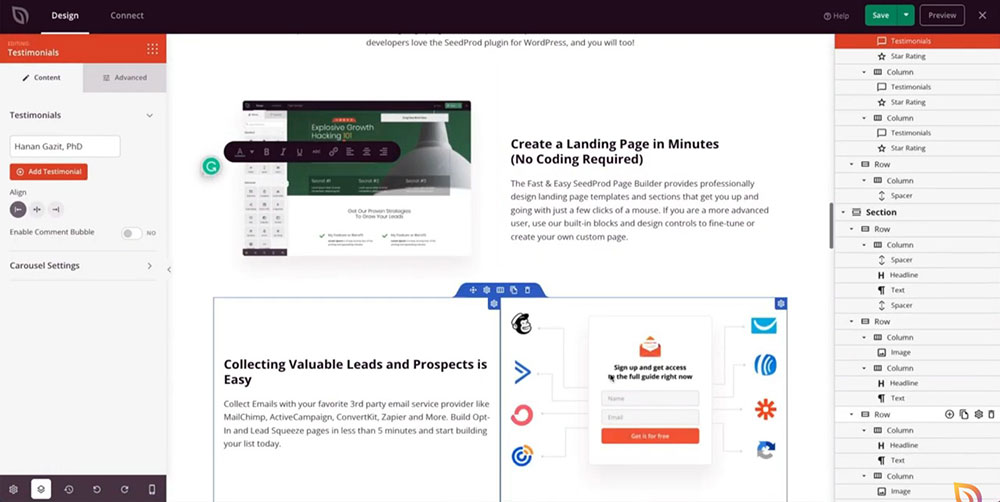
SeedProd is technically a landing page builder that added full theme capability. It excels at building conversion-focused pages fast -- coming soon pages, lead capture pages, sales pages.
For a full small business website with multiple page types, navigation structure, and blog functionality, SeedProd is less suited than the other options on this list. It belongs here as a specialist tool, not a primary theme recommendation.
Why Is BeTheme the Best WordPress Theme for Small Business?
BeTheme has accumulated over 267,000 sales since 2014 and holds a 4.82/5 rating on ThemeForest, making it the best-rated theme among the top 10 bestsellers on the platform (WPMarmite, 2024). That combination of volume and rating is rare.
The core reason it leads this list: it removes the two biggest friction points for small businesses building websites, which are time and decision-making.
BeTheme Pricing and Licensing
BeTheme costs $69 as a one-time purchase on ThemeForest. That includes lifetime updates, meaning every new pre-built site added to the library (Muffin Group releases new ones weekly) is available to existing license holders at no additional cost.
Compare that to Divi's $89/year subscription. Over 3 years, BeTheme costs $69 total. Divi costs $267 total. Same category of theme, very different long-term cost.
No annual renewal, no feature tiers, no upsells to a "Pro" version.
BeTheme Pre-Built Sites and Template Categories
700+ pre-built websites across 30+ industry categories. That's not just a large number. It means real, specific layouts for businesses that most themes cover with a generic "business" template.
BeTheme has ready-made designs for sectors like interior design firms, architecture studios, event planners, fashion brands, catering businesses, and technology companies. If you want to explore what a well-structured BeTheme demo looks like before committing, the pre-built site library also extends into more creative verticals like artist portfolios and music websites.
When you install a pre-built site, BeTheme installs the required plugins automatically and imports content and layouts together. You're not looking at a blank canvas with placeholder boxes.
| Industry Category | Available Layouts | Builder Options |
|---|---|---|
| Healthcare and medical | Multiple variants | BeBuilder + Elementor |
| Retail and ecommerce | Multiple variants | BeBuilder + Elementor |
| Restaurants and hospitality | Multiple variants | BeBuilder + Elementor |
| Creative and portfolio | Multiple variants | BeBuilder + Elementor |
BeTheme Performance and Core Web Vitals
BeTheme passes Core Web Vitals on clean demo installs. LCP scores consistently land under 2.5 seconds, and CLS stays well under the 0.1 threshold when images are properly sized on import.
The Muffin Builder (now BeBuilder) generates cleaner HTML output than WPBakery or older versions of Visual Composer. That matters because Google's page experience signals use real-user data -- not just lab tests -- and bloated builder output shows up in field data within weeks of launch.
Google confirmed in March 2024 that INP (Interaction to Next Paint) replaced FID as an official Core Web Vital. BeTheme's current codebase is optimized for INP scores under 200ms on standard hosting environments.
BeTheme WooCommerce and Plugin Compatibility
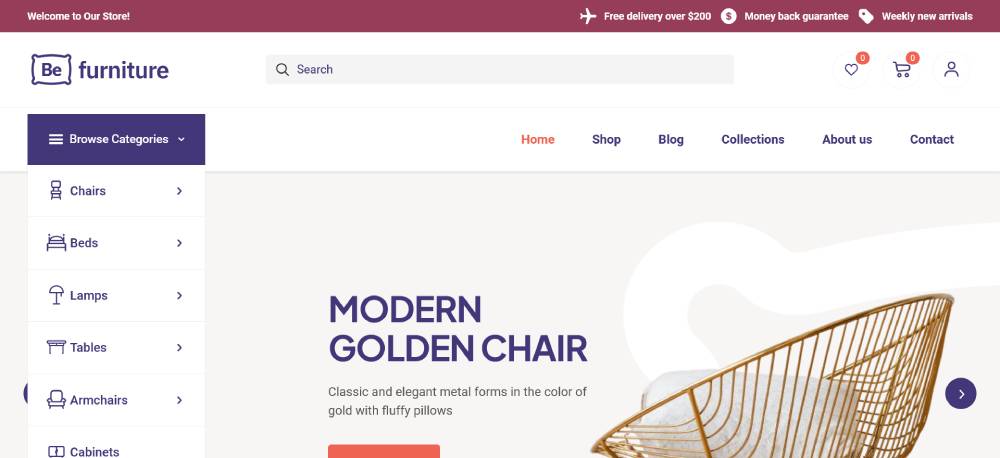
WooCommerce drives over 35% of all online stores globally (Store Leads, 2025). BeTheme integrates with WooCommerce at the template level, not just through compatibility notices.
That means custom product page layouts, cart page styling, and checkout page design are all controllable inside BeBuilder without needing a separate WooCommerce page builder plugin. For a small business that sells products but doesn't want to manage 6 separate plugins to make the store look coherent, that's a real time saver.
BeTheme also carries full Elementor compatibility, WPML support for multilingual sites, and GDPR-ready code structure as of version 28+.
How Do Free vs. Premium WordPress Themes Compare for Small Business?
Free themes work. The honest answer: for a simple 3-5 page website with basic content and no ecommerce, a well-maintained free theme like Astra Free or Blocksy Free is completely viable.
The question is where the free tier stops being enough.
What Free Themes Actually Give You
These 3 free themes have the strongest real capability without payment:
- Astra Free: Fast loading, Gutenberg-ready, 50+ starter templates, basic header customization
- Blocksy Free: Sticky header, WooCommerce quick view, multiple header layouts, scroll-to-top -- all without paying
- GeneratePress Free: Under 30KB CSS, clean semantic HTML, solid Core Web Vitals baseline
What they cut: custom WooCommerce layouts, advanced header builders, full template library access, priority support, and custom typography controls typically require the paid version.
The Real Cost Comparison Over 3 Years
Small businesses that added online selling reported increased revenue within 6 months in a significant portion of cases (Shopify, 2024). The cost of the wrong theme decision is lost sales, not just wasted money on a license.
| Theme | Year 1 | Year 3 Total | License Type |
|---|---|---|---|
| BeTheme | $69 | $69 | One-time, lifetime updates |
| Astra Pro | $47 | $141 | Annual renewal |
| Divi | $89 | $267 | Annual renewal |
| Kadence Pro | $129 | $387 | Annual renewal |
Divi also offers a $249 lifetime license. At 3 years, that's still $18 less than the annual plan -- but it's a big upfront commitment for a small business with tight cash flow.
When to Pay vs. When to Stay Free
Stay free when: You're building a 3-5 page informational site, you have no ecommerce plans, and you're comfortable using the block editor without advanced customization tools.
Go premium when: You need WooCommerce layouts, a custom header builder, industry-specific demos, or you're building something that represents your business to paying customers. A theme that looks unfinished costs more in lost trust than a $69 license.
Which WordPress Themes Load the Fastest for Small Business Sites?
Page speed is not just a user experience concern. A one-second delay in load time reduces conversions by up to 4.42% per additional second (Hostinger, 2024). For a small business getting 500 visitors a month, that's measurable lost revenue.
Theme choice is one of the biggest controllable variables in load time. Here's how the top options stack up on a clean install.
Lightweight Theme Benchmarks
GeneratePress consistently leads on raw file size. The base install delivers under 30KB of CSS with no JavaScript framework dependency. On a clean WordPress install with no additional plugins, it achieves GTmetrix scores above 95.
Astra and Kadence land in the same general range. Both build on minimal CSS frameworks and avoid loading unused styles. Blocksy follows closely. These 4 themes are the speed-first options.
Themes like Divi and Avada carry more JavaScript by default. A Divi site on default settings loads significantly heavier than Astra or GeneratePress on default settings. That gap narrows with caching and optimization plugins, but it never fully closes -- you're working against the theme's baseline architecture.
Core Web Vitals Pass Rates by Theme Category
Google confirmed Core Web Vitals as ranking signals in 2021 and updated the metric set in March 2024 with INP replacing FID. Sites that pass all 3 metrics (LCP, INP, CLS) get a ranking boost over competitors with identical content in competitive search results (NitroPack, 2024).
The theme categories that consistently pass Core Web Vitals on clean installs:
- Block-editor-native themes (Kadence, GeneratePress, Blocksy)
- Minimal-framework themes (Astra, Neve)
- BeTheme with BeBuilder (cleaner output than WPBakery-based themes)
Themes built on older page builder architectures (WPBakery legacy builds, older Divi versions) tend to struggle with INP scores on shared hosting environments.
How Hosting Changes the Speed Equation
Hosting environment affects theme benchmark results more than most comparison tests acknowledge. A lightweight theme on cheap shared hosting can underperform a heavier theme on managed WordPress hosting like Kinsta or WP Engine.
The practical rule: pair a lightweight theme with quality hosting rather than expecting either one alone to solve Core Web Vitals issues. GeneratePress on good hosting beats Divi on bad hosting every time. BeTheme on managed hosting passes Core Web Vitals consistently.
Which WordPress Themes Work Best with WooCommerce for Small Business?
WooCommerce powers over 4.4 million live online stores and drives approximately 39% of all ecommerce sites globally (Colorlib, 2026). Over 70% of those stores are small to mid-size businesses.
Not every WordPress theme handles WooCommerce equally. The difference between native support and plugin-dependent compatibility shows up in the checkout page, the cart layout, and the product archive design.
Native WooCommerce Support vs. Plugin-Dependent Compatibility
Native WooCommerce support means the theme ships with custom templates for WooCommerce pages. You get styled cart pages, checkout flows, product grids, and single product layouts out of the box without installing a separate page builder plugin to control them.
Plugin-dependent compatibility means the theme doesn't conflict with WooCommerce but also doesn't style it. Your shop pages look like unstyled WooCommerce defaults until you install something like Elementor Pro with its WooCommerce builder or a dedicated WooCommerce styling plugin.
BeTheme, OceanWP, and Flatsome all offer native WooCommerce templates. Astra Pro and Kadence Pro add WooCommerce hooks at the paid tier. GeneratePress handles basic styling but requires more manual work for product page customization.
WooCommerce Theme Comparison for Small Business
Flatsome is worth calling out specifically. It's a WooCommerce-first theme, not a multipurpose theme, and the UX Builder is genuinely optimized for product pages and category layouts. Conversion-focused ecommerce features like quick view, wishlist, and sticky add-to-cart are built in.
For a small business running a dedicated online store with 50+ products, Flatsome is a serious option. For a business that also needs a proper blog, service pages, team bios, and contact forms, BeTheme gives more layout flexibility across all page types.
Stores with optimized checkout layouts see 15-35% higher conversion rates than those with default WooCommerce checkout (Marketing LTB, 2024). Theme-level checkout customization is part of what drives that gap.
What WooCommerce Integration Actually Looks Like in BeTheme
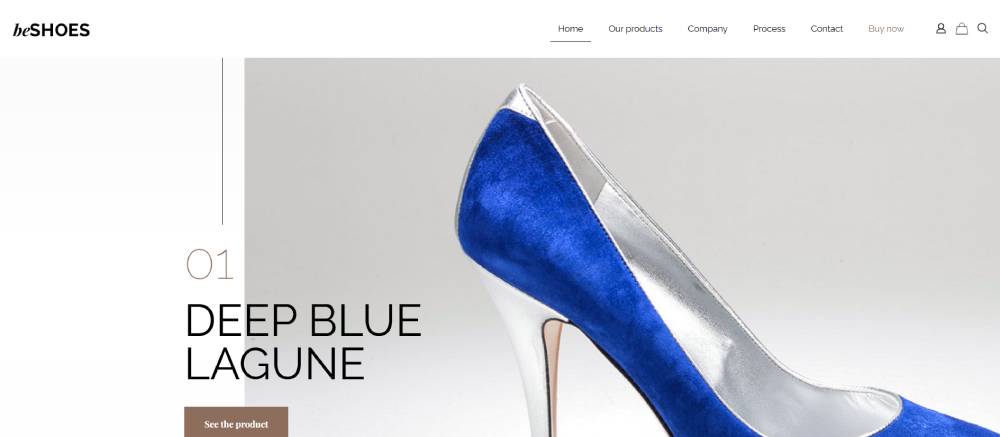
BeTheme's WooCommerce integration includes custom product page templates, archive page layout control, cart and checkout page styling, and WooCommerce-specific shortcodes that work inside BeBuilder sections.
You can also browse BeTheme's library of ecommerce homepage design examples and ecommerce landing page designs to see how these layouts look in practice before importing. Jewelry stores, fashion boutiques, and furniture retailers each have dedicated demo sites -- not just a generic "shop" template dropped into every niche.
For reference: jewelry website templates, clothing website templates, and furniture website designs are all available as standalone pre-built sites within the BeTheme library.
What WordPress Themes Are Best for Specific Small Business Types?
Most theme recommendations stop at "good for business." That's not useful when you run a dental practice and need to know whether the theme has a proper appointment booking layout, or when you run a restaurant and need to show a menu without coding it from scratch.
Here's how the top themes map to specific business types.
Best Themes for Restaurant and Hospitality Businesses

Restaurants need 4 things from a theme: a menu layout, reservation integration support, high-quality food photography display, and fast mobile load time (since most searches happen on phones near mealtime).
BeTheme has dedicated restaurant pre-built sites with menu section layouts, OpenTable-style reservation widget placement, and full-width image header support. It also has specific demos for hotel websites and catering businesses.
Neve also performs well here, with several restaurant starter sites in its library. For a cafe or bakery specifically -- check out BeTheme's pre-built sites covering that niche before defaulting to a generic restaurant template.
Best Themes for Service and Agency Websites
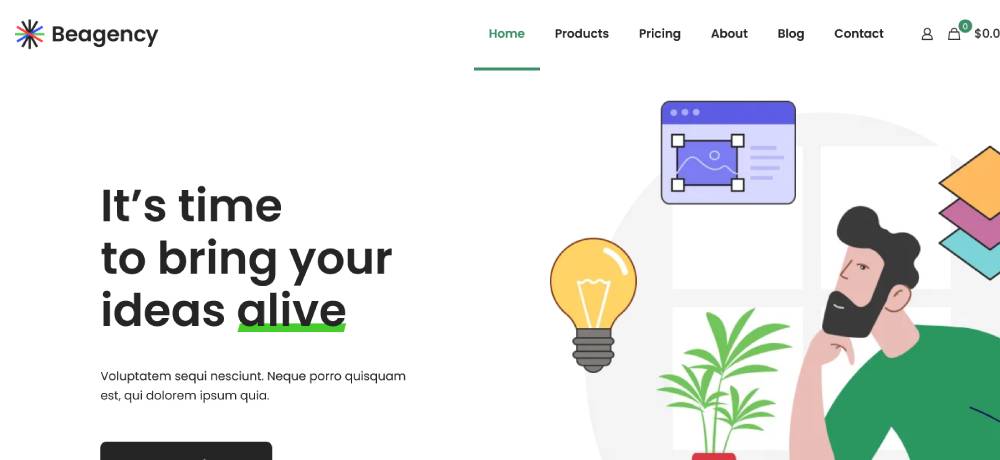
Service businesses need clear service page layouts, prominent contact forms, testimonial sections, and a trust-building homepage structure. Agencies additionally need portfolio sections and case study page formats.
BeTheme covers this with pre-built sites for marketing agencies, finance companies, and B2B businesses. Astra and Kadence also have solid agency starter templates, though with fewer niche-specific variations.
For a local service business like a plumber, electrician, or landscaper: BeTheme has dedicated demos for each of these. Most other multipurpose themes give you one "services" template and expect you to adapt it.
Best Themes for Retail and Online Stores
Mobile traffic accounts for over 60% of WooCommerce store visits (Colorlib, 2026). A retail-focused theme needs responsive product grids, fast checkout, and mobile-optimized product photography display as baseline requirements.
Top 3 for retail specifically:
- Flatsome: Best native WooCommerce product page controls, highest conversion optimization out of the box
- BeTheme: Most retail niche coverage (fashion, cosmetics, jewelry, furniture -- all with dedicated demos)
- OceanWP: Strong free tier for WooCommerce, good if budget is the primary constraint
Best Themes for Creatives and Freelancers

Creatives -- photographers, designers, illustrators, writers -- need full-width image support, minimal chrome around content, clean typography control, and fast-loading gallery sections.
GeneratePress handles this well for designers who build from scratch. BeTheme covers it with dedicated portfolio and creative demo sites including pre-built layouts for photographer websites, cosmetics brands, and beauty businesses.
Divi is popular among freelancers who already know the builder. If you're starting fresh and need to launch a portfolio quickly, BeTheme's photographer and creative demos import faster than building a Divi layout from a blank page.
How Do Page Builder Compatibility and Theme Choice Affect Small Business Sites?
Elementor has over 12 million active installs and holds 40-50% of the WordPress page builder market (Colorlib, 2026). If you're building a small business site today, there's a good chance you'll encounter Elementor, want to use it, or inherit a site already built on it.
The theme you pick shapes how well that works in practice.
| Builder | Type | Best Theme Match | Performance Impact |
|---|---|---|---|
| BeBuilder | Native (BeTheme) | BeTheme | Lowest overhead |
| Elementor | Plugin | Hello, Astra, BeTheme | Moderate, optimizable |
| Gutenberg | Native (WordPress core) | Kadence, GeneratePress, Blocksy | Lowest overall |
| Divi Builder | Native (Divi theme) | Divi only | Higher JS load |
Elementor-Compatible Themes
Elementor works with virtually any theme, but it works best with themes built to accommodate it. Hello Elementor is the blank-slate option Elementor themselves built. Astra and OceanWP have Elementor-specific starter templates. BeTheme ships with 234 Elementor-compatible pre-built sites alongside its 700+ BeBuilder sites.
Adding Elementor to a theme not designed for it often creates CSS conflicts, redundant style loading, and layout inconsistencies that need manual cleanup. That's avoidable if you match the builder to the theme architecture upfront.
Themes with Native Page Builders
3 themes ship with their own built-in builder:
- BeTheme: BeBuilder -- drag-and-drop, fully integrated, no separate plugin install needed
- Divi: Divi Builder -- visual front-end editing, component-based, subscription required
- Flatsome: UX Builder -- WooCommerce-optimized, lightweight for product pages
The advantage of native builders: zero plugin dependency, tighter HTML output, and no third-party update conflicts. WP Rocket's speed tests show Elementor and WPBakery both average around 3.5 seconds load time on a standard page build (WP Rocket, 2024). Native builders on well-optimized themes perform measurably better on the same hardware.
Block Editor Native Themes
Gutenberg Full Site Editing is growing 145% year-over-year as WordPress core matures (Colorlib, 2026). That number reflects real adoption, not just hype.
Themes built specifically for the block editor -- Kadence, GeneratePress, Blocksy -- generate the cleanest HTML output of any option on this list. No proprietary framework overhead, no extra JavaScript. For small business owners comfortable with the WordPress editor who don't need a visual drag-and-drop interface, these themes deliver the best Core Web Vitals baseline.
The Decision Rule
Match the builder to the theme architecture. Don't install Elementor on a Divi theme. Don't add WPBakery to a block-editor-native theme. Don't expect BeBuilder to work on a non-BeTheme installation.
Practical shortcut: if you already know which builder you're comfortable with, filter your theme options by that builder first. BeTheme is the one exception -- it gives you both BeBuilder and full Elementor compatibility in a single license, so you can switch or use both without changing themes.
For a deeper look at how these builders compare head-to-head, the Elementor vs Divi breakdown and the Elementor vs WPBakery comparison cover performance, pricing, and use-case differences in detail. The Elementor vs Gutenberg piece is also worth reading if you're deciding whether to invest in a paid builder at all.
What Factors Should Small Businesses Prioritize When Choosing a WordPress Theme?
75% of consumers judge a company's credibility based on its website design (Stanford Web Credibility Research). That's the real stakes of this decision. Not aesthetics. Not personal preference. Perceived credibility.
The right theme depends on where your business is right now and what it needs to do in the next 2-3 years.
Business Stage and Site Complexity
A 3-page service site and a 200-product WooCommerce store have almost nothing in common from a theme requirement standpoint. Treating them as the same decision is where most small business owners go wrong.
Brochure site (under 10 pages): Astra Free, Neve, or GeneratePress. Speed and clean design matter more than template depth.
Service business with lead generation: BeTheme, Astra Pro, or Kadence Pro. You need contact form integration, testimonial sections, and service page layouts that convert.
Ecommerce with 20+ products: BeTheme, OceanWP, or Flatsome. Native WooCommerce support becomes the top priority.
SEO-Ready Theme Architecture
94% of first impressions are design-related, but search engines never see what humans see (BusinessDasher, 2024). They read the code. And bad code hurts rankings regardless of how good the design looks.
3 technical signals matter most:
- Clean semantic HTML with proper heading hierarchy (H1, H2, H3 in logical order)
- Built-in schema.org markup for articles, local business, and product pages
- No conflicts with Yoast SEO or Rank Math -- some themes override meta output and break plugin settings
Astra, GeneratePress, Kadence, and BeTheme all pass these checks. Themes built on older WPBakery-dependent codebases sometimes fail the schema conflict test.
Plugin Ecosystem Dependency
Some themes function normally without additional plugins. Others require 4-6 plugins just to activate the features shown in their demo. That's a maintenance problem, a performance problem, and a security problem.
Check before buying: does the theme's demo rely on Revolution Slider, Visual Composer, or multiple premium plugins? If removing those plugins breaks the layout, the theme is not self-contained.
BeTheme, Astra, and GeneratePress build their core features into the theme itself. Their demos work without requiring a stack of third-party plugins.
Update Track Record and Scalability
ThemeForest themes at the $59-89 price range typically include 6 months of support. After that, you pay for extended support or manage alone (ThemeForest, 2024).
BeTheme includes lifetime updates -- not just 6 months -- which changes that calculation significantly for a small business planning to keep its site for 3-5 years.
Scalability matters too. A theme that handles a 5-page site but breaks under a 500-page site with a CDN is a rebuild waiting to happen. GeneratePress and BeTheme both have documented performance at scale. Avada, while powerful, can become slow on large content-heavy installs without significant optimization work.
For reference on what a responsive, scalable WordPress theme looks like in practice, the responsive website design guide and professional website design examples from Muffin Group are useful starting points. If you're evaluating themes specifically for design quality benchmarks, the web design principles breakdown is worth reading before committing to a template style.
How Much Do the Best WordPress Themes for Small Business Cost?
Premium themes on ThemeForest range from $39 to $89 for a single-site license (ThemeForest market data, 2024). The median sits around $59-69. Subscription-based themes like Divi run $89/year. The gap between those models compounds fast.
A custom-designed WordPress website from a freelancer or agency costs $3,000 to $15,000+ depending on complexity (Elementor, 2024). A premium theme at $69 that replaces that with a pre-built site is a different conversation entirely.
Full Pricing Breakdown by Theme
| Theme | Free Tier | Paid Entry | 3-Year Total | License Type |
|---|---|---|---|---|
| BeTheme | No | $69 | $69 | One-time, lifetime updates |
| Astra | Yes | $47/yr | $141 | Annual renewal |
| OceanWP | Yes | $54/yr | $162 | Annual renewal |
| Divi | No | $89/yr or $249 | $267 or $249 | Annual or lifetime |
| Kadence | Yes | $129/yr | $387 | Annual renewal |
| GeneratePress | Yes | $59/yr | $177 | Annual renewal |
Hidden Costs to Check Before Buying
The license price is rarely the total cost. Several premium themes bundle plugins that require separate renewals after the first year.
Common extras that add cost:
- Revolution Slider: $26/year after first year bundled
- Extended theme support on ThemeForest: $22-$45 depending on tier
- Premium child theme (if you hire a developer to build one): $200-$500+
BeTheme includes lifetime updates and doesn't require Revolution Slider or WPBakery to function. That eliminates 2 of the most common renewal costs from other theme setups.
Where to Buy and Reseller Risk
Buy from official sources. Always.
Reseller sites and "GPL clubs" offer premium themes at steep discounts by exploiting the GPL license. The themes work. But they receive no updates, no support, and sometimes carry injected malware. For a business site that processes customer information or takes payments, that risk is not worth the savings.
Official purchase sources by theme:
- BeTheme: ThemeForest (muffingroup seller page) or be-theme.com directly
- Divi: elegantthemes.com only (not on ThemeForest)
- Astra: wpastra.com or Brainstorm Force direct
- Kadence: kadencewp.com direct
If you want to see how BeTheme's design output compares to professionally built sites before committing, the professional website templates gallery and premium website templates showcase give a realistic view of what's achievable straight from the pre-built site library. For businesses in specific sectors, BeTheme also covers niches like SaaS companies, education providers, and software businesses -- all with dedicated pre-built layouts included in the standard license.
Frequently Asked Questions
What is the best WordPress theme for small business?
BeTheme is the top pick. It offers 700+ pre-built websites, a native drag-and-drop builder, full Elementor compatibility, WooCommerce integration, and a one-time $69 license with lifetime updates. No other multipurpose theme matches that combination.
Is BeTheme good for beginners?
Yes. BeTheme's one-click demo import installs a complete pre-built site in minutes. The BeBuilder interface is visual and requires no coding. Beginners can launch a professional small business website without touching a single line of HTML or CSS.
What is the fastest WordPress theme for small business?
GeneratePress loads in under 30KB of CSS on a clean install. Astra and Kadence follow closely. For speed-first builds without a page builder, these 3 themes consistently pass Core Web Vitals benchmarks on standard hosting environments without additional optimization plugins.
Do I need a premium theme or will a free WordPress theme work?
Free themes like Astra Free and Blocksy work for simple brochure sites. Once you need WooCommerce layouts, a custom header builder, or industry-specific demo templates, the free tier stops being enough. Premium themes pay for themselves in saved development time.
How much does BeTheme cost?
BeTheme costs $69 as a one-time purchase on ThemeForest. That includes lifetime updates and access to all current and future pre-built websites. There is no annual renewal fee, making it the most cost-effective premium multipurpose theme over a 3-year period.
Is BeTheme compatible with Elementor?
Yes. BeTheme ships with 234 Elementor-compatible pre-built sites alongside its full BeBuilder library. You can use either builder on the same license. It also supports WPML for multilingual sites and is fully compatible with WooCommerce 10.7 as of version 28.
Which WordPress theme is best for WooCommerce small business stores?
BeTheme, OceanWP, and Flatsome lead for WooCommerce. Flatsome is WooCommerce-first with strong product page controls. BeTheme covers more business types with niche-specific shop demos. OceanWP has the strongest free tier for stores with tight budgets.
What should I look for in a WordPress theme for small business?
Prioritize mobile responsiveness, Core Web Vitals compliance, WooCommerce compatibility, one-click demo import, and a clean licensing model. Also check the changelog frequency. A theme updated weekly signals active maintenance. One with 6-month gaps between releases is a risk.
Can I change my WordPress theme later without losing content?
Your posts and pages stay intact when switching themes. What changes is layout, styling, and any theme-specific shortcodes or widgets. If your current theme uses a proprietary page builder, switching themes may break those layouts and require rebuilding affected pages manually.
Is BeTheme good for SEO?
Yes. BeTheme generates clean semantic HTML, passes Core Web Vitals on default demo installs, and is fully compatible with Yoast SEO and Rank Math. Its heading hierarchy, schema-ready structure, and fast BeBuilder output support solid organic search performance without additional SEO-specific plugins.
Conclusion
This conclusion is for an article presenting the best WordPress themes for small business -- and the answer holds up across every evaluation angle: BeTheme leads.
With 700+ pre-built websites, BeBuilder, native WooCommerce support, and a one-time license that includes lifetime updates, it outperforms every subscription-based competitor on total value.
That said, the right theme depends on your setup. Astra and GeneratePress win on raw page speed. Kadence is the strongest block editor native option. Flatsome is built specifically for WooCommerce product pages.
What matters most: pick a theme with clean semantic HTML, solid Core Web Vitals scores, and an active update history.
Your theme is the foundation. Get that right first.
























