
Nonprofit Website Templates That Drive Donations
June 22, 2026
Law Firm Website Templates That Build Trust Fast
June 26, 2026Your website is often the first thing a potential client checks before they ever reply to your email.
For consultants, that means one thing: the layout, structure, and trust signals on your site either open the door to a conversation or close it quietly.
Consulting website templates give you a professionally designed starting point built around service presentation, credibility, and lead generation, without the cost of a custom build.
This guide covers the best options across Squarespace, Webflow, WordPress, and Framer. You will find platform comparisons, feature breakdowns, cost data, and SEO performance differences, so you can choose a template that actually works for your practice.
What Is a Consulting Website Template?
A consulting website template is a pre-built website layout designed around the specific needs of independent consultants and consulting firms: service presentation, credibility building, and lead generation.
The structural difference from a generic business template is deliberate. Consulting templates prioritize trust signals, credentials, and outcome framing over product imagery or portfolio galleries.
Most general-purpose templates are built to sell things. Consulting templates are built to establish authority. That distinction shapes every layout decision, from where testimonials sit to how service pages are structured.
94% of first impressions on a website are design-related (Forbes Advisor, 2024). For consultants, that first impression has to communicate competence, not just visual polish.
Core Sections Found in Consulting Templates
Standard sections across purpose-built consulting layouts:
- Hero section with a direct value statement and a single call to action
- About or bio page positioned around expertise, not personality
- Services section with outcome-oriented descriptions
- Case studies or client results, separate from testimonials
- Client logo bar or social proof block placed above the fold
- Contact or booking form with minimal friction
Platforms offering consulting-specific templates include Squarespace, Webflow, WordPress (via Astra and Kadence), and Framer. Each handles the trust architecture differently.
What Separates a Consulting Template from a Generic One
Generic business templates default to product catalogs, team grids, and portfolio carousels. These layouts actively work against solo consultants and small firms.
Consulting-specific templates position the bio section and credentials early, place case study content as a standalone page type, and use inquiry forms instead of shopping carts.
Stanford University research found that 46.1% of people assess a website's credibility based on visual design alone, including color schemes and typography. The wrong layout signals the wrong kind of business entirely.
Consulting Website Templates To Check Out
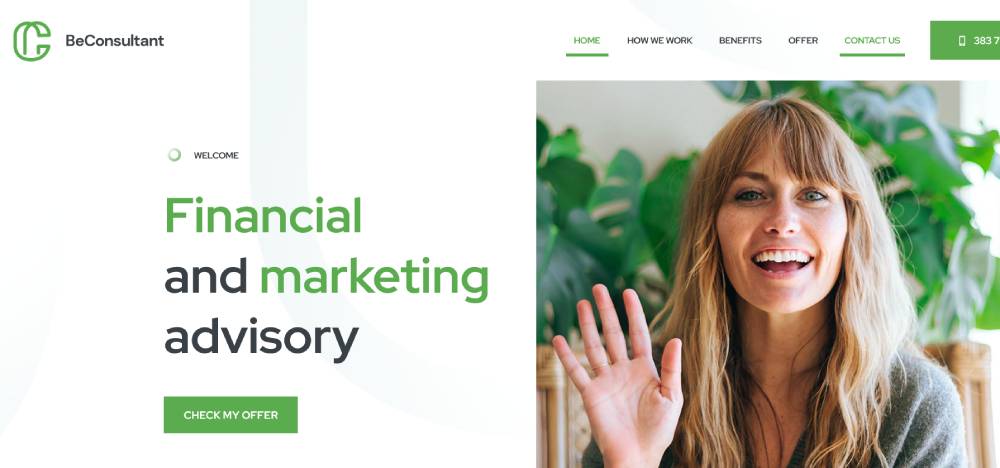
Be Consultant
Be Consultant 2
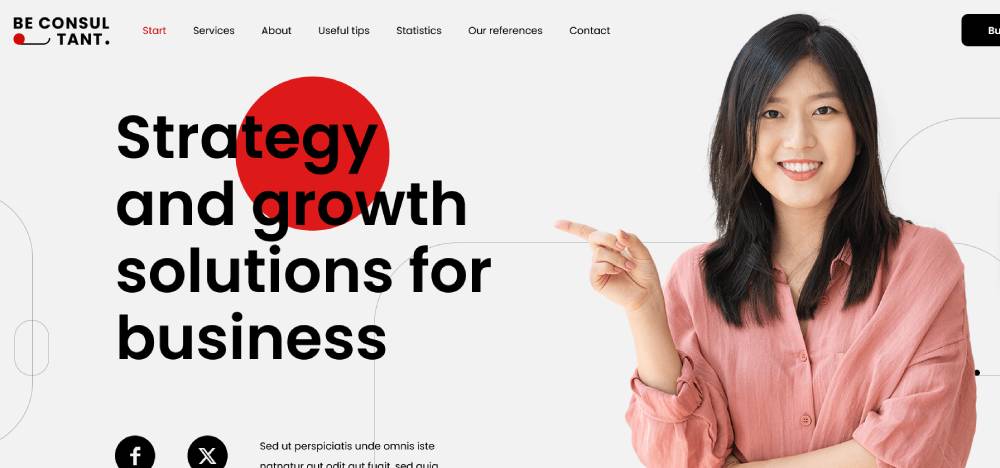
Be Consultant 3

Be Nursing Home

Finance Consultant

Consultancy
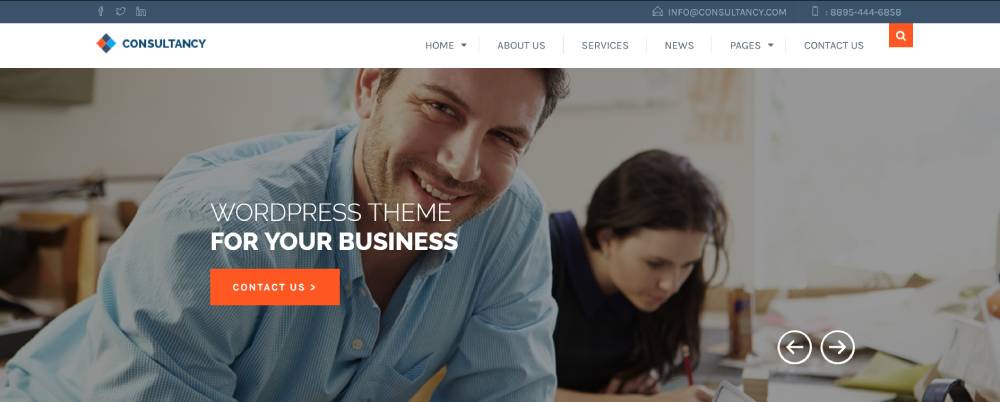
Consult

Avantage
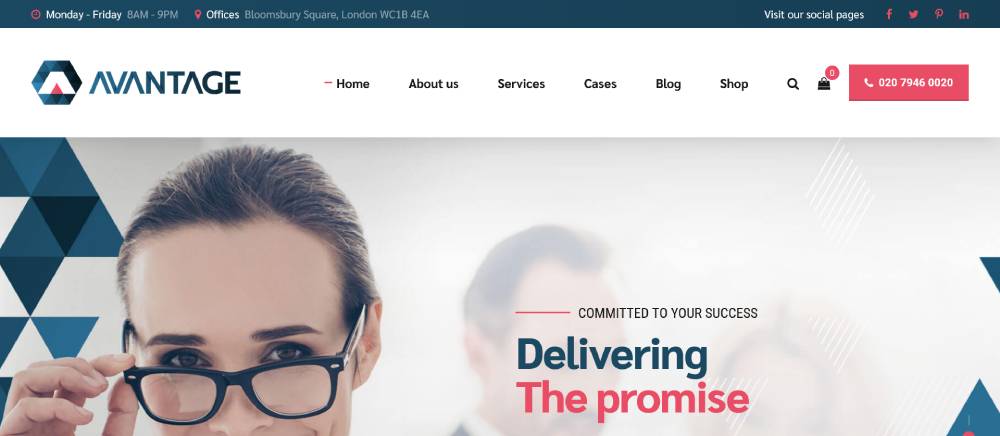
Nifty

Consultive

Consultio

Handel

Avante

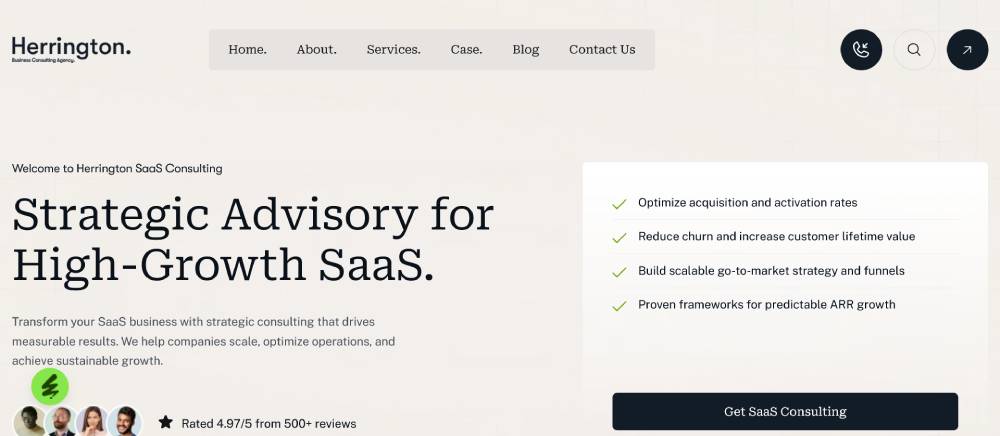
Herrington
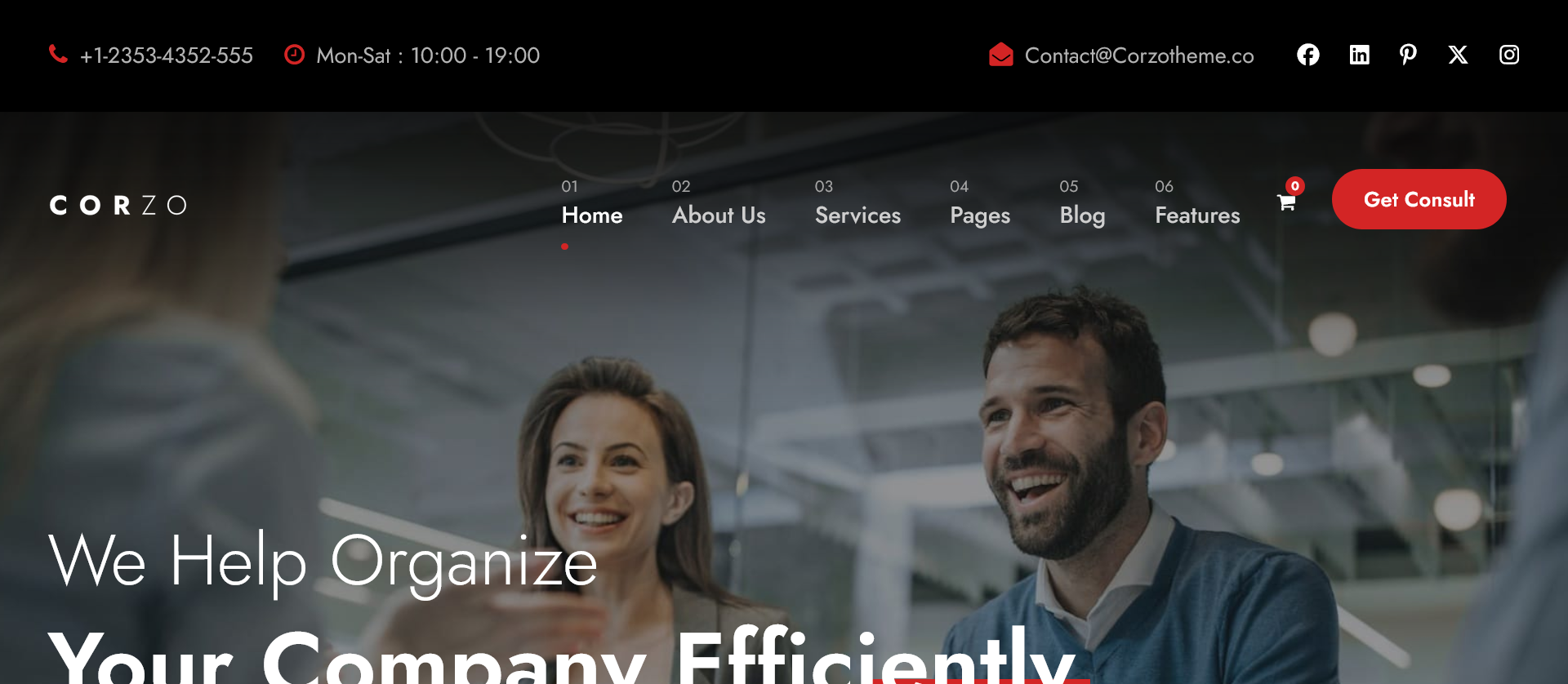
Corzo
Advia

FinPath

Sultin

Finkash

Cosion

Invetex

What Makes a Consulting Website Template Different from a Generic Business Template?
Consulting templates are built around personal authority, not product volume. The differences show up in structure, function, and design tone, not just aesthetics.
|
Feature |
Consulting Template |
Generic Business Template |
|
Primary layout goal |
Build credibility, generate inquiries |
Drive product discovery or purchases |
|
Hero section focus |
Value statement + single CTA |
Product image + multiple CTAs |
|
Social proof placement |
Above the fold or near top |
Mid-page or footer |
|
Service presentation |
Outcome-framed with inquiry trigger |
Feature list with add-to-cart |
|
Color palette |
Restrained, professional |
Brand-driven, often high contrast |
Trust Architecture in Consulting Templates
Consulting templates consistently position testimonials, credentials, and client logos earlier in the page hierarchy than generic templates do. This is not a design preference. It is a conversion pattern.
B2B professional services websites that lead with trust signals convert up to 12.3% of visitors (Rockingweb, 2025). Generic business templates optimized for product sales average 2-4% across most sectors.
The McKinsey website is a good reference point. The homepage leads with thought leadership and data, not a services menu. That priority order is baked into every well-designed consulting template.
Design Tone Differences
Restrained color palettes, generous white space, and minimal animation are defaults in consulting templates. These choices signal precision and focus rather than energy and excitement.
Compare that to fashion website templates or fitness website templates, where bold colors, movement, and visual intensity are intentional. The consulting context demands the opposite.
What Are the Best WordPress Themes for Consulting Websites?
WordPress powers 43.5% of all websites globally (W3Techs, 2024). For consultants chasing competitive keywords or building content-heavy practices, it remains the strongest platform for organic search visibility.
The tradeoff is real. WordPress means ongoing maintenance, plugin management, and performance tuning that hosted platforms skip entirely. But the SEO control and structural flexibility it offers are hard to match anywhere else.
BeTheme
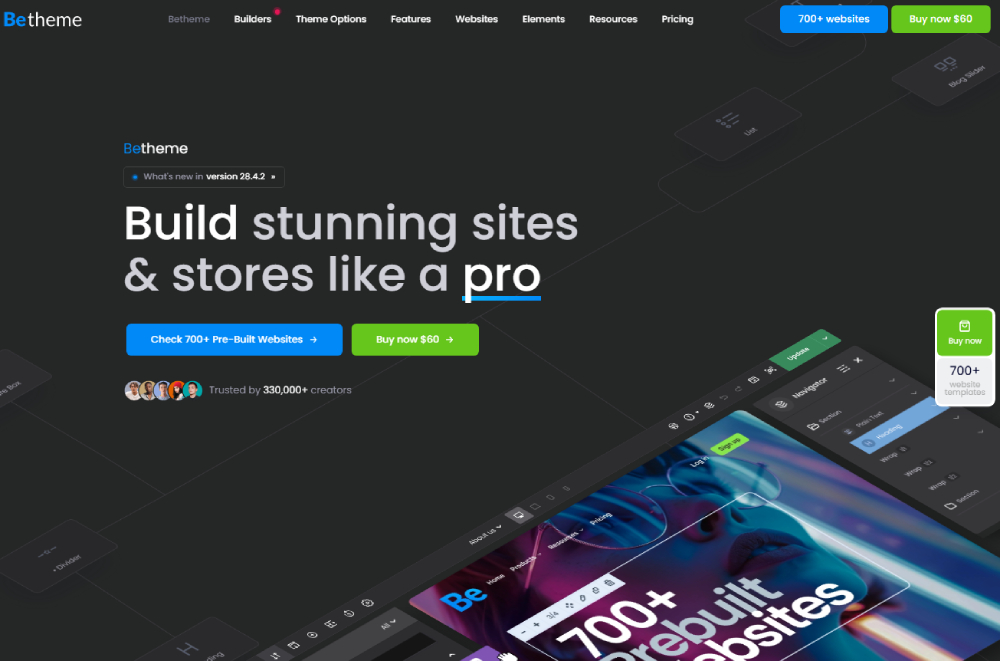
BeTheme is a full-featured multipurpose theme in a different category from the lightweight options above. Its built-in page builder is BeBuilder, included with every purchase, so there's no separate plugin to buy or install. BeBuilder ships with 80+ website elements and pre-built sections, plus dedicated builders for headers, footers, menus, and WooCommerce layouts.
Performance requires some attention. In independent testing, adding WP Rocket improved BeTheme's mobile PageSpeed score from 82/100 to 98/100 and cut fully loaded time from 4.0s to 2.1s. It's heavier out of the box than Astra or Kadence, but fully optimizable with a caching plugin.
For consulting websites specifically, BeTheme stands out for a few reasons:
- 700+ pre-built websites covering almost every industry, all importable with one click
- BeBuilder is included with every purchase, no separate page builder plugin needed
- Consulting-specific layouts cover the full page set: homepage, services, team, case studies, contact
- Demos are organized by layout type and industry, so finding a relevant starting point takes minutes
- 600+ customization settings adjustable site-wide from a single options panel
- One purchase covers unlimited sites
For consultants who want a complete setup without piecing together a theme, a builder, and a starter template from three different vendors, BeTheme handles it all in one package.
Page Builder-Dependent Themes (Divi, Elementor-Based)
Divi by Elegant Themes includes a dedicated consulting starter template with pre-built service pages, bio sections, and testimonial layouts. It is visually flexible but performance-heavy. WordPress sites running Divi pass Core Web Vitals on mobile in roughly 41% of cases without additional optimization (HTTPArchive data, 2024).
Astra with Elementor is a common setup. The Astra consulting starter template ships with a full page set: homepage, services, about, and contact. Elementor adds drag-and-drop customization at the cost of some page weight.
Elementor vs Beaver Builder is a real decision for consultants building on WordPress. Both have valid use cases depending on workflow preference and how much you value speed versus design flexibility.
Lightweight Consulting Themes (Astra, Kadence)
Astra Pro at $59/year is the most common lightweight option. The core theme can load in as little as 0.5 seconds on a clean WordPress installation. It integrates cleanly with Elementor or Kadence Blocks, and has a consulting-specific starter template that covers the essential page structure.
Kadence is worth using if you prefer the block editor over a drag-and-drop builder. It consistently hits 99+ scores on Google PageSpeed Insights mobile tests, and its modular code means unused features don't add page weight. It performs better than Astra on raw page weight and works well with WordPress's native Gutenberg editor.
Consulting Theme by StylemixThemes
Consulting Theme by StylemixThemes is purpose-built for consulting firms. It ships with 45+ pre-built demos, includes a dedicated case study post type, and supports team member layouts and service filtering natively. It is the only WordPress theme in this category specifically designed for the consulting use case rather than adapted from a general business theme.
For consultants who want to compare broader theme options across industries, looking at dedicated WordPress themes built for consultants gives a wider view of what is available across price points.
Which Consulting Website Template Features Drive the Most Inquiries?
B2B conversion rates for professional services reach up to 12.3% when websites are structured around trust signals and direct inquiry paths (Rockingweb, 2025). The average across all B2B industries sits at 2.9% (Predictable Profits, 2025). The gap between those two numbers is almost entirely explained by template structure and feature choices.
Above-the-Fold CTA Placement
Templates that position a direct call to action in the hero section, visible without scrolling, outperform those that place CTAs mid-page or in the footer.
The CTA does not need to be aggressive. "Book a 30-minute call" or "Get in touch" performs better than "Learn more" or "Explore services" because it names a specific, low-friction action.
61% of visitors leave a site within 5 seconds if they do not find what they are looking for (Forbes Advisor, 2024). A hero section CTA addresses that directly.
Case Study Section Design
3 case study formats appear across consulting templates:
- Full-page narrative (problem, approach, result)
- Card grid on homepage with outcome metrics visible
- Sidebar summary block on service pages
Full-page case study layouts convert better than card grids because they match how buyers actually evaluate consultants. The card grid looks clean but sacrifices the detail that builds conviction.
Scheduling Integration
Templates that natively support Calendly or Acuity Scheduling embeds reduce friction in the booking process. Adding a scheduling embed as an afterthought often breaks the layout on mobile.
Harvard Business Review research confirms that responding to an inquiry within 5 minutes makes qualification 21 times more likely than waiting 30 minutes (confirmed in HubSpot 2024 data). A live scheduling embed sidesteps that window entirely.
Social Proof Placement
Client logo bars and testimonial blocks placed in the hero section or immediately below it outperform the same content placed mid-page.
When visible proof comes before the pitch, visitors enter the services section already oriented toward trust rather than skepticism. This is the difference between a layout that converts and one that just presents information. See how top consulting websites handle this structurally.
One structural pattern worth noting: templates with multi-page layouts and dedicated service pages consistently outperform single-page layouts for organic search visibility, because each service page can target a specific query independently.
What Should a Consulting Website Template Include in the Services Section?
Most consulting templates ship with a services section that is structurally weak. Icon, title, two-sentence description, repeat. That pattern does not convert, because it gives visitors no reason to choose you over anyone else.
A services section needs 4 components to work: service name, target client type, specific deliverable or outcome, and a direct inquiry trigger. Remove any one of these and the section becomes informational rather than functional.
What the Best-Performing Service Section Formats Look Like
Card-based layouts with expandable detail outperform icon-grid layouts in professional services. Each card surfaces the outcome first, the method second.
Dedicated service sub-pages linked from an overview section are the strongest structure for consulting SEO. Each sub-page targets a specific query independently, rather than relying on a single services page to rank for everything.
Knapsack Creative's 2025 analysis of consulting service pages recommends 1,000 to 1,500 words per service page, broken into scannable sections. That range builds topical depth without overwhelming the visitor.
Templates with Built-In Service Page Hierarchy
Webflow Consult template: ships with a services overview page that links to individual service sub-pages, each with a structured outcome section and a booking form at the bottom.
Consulting Theme by StylemixThemes: includes service filtering by category, which works well for firms offering consulting across multiple industries or practice areas.
Astra consulting starter template: provides a flat service overview without sub-pages. You have to build sub-pages manually in Elementor, which adds setup time but gives full layout control.
What Most Consulting Templates Get Wrong
Services listed without outcome framing read as a menu, not a pitch.
"Strategy consulting" tells a buyer nothing. "We help SaaS founders reduce churn below 5% through 90-day retention strategy engagements" tells them exactly what they get. The template needs enough structural flexibility to support that kind of specificity. Many free templates do not.
For consultants in adjacent professional services fields, looking at how finance website templates structure their service sections reveals a similar outcome-first pattern worth borrowing. The same logic applies to marketing website templates, where service differentiation is handled through case study integration rather than description alone.
How Do Consulting Website Templates Handle Case Studies?
Case studies are the section most buyers spend the most time on. They are also the section where the most templates fail, because static layouts cannot support the structured narrative that actually builds conviction.
3 case study formats appear across consulting templates, and they are not equal in conversion performance.
|
Format |
Structure |
Best Platform |
Conversion Fit |
|
Full-page narrative |
Problem, approach, result |
Webflow, WordPress |
High |
|
Card grid on homepage |
Title, outcome metric, link |
Squarespace, Framer |
Medium |
|
Sidebar summary block |
Short result statement |
Any |
Low |
Static Case Study Layouts
Static case study layouts are built once and do not scale. Adding a new case study means duplicating a page manually, reformatting content, and republishing. Squarespace and Framer use static layouts by default.
They work for practices with 3 to 5 case studies. Beyond that, maintenance becomes a problem, and filtering by industry or service type is not possible without a CMS backend.
CMS-Backed Case Study Systems
Webflow and WordPress both support CMS-driven case study collections. This means:
- New case studies are added through a form or editor, not by duplicating pages
- Filtering by industry, service, or client type works natively
- Each case study has its own URL, which can rank independently in search
McKinsey's website uses a content-driven case study library with filtering by industry, topic, and geography. That level of organization signals to buyers that the firm has deep, varied experience. A CMS-backed template makes the same pattern achievable at a fraction of the custom development cost.
Webflow's CMS plan at $23/month (billed annually) unlocks this capability. WordPress with Consulting Theme by StylemixThemes handles it natively without additional plugins.
What Is the Difference Between a Free and a Premium Consulting Website Template?
The average cost of a premium website template is $59 (ThemeForest, 2024). Custom consulting website builds range from $2,000 to $15,000 depending on the platform and scope. A premium template sits between those two options in both cost and capability.
Businesses using premium themes convert up to 3.7 times more prospects than those using basic alternatives (ThemesCamp, 2024). That gap is structural, not cosmetic.
What Free Templates Include (and Exclude)
Included in free consulting templates:
- 1 to 3 page layouts (homepage, about, contact)
- Basic typography and color customization
- Standard contact form
Consistently absent from free templates: dedicated case study page types, CMS integration, scheduling embeds, service sub-page hierarchy, and mobile breakpoint optimization for complex layouts.
When Free Is Sufficient
Free templates work for solo consultants who have 3 or fewer services, no existing case study library, and a primary lead generation channel that is not organic search.
If someone is coming to your site from a LinkedIn referral already warmed up, a clean free template is enough. The layout just needs to confirm credibility, not generate it from scratch.
What Premium Templates Add
Premium consulting templates ($49 to $299 depending on platform) include full page sets, CMS integration, mobile-optimized multi-column layouts, animation support, and in most cases, documentation and support access.
Webflow premium templates from Temlis range from $49 to $129 and include structured class naming systems, reusable components, and global styles that reduce future maintenance work (Temlis, 2025).
For consultants who want to compare what premium design quality looks like across professional service contexts, professional website templates and premium website templates give a useful baseline for visual and structural standards.
How Do Consulting Website Templates Perform on Mobile?
B2B professional services websites sit at a 42 to 54% mobile traffic share, lower than most consumer industries but too significant to treat as secondary (Scalify, 2026). That figure means roughly half of a consultant's site visitors are on a phone when they form their first impression.
Users form that impression in 0.05 seconds (Forbes Advisor, 2024). On mobile, a poorly rendered layout destroys credibility before a single word is read.
Platform Mobile Performance Compared
Only 48% of mobile pages pass all three Core Web Vitals as of the 2025 Web Almanac. Platform choice directly affects which side of that threshold a consulting site lands on.
|
Platform |
Mobile CWV Pass Rate |
Mobile Config Required? |
|
Squarespace |
~63% (HTTPArchive, 2024) |
No |
|
Webflow |
65 to 85% (Involve Digital, 2026) |
No |
|
WordPress (default) |
~45% (Web Almanac, 2025) |
Yes, significant |
|
Framer |
High (static output) |
No |
Consulting-Specific Mobile Failure Points
Mobile layout failures in consulting templates follow 4 patterns:
- Oversized hero images that push the CTA below the fold on small screens
- Multi-column service grids that stack into single columns without reflowing text properly
- Popup booking forms that cover the full viewport on mobile and cannot be dismissed easily
- Testimonial carousels that do not resize for touch navigation
57% of users will not recommend a business with a poorly designed mobile website (Forbes Advisor, 2024). For consultants who rely on referrals, that is a direct pipeline problem, not just a design issue.
Well-structured responsive website templates handle these breakpoints by default. The alternative is building a desktop layout first and retrofitting mobile, which rarely produces a good result.
How Do You Customize a Consulting Website Template Without a Developer?
No-code development platform market growth is projected at 7.73% annually through 2031, reaching $3.6 billion (Network Solutions, 2026). The tools available to non-developers have improved substantially, but the limits still matter.
Squarespace Customization Range
What you can do without code: fonts, colors, section order, image swaps, form fields, and navigation structure.
What you cannot do: add section types outside Squarespace's built-in library, create custom post types, or build CMS-driven content collections. The platform's all-in-one model trades flexibility for simplicity.
For a solo consultant publishing a clean 4-page site, that trade is worth it. For a firm that needs custom case study filtering or industry-specific service pages, it is a ceiling that arrives quickly.
Webflow No-Code Customization Range
Webflow's visual editor gives pixel-level layout control without writing code. That said, its Designer interface requires understanding of the CSS box model: margin, padding, flexbox, and grid. It is not truly beginner-friendly.
Consultants with a design background and no coding experience can handle Webflow reasonably well. Those without either background will spend significant time in support documentation before producing a polished result.
The payoff is real. Webflow generates clean semantic HTML by default, meaning no plugin bloat or theme-layer overhead. Sites built carefully in Webflow tend to stay fast without ongoing maintenance.
WordPress Customization Without a Developer
WordPress with Elementor or Kadence Blocks gives the widest customization range of any platform without writing code. The risk is plugin conflicts and update breakage.
Each plugin you add is a potential failure point. A Calendly embed, a contact form plugin, a caching plugin, an SEO plugin, and an image optimization plugin are all individually reasonable choices that collectively create a fragile update dependency chain.
Astra Pro at $59/year with Elementor free is the most stable no-code WordPress setup for consultants. Kadence with its native block system is leaner and easier to maintain long-term.
Consultants who prefer total layout control without the developer cost can also look at what B2B website templates do with no-code customization, since the structural requirements for B2B service presentation overlap significantly with consulting.
What Is the Cost of a Consulting Website Template Across Platforms?
The global website template market was valued at $1.3 billion in 2023, growing at 7.5% annually through 2028 (Statista). More consultants are choosing templates over custom builds as platform quality has improved, but the full cost picture requires looking beyond template price alone.
Platform-by-Platform Cost Breakdown
Squarespace: No template purchase cost. Plans run $16/month (Basic) to $99/month (Advanced) billed annually. The Core plan at $23/month is the practical fit for most consulting sites. No hidden fees on non-commerce plans.
Webflow: Free templates available. Paid templates cost $49 to $129 one-time. Hosting starts at $14/month (Basic) for simple sites, $23/month for CMS-backed case study systems. Total first-year cost for a CMS consulting site: $325 to $420 including a paid template.
WordPress: Themes range from $0 to $299 one-time. Hosting on managed providers (WP Engine, Kinsta) runs $25 to $30/month. Shared hosting starts at $3/month but creates performance risks. First-year total with Astra Pro, Elementor, and reliable hosting: $500 to $800.
Framer: Templates from $0 to $79 one-time. Hosting from $15/month (Mini) to $30/month (Basic with CMS). First-year total for a CMS Framer site with a paid template: $250 to $440.
Hidden Costs Worth Knowing
WordPress plugin costs catch most consultants by surprise. Gravity Forms ($59/year), WP Rocket ($59/year), and Rank Math Pro ($59/year) together add $177/year to a WordPress setup that initially looked cheaper than the alternatives.
Webflow's CMS plan is required the moment you want more than 20 CMS items, which means a case study library of any real size triggers a plan upgrade. That is not obvious from the pricing page.
Which Consulting Website Template Platform Is Best for SEO?
Organic search generates twice the revenue for B2B businesses compared to other channels (Higocreative, 2025). For consultants building content-driven practices, platform SEO capability is not a secondary consideration.
The platform decision affects crawlability, Core Web Vitals, schema markup control, and content scaling capacity. All four matter for competitive consulting niches.
WordPress for SEO Control
WordPress with Rank Math or Yoast gives the most granular SEO control of any consulting platform. Custom schema markup, breadcrumb configuration, canonical tag management, XML sitemap control, and redirect handling are all available without writing code.
Around 90% of hacked CMS sites globally run WordPress (Sucuri, 2025). That security exposure is real and requires active management through a security plugin and regular updates. It is a maintenance cost that does not appear in the template price.
For consultants targeting competitive search terms with a content-heavy strategy, WordPress leads. No other platform offers the same depth of SEO plugin ecosystem.
Webflow for Technical SEO Without Maintenance
Webflow outputs clean semantic HTML by default, no plugin dependency required. Core Web Vitals pass rates run 65 to 85% on mobile without configuration (Involve Digital, 2026).
One Webflow agency rebuild of a consulting site doubled organic traffic within 14 months after migrating from a poorly maintained WordPress setup (StudyNeat, 2025). The improvement came from structural code quality, not content changes.
SEO control in Webflow covers titles, meta descriptions, canonical tags, Open Graph settings, and 301 redirects. What it does not cover: advanced schema types beyond basic page schema, programmatic SEO at large scale, or the breadth of structured data options that Rank Math provides.
Squarespace and Framer for SEO
Squarespace SEO: adequate for local and low-competition consulting queries. Average SEO score of 40.5/100, the lowest among major builders (SEOSpace, 2026). Structured data control requires code injection, which most consultants will not do themselves.
Framer SEO: clean HTML output, fast load times, and improving native SEO tooling. Plugin ecosystem is thin compared to WordPress. Works well for consultants with low-competition keywords and no content scale ambitions.
Platform SEO Verdict by Consulting Use Case
- Competitive niche, content strategy: WordPress with Rank Math
- Clean technical SEO, no maintenance budget: Webflow
- Local or low-competition queries, simple site: Squarespace
- Design-led practice, minimal content: Framer
Consultants exploring the broader professional services template space will find adjacent patterns in categories like psychologist website design and WordPress themes built for small businesses, both of which share the same trust-first design logic that applies to consulting. The SEO and conversion fundamentals are consistent across these service-based categories.
FAQ on Consulting Website Templates
What is a consulting website template?
A consulting website template is a pre-built layout designed specifically for consultants and consulting firms.
It includes structured sections for services, case studies, testimonials, and booking forms, prioritizing credibility and lead generation over product display or portfolio-heavy design.
Which platform has the best consulting website templates?
It depends on your needs. WordPress leads for SEO control and content-heavy practices. Webflow is strongest for clean technical performance without maintenance. Squarespace suits solo consultants who want a fast, simple setup.
Can I build a consulting website without a developer?
Yes. Squarespace and Framer require no technical knowledge. Webflow needs some understanding of CSS layout concepts. WordPress with Elementor or Kadence Blocks gives the most flexibility, but plugin management adds ongoing complexity without developer support.
How much does a consulting website template cost?
Free options exist on every platform. Premium consulting templates range from $49 to $299 one-time. Platform hosting adds $14 to $33 per month depending on the builder. WordPress first-year costs typically run $500 to $800 including hosting and plugins.
What pages should a consulting website template include?
At minimum: homepage, services, about, and contact.
Stronger templates also include dedicated case study pages, a resources or blog section, and individual service sub-pages. Each sub-page targets a specific query and builds organic search visibility independently.
Are free consulting website templates good enough?
For solo consultants with 3 or fewer services and no case study library, yes. Free templates lack CMS integration, service sub-page hierarchy, and scheduling embeds. Businesses using premium themes convert up to 3.7 times more prospects than those on basic alternatives (ThemesCamp, 2024).
Which consulting website template is best for SEO?
WordPress with Rank Math gives the deepest SEO control: custom schema, canonical tags, and breadcrumb configuration. Webflow delivers cleaner code and more consistent Core Web Vitals without plugin dependencies. Squarespace averages an SEO score of 40.5/100, the lowest among major builders.
How do consulting website templates handle mobile layouts?
Webflow and Framer render mobile layouts natively with no extra configuration. Squarespace passes Core Web Vitals on mobile in roughly 63% of cases. WordPress templates pass in around 45% by default and require caching, CDN setup, and image optimization to improve.
What makes a consulting website template different from a business template?
Consulting templates prioritize personal authority over product display. They place trust signals above the fold, use outcome-framed service descriptions, and include case study page types. Generic business templates default to product grids, team carousels, and shopping cart functions instead.
How do I choose between Squarespace, Webflow, and WordPress for my consulting site?
Choose Squarespace for a fast, low-maintenance setup with 3 to 5 pages. Choose Webflow for design quality and technical SEO without a developer. Choose WordPress if you are building a content-driven practice targeting competitive search terms with ongoing blog or resource publishing.
Conclusion
This conclusion is for an article presenting consulting website templates as a practical path between a blank page and a custom build.
The right template depends on what your practice actually needs. A solo consultant with 3 services and a warm referral network has different requirements than a firm running CMS-backed case studies and targeting competitive search terms.
Webflow and WordPress handle content scale and technical SEO best. Squarespace and Framer get you live fast with minimal setup. None of these platforms is wrong. The wrong choice is picking one without matching it to your lead generation goals.
A well-structured consulting site with strong trust signals, outcome-framed service pages, and a friction-free booking flow does the work of a salesperson, around the clock.