


Awesome Record Label Website Design Examples
May 19, 2026
Real Estate WordPress Themes That Close More Deals
May 21, 2026The wrong theme can quietly break your entire online learning platform before a single student enrolls.
Choosing the right education WordPress theme means finding one that handles LMS plugin integration, course catalog layouts, and accessibility compliance from day one. Not every theme built for schools actually does all three.
This guide covers the 8 best options available right now, starting with Be Theme at the top.
You will learn what separates a functional academic theme from a poorly built one, which themes work with LearnDash and LifterLMS, and what the real costs look like once LMS plugins and multilingual support are factored in.
What Are Education WordPress Themes?
Education WordPress themes are pre-built design frameworks built specifically for schools, universities, online course platforms, and training sites. They differ from generic themes in one practical way: they ship with built-in support for learning management systems, course catalog layouts, event calendars, faculty directories, and student portal pages.
A general-purpose theme can technically run any website. But drop it on a university site and you immediately notice what's missing: no course grid templates, no LMS hook support, no structured data for academic programs. That gap matters.
The design of educational websites has become its own discipline, separate from standard business or portfolio work. Institutions need layouts built around enrollment flows, lesson delivery, and faculty credibility, not just visual aesthetics.
Core structural elements education themes provide:
- Course catalog pages with grid and list views
- Faculty and instructor profile templates
- Student portal and dashboard layouts
- Event and academic calendar integration
- LearnDash, LifterLMS, and Tutor LMS compatibility
- Structured data markup for academic programs
WordPress powers 43.4% of all websites globally as of 2024 (W3Techs), and educational institutions make up one of its largest adopting sectors. The platform's adoption in education has reached 75% among institutions actively using a CMS (Notta, 2024).
The online learning space is growing fast. The global LMS market was valued at $23.35 billion in 2024 and is projected to reach $82 billion by 2032 at a 17.1% CAGR (Fortune Business Insights, 2024). Choosing the right theme isn't decorative work. It's infrastructure.
How Education Themes Differ from Generic WordPress Themes
LMS compatibility is the core difference. Generic themes render course content as basic pages. Education-specific themes treat courses as a post type, with dedicated templates for lessons, quizzes, progress tracking, and instructor bios.
| Feature | Generic WordPress Theme | Education WordPress Theme |
|---|---|---|
| LMS plugin support | Partial or none | LearnDash, LifterLMS, Tutor LMS |
| Course templates | Not included | Grid, list, single course layouts |
| Faculty pages | Not included | Dedicated instructor profile templates |
| Event calendar | Requires separate plugin | Often built-in or pre-configured |
| Accessibility | Variable | WCAG 2.1 AA compliance common |
The structural gap between the two becomes especially clear with multilingual or multisite setups. Universities running WPML or WordPress Multisite need theme-level support for those architectures. Most generic themes don't provide it out of the box.
What Criteria Separate a Good Education WordPress Theme from a Poor One?
Before comparing specific themes, you need an evaluation framework. Theme selection based on visual appeal alone leads to expensive redesigns when the LMS doesn't render properly or the theme fails accessibility audits.
These are the 6 criteria that actually matter when selecting a WordPress theme for an educational institution or online learning platform.
LMS Plugin Compatibility
Confirmed LMS support means the theme ships with template overrides for course pages, lesson layouts, quiz result screens, and student dashboards. Themes that claim "compatible" without template overrides just don't break visually. That's not the same thing.
The 3 LMS plugins with the widest WordPress theme support are LearnDash, LifterLMS, and Tutor LMS. LearnDash alone powers courses at institutions including the University of Michigan and Georgia Tech's online programs. A theme without confirmed support for at least 2 of these 3 is a risk for any serious e-learning platform.
WP Courseware and Academy LMS are viable alternatives, but their install base is smaller. Check the theme's documentation for explicit hook support, not just a compatibility badge.
Page Builder Support and Design Flexibility
Be Builder (Be Theme), Elementor, and WPBakery cover the 3 most common build environments for education sites.
Builder compatibility determines workflow, not just aesthetics. A school administrator who needs to update a course page should be able to do it without touching code. That means the builder must support custom post types, not just static pages.
Be Theme's Be Builder includes 200+ pre-built elements. Elementor's education-specific widgets are available through third-party addons but require separate installation. WPBakery's front-end editor works well for content teams with mixed technical skill levels.
Core Web Vitals Performance
Google confirmed in March 2024 that Core Web Vitals are an active ranking signal in its Page Experience system. The 3 metrics are LCP (Largest Contentful Paint, threshold under 2.5s), INP (Interaction to Next Paint, threshold under 200ms), and CLS (Cumulative Layout Shift, threshold under 0.1).
Education sites are high-risk for poor CLS scores. Course grids with lazy-loaded images, carousels, and video embeds all introduce layout shift if the theme doesn't handle them correctly. A 1-second improvement in mobile load time can boost conversions by 12% (Google).
Tools to test theme performance before purchase:
- Google PageSpeed Insights (real-user CrUX data)
- GTmetrix (waterfall analysis)
- WebPageTest (multi-location testing)
Accessibility Compliance
This is the criterion most education site builders skip. Big mistake, especially for US-based institutions.
The DOJ's April 2024 final rule extended WCAG 2.1 Level AA requirements to all state and local government websites and apps under ADA Title II. Public universities, community colleges, and school districts are directly covered. The compliance deadline for Title II entities falls between April 2026 and April 2027, depending on entity size (DOJ, 2024).
There were 2,452 ADA lawsuits based on digital accessibility in 2024 alone (Braille Works, 2024). Selecting a theme that isn't accessibility-ready puts institutions at legal risk before the site even launches.
WCAG 2.1 AA requires: keyboard navigation across all interactive elements, color contrast at minimum 4.5:1 ratio, screen reader compatibility, and visible focus states. Themes with the WordPress.org "accessibility-ready" tag have passed a basic checklist, but that tag doesn't guarantee full WCAG 2.1 AA compliance. Test with WAVE or axe DevTools.
Which Education WordPress Themes Perform Best in 2025?
The 8 themes below were selected based on LMS compatibility, builder support, performance benchmarks, accessibility documentation, and active update history. Be Theme ranks first based on the breadth of its pre-built education library, its confirmed LMS integrations, and its Be Builder flexibility.
Be Theme
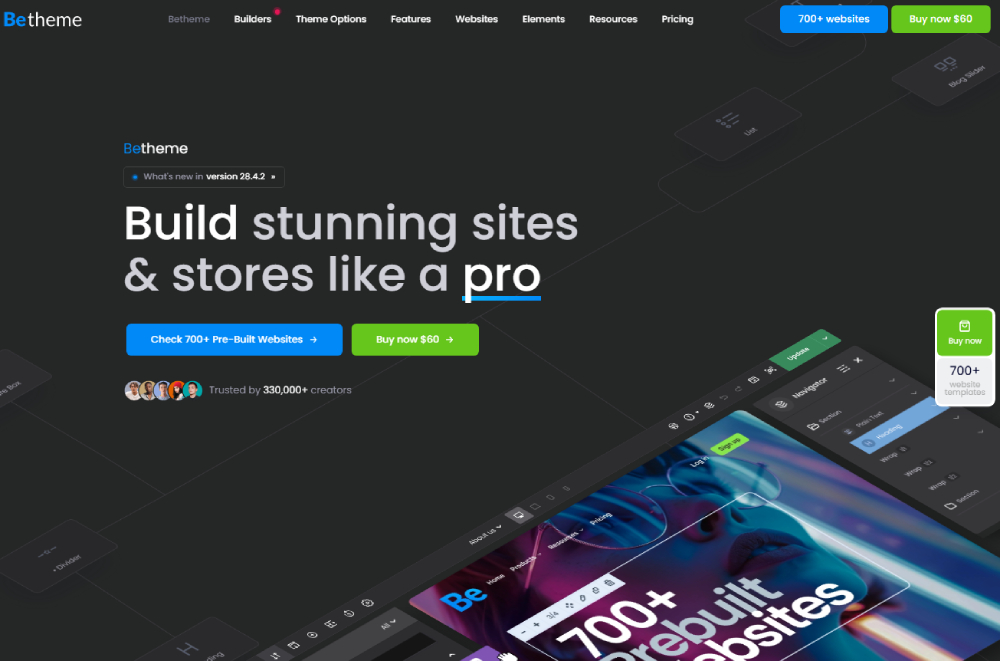
Be Theme is the most versatile option on this list. It's not strictly an education-only theme, which is actually why it ranks first: its 700+ pre-built websites include dedicated education layouts for universities, online academies, tutoring centers, kindergartens, and e-learning platforms. That coverage means you're not locked into one institutional type.
Key specs:
- 700+ pre-built websites, including university, tutoring, kindergarten, and e-learning demos
- Be Builder with 200+ elements: course grids, pricing tables, event blocks, mega menus
- Confirmed LearnDash and LifterLMS compatibility
- WCAG 2.1 ready, WPML compatible, RTL supported
- One-time license at $69 (regular), includes lifetime updates
The Be Builder's custom post type support handles course pages, instructor profiles, and lesson archives without relying on shortcodes. That reduces render overhead compared to shortcode-heavy builders, which matters for Core Web Vitals scores on course-heavy sites.
Be Theme also covers adjacent design needs well. If you're building education-adjacent platforms like coaching sites or professional development portals, the same license covers those layouts.
Astra

Astra is the go-to lightweight option. Its base theme loads in under 50KB, which gives it a structural performance advantage over feature-heavy alternatives.
Astra's education position: The Starter Templates library includes 12 dedicated education layouts. Astra Pro adds advanced header builder, custom layouts, and WooCommerce integration for course sales. It carries the WordPress.org "accessibility-ready" tag and has confirmed WPML compatibility.
Astra Pro is priced at $47/year or $227 lifetime. The free version covers basic sites. Anything beyond a simple course catalog needs the Pro license.
Where it falls short: Astra's education demos are less specialized than Be Theme's. You're largely building from scratch using Starter Templates as a starting point, not a finished education-specific system. That requires more setup time.
Divi
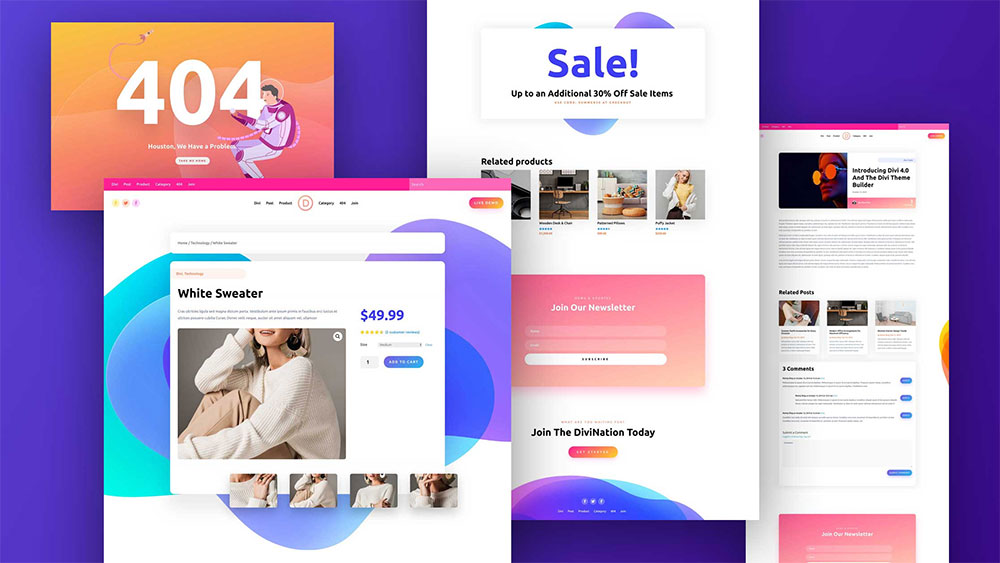
Divi comes from Elegant Themes and uses its own visual builder. It's one of the most-installed premium themes in the WordPress ecosystem.
For education sites, Divi's strength is design flexibility. Its visual builder lets non-developers build complex layouts without touching code. The Divi Marketplace adds education-specific child themes and layout packs.
LMS support: LearnDash works with Divi but requires manual template alignment. LifterLMS has a dedicated Divi integration. Tutor LMS compatibility is partial.
Pricing runs $89/year or $249 lifetime (Elegant Themes membership). The builder can affect Core Web Vitals on complex pages, particularly CLS on pages with large module stacks. Testing on course catalog pages before launch is worth the time.
OceanWP
OceanWP is a free multipurpose theme with a strong premium extension library. Its base install is lightweight and it works with all major page builders: Elementor, WPBakery, Beaver Builder, and Gutenberg.
The Ocean Education extension adds course layout styles, tutor profile templates, and LMS compatibility tweaks. WPML support is confirmed. The free core handles basic school websites well.
For larger institutions needing deep LMS customization, OceanWP requires more plugin layering than Be Theme or Eduma. That said, its low entry cost makes it a reasonable option for small tutoring businesses or single-instructor course sites.
Eduma

Eduma is the most education-focused dedicated theme on this list. It's built by ThimPress and used by over 500,000 people globally (DesignOrbital, 2024). Every layout in Eduma exists specifically for academic or e-learning use.
Pre-built demos include: modern university, online school, Ivy League style, Ed-Tech, grad school, and kid art. LearnPress (ThimPress's own LMS) is deeply integrated. LearnDash compatibility exists but is less native.
Priced at $59 one-time via ThemeForest. The tight LearnPress integration is both a strength and a constraint: if you want LearnDash as your primary LMS, Eduma's out-of-box integration requires more configuration than Be Theme or Astra.
Academy LMS
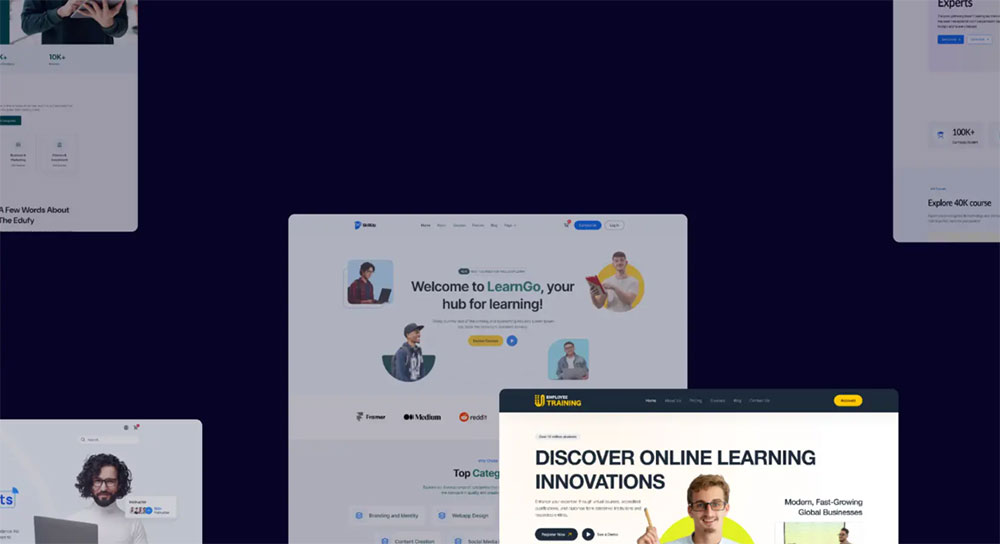
Academy LMS is a WordPress theme built around its own LMS plugin ecosystem. It's designed for course creators who want to build a Udemy-style marketplace rather than a traditional institution website.
Frontend course creation, instructor dashboards, student progress tracking, and course review systems are all included. WooCommerce handles payments. The course marketplace layout makes it practical for multi-instructor platforms.
Best suited for: independent e-learning platforms and online academies with multiple instructors. Less appropriate for traditional school or university websites where institutional branding and faculty directory templates take priority over marketplace features.
Avada
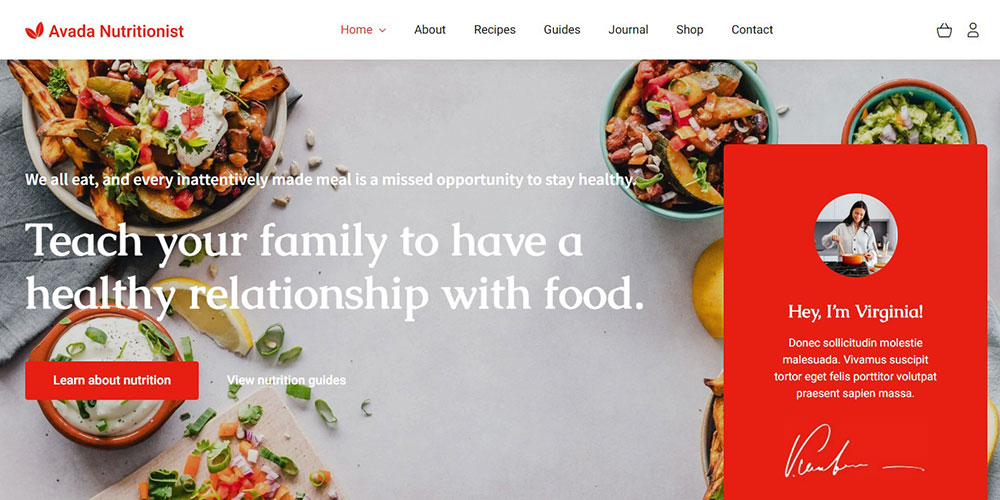
Avada is the best-selling theme on ThemeForest with over 900,000 sales. Its Fusion Builder handles complex page layouts. Education demos are available but not as specialized as Eduma or Be Theme.
Avada's strength is its breadth. If an institution needs a main website with sub-sections for admissions, events, and a small course catalog, Avada handles the variety well. For a dedicated LMS platform, it's not the top choice.
Performance on Avada requires active optimization. The Fusion Builder generates significant CSS output. Without proper caching and minification, LCP scores on course pages can suffer. Real institutions running Avada typically pair it with a performance plugin like WP Rocket or FlyingPress.
Education WP

Education WP is a ThemeForest theme built exclusively for educational institutions. It includes frontend course creation, event management, and student admission workflows. LearnPress is the primary LMS integration.
The theme's design is traditional and academic in tone. That works well for schools and universities aiming for a formal credibility signal. It's less suitable for modern e-learning platforms targeting adult learners or professional development audiences.
Priced at $59 one-time. Update frequency and support responsiveness on ThemeForest's comments are worth checking before purchase. Themes in this category with update histories going stale past 12 months represent a security and compatibility risk for PHP 8.x and WordPress 6.x environments.
How Does Be Theme Handle Education Website Requirements?
Be Theme's education coverage is the widest of any multipurpose theme on this list. The 700+ pre-built website library includes layouts specifically designed for different institutional contexts, not just a single "education demo" with color swaps.
Pre-built Education Demos in Be Theme
Be Theme separates education demos by institution type. That specificity saves hours of layout work during initial setup.
| Demo Type | Best For | Key Layout Elements |
|---|---|---|
| University | Higher education institutions | Faculty directory, program pages, events |
| Online Academy | E-learning platforms | Course grid, instructor profiles, LMS blocks |
| Tutoring Center | Private tutors, small schools | Service pages, booking, team profiles |
| Kindergarten | Early childhood education | Age-appropriate design, parent-focused CTAs |
| E-learning | Course creators, online instructors | Video integration, course catalog, pricing |
Each demo imports with complete inner pages, including contact forms, about pages, FAQ layouts, and program-specific landing pages. One-click demo import handles the full setup. No XML file management required.
LMS Plugin Compatibility
Be Theme supports LearnDash, LifterLMS, and WooCommerce at the template level. That means course single pages, lesson archives, quiz result screens, and checkout flows all render with proper Be Theme styling rather than defaulting to WordPress core templates.
LifterLMS integration handles membership-based course access, certificate generation, and student progress dashboards. LearnDash integration covers drip content scheduling, course prerequisites, and group-based enrollment.
The Be Builder's drag-and-drop course grid element connects directly to LMS course post types. You can build a fully styled course catalog page without writing a single line of shortcode or PHP. For site administrators without developer support, this is a real time saver.
Performance and Accessibility Standards
Be Theme includes built-in performance controls: critical CSS generation, lazy loading for images and videos, Google Fonts local hosting option, and CSS/JS minification. These directly affect LCP and CLS scores on course-heavy pages with multiple media elements.
WCAG 2.1 compliance documentation is included in Be Theme's official setup. Color contrast controls, keyboard navigation support, and ARIA label fields are accessible through the Be Builder's element settings without requiring a separate accessibility plugin.
60.4% of all web traffic globally comes from mobile devices as of October 2024 (StatCounter). Be Theme's responsive framework adjusts course grids, instructor profiles, and header navigation automatically across breakpoints. No separate mobile template management is needed.
What LMS Plugins Work with Education WordPress Themes?
The LMS plugin you choose before selecting a theme shapes every subsequent decision: layout, template, checkout flow, and certificate design. Getting this order backwards (theme first, LMS second) causes compatibility problems that often require a partial rebuild.
The global LMS market reached $23.35 billion in 2024 and is growing at 17.1% annually (Fortune Business Insights). The variety of plugins reflects that growth, but for WordPress education themes, 4 plugins dominate actual usage.
LearnDash
LearnDash is the most widely integrated LMS plugin in the WordPress education theme ecosystem. Stanford Online, University of Michigan, and Yoast's SEO Academy all run on LearnDash.
Core capabilities:
- Drip content scheduling and course prerequisites
- Group-based enrollment and bulk licensing
- Quiz engine with 8 question types
- Certificate and badge generation
- Detailed progress reporting per student
Pricing starts at $199/year for a single site license. Be Theme, Astra, and Divi all ship with confirmed LearnDash template support. Testing the LearnDash course archive template within your chosen theme before going live prevents layout conflicts on the most-visited pages.
LifterLMS
LifterLMS is the strongest choice when WooCommerce integration is a requirement. Its membership system, access plans, and course bundle functionality work natively with WooCommerce product pages.
The free core plugin handles basic course delivery. Premium add-ons cover Stripe and PayPal integration, private lessons, and group courses. Be Theme's LifterLMS integration at the template level means course pages, lesson navigation, and student dashboard layouts render with the theme's design system intact.
Best for: course creators running a multi-product catalog with bundled pricing, subscription access, or membership tiers. Less suited to institutional settings where group enrollment management is the priority (LearnDash handles that better).
Tutor LMS
Tutor LMS includes a native frontend course builder, which sets it apart from LearnDash and LifterLMS. Instructors create and edit courses directly from the frontend without needing WordPress admin access.
Quiz builder, assignment submission, course reviews, and instructor earnings tracking are all included in the free version. The frontend course creation model makes Tutor LMS practical for multi-instructor platforms where non-technical educators manage their own content.
Theme compatibility with Tutor LMS is narrower than with LearnDash. Be Theme and Astra have confirmed support. Divi's compatibility is partial. Always verify Tutor LMS template support in a staging environment before committing to a theme for a multi-instructor setup.
Comparing the 3 Main LMS Options
| LMS Plugin | Best For | Starting Price | Be Theme Compatible |
|---|---|---|---|
| LearnDash | Institutions, structured courses | $199/year | Yes (template level) |
| LifterLMS | WooCommerce course sales, memberships | Free + paid addons | Yes (template level) |
| Tutor LMS | Multi-instructor platforms | Free core | Yes (confirmed) |
How Do Core Web Vitals Affect Education WordPress Theme Selection?
Google confirmed in March 2024 that Core Web Vitals are an active component of its Page Experience ranking signal. The 3 current metrics: LCP under 2.5s, INP under 200ms, and CLS under 0.1. INP replaced FID in March 2024, measuring responsiveness across all user interactions rather than just the first.
Education sites are structurally prone to poor CWV scores. Course grids load multiple images simultaneously. Video embeds introduce render-blocking. Carousels on homepage demos cause layout shift. Choosing a theme without understanding its performance baseline means discovering these problems after launch, not before.
Why Education Sites Are High-Risk for CLS Failures
CLS (Cumulative Layout Shift) measures visual stability as a page loads. A score above 0.1 means elements are jumping around during load, which disrupts reading and click targets.
3 common CLS sources on education sites:
- Course grid thumbnails without defined dimensions in the HTML, causing reflow when images load
- Embedded video players (YouTube, Vimeo) that push content down when they initialize
- Font loading that causes text reflow when web fonts replace fallback fonts
Be Theme handles this through lazy loading with defined aspect ratios and local Google Fonts hosting. Avada and Divi require manual configuration to achieve the same result. Lightweight themes like Astra and OceanWP have lower baseline CLS risk because they generate less CSS and fewer layout-affecting elements on load.
Performance Trade-offs: Feature-heavy vs. Lightweight Themes
There's a real performance gap between feature-heavy multipurpose themes and lightweight frameworks when left at their defaults.
Lightweight themes (Astra, OceanWP): ship with minimal CSS and JavaScript, score better on PageSpeed Insights out of the box, require less optimization work, but need more plugins to replicate the built-in features of larger themes.
Feature-heavy themes (Divi, Avada): include more built-in functionality, generate larger CSS/JS payloads, benefit significantly from caching and minification plugins like WP Rocket, and require active performance management to pass CWV thresholds on complex course pages.
Be Theme sits in the middle. Its Be Builder generates element-specific CSS rather than loading the full framework CSS. That keeps page weight manageable on simpler pages while the full 200+ element library remains available when needed.
Testing methodology: Use Google PageSpeed Insights with real CrUX data, not just the lab scores. A theme demo running on a fast server with minimal content doesn't reflect performance on a 200-course catalog with student-uploaded profile images. Run GTmetrix on a staging site with realistic content volume before committing to a theme.
What Accessibility Standards Should Education WordPress Themes Meet?
Accessibility compliance isn't optional for most educational institutions. It's a legal requirement. And the deadline pressure is real.
The DOJ's April 2024 final rule extended WCAG 2.1 Level AA requirements to all state and local government websites under ADA Title II. Public schools, community colleges, and universities face compliance deadlines between April 2026 and April 2027, depending on their entity size (AudioEye, 2024). Section 504 of the Rehabilitation Act covers institutions receiving federal funding, which includes most US colleges and universities.
WCAG 2.1 AA Requirements for Education Sites
WCAG 2.1 AA has 3 compliance tiers (A, AA, AAA) and AA is the legally referenced standard. For education sites, the 5 most commonly failed criteria are:
- Color contrast: minimum 4.5:1 ratio for normal text, 3:1 for large text
- Keyboard navigation: all interactive elements reachable and operable via keyboard alone
- Focus indicators: visible focus states on all links, buttons, and form fields
- Alt text: descriptive alternatives for all meaningful images
- Form labels: programmatically associated labels for every form input
2,452 ADA lawsuits were filed based on digital accessibility failures in 2024 (Braille Works). Educational institutions are not exempt. Harvard University settled a $1.5 million accessibility lawsuit in 2022 related to online course captioning, setting a clear precedent for higher education digital compliance.
Which Education Themes Are Accessibility-Ready
The WordPress.org "accessibility-ready" tag indicates a theme passed a basic review checklist. That covers keyboard navigation and basic ARIA landmark roles but doesn't confirm full WCAG 2.1 AA compliance.
Astra carries the accessibility-ready tag and has documented WCAG compliance notes in its changelog. Be Theme includes WCAG 2.1 readiness documentation and provides color contrast controls and ARIA label fields in the Be Builder settings. Education WP and Eduma have responsive designs but limited published accessibility compliance documentation.
For US public institutions subject to ADA Title II or Section 504, theme accessibility documentation should be treated as a procurement requirement, not an afterthought. Testing with WAVE (Web Accessibility Evaluation Tool) or axe DevTools before launch identifies failures early, when they're cheap to fix.
How to Test a Theme for Accessibility Before Purchase
Most theme marketplaces publish live demos. You can test these demos with free tools before buying.
3-step accessibility pre-purchase check:
- Run the demo URL through WAVE (wave.webaim.org) and check for contrast errors and missing form labels
- Navigate the demo using only the Tab key to verify keyboard access to menus, buttons, and forms
- Check that focus indicators are visible (not just present) on all interactive elements
If a theme demo fails basic keyboard navigation or shows high contrast error counts in WAVE, it will fail the same tests on your live site. That finding saves the cost of post-launch remediation, which is always more expensive than selecting a compliant theme at the start.
How Do Pricing Models for Education WordPress Themes Compare?
Theme pricing structure matters as much as the price itself. A one-time license with lifetime updates has a different long-term value than an annual subscription that locks you out of updates if you cancel.
Hidden costs are the bigger issue. The theme price is rarely the final number.
| Theme | License Model | Price | LMS Plugin Cost (extra) |
|---|---|---|---|
| Be Theme | One-time (lifetime updates) | $69 | LearnDash from $199/year |
| Astra Pro | Annual or lifetime | $47/yr or $227 | LearnDash or LifterLMS addons |
| Divi | Annual or lifetime | $89/yr or $249 | LifterLMS from $147/year |
| Eduma | One-time | $69 | LearnPress free, addons extra |
| Education WP | One-time | $69 | LearnPress free, addons extra |
What the Theme Price Actually Covers
ThemeForest one-time licenses cover lifetime theme updates on a regular license. That includes PHP 8.x and WordPress 6.x compatibility patches as long as the developer keeps the theme active.
What's not included in any theme license:
- LearnDash: starts at $199/year (single site)
- LifterLMS premium addons: individual bundles from $147/year
- WPML Multilingual CMS: approximately $107/year
- Elementor Pro (if needed): $59/year
A realistic education site budget using Be Theme with LearnDash and WPML runs roughly $375 in year one. That's still well below a custom-built academic site, which typically starts at $5,000 for design and development alone.
Annual vs. Lifetime Licenses: The Real Trade-off
Divi's lifetime license at $249 covers unlimited websites. That's a strong value proposition for agencies building multiple school sites or for institutions managing several sub-brands.
Be Theme at $69 one-time is the most cost-efficient entry point on this list, especially for single-site academic institutions. The Be Builder, 700+ pre-built demos, and LearnDash integration are all included at that price. Nothing is gated behind a higher tier.
Astra's $47/year Pro plan suits institutions that want a lightweight base with flexibility to add features incrementally. The annual renewal model is the trade-off. Missing a renewal means losing access to Astra Pro features, including the LearnDash settings panel and custom layout builder.
What Pre-built Demo Content Do Education WordPress Themes Include?
Demo content is the difference between launching in a week and spending a month on initial setup. The practical value isn't just visual. It's structural: good demos import complete inner page templates, dummy course data, faculty profiles, and contact forms in one click.
Be Theme's 700+ pre-built websites include dedicated education categories. The closest competitor on demo depth for education-specific layouts is Eduma, with 20+ demos all designed for academic and e-learning contexts.
Be Theme's Education Demo Library
Be Theme separates education demos by institutional type, not just by visual style. That's a practical distinction for site builders.

University demo imports: faculty directory pages, department landing pages, academic program layouts, events calendar, admissions contact form, and a homepage with course highlights and news feed.
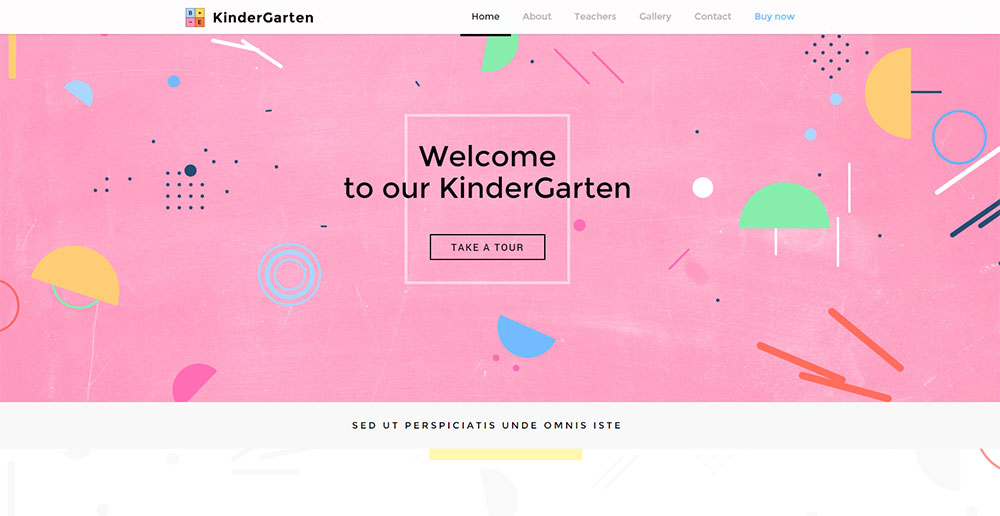
Kindergarten demo ships with a different content structure entirely, with parent-focused CTAs, class schedule templates, staff introduction pages, and a gallery section built for visual credibility with parents rather than academic authority.
One-click import handles the full content package. No XML file uploads, no manual image replacement prompts. The Be Builder renders all imported content with editable elements, so replacing placeholder text and images takes minutes rather than hours.
How Astra and Eduma Handle Demo Content
Astra's Starter Templates library includes 240+ templates total, with 12 in the education category. Import process uses the Astra Sites plugin with one-click deployment.
Eduma ships with 20+ pre-built demos, all education-specific. Every demo includes inner pages: individual course layouts, tutor profiles, blog templates, and pricing tables. The LearnPress integration is visible in the demo data, with pre-populated course listings and student dashboard previews.
Key difference: Be Theme's non-education demos are also available under the same license. An institution that needs a separate landing page for a fundraising campaign, a faculty research blog, or a certificate program microsite can use any of the 700+ demos without additional cost.
Eduma's demos are all education-specific, which is a strength for focused projects and a limitation for institutions with varied web needs.
How Do Education WordPress Themes Support Multilingual and Multisite Setups?
Universities, international schools, and multi-campus institutions have web requirements that go well beyond a single-language, single-site setup. Theme compatibility with WPML, Polylang, and WordPress Multisite is a procurement-level requirement for these organizations, not a nice-to-have.
WPML is used on approximately 1 million WordPress sites and is the most widely deployed translation plugin in the ecosystem (WPMarmite). Its main competitor Polylang has 600,000+ active installations. Both handle hreflang tag generation, translated URL structures, and per-language SEO settings. The choice between them depends on budget and integration depth needed.
WPML and Polylang Compatibility Across Education Themes
WPML Multilingual CMS pricing runs approximately $107/year. Be Theme's WPML compatibility is documented in its official setup guide with specific instructions for translating Be Builder content, including course grid elements, header builder sections, and custom post type fields.
Confirmed WPML compatibility: Be Theme, Astra, Divi, OceanWP, Eduma
Confirmed Polylang compatibility: Be Theme, Astra, OceanWP
RTL language support (Arabic, Hebrew, Persian, Urdu) is confirmed in Be Theme and Astra. Both flip layout direction at the CSS level and adjust text alignment across all page builder elements. Education WP and Eduma have responsive designs but less consistently documented RTL behavior.
WordPress Multisite for University Networks
WordPress Multisite is the standard architecture for universities managing multiple departmental websites from one installation. The University of Illinois at Chicago runs over 600 websites on a single WordPress Multisite network (Barn2, 2025). The University of Texas uses Multisite for student and faculty sub-sites across departments.
Multisite compatibility requires themes to support network activation, meaning the theme can be enabled across all sub-sites from the network admin dashboard without per-site installation. Be Theme, Astra, and Divi all support network activation.
The practical advantage: a central IT team can apply theme updates, maintain brand consistency through shared header and footer settings, and control which Be Builder elements department admins can access, without granting full site admin permissions to non-technical staff.
That governance model is how most successful WordPress deployments in higher education actually operate (Trew Knowledge, 2025).
RTL Support and Translation-Ready Themes
Translation-ready themes ship with a .pot file that allows string translation without editing theme code. That's different from full WPML or Polylang integration, which handles content translation at the post and page level.
For institutions serving Arabic-speaking or Hebrew-speaking student populations, RTL layout testing on the actual theme is non-negotiable. Run the WPML language switcher on a staging site with RTL enabled before selecting a theme for multilingual deployment. Visual rendering errors in RTL mode, including reversed icon directions, misaligned course grid columns, and flipped navigation arrows, are common in themes where RTL support is claimed but untested.
Be Theme's multilingual demo availability in RTL languages makes that pre-purchase testing straightforward. Most other themes on this list require manual RTL testing without demo reference points.
What Are the Most Common Mistakes When Choosing an Education WordPress Theme?
Most education site problems that surface 3-6 months after launch trace back to decisions made before the theme was purchased. The 5 mistakes below account for the majority of avoidable rebuilds and compatibility failures.
Choosing the Theme Before Choosing the LMS Plugin
This is the most expensive mistake on the list. Theme selection should follow LMS selection, not precede it.
A common failure pattern: an institution selects a visually appealing education WordPress theme, builds out their course catalog, and then discovers the theme's LMS compatibility is superficial. Course pages render with broken layouts, quiz result screens use unstyled WordPress defaults, and student dashboard links point to pages the theme doesn't have templates for. Fixing this after launch requires either a theme switch (which breaks customizations) or significant custom PHP work to create the missing templates.
Correct order: Select LMS plugin first. Confirm it works with your enrollment model, payment system, and certificate requirements. Then find a theme with documented template-level support for that specific plugin.
Prioritizing Visual Design Over Performance Benchmarks
Theme demos run on fast servers with minimal content. A demo that scores 95 on PageSpeed Insights with 5 placeholder course cards will score considerably lower with 200 real courses, instructor profile images, and embedded video previews.
Pages that load in 1 second have bounce rates 3x lower than pages that load in 5 seconds (Google). Education sites with slow LCP scores lose prospective students at the course catalog page, before they ever reach an enrollment form.
Test themes on a staging environment with realistic content volume. Load 50+ course images, add instructor photos, embed a video on a sample course page. Run GTmetrix on that staging URL, not on the theme's official demo.
Skipping Accessibility Checks Before Purchase
Running the WAVE tool on a theme demo before purchase takes under 5 minutes. Not doing it has cost institutions far more in post-launch remediation and legal exposure.
The DOJ's 2024 ruling under ADA Title II sets WCAG 2.1 AA as the legal standard for state and local government educational websites. Public schools and universities that launch on a non-compliant theme face real legal risk. Private institutions serving students with disabilities face ADA Title III obligations under the same WCAG standard that courts consistently apply.
Pre-purchase accessibility check: run the theme demo URL through WAVE, navigate using Tab key only, check focus states are visible. If the demo fails, the live site will too.
Ignoring Update History and Support Track Record
Patchstack identified 7,966 new vulnerabilities in the WordPress ecosystem in 2024, a 34% increase over 2023. A total of 1,614 plugins and themes were removed from the WordPress repository that year for unpatched security issues (Patchstack, 2025).
Before purchasing any education theme on ThemeForest or directly from a developer's site, check 3 things:
- Last update date (anything over 6 months without a release is a warning sign)
- PHP 8.x and WordPress 6.x compatibility confirmed in the changelog
- Support forum response time and quality in ThemeForest comments
Be Theme, Astra, and Divi all maintain active update schedules with documented compatibility for current PHP and WordPress versions. That consistency isn't accidental. It reflects the commercial incentive of active theme businesses. Smaller or lower-revenue theme products carry higher abandonment risk.
How Does Theme Update History and Support Quality Affect Long-Term Use?
A theme that stops receiving updates is a liability. Not immediately, but within 12-18 months. PHP version incompatibilities, broken plugin integrations, and unpatched security vulnerabilities accumulate quietly until something breaks in production.
Educational institutions, unlike personal blogs, have defined IT governance requirements. An abandoned theme that breaks during exam registration season or student enrollment is a reputational and operational failure, not just a technical inconvenience.
What Active Update History Actually Looks Like
Be Theme's ThemeForest changelog shows consistent updates aligned with major WordPress releases. Version updates cover PHP 8.x compatibility, Be Builder element improvements, and LMS plugin integration patches. That kind of release cadence signals an actively maintained commercial product, not a theme coasting on past sales.
Astra publishes a public changelog with version history dating back years. Major WordPress releases (5.x, 6.x) are typically addressed within days of the core update. Divi's changelog through Elegant Themes follows a similar pattern.
Red flags in a theme's update history:
- Last update more than 6 months ago with no changelog note
- No mention of PHP 8.1 or 8.2 compatibility
- WordPress version tested against is more than 2 major versions behind current
- ThemeForest comment section shows unanswered support threads
Support Channels and Response Quality
Support quality is something you can actually evaluate before buying. ThemeForest's comment sections are public. Reading the last 20-30 comments on a theme's product page tells you more about real support responsiveness than any sales page claim.
Be Theme offers a dedicated support forum with documented response commitments. Astra's support is handled through a ticket system with live chat for Pro users. Divi's Elegant Themes support covers chat and email, with an active community forum that often resolves common integration questions faster than the official channel.
For institutions that lack in-house WordPress developers, support quality is directly tied to operational continuity. A LearnDash template conflict that surfaces after a WordPress 6.x update needs to be resolved in hours, not days. The themes on this list with the strongest long-term track records are Be Theme, Astra, and Divi. Each has demonstrated consistent update and support behavior across multiple years and major platform transitions.
PHP and WordPress Version Compatibility as a Long-term Signal
PHP 8.0 reached end-of-life in November 2023. PHP 8.1 reaches end-of-life in December 2025. Themes still tested only against PHP 7.4 are running on deprecated infrastructure.
Minimum compatibility requirements for any education theme selected in 2025: PHP 8.1 or 8.2 confirmed, WordPress 6.4+ tested, and at least one major update released in the past 90 days.
Education sites also need to account for plugin stack compatibility, not just theme-WordPress compatibility. A theme update that breaks LearnDash template rendering during an active course term causes immediate student-facing failures.
Be Theme's update notes specifically call out LMS plugin compatibility testing, which reduces that risk. That level of documentation specificity is what separates professional-grade themes from lower-tier alternatives on ThemeForest.
If you're exploring adjacent school website design examples to inform your theme selection, comparing real institutional sites against the demos covered here gives a grounded sense of what each theme looks like in production, beyond the polished demo environment.
The broader context of how teacher websites are structured also highlights how individual educators use these same themes at a smaller scale, often prioritizing course catalog simplicity and mobile responsiveness over institutional feature depth.
What is the best education WordPress theme?
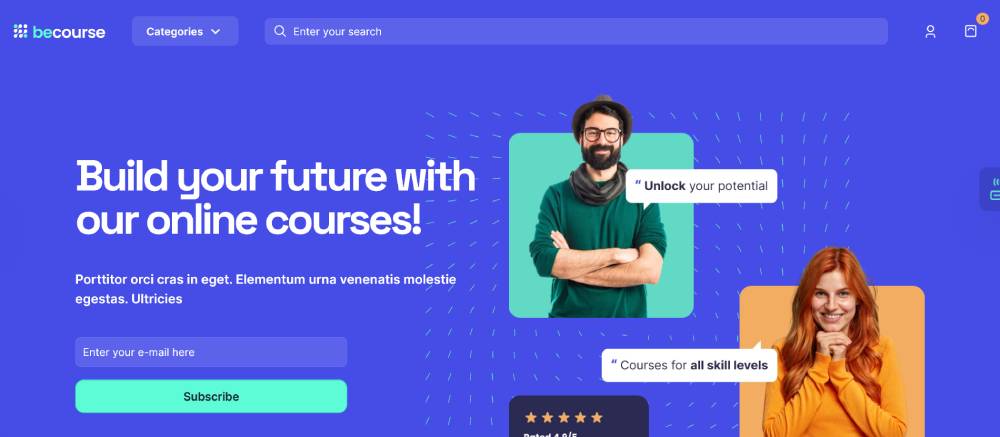
Be Theme ranks first for education sites. Its 700+ pre-built websites include dedicated university, e-learning, tutoring, and kindergarten demos. Confirmed LearnDash and LifterLMS compatibility, WCAG 2.1 readiness, and a one-time $69 license make it the strongest overall option.
What makes an education WordPress theme different from a regular theme?
Education themes ship with course catalog templates, faculty directory layouts, LMS plugin support, and student portal pages. A generic theme lacks these structures entirely. That means broken course page rendering and no template support for LearnDash or LifterLMS out of the box.
Does Be Theme work with LearnDash?
Yes. Be Theme supports LearnDash at the template level, meaning course archives, single lesson pages, and quiz result screens all render with proper Be Theme styling. No custom PHP is required to align LearnDash output with the theme's design system.
Which WordPress themes are compatible with LifterLMS?
Be Theme, Astra, and Divi all have confirmed LifterLMS compatibility. Be Theme and Astra provide template-level support. Divi has a dedicated LifterLMS integration. OceanWP supports it via the Ocean Education extension. Always verify template override support, not just visual compatibility.
Are education WordPress themes WCAG 2.1 compliant?
Not automatically. Be Theme includes WCAG 2.1 readiness documentation and built-in color contrast controls. Astra carries the WordPress.org accessibility-ready tag. Most other education themes lack published compliance documentation. Always test demos with WAVE or axe DevTools before purchasing.
What is the difference between Be Theme and Eduma for education sites?
Eduma is education-only with deep LearnPress integration. Be Theme covers broader institutional needs with 700+ demos across multiple site types. For dedicated e-learning platforms, Eduma's specialized templates help. For universities or multi-purpose academic sites, Be Theme's flexibility and LMS support cover more ground.
Do education WordPress themes support multiple languages?
Be Theme, Astra, and Divi all confirm WPML and Polylang compatibility. Be Theme also supports RTL languages including Arabic and Hebrew. For universities serving international students or multi-campus institutions, verifying RTL rendering on a staging site before committing to a theme is worth the time.
How much do premium education WordPress themes cost?
Be Theme and Eduma are both $69 one-time on ThemeForest. Astra Pro runs $47/year or $227 lifetime. Divi costs $89/year or $249 lifetime. Budget separately for LMS plugins: LearnDash starts at $199/year, LifterLMS premium addons from $147/year.
Can I use Be Theme for a university website?
Yes. Be Theme includes dedicated university demo layouts with faculty directory pages, department landing pages, academic program templates, and events calendars. It also supports WordPress Multisite, which is the standard architecture for universities managing multiple departmental sites from one installation.
What should I check before buying an education WordPress theme?
Check LMS plugin compatibility first, then Core Web Vitals scores on the demo, then accessibility with the WAVE tool. Also verify the theme's update history. Any theme without a release in the past 6 months, or without confirmed PHP 8.x support, carries real security and compatibility risk.
Conclusion
This conclusion is for an article presenting education WordPress themes, and the core takeaway is straightforward: theme selection shapes every downstream decision, from LMS integration to accessibility compliance.
Be Theme leads the list because it covers the widest range of academic use cases, from university Multisite networks to single-instructor online academies, without requiring separate licenses for each context.
Astra suits performance-focused builds. Eduma works well for dedicated e-learning platforms running LearnPress. Divi fits agencies managing multiple school sites under one membership.
Whatever your institution type, get the LMS plugin decision right first. Then find a theme with documented template support, a clean Core Web Vitals baseline, and an active update history.
The right responsive education WordPress template does not just look good. It holds up operationally.
























