
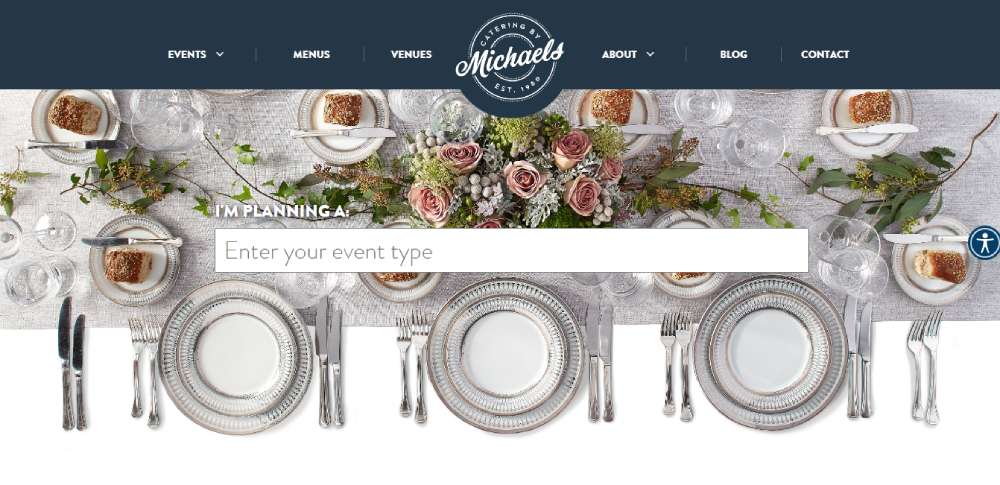
Catering Website Design Examples You Want To See
January 28, 2026
The Best Gaming Website Templates for Your Next Project
January 30, 2026Your next client is Googling "wedding planner near me" right now. What they find decides whether you get the inquiry or your competitor does.
A strong online presence starts with the right wedding planner website template. The wrong choice means slow load times, clunky mobile layouts, and booking forms that frustrate couples before they ever reach out.
This guide breaks down template types, pricing tiers, features that actually matter, and how to customize layouts for your bridal business.
Whether you're launching your first site on WordPress or redesigning an outdated Squarespace page, you'll find templates that match your brand and convert visitors into consultations.
What is a Wedding Planner Website Template
A wedding planner website template is a pre-built website layout designed for bridal consultants, event coordinators, and wedding planning businesses.
These templates come with ready-made pages, gallery sections, and booking systems that save months of development time.
Instead of hiring a developer or starting from scratch, you pick a theme that matches your brand aesthetic and customize it.
Wedding Planner Website Templates
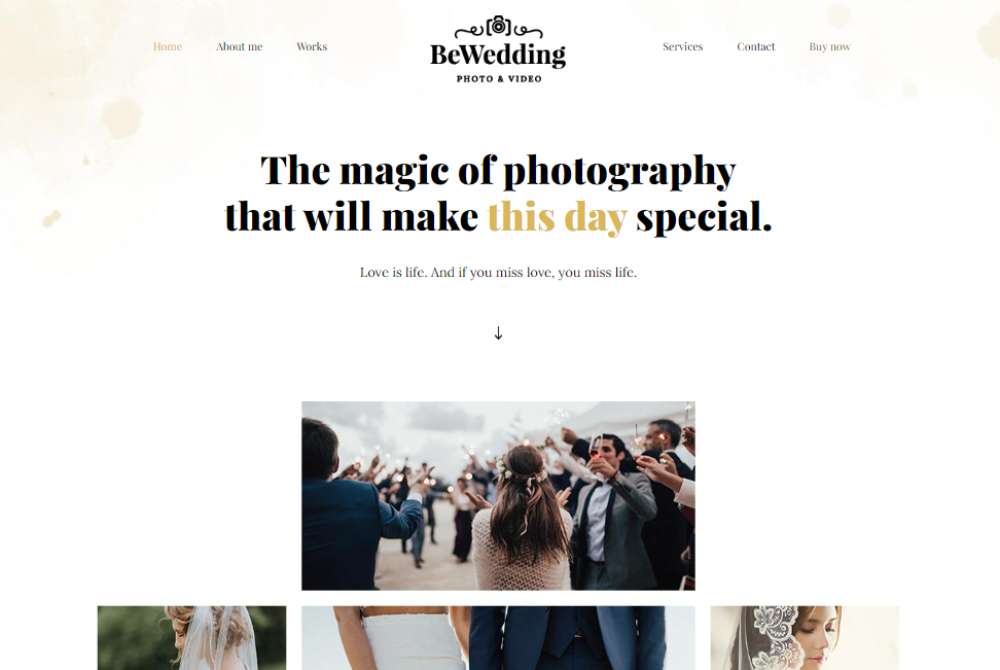
BE Wedding 3

BE Wedding Band

BE Wedding Planner
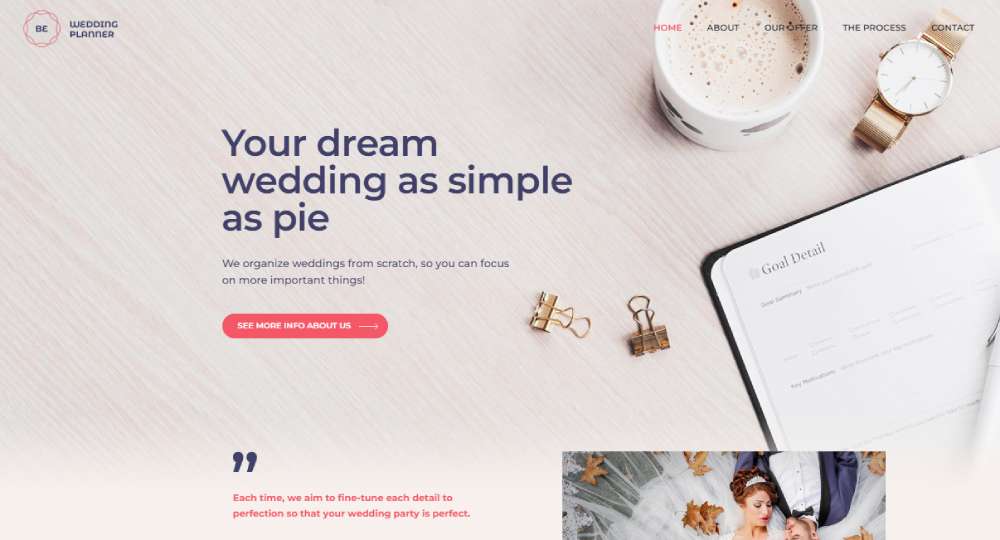
BE Wedding Photos
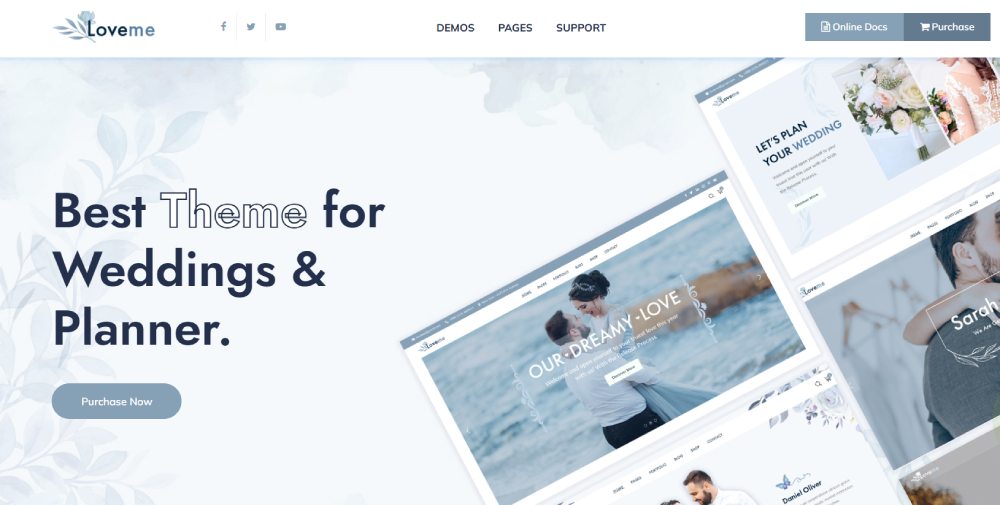
Loveme
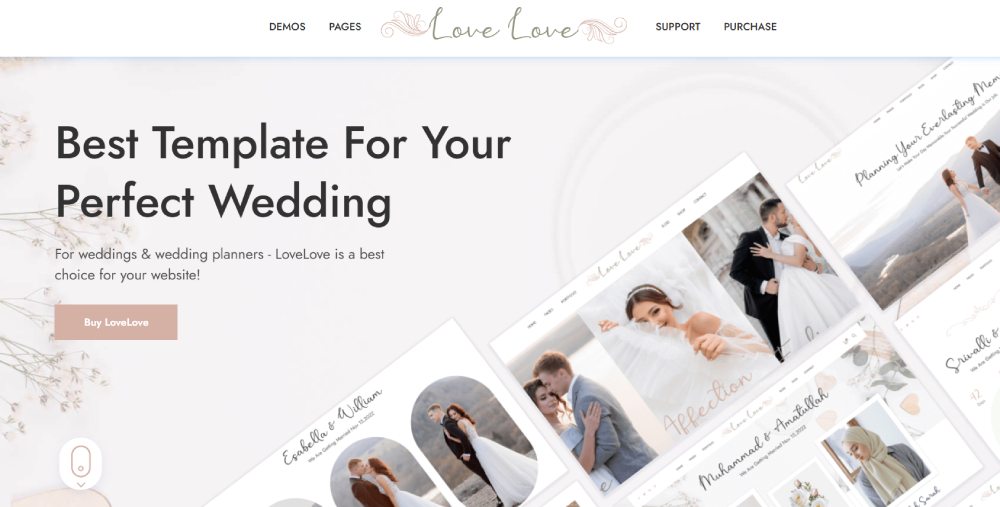
LoveLove
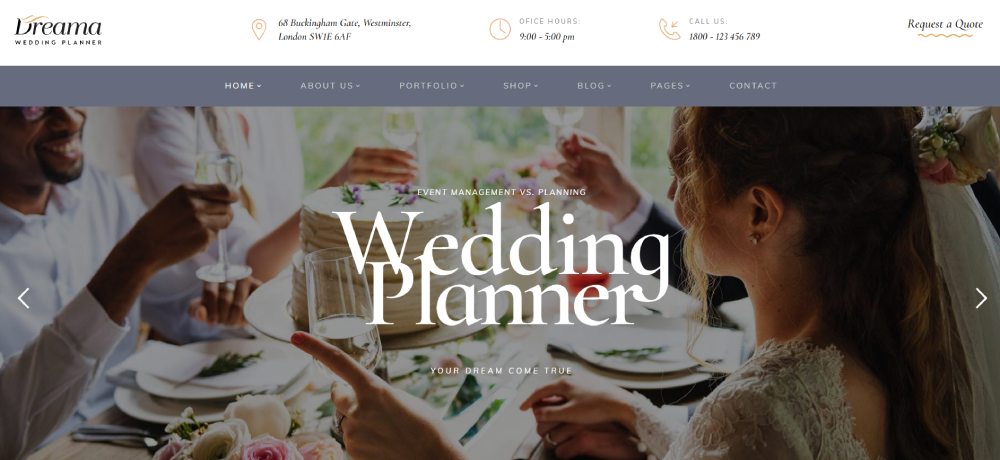
Dreama
Habibi
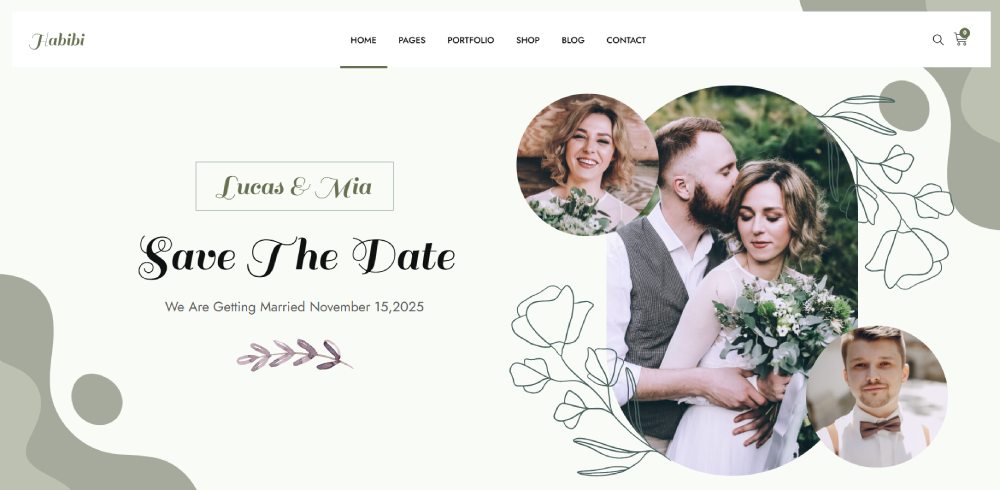
Ceremony

Feelings
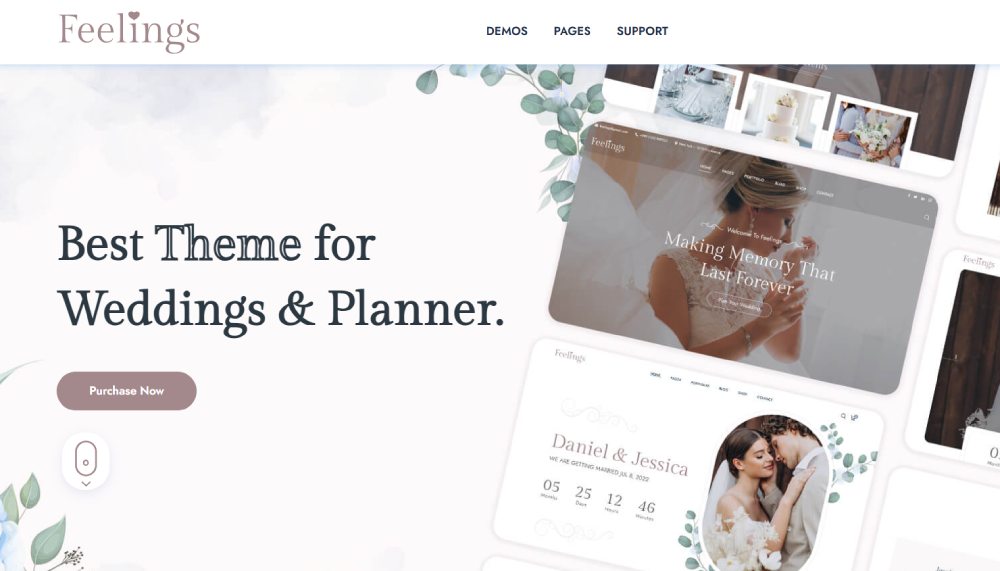
Reval
Castella
Love Story
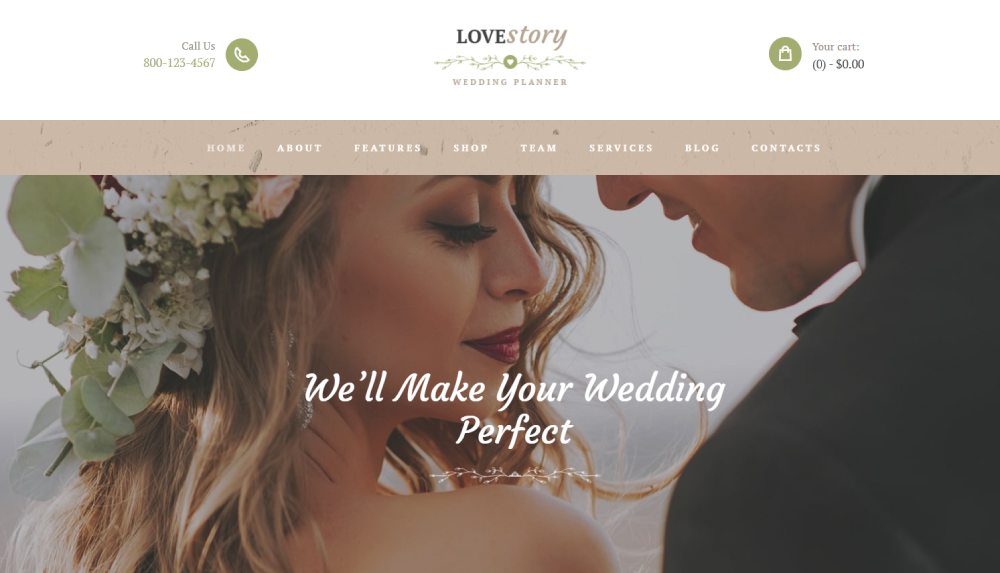
Nikah

Florya
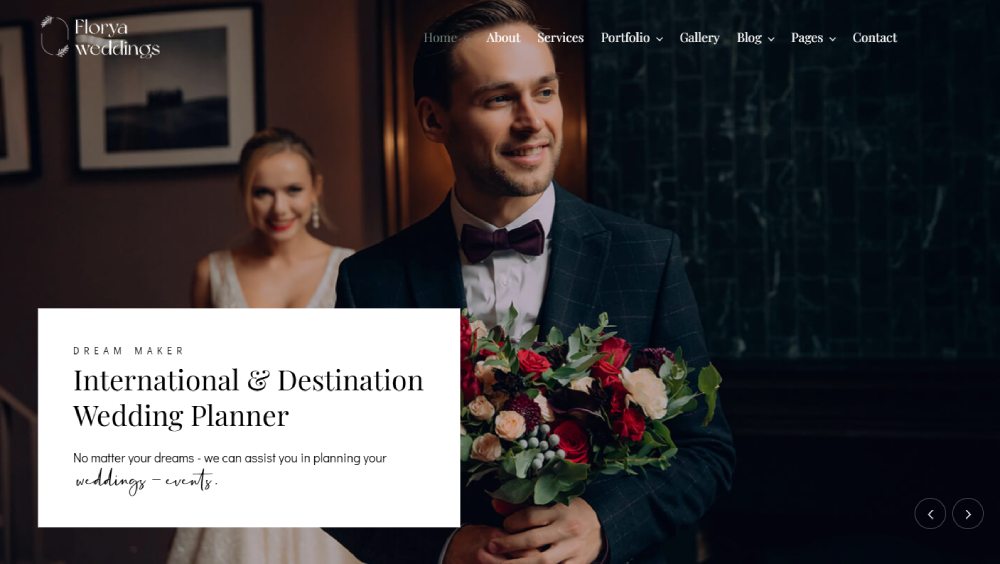
PartyMaker

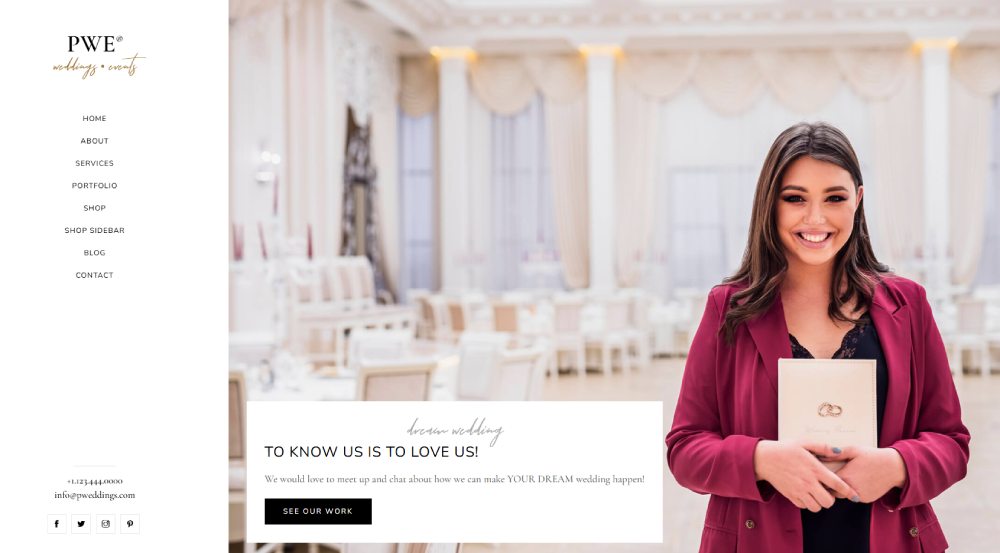
PWE
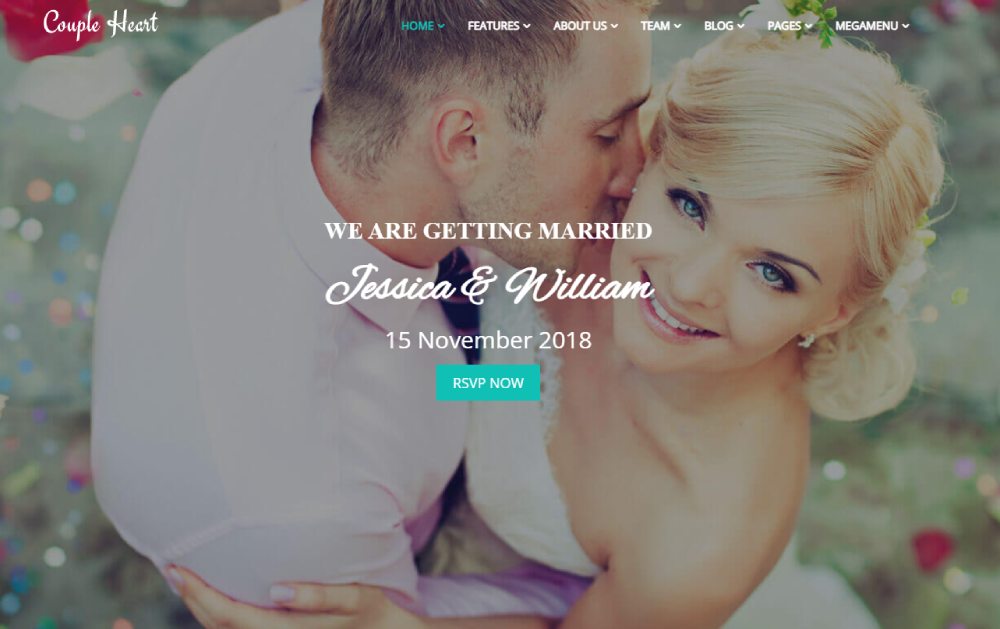
Couple Heart
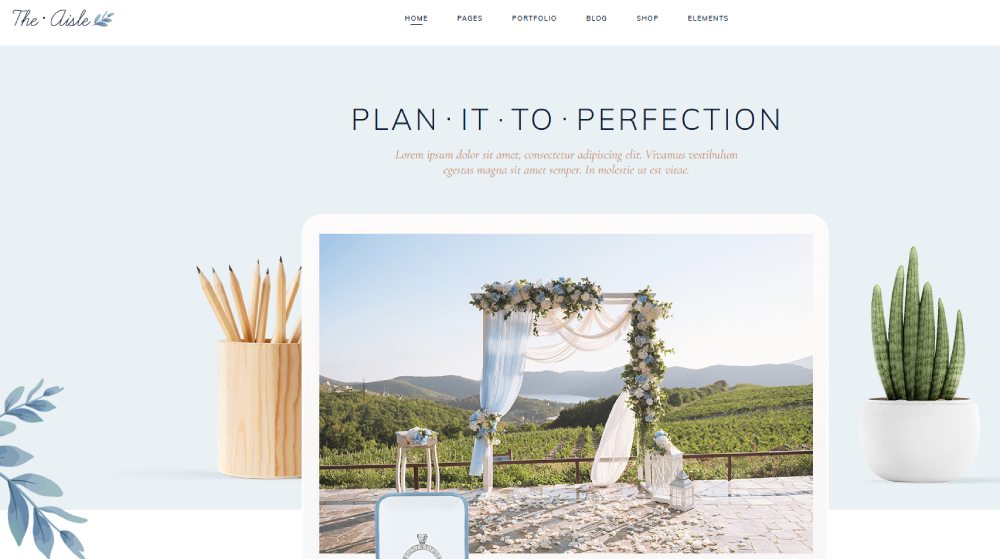
The Aisle
Solene
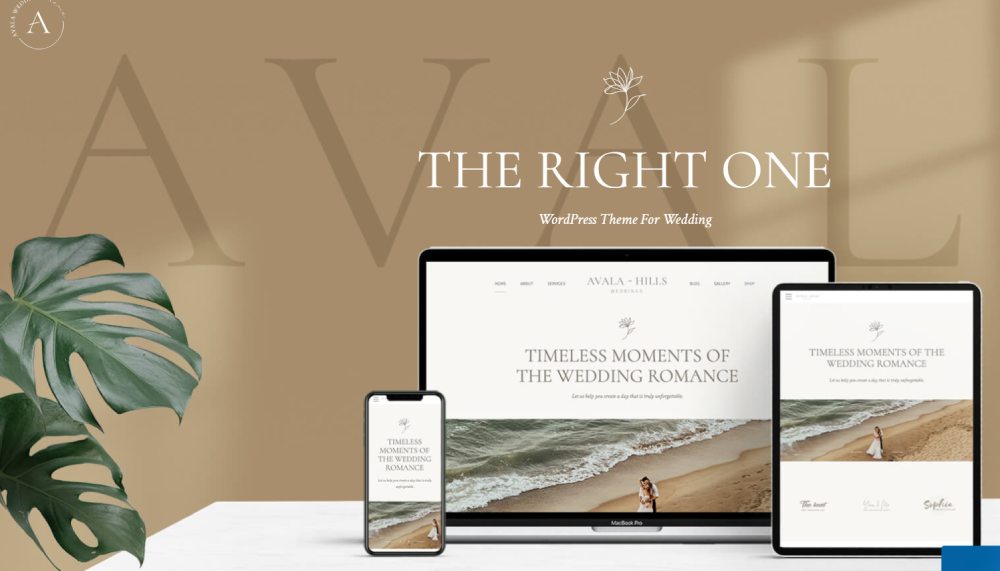
Avala
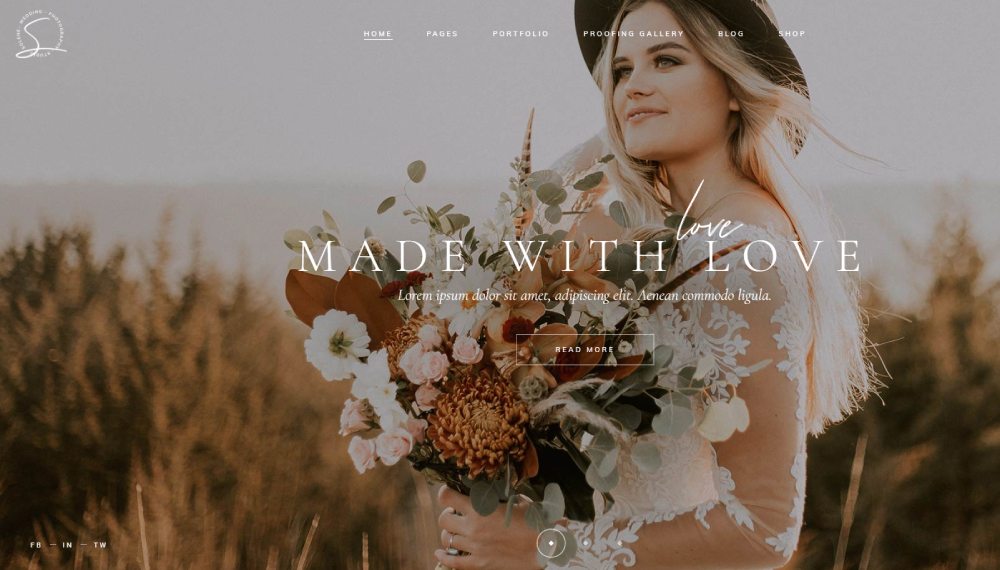
Solene
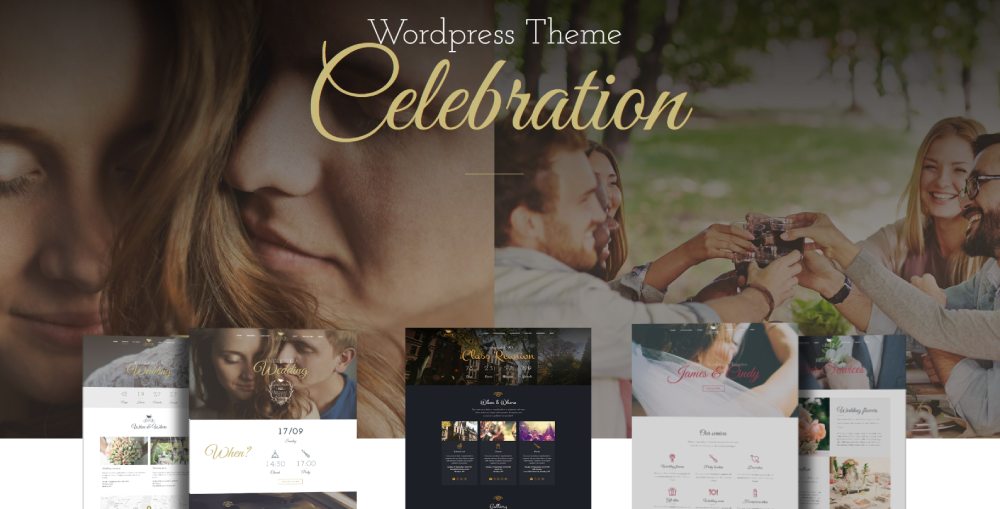
Celebration
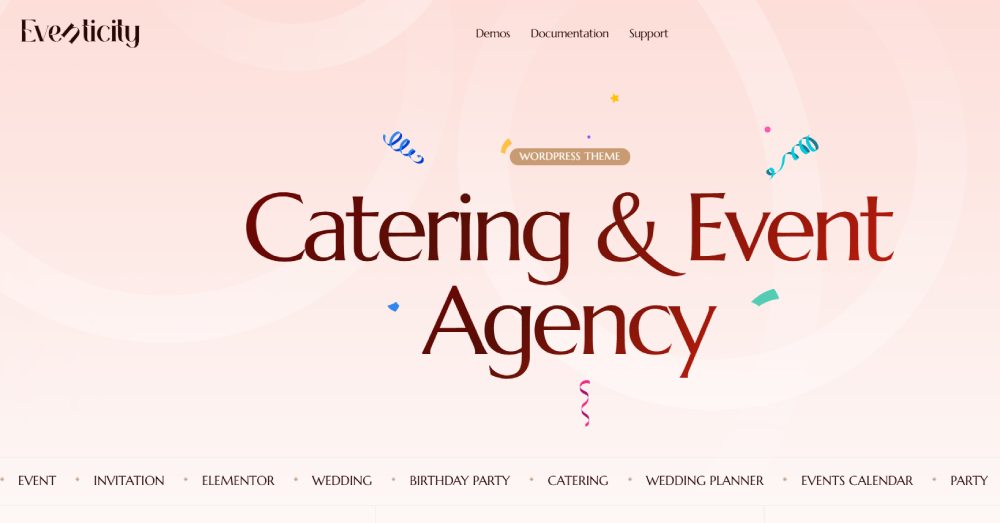
Eventicity
How Does a Wedding Planner Website Template Work
You purchase or download the template, install it on your hosting platform, then swap placeholder content with your own photos, text, and branding.
Drag and drop editors like Elementor or Divi Builder make customization straightforward even without coding knowledge.
The template handles the technical structure. You handle the creative direction.
Connect your domain, set up contact forms, add your service packages, and you're live.
What Are the Design Elements of a Wedding Planner Website Template
Quality templates share common structural elements that convert visitors into clients.
The best ones balance visual appeal with functional lead capture.
Gallery and Portfolio Sections
Image galleries showcase your past weddings and styled shoots. A well-designed portfolio builds trust faster than any sales copy.
Look for templates with lightbox displays, filterable categories, and before-and-after layouts.
Service Pages and Pricing Displays
Dedicated service pages explain your full-service planning, partial coordination, and day-of packages.
Clean pricing page layouts with comparison tables reduce client questions and pre-qualify leads.
Contact Forms and Inquiry Systems
Multi-step inquiry forms capture wedding dates, guest counts, venues, and budget ranges upfront.
Integration with tools like HoneyBook, Dubsado, or 17hats automates your client workflow from first contact.
Vendor Directory Integration
Some templates include vendor list pages where you showcase preferred florists, photographers, and caterers.
This adds value for couples and strengthens your industry relationships.
Timeline and Countdown Features
Countdown widgets display days until the wedding. Timeline sections walk couples through your planning process month by month.
What Types of Wedding Planner Website Templates Exist
Templates vary by platform, complexity, and customization options.
HTML Wedding Planner Templates
Static HTML templates offer maximum speed and control but require coding knowledge to modify. Best for developers or those hiring one.
WordPress Wedding Planner Themes
WordPress themes dominate the market with thousands of options on ThemeForest and Elegant Themes.
Pair them with page builders like Elementor for visual editing. WooCommerce integration handles payments.
Squarespace Wedding Planner Templates
Squarespace offers polished, minimalist templates with built-in hosting and SSL certificates.
Limited customization compared to WordPress, but faster setup.
Wix Wedding Planner Templates
Wix provides beginner-friendly templates with drag and drop editing and Acuity Scheduling integration for consultations.
Shopify Wedding Business Templates
Shopify works best if you sell wedding planning packages, printables, or physical products alongside services.
Which Features Should a Wedding Planner Website Template Include
Not all templates deserve your money. Here's what separates good from forgettable.
Mobile Responsiveness
Over 60% of couples browse wedding vendors on phones. Responsive design is mandatory, not optional.
Test templates on multiple devices before purchasing.
Image Loading Speed
Wedding sites are image-heavy. Templates need lazy loading, optimized compression, and clean code to prevent slow page speeds.
Aim for under 3-second load times.
Booking Calendar Integration
Built-in calendar systems or Calendly embeds let couples book consultations without email back-and-forth.
Social Media Connections
Instagram and Pinterest drive massive traffic for wedding businesses.
Templates should include social feed displays and easy sharing buttons.
Testimonial Display Sections
Dedicated testimonial sections with client photos and quotes build credibility.
Slider formats work well without overwhelming the page.
Blog Functionality
A built-in blog section helps with search visibility and positions you as an expert.
Write about real weddings, planning tips, and venue reviews.
RSVP Management Tools
Some templates include guest list management and RSVP tracking. Useful if you offer coordination services that extend to guest communication.
How to Choose a Wedding Planner Website Template
Picking the right template saves redesign headaches later. Consider these factors before buying.
Budget Considerations
Free templates work for testing; premium templates ($50-$200) deliver better code quality and support.
Customization Options
Check if the template allows color scheme changes, font swaps, and layout adjustments without touching code.
Technical Skill Requirements
Some themes require basic CSS knowledge. Others offer visual builders where you click and drag everything.
Platform Compatibility
Match the template to your preferred platform. WordPress themes won't work on Squarespace.
Customer Support Availability
Premium templates from ThemeForest typically include 6 months of developer support. Check response times in reviews.
Best Wedding Planner Website Templates
Rankings based on design quality, loading speed, customization depth, mobile responsiveness, and user reviews.
Criteria for Ranking
- Page load speed under 3 seconds
- Mobile responsiveness score above 90
- Minimum 8 pre-built pages
- Multiple gallery layout options
- Contact form variations included
- Active developer updates within 6 months
- Documentation completeness
When evaluating templates, look for designs that follow proven web design principles with clear visual hierarchy.
The best elegant website designs balance sophistication with usability.
Study how successful event planner websites structure their content for conversion.
How Much Does a Wedding Planner Website Template Cost
Prices range from free to $300+ depending on features and platform.
Free Wedding Planner Templates
Limited customization, generic designs, often no support. Fine for launching fast on a tight budget.
Premium Templates ($20-$100)
Most templates on ThemeForest and Elegant Themes fall here. Solid designs with documentation and 6-month support.
Professional Templates ($100-$300)
Agency-quality designs with multiple demos, advanced features, and extended support. Worth it for established businesses.
Custom Template Solutions
Hiring a developer to customize a template runs $500-$2,000+. Full custom builds start around $3,000.
How to Install a Wedding Planner Website Template
Installation varies by platform but follows similar patterns.
WordPress Installation Steps
Download the theme ZIP file, navigate to Appearance > Themes > Add New > Upload, activate, then import demo content if available.
HTML Template Setup Process
Upload files via FTP to your hosting server, edit HTML files in a code editor, replace placeholder images and text manually.
Squarespace Template Activation
Select template during signup or switch via Design > Site Styles. All templates include hosting automatically.
Wix Template Implementation
Choose template from the wedding category, use the visual editor to customize. Switching templates later resets all content.
How to Customize a Wedding Planner Website Template
Customization transforms a generic template into your branded experience.
Changing Colors and Fonts
Match your brand colors using hex codes. Google Fonts integration lets you swap typography without uploading files.
Adding Your Logo and Branding
Upload PNG logos with transparent backgrounds. Ensure your logo displays correctly on both light and dark sections.
Editing Page Layouts
Page builders like Elementor let you drag sections, adjust column widths, and reorder content blocks visually.
Uploading Portfolio Images
Compress images before uploading. Use consistent aspect ratios across galleries for clean grid displays.
Setting Up Service Packages
Create dedicated pages for full-service planning, partial planning, and day-of coordination with clear deliverables listed.
Creating Vendor Lists
Add a preferred vendors page linking to florist websites, wedding photographer sites, and catering businesses you partner with.
What Wedding Planning Services Should Be Featured on the Website
Structure your service pages around what couples actually search for.
Full-Service Wedding Planning
Covers everything from venue selection to final send-off. Highest price point, most comprehensive package.
Partial Wedding Planning
Couples handle some tasks; you manage specific areas like vendor coordination or design. Mid-range pricing.
Day-of Coordination
You execute the timeline on the wedding day. Popular entry-level service for budget-conscious couples.
Destination Wedding Services
Specialized planning for weddings in other cities or countries. Requires vendor networks in multiple locations.
Elopement Packages
Growing demand for intimate ceremonies. Streamlined planning with fewer vendors and smaller budgets.
Vendor Management
Handling communication, contracts, and payments with all wedding vendors on the couple's behalf.
Budget Planning Assistance
Creating realistic budgets, tracking expenses, and negotiating with vendors to maximize value.
How to Display Wedding Portfolios on Template Websites
Your portfolio sells harder than any headline. Display it strategically.
Before and After Galleries
Show venue transformations and tablescapes. Demonstrates your design vision clearly.
Real Wedding Stories
Feature complete weddings with venue names, color palettes, and vendor credits. Couples love seeing full events.
Venue Showcase Sections
Group weddings by venue if you work with specific locations repeatedly. Builds perceived expertise.
Styled Shoot Collections
Editorial shoots demonstrate creativity beyond client constraints. Great for attracting high-end bookings.
How to Optimize a Wedding Planner Website Template for Local Search
Most couples search for planners in their wedding location. Local optimization matters.
Location-Specific Page Creation
Build individual pages targeting "wedding planner in [city]" for each area you serve.
Google Business Profile Integration
Claim and optimize your Google Business listing. Link it to your website. Collect reviews actively.
Local Venue Partnerships Display
Mention local venues you've worked with. Search engines recognize these geographic associations.
Regional Service Area Maps
Embed Google Maps showing your service radius. Helps couples confirm you work in their area.
What Technical Requirements Does a Wedding Planner Website Need
Technical foundations affect both user experience and search rankings.
Hosting Specifications
Shared hosting works initially. Upgrade to VPS or managed WordPress hosting as traffic grows beyond 10,000 monthly visitors.
SSL Certificate Implementation
Required for security and search rankings. Most hosts include free SSL through Let's Encrypt.
Image Compression Standards
Keep images under 200KB each. Use WebP format when possible. Tools like ShortPixel automate compression.
Loading Speed Benchmarks
Target under 3 seconds on mobile. Test with Google PageSpeed Insights; aim for scores above 80.
Browser Compatibility
Test on Chrome, Safari, Firefox, and Edge. Mobile browsers on iOS and Android require separate testing.
How Do Wedding Planners Use Contact Forms on Template Websites
Forms are your lead capture system. Structure them to qualify prospects before the first call.
Initial Inquiry Forms
Collect name, email, wedding date, venue (if chosen), and how they found you. Keep it short.
Consultation Request Systems
Add calendar integration so couples book calls directly. Reduces email back-and-forth significantly.
Quote Calculator Tools
Interactive calculators let couples estimate costs based on guest count and service level. Pre-qualifies budget.
Client Questionnaires
Detailed forms sent after booking capture vision, preferences, and logistics before the first planning session.
What Payment Integration Options Work with Wedding Planner Templates
Accept payments directly through your website to speed up booking.
Deposit Collection Systems
Stripe and PayPal integrate with most templates. Collect retainers immediately after contracts are signed.
Payment Plan Setup
Offer installment options for larger packages. Tools like HoneyBook and Dubsado handle automated payment schedules.
Invoice Generation
Create professional invoices within your CRM or through WooCommerce for WordPress-based sites.
Retainer Fee Processing
Secure deposits before blocking dates. Standard practice is 25-50% of total package cost upfront.
FAQ on Wedding Planner Website Templates
What is the best platform for a wedding planner website?
WordPress offers the most flexibility with thousands of themes and plugins like Elementor and WooCommerce.
Squarespace and Wix work better for beginners who want built-in hosting and simpler editors without technical setup.
How much should I spend on a wedding planner website template?
Budget $50-$150 for quality premium templates on ThemeForest or Elegant Themes.
Free templates lack support and customization. Professional templates above $200 include advanced features worth the investment for established businesses.
Do I need coding skills to use a website template?
No. Most modern templates include drag and drop builders like Elementor or Divi Builder.
You customize visually by clicking and dragging elements. Basic image editing skills help but coding knowledge is unnecessary.
What pages should a wedding planner website include?
Home, About, Services, Portfolio gallery, Testimonials, Blog, and Contact pages are standard.
Add a vendor directory page and pricing information if you want to pre-qualify leads before consultations.
How do I make my wedding planner website mobile responsive?
Choose templates labeled mobile responsive from the start. Test on multiple devices before purchasing.
Most premium themes automatically adjust layouts for phones and tablets without extra configuration needed.
Can I integrate booking systems into my template?
Yes. Templates support calendar tools like Calendly and Acuity Scheduling through embed codes or plugins.
CRM platforms like HoneyBook and Dubsado also integrate directly for consultation booking and client management.
How long does it take to set up a wedding planner website?
Basic setup takes 2-4 hours. Full customization with your branding, portfolio images, and service content requires 1-2 weeks.
Factor in time for writing copy and gathering testimonials.
Should I use a one-page or multi-page template?
One page designs work for simple portfolios and quick launches.
Multi-page templates perform better for SEO and allow detailed service descriptions, blog sections, and comprehensive vendor directories.
What image formats work best for wedding websites?
Use JPEG for photographs and PNG for logos with transparent backgrounds.
WebP format offers better compression. Keep file sizes under 200KB and use consistent aspect ratios across gallery sections.
How do I accept payments through my wedding planner website?
Integrate Stripe or PayPal for direct payments. WordPress sites use WooCommerce for invoicing.
CRM tools like HoneyBook handle contracts, invoices, and payment plans automatically within one platform.
Conclusion
The right wedding planner website template transforms how couples discover and book your services.
Focus on mobile responsive design, fast page loading speed, and integrated booking calendars. These elements convert browsers into consultation requests.
Platforms like Wix and Elementor make customization accessible without coding. ThemeForest offers hundreds of event coordinator themes at reasonable prices.
Your portfolio gallery and client testimonial sections do the heavy selling. Invest time in high-quality images and genuine reviews from past couples.
Start with a template that matches your brand aesthetic. Customize the service package displays and inquiry forms to reflect your planning style.
Track results with Google Analytics. Adjust based on what pages visitors engage with most.
Launch now, refine later.