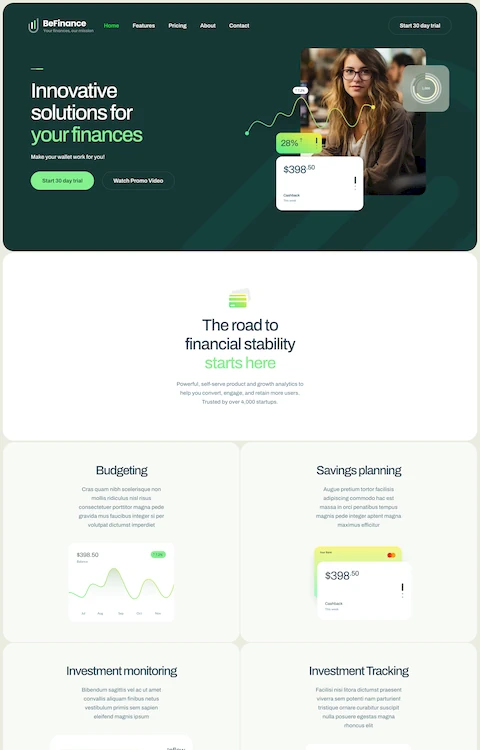
Artsy Websites with Lovely Web Designs to Inspire You
December 22, 2025
The Best Examples of Simple Website Templates
December 26, 2025Your website has about three seconds to make an impression. Most fail.
The difference between sites that convert and sites that bounce often comes down to one thing: the template foundation. Amazing website templates combine visual appeal with functional design, giving you a professional starting point without the $20,000 custom development price tag.
But with thousands of options across WordPress, Webflow, Squarespace, and other platforms, choosing the right one feels overwhelming.
This guide cuts through the noise. You'll learn what separates exceptional templates from mediocre ones, which types fit specific industries, and how to customize any template into something uniquely yours.
No fluff. Just practical guidance for picking and using templates that actually work.
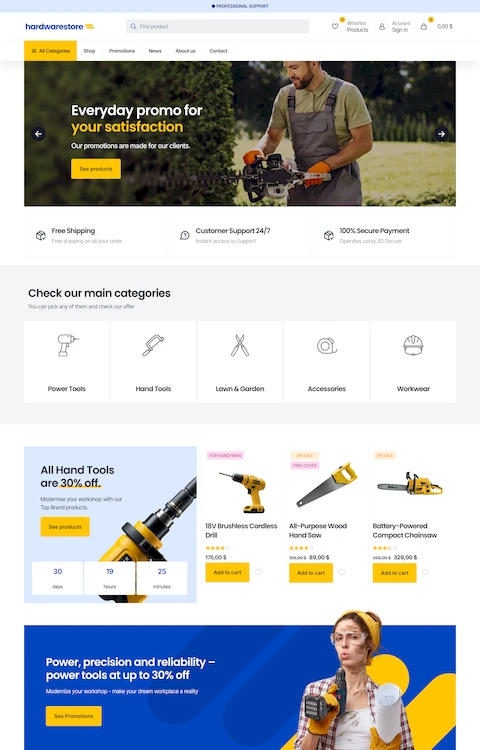
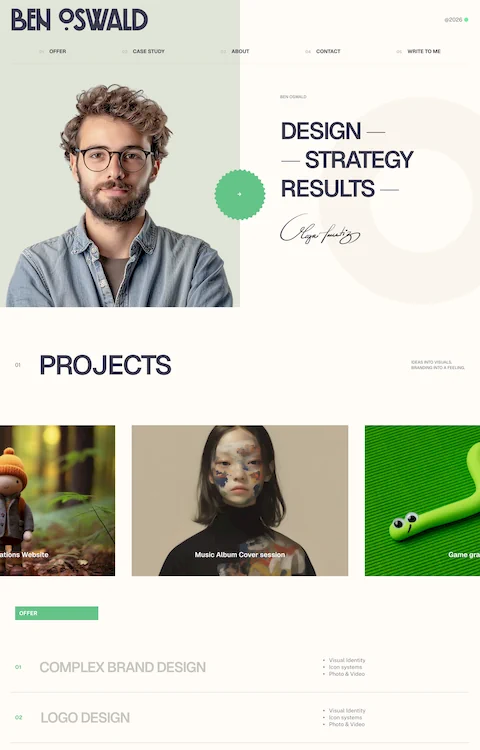
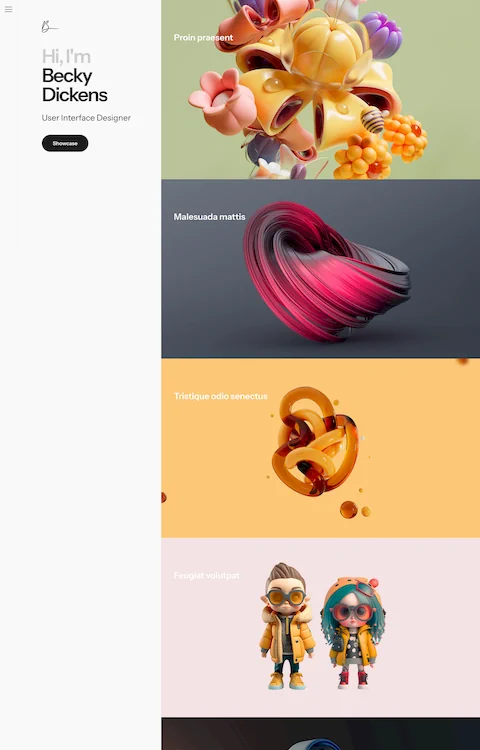
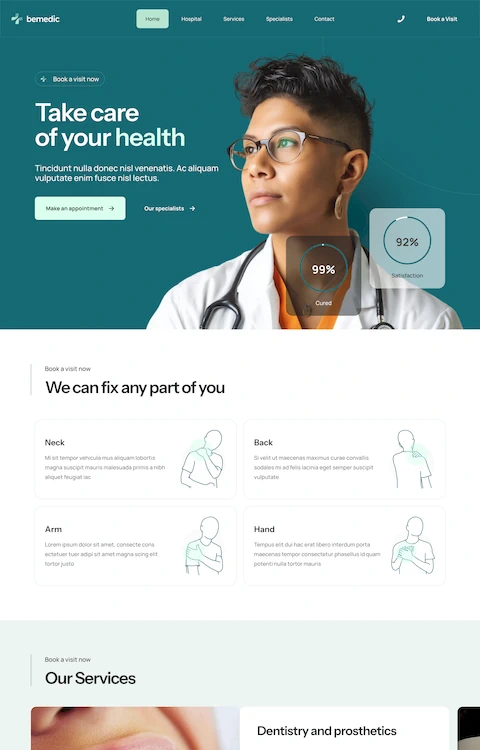
Examples of Amazing Website Templates
Medic 4

Beauty 6

Beauty 5

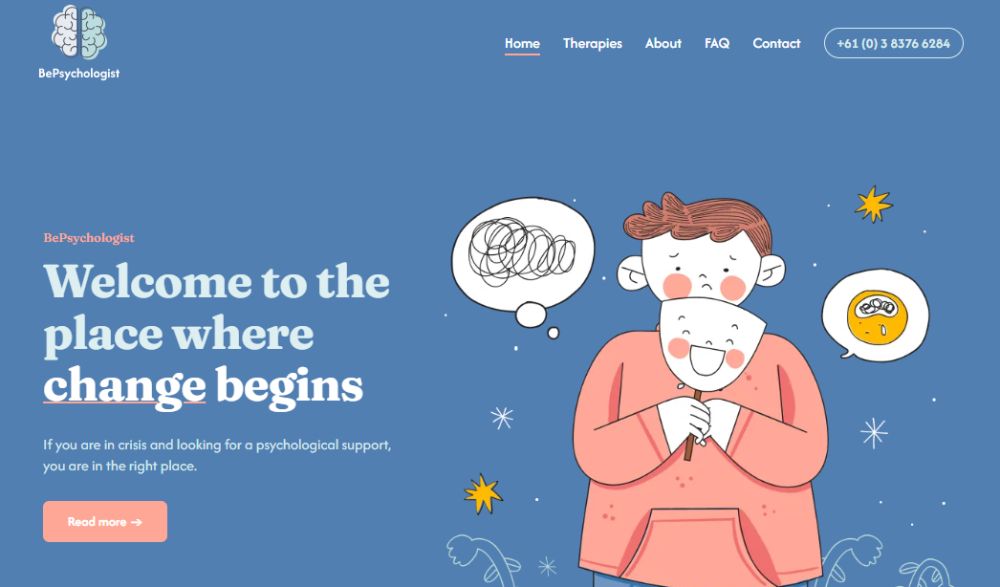
Psychologist 4
Glowing

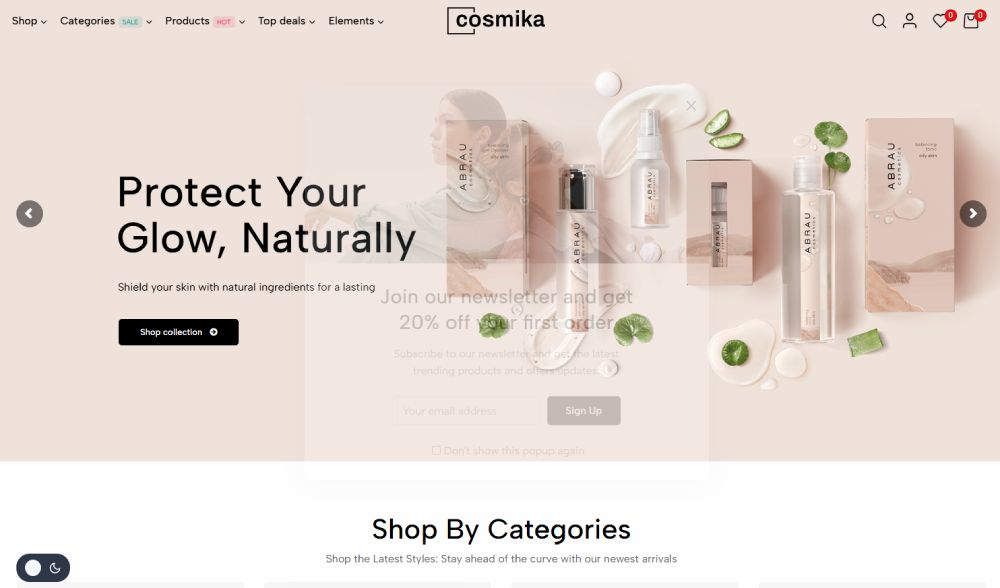
Cosmika
Glowix

Aarau

Glownis

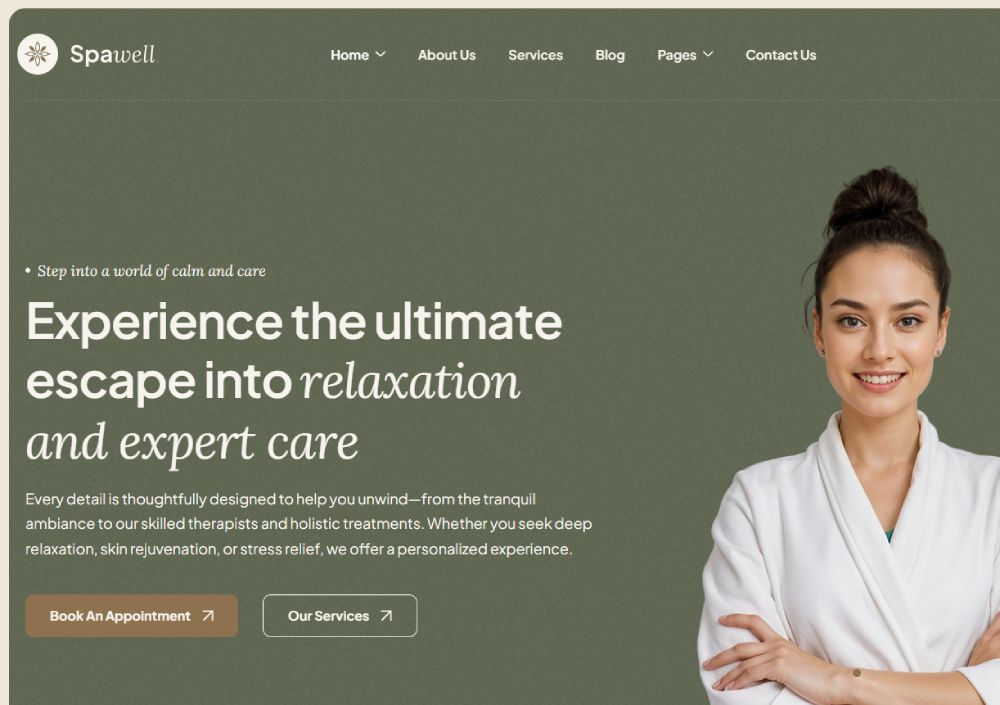
Spawell
Arome

Artmart
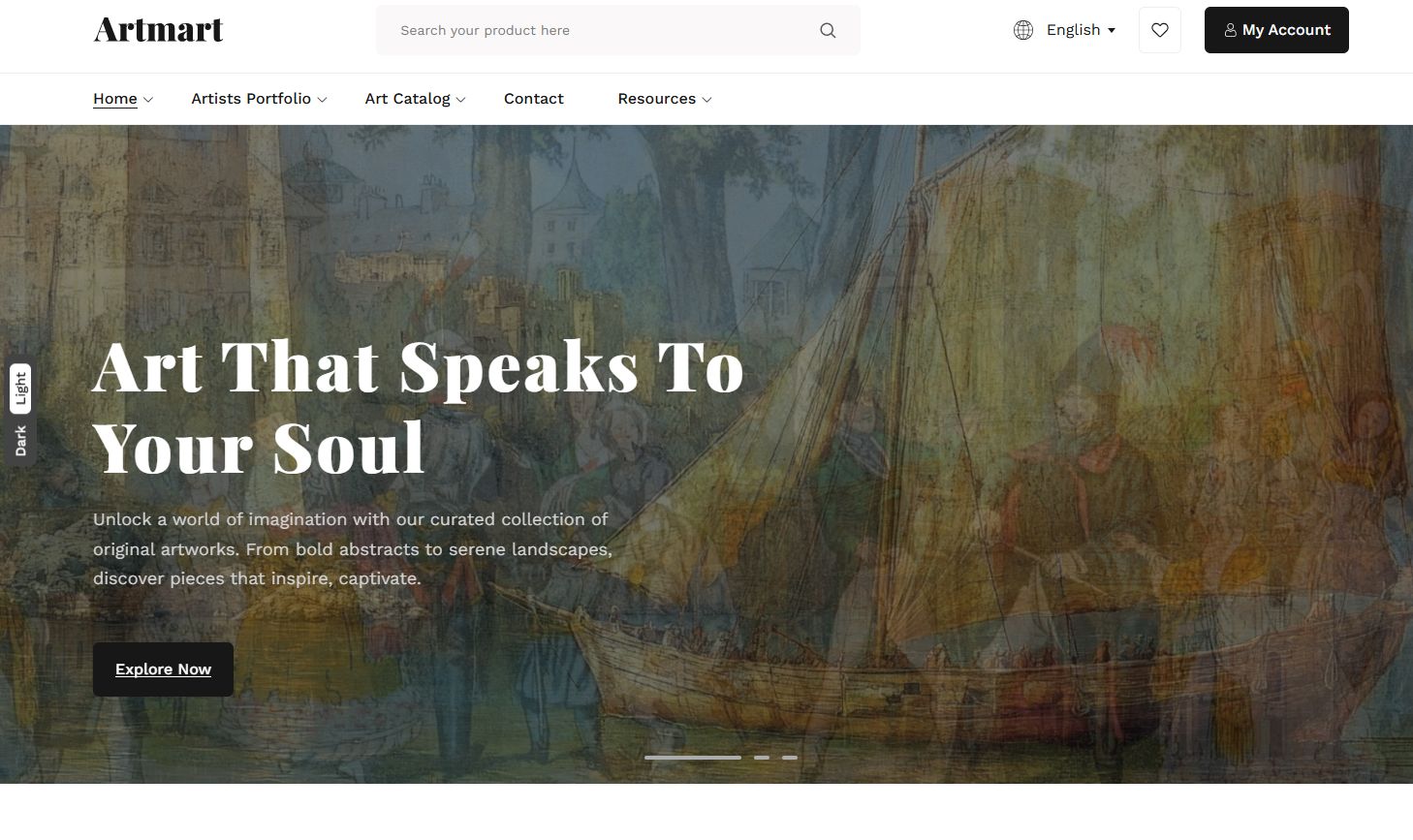
Medicora

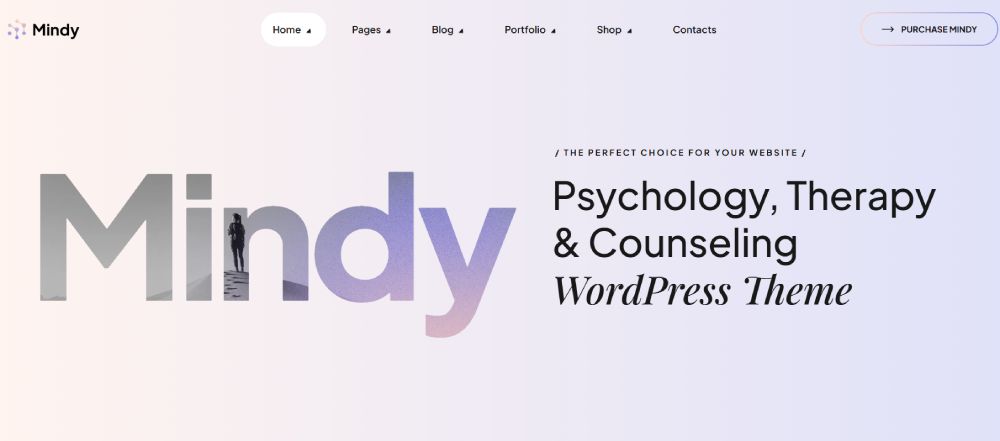
Mindy
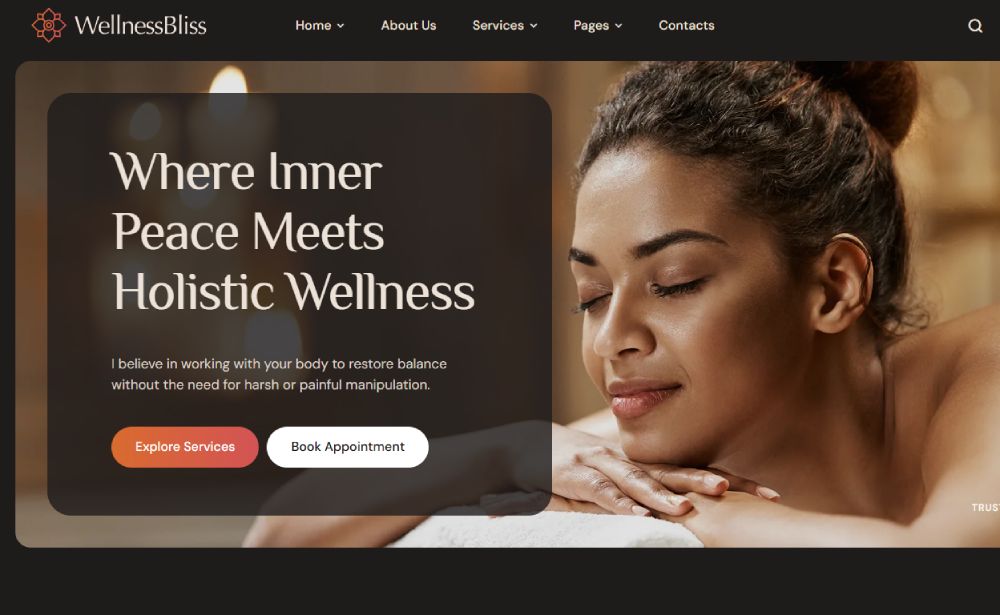
Wellness Bliss
Hipno

Petzorg

Aramco

ClinicMaster

Dispnsary

BrightHub

What is an Amazing Website Template
An amazing website template is a pre-built website design that combines visual appeal with functional excellence.
It provides a ready-made structure. HTML, CSS, and often JavaScript files work together to create responsive layouts that adapt to any screen size.
Unlike custom-built sites requiring months of development, templates offer immediate deployment.
The best ones balance aesthetics with usability, featuring drag and drop builders, customizable web themes, and mobile-friendly frameworks like Bootstrap or Tailwind CSS.
What separates an average template from an amazing one?
Three things: visual hierarchy that guides users naturally, clean code that loads fast, and flexibility that lets you make it yours without touching a single line of code.
Platforms like ThemeForest, Envato Elements, and TemplateMonster host thousands of options. WordPress themes dominate the market, but Webflow, Squarespace, and Wix offer their own template ecosystems.
The real magic happens when a template matches your specific needs. A stunning portfolio theme fails miserably for ecommerce. A corporate layout feels wrong for a creative agency.
Context matters more than raw beauty.
How Website Templates Work
Templates operate on a simple principle: separation of structure from content.
The framework handles layout, typography, and visual elements. You handle the words and images.
Most modern templates use a modular approach. Pre-designed sections snap together like building blocks.
Hero sections, feature showcases, testimonial areas, pricing tables, and contact forms exist as independent components.
Rearrange them. Duplicate them. Delete what you don't need.
Page builders like Elementor, Divi, and the native Gutenberg editor in WordPress make this process visual.
No coding required. Just drag, drop, and customize.
The underlying technology varies by platform:
- HTML/CSS templates offer maximum control but require technical knowledge
- WordPress themes balance flexibility with user-friendliness
- SaaS builders like Squarespace trade customization for simplicity
- React and Vue.js templates serve developers building web applications
Responsive design comes standard now. CSS Grid and Flexbox handle the heavy lifting, ensuring your site looks proper on phones, tablets, and desktops.
Cross-browser compatibility matters too. Chrome, Firefox, Safari, Edge. A good template works everywhere without surprises.
Types of Website Templates
Template categories exist because different sites serve different purposes.
Picking the wrong type wastes time and money.
Business and Corporate Templates
Professional website templates prioritize credibility and clear communication. Clean layouts, structured website navigation, and prominent call to action buttons define this category.
Industries like finance, healthcare, and consulting favor conservative designs that build trust.
Portfolio and Creative Templates
Visual impact dominates here. Portfolio templates showcase work through large imagery, grid galleries, and minimal text interference.
Graphic designers, photographers, and artists need templates where the work speaks louder than the frame.
Ecommerce Templates
Selling online demands specific features: product grids, shopping carts, checkout flows, inventory displays.
Shopify themes lead this space, though WooCommerce templates for WordPress offer more customization.
Clothing, jewelry, and furniture stores each have templates optimized for their product types.
Landing Page Templates
Single-purpose pages focused on conversion. Startup landing pages capture email signups. Product landing pages drive purchases.
SaaS landing pages explain software benefits. Event landing pages boost registrations.
Every element serves the conversion goal.
Blog and Magazine Templates
Content-first designs that handle high volumes of articles, categories, and archives.
Blog design templates emphasize readability with proper white space, good typography, and logical content hierarchy.
Industry-Specific Templates
Niche templates come pre-loaded with relevant sections and features:
- Restaurant templates include menu displays and reservation systems
- Real estate templates feature property listings and search filters
- Gym templates showcase class schedules and membership options
- Lawyer templates highlight practice areas and case results
Who Should Use Website Templates
Templates aren't for everyone. But they're perfect for most.
Small Business Owners
Limited budgets and tight timelines make templates the obvious choice.
A bakery, barbershop, or plumbing service doesn't need a $20,000 custom site.
Startups and Entrepreneurs
Speed matters when testing ideas. Launch in days, not months.
Validate the concept first. Invest in custom design after proving market fit.
Freelancers and Creatives
Musicians, filmmakers, writers, and designers need online presence without the overhead.
A polished personal website costs less than client dinner.
Marketing Teams
Campaign pages, lead generation landing pages, and microsites need fast deployment.
Templates let marketers move without waiting on developers.
Who Should Avoid Templates
Enterprise companies with complex requirements. Brands needing completely unique experiences.
Businesses where the website IS the product, like web applications or SaaS platforms requiring custom functionality.
How to Choose a Website Template
Wrong template choice costs weeks of frustration. Get this right the first time.
Define Your Purpose First
A cafe needs menu displays and location info. A SaaS company needs feature explanations and pricing tiers.
Match the template's strengths to your actual requirements.
Check Responsive Behavior
Preview on mobile before buying. Over 60% of web traffic comes from phones.
Responsive design isn't optional anymore. Test the demo across devices.
Evaluate Page Speed
Run the demo through Google PageSpeed Insights. Scores below 70 signal problems.
Bloated templates with excessive animations and unoptimized images hurt rankings and conversions.
Assess Customization Options
Can you change the color scheme easily? Swap fonts through Google Fonts integration?
Modify the layout without breaking things? Limited customization means future headaches.
Review Support and Documentation
Check the template's update history. Last updated two years ago? Walk away.
Read user reviews on ThemeForest or the developer's site. Support quality varies wildly.
Consider Your Technical Skills
WordPress themes with Elementor suit beginners. Raw HTML/CSS templates demand coding knowledge.
Webflow sits in between, offering visual control with steeper learning curve.
How to Customize Website Templates
Customization transforms generic templates into branded experiences.
Brand Identity Integration
Replace placeholder logos immediately. Upload your brand's color palette into the theme settings.
Consistent colors across headers, buttons, and accents build recognition.
Typography Adjustments
Default fonts rarely match brand personality. Swap them through Google Fonts or Adobe Fonts.
Pair a display font for headings with a readable body font. Two fonts maximum.
Image Replacement Strategy
Stock photos scream "template." Replace them with original photography or curated images from Unsplash.
Maintain consistent image dimensions to preserve layout integrity.
Section Modifications
Delete sections you don't need. A simple site beats a cluttered one.
Rearrange remaining sections to match your content hierarchy and user journey.
Content Population
Write copy that speaks to your audience. Placeholder text like "Lorem ipsum" kills credibility.
Keep paragraphs short. Use bullet points for scannable information.
What to Look for in a Website Template
Quality indicators separate lasting investments from regrettable purchases.
Code Quality
Clean, semantic HTML matters for SEO and accessibility. View source code before buying.
Excessive inline styles, nested divs, and missing alt tags indicate sloppy development.
SEO-Friendly Structure
Proper heading hierarchy from H1 to H6. Schema markup support for rich snippets.
Fast load times and mobile-first architecture signal search engine readiness.
Accessibility Compliance
Keyboard navigation support. Proper contrast ratios. Screen reader compatibility.
Accessible design isn't just ethical. It's increasingly a legal requirement.
Browser Compatibility
Test across Chrome, Firefox, Safari, and Edge. Legacy browser support varies by template.
CSS Grid and Flexbox work everywhere now, but complex animations may break in older browsers.
Plugin and Integration Support
WordPress templates should work with major plugins: Yoast SEO, WooCommerce, Contact Form 7.
Check compatibility lists before purchasing. Plugin conflicts cause endless frustration.
Common Mistakes When Using Website Templates
Avoid these errors that turn promising projects into disasters.
Keeping Default Content
Launching with placeholder text or stock photos destroys credibility instantly.
Every element needs replacement. Every single one.
Over-Customization
Changing everything defeats the template's purpose. The original designers made intentional choices.
Modify strategically. Preserve what works.
Ignoring Mobile Experience
Desktop-focused tweaks often break mobile layouts. Check every change on phone screens.
Mobile visitors abandon poorly designed sites within seconds.
Skipping Performance Optimization
Compress images before uploading. Remove unused CSS and JavaScript.
Enable caching. A beautiful template means nothing if it takes 8 seconds to load.
Neglecting Updates
Template updates fix security vulnerabilities and compatibility issues. Ignoring them creates risk.
Backup before updating. Test on staging when possible.
Poor Content Hierarchy
Templates provide structure, not strategy. Good UX requires thoughtful content organization.
Guide visitors toward goals with clear navigation patterns and logical flow.
Website Templates vs Custom Design
Neither option wins universally. Context determines the right choice.
Cost Comparison
Templates: $0 to $200 typically. Custom design: $5,000 to $50,000+ depending on complexity.
Budget constraints make templates the obvious starting point for most businesses.
Time to Launch
Templates launch in days or weeks. Custom projects take months.
Speed matters when testing concepts or meeting deadlines.
Uniqueness Factor
Popular templates appear on thousands of sites. Custom design guarantees originality.
Unique design matters more for brands where differentiation drives value.
Scalability Considerations
Templates handle standard requirements well. Complex functionality demands custom development.
Start with templates. Graduate to custom when revenue justifies investment.
Maintenance Requirements
Templates depend on developer updates for security and compatibility.
Custom sites need dedicated maintenance but offer complete control over changes.
When Templates Win
- Startups validating ideas
- Small businesses with limited budgets
- Personal trainers, coaches, freelancers
- Landing pages and campaign microsites
- Non-profits maximizing limited resources
When Custom Design Wins
- Enterprise brands with complex requirements
- Products where website IS the business
- Industries requiring unique user experiences
- Companies with design as competitive advantage
FAQ on Amazing Website Templates
What makes a website template amazing?
Amazing templates combine clean visual design with fast load times, responsive layouts, and easy customization. They follow proper code standards, include SEO-friendly structure, and work across all browsers without breaking.
Are free website templates worth using?
Free templates work for learning or tight budgets. Expect limited features, fewer customization options, and no dedicated support. Premium templates from ThemeForest or Envato Elements offer better quality and ongoing updates.
How do I know if a template is mobile-friendly?
Preview the demo on your phone before purchasing. Check if navigation works smoothly, text remains readable, and buttons are tappable. Run Google's Mobile-Friendly Test for technical confirmation.
Can I use the same template as another website?
Yes, template licenses allow multiple users. Popular themes appear on thousands of sites. Customization through colors, fonts, images, and layout adjustments makes your version unique despite shared foundations.
Which platform has the best website templates?
WordPress offers the largest selection through themes and page builders like Elementor. Webflow provides designer-level control. Squarespace and Wix suit beginners wanting simplicity over flexibility.
How much should I pay for a website template?
Quality templates range from $49 to $199. Subscription services like Envato Elements offer unlimited downloads for monthly fees. Avoid extremely cheap options lacking updates or support.
Do website templates hurt SEO?
Well-coded templates support SEO through proper heading structure, fast performance, and mobile responsiveness. Poorly built templates with bloated code hurt rankings. Check PageSpeed scores before purchasing.
Can I customize a template without coding?
Most modern templates include visual builders. WordPress themes work with Elementor or Divi. Webflow, Squarespace, and Wix offer drag-and-drop editing. HTML templates require coding knowledge for changes.
How long does it take to launch with a template?
Basic sites launch within days. Complex projects with custom content, multiple pages, and integrations take two to four weeks. Templates eliminate development time but content creation remains your responsibility.
Should I hire someone to customize my template?
Hire help for complex modifications beyond visual builders. Simple changes like colors, fonts, and images require no expertise. Budget $500 to $2,000 for professional template customization services.
Conclusion
Amazing website templates put professional web design within reach of anyone. No coding expertise required. No massive budget needed.
The right template balances visual hierarchy, responsive layouts, and customization flexibility. It loads fast, works across browsers, and adapts to mobile screens without breaking.
Start by defining your goals. Match template features to actual needs, not wishful thinking.
Test before buying. Check mobile behavior, page speed scores, and user reviews. Verify the developer still provides updates and support.
Customize thoughtfully. Replace every placeholder image and text block. Integrate your brand colors and typography choices. Delete sections you don't need.
Templates aren't shortcuts to success. They're foundations. What you build on top determines whether visitors stay or bounce.
Choose wisely. Execute thoroughly.